

Membership Management Software: The Complete Guide
It's renewal season, and your inbox is flooded with questions.
"When does my membership expire?"
"Can you update my credit card?"
"I never got my receipt."
Meanwhile, you're manually sending reminder emails, updating spreadsheets, and wondering which members actually renewed versus which ones just said they would.
There's a better way.
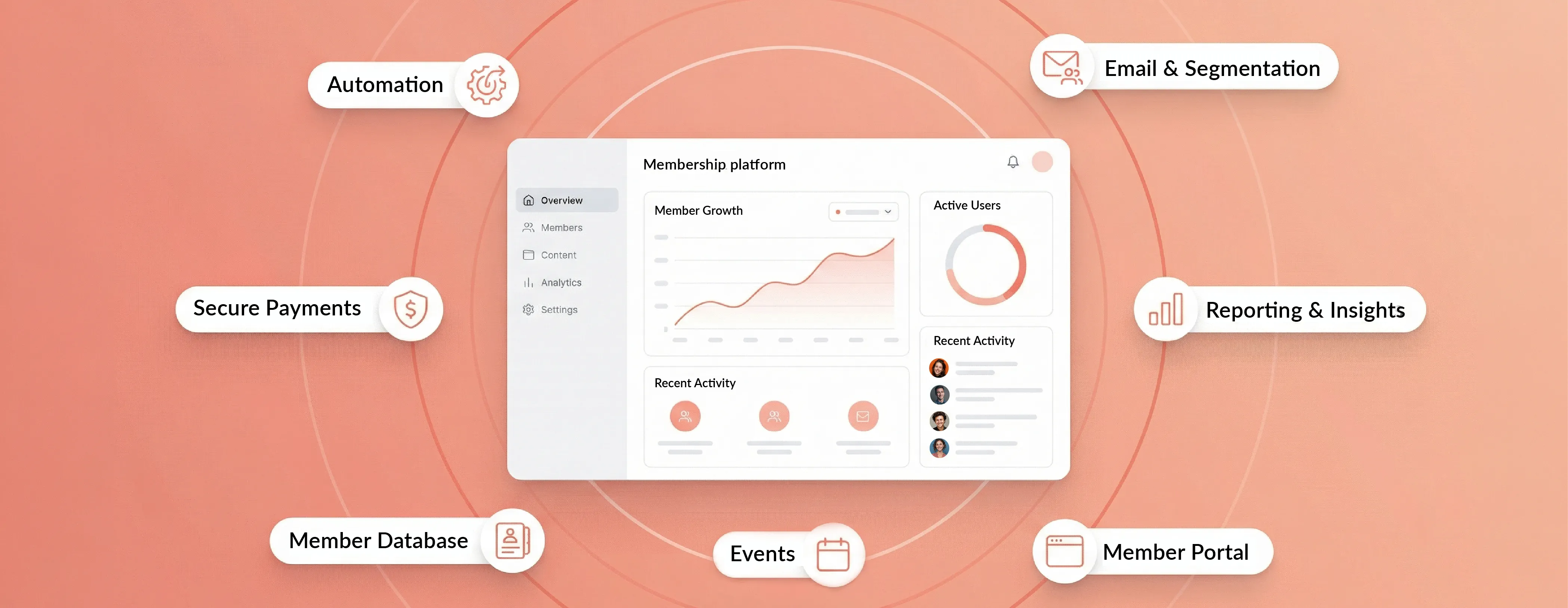
Membership management software replaces this chaos with a centralized platform that automates renewals, processes payments, and lets members handle routine tasks themselves. The result? More renewals, less administrative work, and members who can actually access their benefits without emailing you.
This guide covers everything you need to know about membership software: what it does, why organizations are adopting it at record rates, and how to choose the right platform for your needs.
Let's start with what membership management software actually is, then explore the membership software features that make these platforms work.
Key Takeaways
What is Membership Management Software?
Membership management software is a specialized platform that stores all your member information in one unified system.
Instead of maintaining separate spreadsheets for contact information, payment tracking, and event attendance, everything lives in a single database. Think of it as mission control for your membership program.
The software handles the full membership lifecycle: online applications, payment processing, renewal reminders, member communications, event registrations, and benefit access. When someone joins, the system captures their information, processes payment, creates their member portal login, and sends a welcome message.
All automatically.
Here's what typically lives in a membership platform:
Member records with contact details, membership level, and payment history. Custom fields for information specific to your organization. Billing cycles and renewal dates. Communication preferences and engagement history. Event registrations and attendance tracking.
You might hear it called by different names. Professional associations often call it an Association Management System (AMS). Others call it a membership database, membership platform, or membership system. Same concept, different labels.
Now, let's clarify what membership software is NOT:
It's not a generic CRM alone. While CRMs track contacts and interactions, they're built for sales pipelines, not recurring memberships with dues cycles and member benefits.
If you’re deciding between a CRM and a membership platform, read our membership software vs CRM guide.
It's not just an email tool. Yes, membership platforms include communication features, but that's just one piece. The core is member status, renewals, and benefits management.
And it's not simply a website builder. Some platforms include website functionality, but the heart of the system is the membership database and payment processing.
Here's the key distinction: membership status and renewals are at the center of everything. A CRM might track that someone paid you once. Membership software tracks that they're in month 7 of a 12-month cycle, they attended three events, and they need a renewal reminder in 60 days.
As an anecdotal example, one Reddit user explained their organization's challenge: they were using a donation platform for payments and exporting data to Google Sheets for record-keeping.[1] This patchwork approach quickly becomes unmanageable as membership grows.
Who uses membership management software?
Any organization that collects recurring dues or subscriptions in exchange for benefits, access, or community, including:
- Associations and nonprofits: professional associations, trade groups, advocacy organizations, alumni groups
- Community and culture organizations: clubs, arts organizations, theaters, museums, faith based organizations
- Member based facilities and networks: gyms, sports clubs, chambers of commerce, coworking spaces, HOAs
Why Organizations Need Membership Management Software
As industry benchmark context, market forecasts show strong growth in membership management software adoption over the next several years.
The industry was valued at $5.4 billion in 2024 and is projected to reach $8.08 billion by 2033.[2]
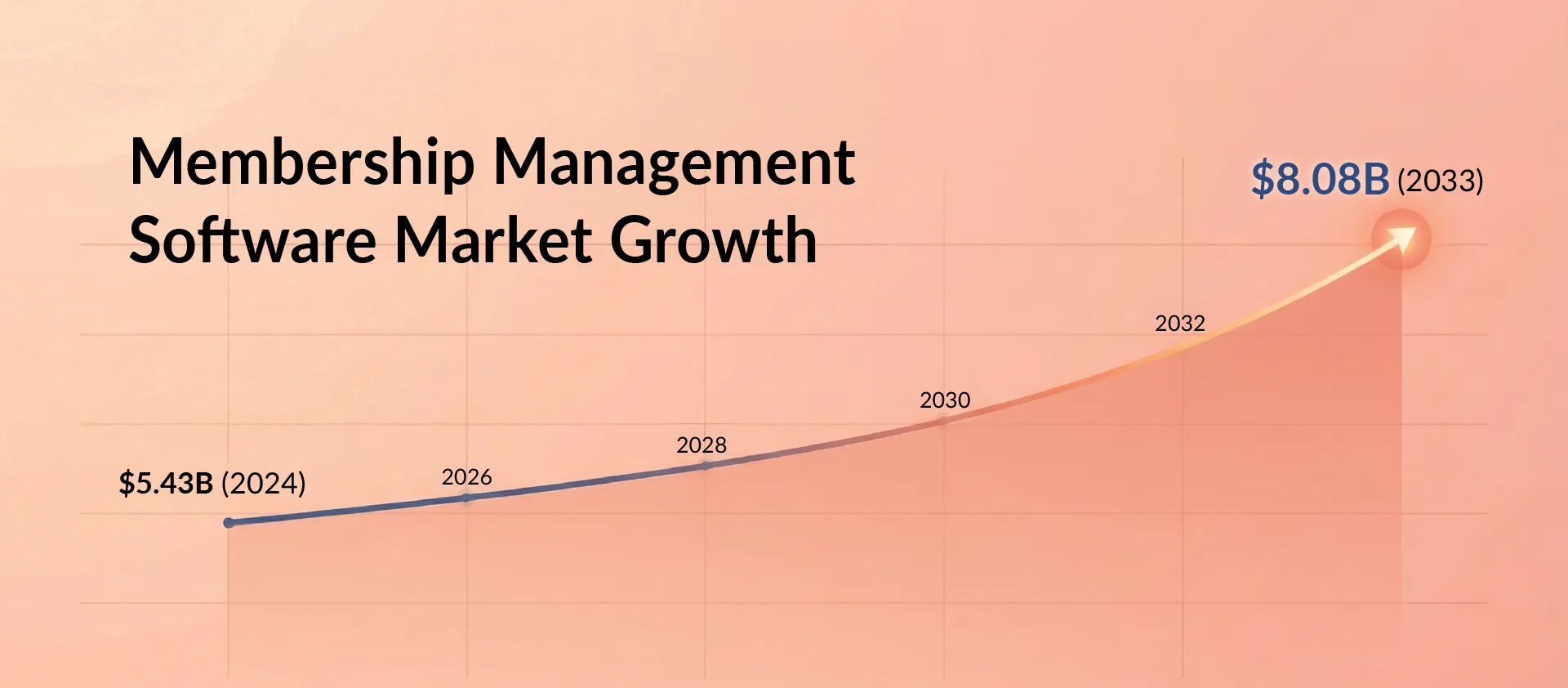
That's not just market expansion. It reflects a fundamental shift in how member-based organizations operate. Organizations sticking with manual processes are finding it harder to compete.
Rising Member Expectations
Technology has changed what people expect from organizations they support.
A Salesforce study found that 73% of customers expect personalization as technology advances. Members aren't just customers. They're paying for an ongoing relationship.[3]
If you're sending generic mass emails to everyone, you're missing this expectation.
Membership software stores member preferences, history, and engagement patterns. This enables targeted communications based on membership tier, interests, or participation. The professional member who attends networking events wants different information than the student member focused on learning resources.
Member Retention Challenges
Here's where things get interesting.
Research studying why members don't renew uncovered three primary reasons:
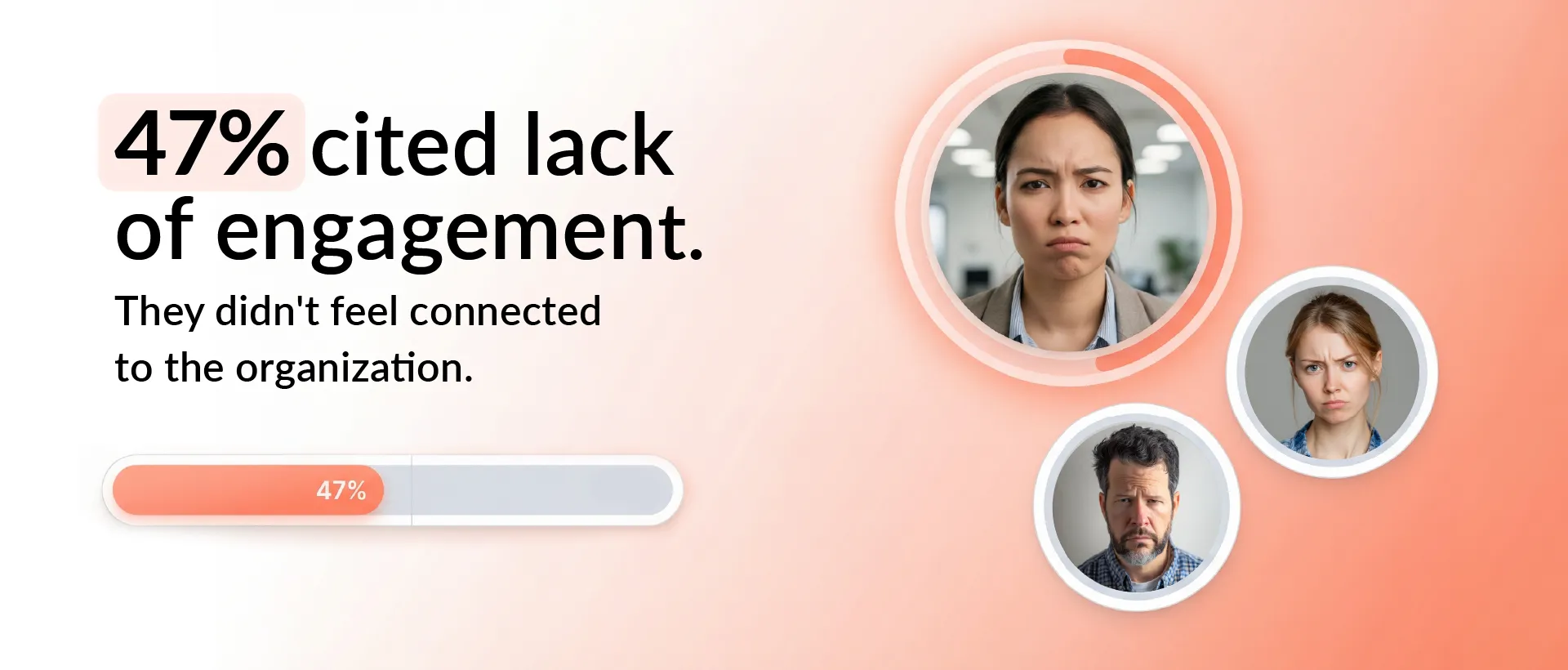
47% cited lack of engagement. They didn't feel connected to the organization.[4]
32% felt low perceived value. The benefits weren't worth the dues.
29% simply forgot to renew.
That last statistic is particularly striking. Nearly one-third of lapsed members didn't leave because they were dissatisfied. They just forgot.
Automated renewal reminders directly address this problem. And engagement tracking helps you identify at-risk members before they lapse, giving you time to re-engage them.
Professional Growth and Networking
When researchers asked association members why they joined, networking topped the list.
Specifically, 67% of members cited networking opportunities as their main reason for joining. 42% wanted professional development and continuing education. 32% needed current industry information and resources.
Notice the pattern? All three involve connection, learning, and access to specialized knowledge.
Membership platforms support this through member directories, event management, continuing education tracking, and content delivery systems.
Operational Efficiency and Staff Wellbeing
Manual membership management takes a toll on staff.
About half of nonprofit organizations report workforce shortages due to stress and burnout. While many factors contribute to this, administrative burden plays a significant role.
When staff spend hours each week manually processing renewals, updating records, and answering routine member questions, they're not working on strategic initiatives that grow the organization.
Automation changes this equation. Members can update their own profiles, process renewals, and download receipts without staff involvement.
One volunteer in a multi-chapter nonprofit shared that switching to membership software saved "dozens of volunteer hours each month." The system let each chapter link their own payment account, so when someone joined, payment flowed directly to the right location without manual routing.[5]
The Cost of Poor Data
Bad data is expensive.
Research from Gartner found organizations can lose up to $12.9 million annually due to poor data quality.[6]
When member information lives across multiple spreadsheets, inconsistencies multiply. Duplicate records appear. Renewal dates get missed. Payment history becomes unreliable.
A centralized membership platform prevents this. One record per member. Automatic updates. Built-in duplicate detection. Everyone on your team sees the same accurate information.
Now let's look at how these systems actually work.
How Membership Management Software Works

At its core, membership software follows a straightforward workflow: join, pay, engage, renew.
Centralized Member Database
Everything starts with the member database.
This isn't just a contact list. It's a comprehensive record system where each member has a profile containing contact information, membership level and billing tier, join date and renewal date, payment history and stored payment methods, event registrations and attendance records, communication preferences and email engagement, plus custom fields specific to your organization.
The database becomes your single source of truth. When someone on your board asks about membership numbers, you're looking at real-time data, not a spreadsheet that was last updated two weeks ago.
If you manage multiple membership tiers, the database tracks who belongs to which level and what benefits they receive. A professional association might offer student memberships at $50 annually, professional memberships at $200, and corporate memberships at $1,000 with multiple user seats.
Membership Types and Flexible Structures
Good membership software supports various membership structures.
Individual versus family memberships. Student versus professional tiers. Monthly versus annual billing. Group or organizational memberships. Honorary or lifetime memberships.
You define the structure that fits your organization. Some groups keep it simple with one membership level. Others have complex hierarchies with different pricing, benefits, and billing cycles for each tier.
Online Applications and Sign-Ups
Modern platforms provide customizable application forms that embed on your website.
Someone visits your join page, selects their membership level, fills out the required information, and pays online. The entire process takes minutes. No waiting for someone to process a paper form. No manual data entry. No delayed welcome messages.
If your organization requires approval before activating memberships (common in professional associations), the platform can route applications to the appropriate person. But for most groups, instant approval creates a better member experience.
Custom fields let you collect whatever information matters. Student ID verification for discounted rates. Professional certifications. Volunteer interests. Dietary restrictions for events. Everything captured in the application flows directly into the member record.
Built-In Payments, Billing, and Renewals

This is where membership software really delivers value.
The platform integrates with payment processors like Stripe, PayPal, or Authorize.Net. When someone joins or renews, payment processes immediately. The system stores payment methods securely for recurring billing.
Automated renewal reminders are crucial here. The reminders typically follow a sequence: 60 days before expiration, 30 days before, 7 days before, and on expiration day. Members receive emails (or texts) prompting them to renew with a direct payment link.
For members on auto-renewal, the system handles everything. It charges the stored payment method on the renewal date, sends a receipt, extends the membership period, and updates the member's status. Zero manual work.
Core Data Model and Workflows
The underlying structure is straightforward: Member record → Membership level → Billing cycle → Status (active, lapsed, pending, canceled).
The typical membership lifecycle flows like this:
Someone completes the join form and payment. The system creates their member record and sets their status to Active. They receive automated welcome communications with portal login credentials. Throughout their membership, they engage with events, content, and community. As renewal approaches, automated reminders begin. They renew (or don't), which updates their status accordingly. If they lapse, re-engagement campaigns can win them back.
Most of this happens automatically.
Self-Service Member Portal
A member portal transforms the member experience.
Members log in 24/7 to view their membership status, update contact information and payment methods, download receipts and invoices, register for events, access members-only content, and renew their membership.
This self-service capability dramatically reduces administrative workload. Every profile update a member handles themselves is one less email to staff. Every receipt they download is one fewer request to process.
The portal also increases engagement. When members can easily see upcoming events, browse the member directory, or access exclusive resources, they're more likely to participate.
Now that we understand how membership software works, let's clarify how it differs from a standard CRM.
Membership Management Software vs. CRM
This question comes up constantly: "Can't we just use a CRM?"
Sometimes. But usually not optimally.
Different Core Purposes
CRM software is built for sales and customer relationships. It excels at tracking leads through a sales pipeline, managing one-time transactions, and nurturing prospects into customers.
Membership software is built for ongoing member relationships. It excels at recurring billing, renewal automation, membership tiers, and member self-service.
The focus is fundamentally different. CRMs ask: "How do we convert this lead?" Membership systems ask: "How do we serve this member and retain them?"
Feature Differences
Standard CRMs typically offer contact databases and pipeline management, marketing automation and email campaigns, sales tracking and reporting, plus integration with sales and marketing tools.
Membership platforms include those features plus membership-specific capabilities like automated renewal cycles and billing, tiered membership structures with different benefits, member portals for self-service, event registration with member pricing, continuing education and certification tracking, and member directories and communities.
Standard CRMs typically lack renewal automation, member portals, tiered memberships, and event registration features that are standard in membership platforms.
When to Use Which
If you're primarily selling products or services to customers, a CRM makes sense. You need pipeline management and sales tracking.
If you're collecting recurring membership dues in exchange for benefits and access, you need membership software. You need renewal management and member engagement tools.
Some organizations use both. They maintain a CRM for donor relationships and sponsorship sales, while using membership software for their member program.
The Customization Trap
While you can customize a CRM to handle memberships, the process often costs over $50,000 and still doesn't provide all the features you need. You're essentially trying to retrofit sales software for a different purpose.[7]
Meanwhile, purpose-built membership platforms include renewal automation, member portals, and tiered structures out of the box. No expensive customization required.
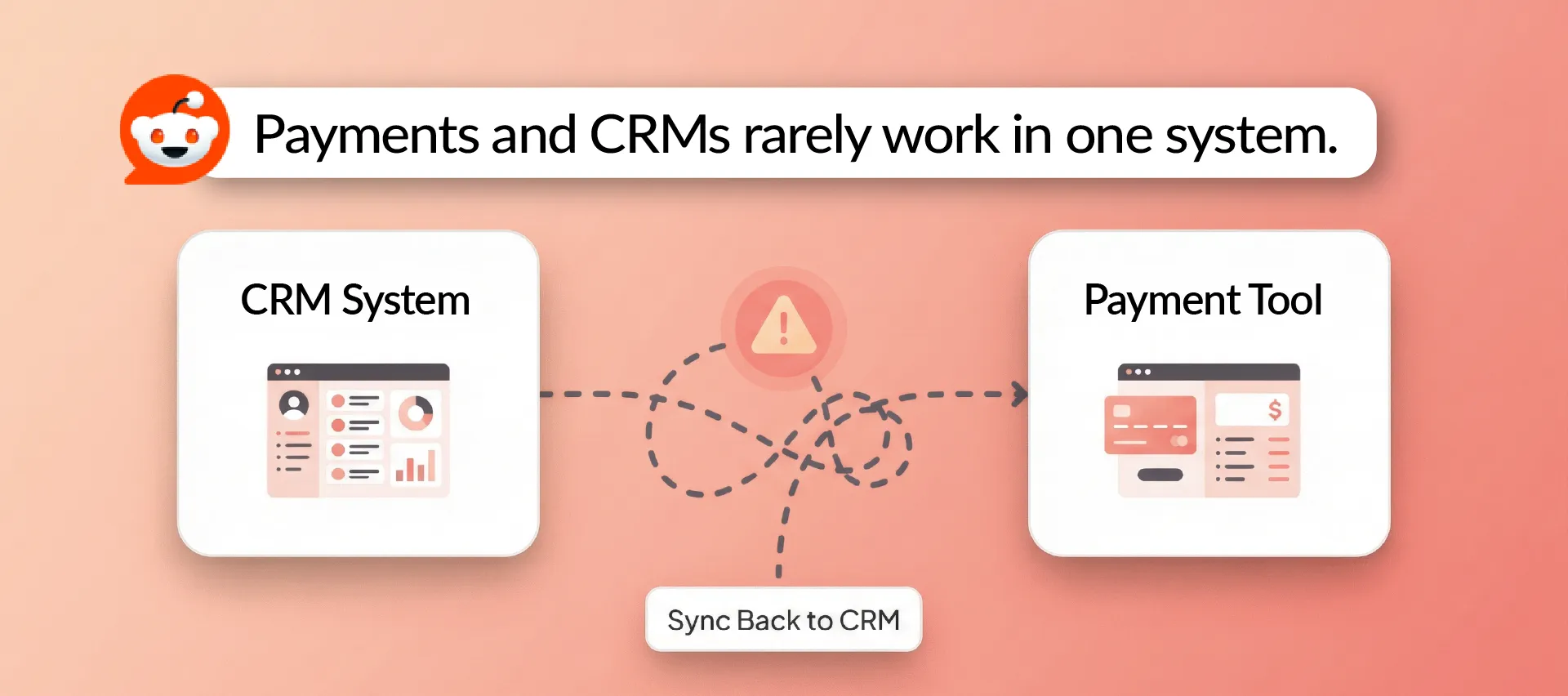
As additional context, a Reddit commenter noted that most CRMs don't process payments directly. You'd need to integrate payment software separately, then sync the data back to your CRM, creating additional complexity.[8]
The right tool depends on your primary need. But for organizations built around recurring memberships, specialized membership software usually delivers better results with less effort.
Now let's explore the core features you should look for.
Core Features to Look For in Membership Management Software
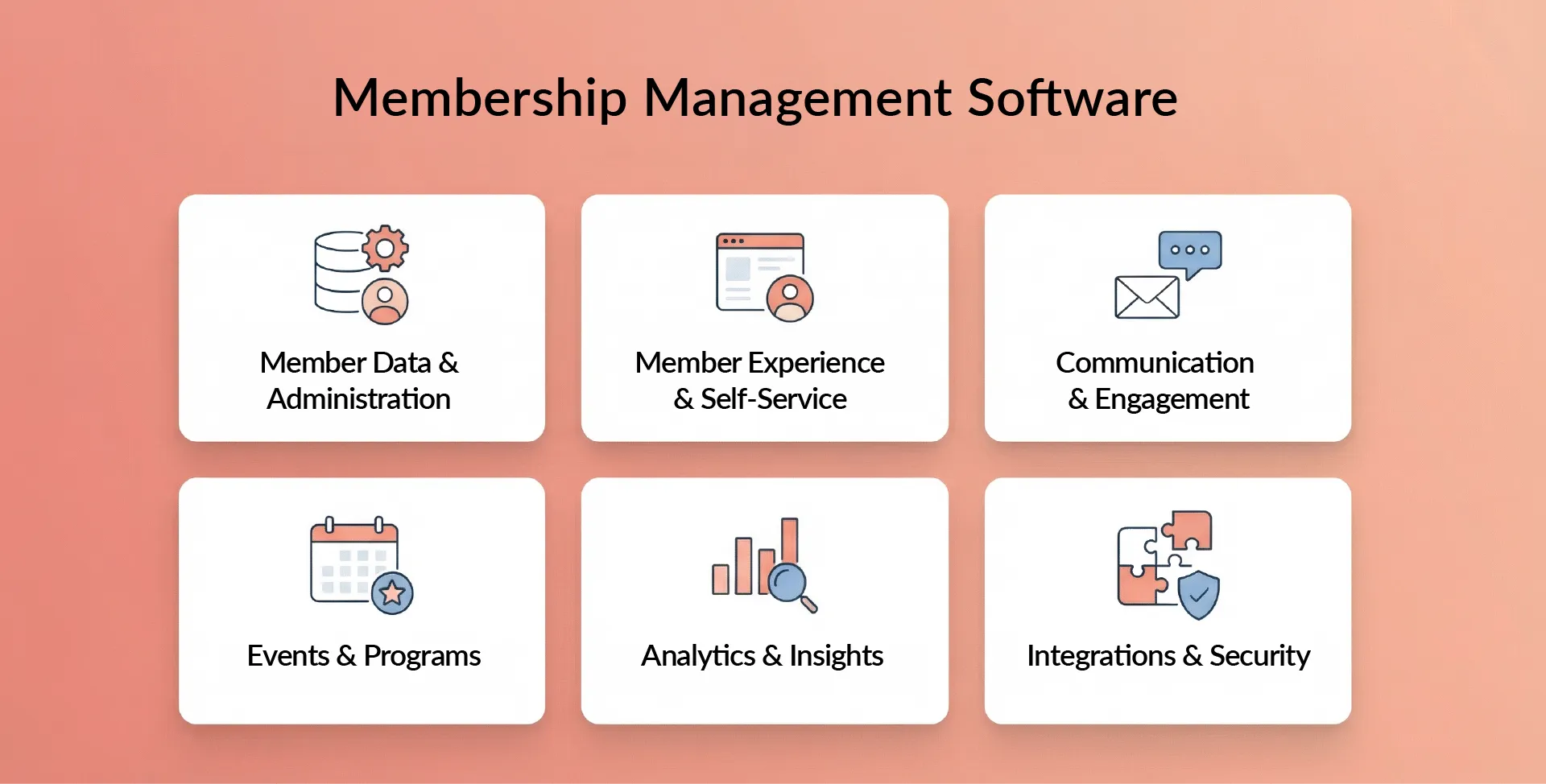
Not all membership platforms are created equal.
Some focus heavily on events. Others prioritize communications. Still others emphasize financial management. Here's what to look for across the major feature categories.
Member Data and Administration
The foundation of any good platform is robust data management.
Your system should provide a centralized database for all member information: contact details, membership levels, payment history, event attendance, and communication preferences. Look for customizable membership types and tiers so you can define individual, family, student, professional, or corporate memberships, each with its own pricing and billing schedule.
Custom fields matter. Every organization collects specific information. Professional certifications. Volunteer interests. Committee assignments. Dietary preferences. Your software should let you add custom fields and capture this data through your application forms.
Bulk import and export capabilities are essential. You'll need to migrate data from spreadsheets when you start, and you'll want to export data for analysis or backup. Duplicate prevention helps maintain clean data by flagging potential duplicate records.
Member Experience and Self-Service
This category directly impacts member satisfaction.
A member portal gives people 24/7 access to manage their account. They can update their profile, view membership status, change payment methods, download receipts, and renew their membership without contacting staff.
Digital membership cards are increasingly popular. These wallet-ready cards include QR codes that update automatically when membership status changes. No more printing and mailing physical cards. Members add the card to their phone, and it always reflects their current status.
For organizations with physical locations or regular events, fast check-in capabilities matter. Scan QR codes from digital cards, use kiosk mode for self-check-in, or integrate with access control systems.
Member directories help people connect. Searchable directories let members find others with similar interests, see professional credentials, or contact fellow members directly.
Communication and Engagement
Effective communication drives engagement and retention.
Automated email workflows handle routine communications without manual work. Welcome series for new members. Renewal reminders at 60, 30, and 7 days before expiration. Lapsed member re-engagement campaigns. Event confirmations and reminders.
Email marketing tools with segmentation let you send targeted messages. Board members receive different content than general members. People who attend events receive different updates than those who don't.
Some platforms include community features like forums or discussion boards. Others integrate with external community platforms. Either way, facilitating member-to-member interaction builds engagement.
Promotion codes and discount functionality helps with recruitment. Offer discounted rates to new members, create referral programs, or run special promotions. Mobile optimization is non-negotiable since many members primarily interact with your organization via smartphone.
Events and Programs
Events drive engagement and revenue for many membership organizations.
Your platform should handle event creation, registration, and ticketing. Create events with member and non-member pricing. Accept online registrations. Sell tickets. Track attendance.
Calendar and scheduling features help members stay informed. Automated email or SMS reminders reduce no-shows. Member-only pricing reinforces membership value. When members pay $50 for an event while non-members pay $75, the membership starts paying for itself.
Check-in tools streamline event management. QR code scanning, RSVP lists, and attendance tracking make events run smoothly while capturing engagement data.
Finance and Fundraising
Strong financial features ensure predictable revenue.
Recurring billing and integrated payment processing are essential. The system should automatically charge membership dues on schedule, accept credit cards and ACH payments, and handle failed payment recovery.
For nonprofits, donation capabilities add significant value. Accept one-time and recurring donations. Link donor and member records. Provide proper donation receipts for tax purposes.
Add-on revenue options let you sell beyond memberships. Merchandise. Additional class passes. Premium content. Conference tickets. All processed through the same platform.
Analytics and Insights
You can't improve what you don't measure.
Look for reporting and analytics that track membership growth, engagement, and financial performance. Key metrics include total membership count by status (active, lapsed, new), renewal rates and churn by membership level, revenue by source (dues, donations, events, add-ons), and engagement metrics (event attendance, email opens, portal logins).
Membership status tracking with clear labels (Prospective, Active, Expired, Lapsed) helps you understand your member pipeline at a glance. Good dashboards surface this information visually, making it easy to spot trends and identify problems before they become crises.
Integrations and Security
Your membership platform doesn't exist in isolation.
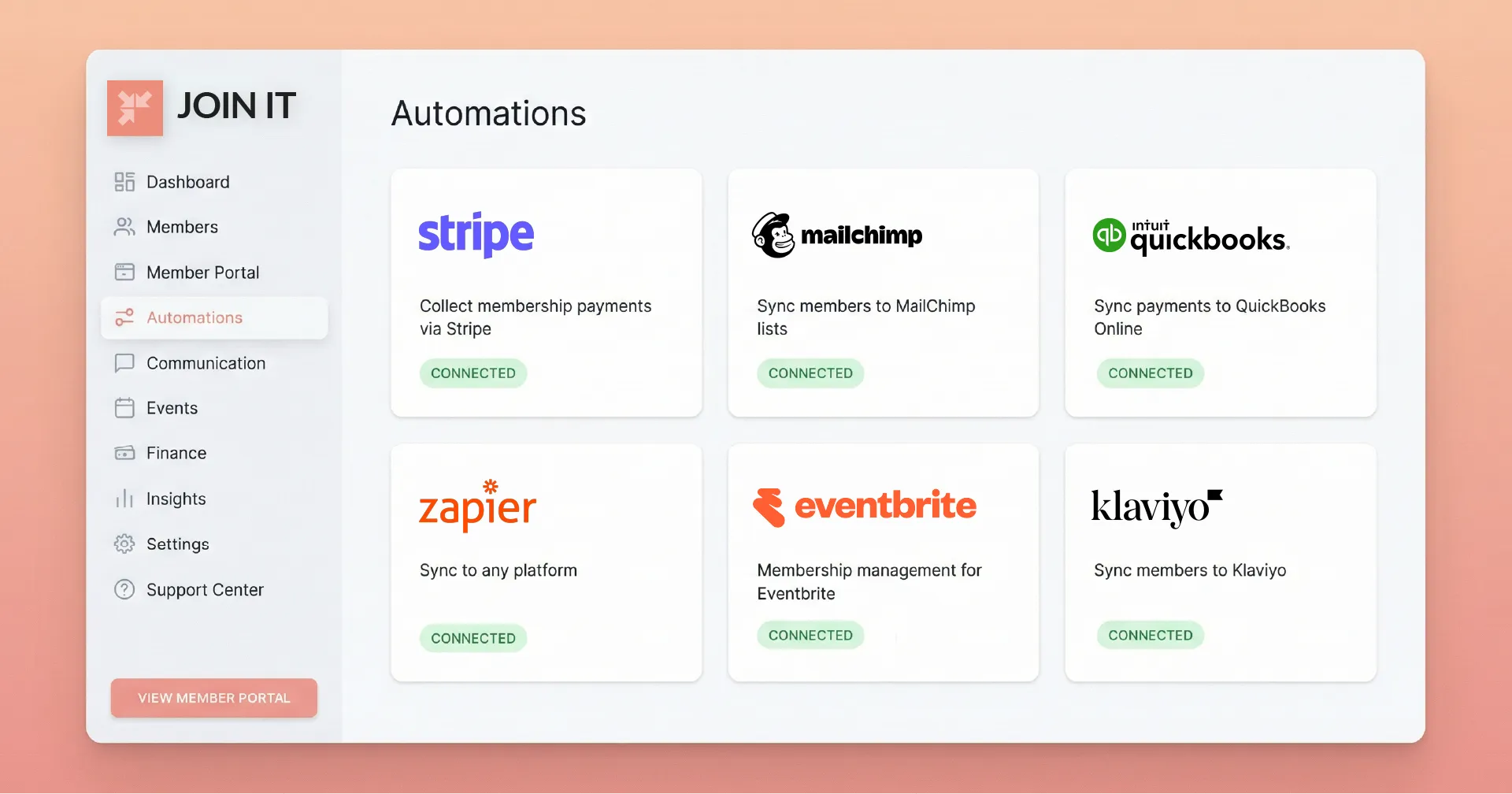
Integration capabilities matter. The platform should connect with email marketing tools (Mailchimp, Constant Contact), accounting software (QuickBooks, Xero), website platforms (WordPress plugins), payment gateways (Stripe, PayPal), and other essential tools. API access or Zapier connectivity provides flexibility for custom integrations.
Security is non-negotiable. Look for data encryption (both in transit and at rest), multi-factor authentication for administrators, role-based permissions so staff only access what they need, and regular security audits (SOC 2 compliance where applicable).
Cloud-based platforms offer scalability and automatic updates. You don't need to maintain servers or worry about software updates, and your data is backed up automatically.
These features work together to create a comprehensive membership management system. Now let's look at the benefits of using one.
Benefits of Membership Management Software
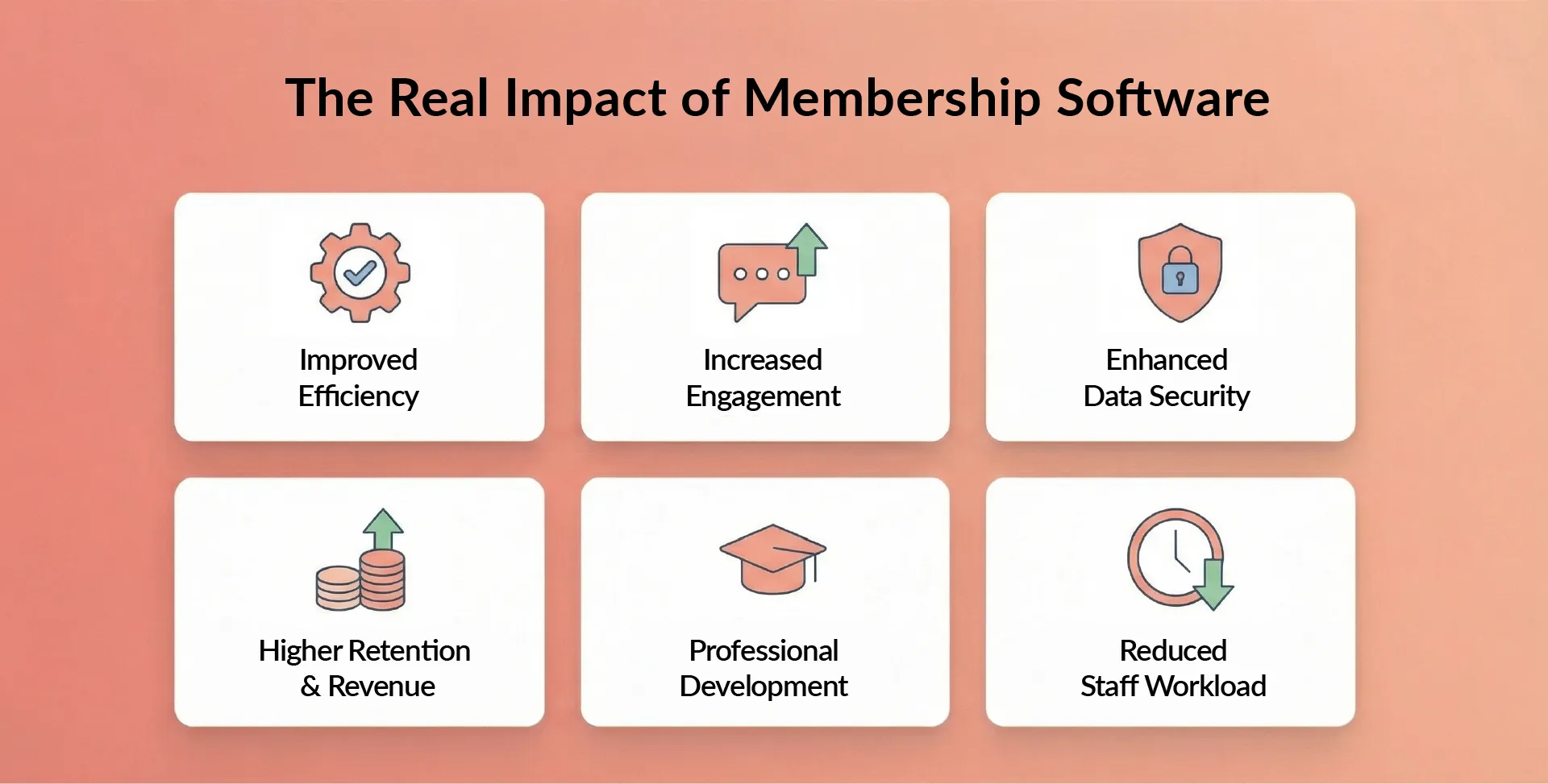
The advantages of membership software go beyond just "being more organized."
Improved Efficiency
Automation eliminates repetitive manual work. Instead of manually sending renewal emails, the system sends them automatically. Instead of updating spreadsheets, the database updates itself. Instead of processing payments one by one, recurring billing handles it.
This efficiency compounds. A task that took 30 minutes weekly now takes zero minutes. Over a year, that's 26 hours back. Cloud-based platforms deliver convenience and scalability. No server maintenance. No software updates to install. Access your system from anywhere. Scale up as membership grows without infrastructure investments.
Increased Engagement
Digital tools make participation easier. Member portals provide instant access to benefits. Event calendars show what's coming. Member directories facilitate networking. Email segmentation ensures relevant communications.
When engagement becomes frictionless, more members participate. And engaged members renew at higher rates.
Enhanced Data Security
Spreadsheets living on individual computers are vulnerable. Professional membership platforms use encryption, authentication, and regular backups. Your member data is safer than it would be in files scattered across your team's laptops.
Look for SOC 2 compliance or similar security standards. These audits verify that the vendor follows rigorous security practices.
Higher Retention and Revenue
This is where membership software directly impacts your bottom line.
Automated renewal reminders reduce the percentage of members who lapse simply because they forgot. Better engagement tracking helps you identify at-risk members before they leave. Timely outreach to lapsed members can win them back.
The financial impact adds up quickly. If you have 500 members paying $200 annually, and you improve your renewal rate from 70% to 80%, that's an additional $10,000 in annual revenue.
Professional Development and Networking Support
By automating the administrative backend, you free up resources for member-facing programs.
Host more networking events. Offer additional training. Create mentorship programs. Build online communities. These programs deliver the value that members cite as their reason for joining: networking and professional growth.
Reduced Staff Workload
Self-service portals and automation dramatically reduce routine inquiries. When members can update their own information and download their own receipts, staff field fewer requests.
The time savings is significant. Staff report lower burnout and higher job satisfaction when they're not drowning in administrative tasks. With less manual work, teams focus on strategy and member service rather than data entry and payment processing.
Now let's look at what to consider when choosing a platform.
Considerations When Choosing Membership Management Software
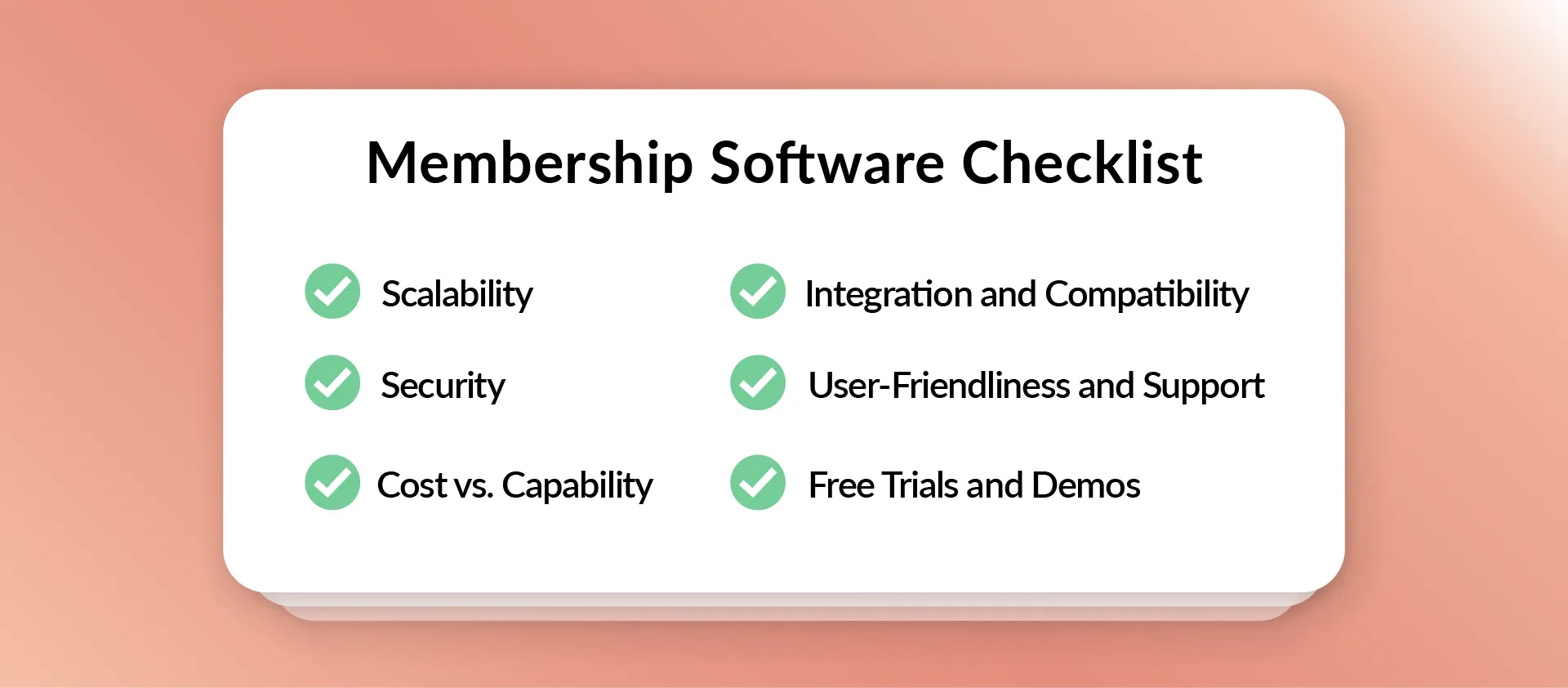
Selecting the right platform requires balancing multiple factors.
Scalability
Choose software that grows with your organization. If you have 100 members today but expect 500 in three years, ensure the platform handles that growth. Check whether performance degrades at higher member counts. Verify that advanced features (multiple chapters, complex reporting) are available when needed.
Avoid platforms designed exclusively for very small groups if you anticipate growth. Migrating platforms later is painful.
Security
Your platform holds sensitive personal and financial data.
Verify that the vendor provides data encryption (SSL/TLS for data in transit, encryption at rest), multi-factor authentication for admin access, regular security audits (SOC 2 or similar), documented backup and disaster recovery procedures, and clear data breach response plans.
Cost vs. Capability
Total cost of ownership matters more than sticker price.
Some platforms charge per member. Others offer flat-rate pricing. Per-member pricing means costs rise as you grow, which can become expensive. Flat-rate pricing offers predictable costs regardless of membership size.
Factor in setup fees, payment gateway fees (typically 2-3% of transactions), add-on module costs, and training expenses. The cheapest option often lacks critical features. The most expensive might include capabilities you'll never use. Match your budget to your essential requirements.
For budget-conscious organizations, understanding the tradeoffs in free membership management software helps set realistic expectations.
Integration and Compatibility
Your membership platform must work with your existing tools.
Verify integration with your website (WordPress plugins, embed codes), email marketing platform (Mailchimp, Constant Contact), accounting software (QuickBooks, Xero), and payment processors (Stripe, PayPal).
Strong API access or Zapier connectivity provides flexibility for future needs. Poor integration creates manual work. If you must export data from your membership system and import it to your email tool every time you send a newsletter, you've just created new administrative burden.
For organizations with complex tech stacks, exploring integrated management systems reveals how different tools work together.
User-Friendliness and Support
Both staff and members need to find the system intuitive.
If your team struggles with the interface, adoption suffers. If members find the portal confusing, they'll call you instead of using self-service.
Evaluate the vendor's support offerings. Live chat or phone support? Comprehensive knowledge base and tutorials? Active user community? Onboarding and training included?
Good support makes the difference between successful implementation and a system that sits unused.
Free Trials and Demos
Never buy without testing.
Most reputable vendors offer free trials or demos. Use them to test common workflows: adding a member, processing a payment, sending an email campaign, running a report, registering for an event.
Does the system match your workflow? Can your team learn it quickly? Do members find the portal intuitive?
Read third-party reviews on sites like Capterra or G2. Look for patterns in feedback. Ask the vendor for customer references in your industry or of similar size.
Now let's look at how different types of organizations use membership software.
Membership Software Use Cases by Niche
Membership software adapts to various organizational types, but each niche has specific needs.
Professional Associations
Professional associations need robust features for complex membership structures.
Key requirements include multiple membership tiers (student, professional, fellow, retired), chapter management for geographic or specialty groups, continuing education tracking and certificates, certification renewal management, job boards and career resources, and member directories with professional credentials.
The membership software for professional associations emphasizes networking and professional development, since these drive membership value.
Alumni associations face similar needs with additional emphasis on class year tracking and giving campaigns. The best membership software for alumni associations balances engagement across diverse member segments.
For organizations comparing options, understanding what makes the best membership software for associations stand out helps narrow choices.
Community Groups and Social Organizations
Social clubs and community groups typically prioritize simplicity and affordability.
These organizations need easy online signup and renewals, simple event management for dinners and activities, newsletter communications, basic member directories, and minimal training requirements since volunteers run most operations.
Budget constraints are common. Many groups start with free or low-cost solutions that offer essential features without complexity. The best club management software balances functionality with ease of use for volunteer administrators.
Charities and Nonprofits
Nonprofits often blur the line between members and donors.
Software for this sector needs membership and donor record integration, donation processing for one-time and recurring gifts, volunteer management and hour tracking, grant reporting capabilities, and tax receipt generation.
Membership management for nonprofits requires understanding this dual relationship between membership dues and charitable giving. Selecting the best software for nonprofits means evaluating both membership and fundraising features together.
Churches and Faith-Based Organizations
Churches need membership software that respects privacy while facilitating community.
Key features include member directories with privacy controls, small group and ministry management, event registration for services and programs, giving and donation tracking, volunteer coordination, communication tools for announcements, and family account management.
Many churches rely on volunteers for administration, so ease of use becomes critical. The best church management software balances these community-building needs with administrative efficiency.
Arts, Theaters, and Museums

Arts organizations run patron membership programs with unique requirements.
These groups need ticketing integration for performances and exhibitions, gift membership capabilities, member guest privileges, tiered patron levels (friend, supporter, benefactor), event invitations and priority access, and donation tracking since members often donate beyond dues.
Real-world examples show the impact. The NewFilmmakers Los Angeles case study demonstrates how specialized membership software supports arts organizations.
Sports and Fitness Clubs
The fitness industry represents a massive market, with nearly 77 million Americans holding gym or studio memberships in 2024.[9]
Fitness-focused platforms need monthly recurring billing (most common cycle), facility access control (key fobs or digital check-in), class scheduling and capacity management, personal trainer session booking, health waiver management, family and dependent accounts, and retail sales integration for merchandise.
The emphasis is operational efficiency for high-volume member interactions.
Hobby Clubs
Specialty clubs (golf, tennis, boating, swimming) need features specific to facility-based recreation.
These include resource booking (tee times, court reservations, boat slips), seasonal membership options, guest and member pricing differentiation, facility access integration, tournament and league management, and complex billing (initiation fees, monthly dues, usage fees).
Different sports require different features, so platforms often specialize.
Business and Service Organizations
Chambers of commerce, business networks, and coworking spaces use membership software differently.
Requirements include sponsorship tier management, job posting and classified advertising, business directory with rich profiles, meeting room or desk booking, member benefits marketplace, and multiple contacts per organizational membership.
Coworking spaces face unique challenges. Platforms designed for this niche automate billing for flexible passes, day passes, meeting room rentals, and amenity charges.
The best membership software for small businesses addresses these commercial membership needs.
HOAs and Coworking Communities
Homeowners associations blend membership management with facility booking and community governance.
HOAs need dues collection and late fee management, amenity reservations (pools, clubhouses, tennis courts), maintenance request tracking, document libraries for bylaws and minutes, voting and election management, and architectural review workflows.
The best HOA management software emphasizes compliance and community management alongside traditional membership features.
These niche-specific needs demonstrate why "membership software" isn't one-size-fits-all. Understanding your organization's specific requirements helps you choose a platform that actually serves your needs.
Now let's look at specific software options.
Best Membership Management Software Options
Choosing the "best" platform depends on your organization type, budget, complexity, and required features.
There's no universal winner. But some platforms stand out in specific categories.
When evaluating options, consider whether you need a comprehensive database, automated renewals, payment processing, member portal, communications tools, event management, reporting capabilities, integrations with other tools, and robust security.
For broader comparisons across vendors, exploring alternatives helps you understand the competitive landscape.
Join It
Join It provides a cloud-based membership management platform designed for simplicity and flexibility.
Founded in Seattle, Join It focuses on bringing people together around their interests and causes. The platform centralizes member data, automates renewals and communications, and offers customizable landing pages.
Best for: Small to mid-sized organizations, nonprofits, clubs, and associations that want straightforward membership management without complexity.
Key strengths: Flat-rate pricing regardless of member count, digital membership cards with automatic status updates, embeddable purchase widgets for websites, API access for custom integrations, multi-chapter support with separate payment routing, and member directory and check-in features.
In practice, multi-chapter membership management is what prevents chapters from stepping on each other’s renewals while still giving HQ clean, roll-up reporting.
Integrations: Stripe and other payment processors, Mailchimp, custom API connections.
Pricing: Starter at $29/month plus 3% service fee. Total at $99/month plus 2% service fee. Extra at $199/month plus 1.5% service fee. Enterprise with custom pricing. Annual billing provides 10% discount.
Free trial: 30 days, no credit card required.
Ratings: 4.7/5 overall on SoftwareAdvice from 81 reviews.
Limitations: Less suitable for very large enterprises requiring extensive customization or complex approval workflows.
Wild Apricot
Wild Apricot is a Canadian company (now part of Personify) providing cloud-based membership management for small to mid-sized organizations.
Compare features and pricing through the Wild Apricot alternative analysis.
Best for: Small nonprofits and associations up to 50,000 contacts needing an all-in-one solution with built-in website functionality.
Key strengths: All features included at every tier (pricing based on contact count), built-in website builder, mobile app for member engagement, multi-chapter pricing options, comprehensive event management, and financial reporting.
Pricing: Contact-based tiers from $63/month (100 contacts) to $945/month (50,000 contacts). Prepayment discounts of 10% (1-year) or 15% (2-year) available.
Free trial: 60 days, no credit card required.
Ratings: 4.5/5 on SoftwareAdvice from 180+ reviews.
Tradeoffs: Per-contact pricing can become expensive as membership grows. Website builder may be limiting for organizations needing advanced web features.
MemberClicks
MemberClicks (also part of Personify) has served associations since 1998, starting in Huntsville, Alabama.
See how it compares through the MemberClicks alternative review.
Best for: Established associations, chambers of commerce, and trade groups with annual budgets supporting higher price points.
Key strengths: Comprehensive association management features, website builder integrated with membership database, committee and volunteer management, dedicated to association sector.
Pricing: Annual billing only. MC Professional starts at $4,500/year. MC Trade starts at $3,500/year. Pricing increases based on organization size and features needed.
Ratings: 4.3/5 on SoftwareAdvice from nearly 470 reviews.
Tradeoffs: Higher price point. Annual commitment required. May be overkill for small organizations or clubs with simple needs.
MemberPress
MemberPress is a WordPress plugin for creating membership sites, online courses, and subscription content.
Explore the MemberPress alternative for detailed comparisons.
Best for: Content creators, coaches, and online course providers using WordPress who want to monetize through memberships.
Key strengths: Seamless WordPress integration, unlimited courses and lessons, drag-and-drop course builder, content dripping and access rules, affiliate program integration, strong focus on selling digital content and courses.
Pricing: Annual licenses with first-year discounts. Launch Plan at $399/year (discounted to ~$199.50 first year). Growth Plan at $699/year. Scale Plan at $999/year. All plans include unlimited members and courses.
Free trial: No trial, but 14-day money-back guarantee.
Ratings: 4.8/5 on SoftwareAdvice from 365 reviews.
Tradeoffs: Requires WordPress. Best suited for content/course-based memberships rather than traditional associations. Transaction fees on lower tier.
Glue Up
Glue Up (formerly EventBank) provides a comprehensive engagement management platform with modules for events, memberships, CRM, and communities.
Review the Glue Up alternative for feature breakdowns.
Best for: Larger organizations needing integrated event and membership management with robust CRM functionality.
Key strengths: Comprehensive modules covering events, membership, CRM, community, marketing. Mobile apps for member engagement. Strong event management capabilities. International support.
Pricing: Not publicly available. Pricing provided upon request.
Ratings: 4.5/5 on SoftwareAdvice from 185 reviews.
Tradeoffs: Higher complexity requires more training. Onboarding fees. Pricing opacity makes budgeting difficult.
Each platform serves different needs. Small clubs might thrive with Join It's simplicity and flat-rate pricing. Content creators building online courses lean toward MemberPress. Established associations with complex needs might choose MemberClicks or Glue Up despite higher costs.
The key is matching features and pricing to your specific situation.
FAQ
What is membership management software?
Membership management software is a specialized database system for storing member records, tracking membership status, automating renewals, and measuring retention. Unlike general CRMs designed for sales, membership platforms are purpose-built for recurring memberships, dues cycles, member benefits, and self-service portals.
How much does membership management software cost?
Pricing varies significantly. Entry-level tools start around $50/month. Mid-market solutions typically run $200 to $500/month. Enterprise platforms can exceed $1,000/month.
The critical factor is pricing model. Per-member pricing means costs rise as you grow. Flat-rate pricing charges one fee regardless of size, offering predictable costs.
Don't forget payment gateway fees (typically 2 to 3% of transactions), setup costs, and training expenses when calculating total cost.
What features should I look for in membership management software?
At minimum, ensure the platform includes a central member database, automated renewal billing and reminders, and an intuitive member portal.
Beyond basics, prioritize features matching your needs: custom membership tiers, online application forms, payment processing, event management, email marketing with segmentation, reporting and analytics, and integrations with your existing tools.
Match features to your organization type. Associations need different capabilities than gyms or churches.
How do I choose the right membership management software?
Start by listing your must-have requirements: membership size, expected growth, critical features, budget constraints, and integration needs.
Evaluate platforms serving your sector. Take advantage of free trials to test actual workflows (adding members, processing payments, sending communications, running reports).
Check that the vendor offers reliable support and training. Read reviews from similar organizations. Ask for customer references.
Balance your budget against essential features. The cheapest option often lacks critical capabilities. The most expensive may include features you'll never use.
Conclusion and Next Steps
Implementing membership management software can transform how your organization operates.
You'll spend less time on manual administrative tasks and more time on strategic initiatives. Members will enjoy convenient self-service access to benefits. Your team will have clean, reliable data for decision-making. And automated renewals will capture revenue that previously slipped away.
The key is choosing a platform that fits your specific needs.
Review your current processes and identify pain points. Are missed renewals costing you revenue? Are routine member inquiries overwhelming your staff? Is data scattered across multiple spreadsheets?
Use those pain points to guide your evaluation. Browse membership software categories to find platforms serving your sector. Take advantage of free trials to test how systems handle your workflows.
The right membership software pays for itself through higher retention, increased efficiency, and better member engagement. By carefully matching a platform to your organization's needs, you transform membership management from a headache into a strategic asset.
Ready to explore what modern membership management can do for your organization? Explore Join It's membership software features to see how the right platform makes membership management effortless.
References
- Reddit. r/nonprofit - Membership Management Discussion
- Straits Research. Membership Management Software Market Report
- Salesforce. Customer Expectations Report
- Protech Associates. Member Retention Challenges
- Reddit. r/CRM - Multi-Chapter Nonprofit Software
- ResearchGate. Data Quality Research
- i4a. CRM Customization Costs
- Reddit. r/CRM - Payment Processing Discussion
- MMCG. U.S. Fitness Industry Report


