
Build a Membership Website: A Step-by-Step Guide
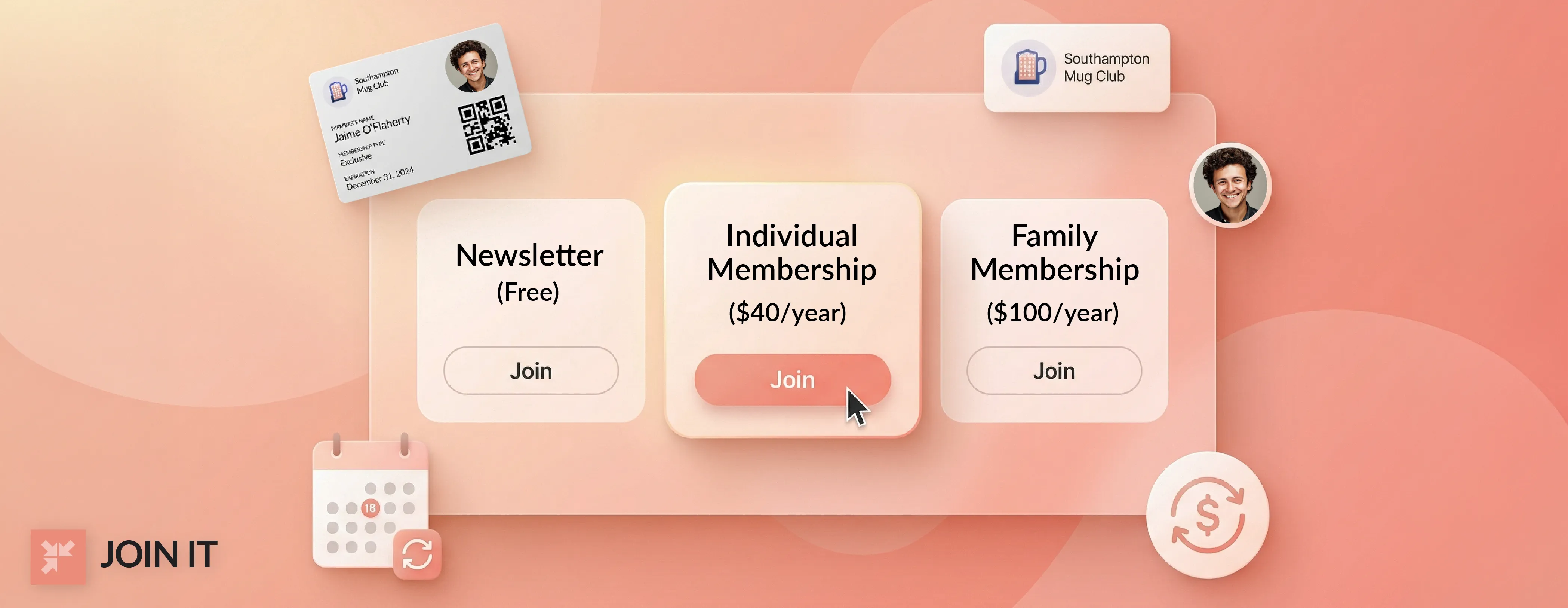
Building a membership website gives associations, clubs, nonprofits, gyms, HOAs, and coworking spaces a way to recruit members, collect dues, and deliver exclusive value online. It's how thousands of groups turn casual interest into committed, paying memberships.
But here's the thing: a membership website isn't just a regular website with a login button slapped on.
One membership builder recently posted on Reddit: "So much can go wrong" when building a membership site, from technical conflicts to architecture decisions that haunt you months later. And they're right. The fear of picking the wrong platform and having to rebuild everything is real.[1]
That's because a membership site is actually a two-door experience. The public-facing side attracts visitors and explains why they should join. The members-only side delivers the exclusive content, perks, and community that make membership worth paying for.
Definition: A membership website has a public site that explains your offer and a secure members only area that delivers member benefits, content, or access.
Who this guide is for: Associations, clubs, nonprofits, gyms, HOAs, coworking spaces, and teams launching or rebuilding a membership program.
What’s included: Build paths, feature planning, payments, onboarding, migration, launch checks, KPIs, and security, privacy, and accessibility basics.
What’s included: This guide covers the fundamentals of building a membership website, from planning your offer and choosing a build path to launch prep and measuring success. Platform-specific tutorials are covered in separate articles.
If you want to see how real organizations build thriving membership sites, check out our collection of case studies showcasing groups that use a simple membership website builder to manage everything in one place.
Key Takeaways
What Is a Membership Website?
A membership website is an online platform that supports a membership program.
Most membership sites have two distinct parts: a public marketing site and a secure members-only section.
The public side promotes your organization and its member benefits. The members-only side (behind a login) contains content and tools reserved for people who've joined.
For example, new visitors might see a homepage with pricing options, your mission statement, and sample content. Logged-in members can access exclusive resources, event registrations, member directories, or discussion forums.
What members typically get:
Premium content like training articles, videos, or downloadable templates. Networking features such as searchable member directories or private forums. Event access with early registration or discounted tickets. Special resources like toolkits, guides, or digital magazines. Some memberships even issue digital membership cards that members can download to their smartphones for easy verification.
In short, a membership site bundles content and community features as benefits for paid or registered members. The key is creating a membership experience that delivers real value from day one.
Membership Website vs Subscription Website
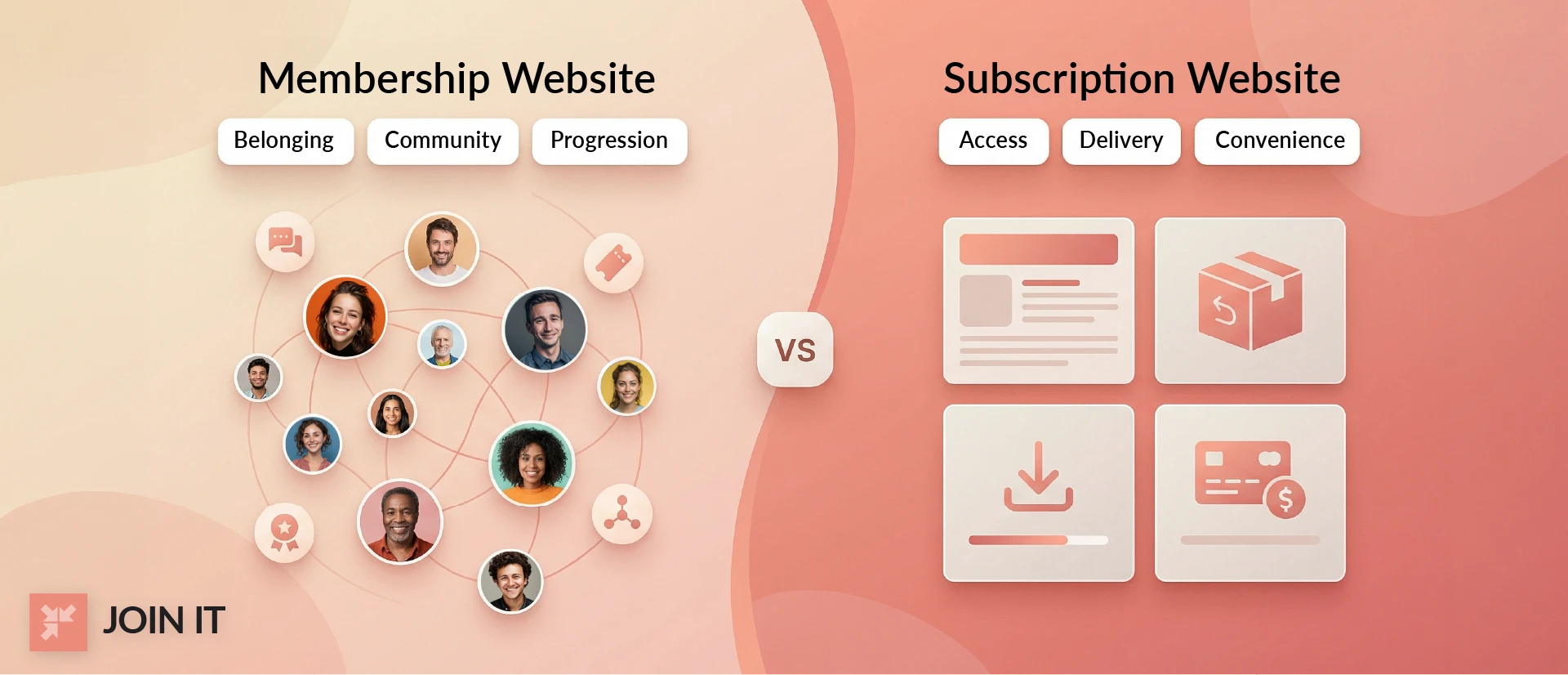
When you build a membership website, you’re designing for an ongoing relationship, not just recurring payments.
A membership is centered on connection and progression. Members join to access a mix of value: community, learning, events, networking, recognition, and exclusive resources. Your website structure needs to reflect that depth, member dashboards, gated content libraries, discussion spaces, directories, tiered access, onboarding paths, and regular engagement touchpoints that give people reasons to return and participate.
A subscription product, on the other hand, is built around consistent delivery of a specific asset, content, tools, newsletters, or services. The website focus is more transactional: a compelling sales page, seamless checkout, account management, and an organized content or product library for consumption.
So when planning your build, the difference is strategic:
- Membership website: Design for interaction, progression, and belonging.
- Subscription website: Design for access, delivery, and convenience.
If your goal is retention through community, shared identity, and evolving value, your website should function less like a storefront and more like a members-only ecosystem.
Are Membership Websites Profitable?
Membership websites can generate significant recurring revenue, but profitability depends on covering costs and keeping members.
Revenue streams often include:
Membership dues (the core revenue). Tier or upgrade fees. Event ticket sales. Sponsorships from partners. Merchandise sales. Online courses or certifications. Partner programs and affiliate sales.
For example, associations frequently earn income from events, sponsorships, and continuing-education courses beyond membership dues. Some organizations boost revenue through membership apps for Shopify integrations.
Cost categories typically include:
Technology and platform costs (membership software or hosting). Payment processing fees (processors like Stripe or PayPal charge roughly 2.9% plus $0.30 per transaction in the U.S.). Content creation (staff time, materials). Member support (customer service). Marketing and promotions.
Even with costs, membership models can be quite profitable if retention is strong.
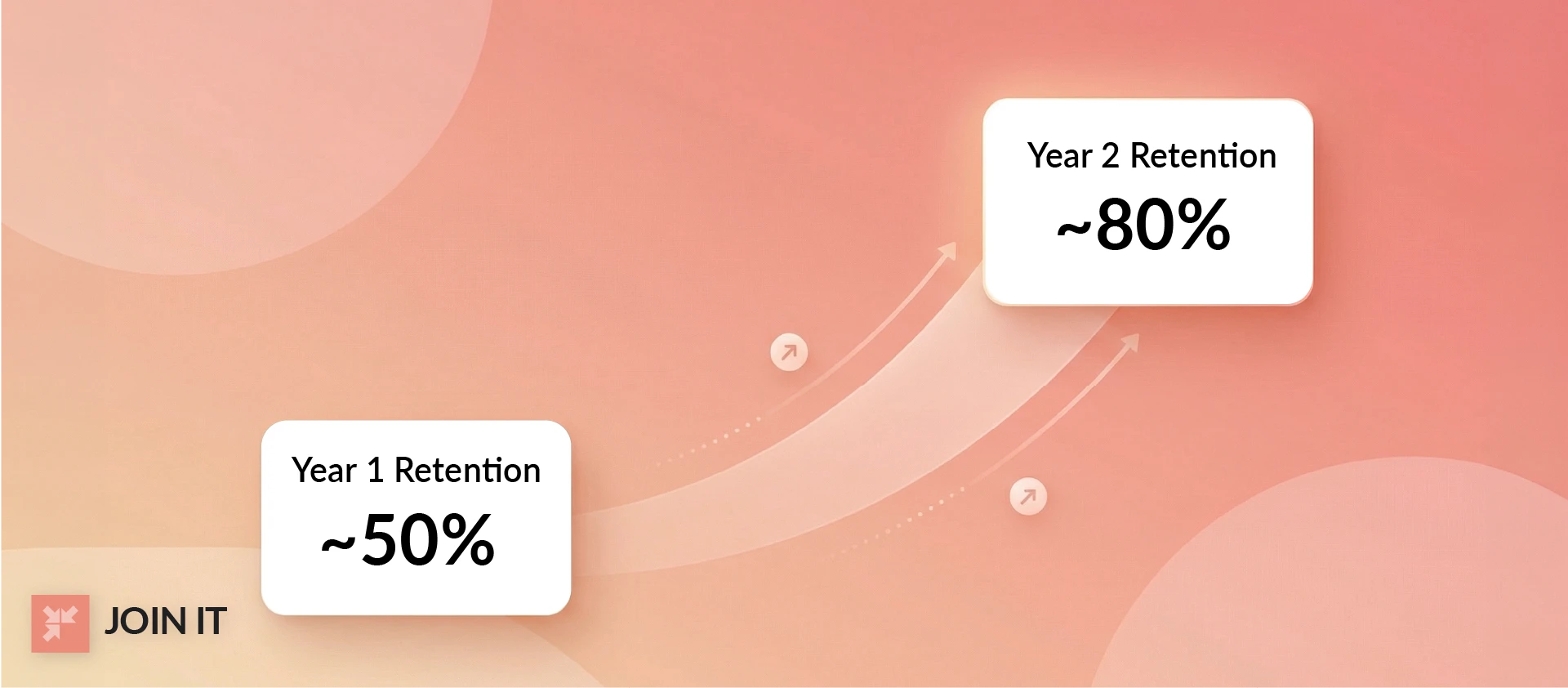
High retention is key. Research on association members finds about 50% of new members renew after year one, and that jumps to around 80% in year two.[2]
In plain terms, each loyal member becomes nearly pure profit after fixed costs are covered.
Who Uses Membership Websites?
Many kinds of organizations use membership sites.
Professional Associations: Groups like project management or medical associations run membership portals with certifications, continuing education, and networking tools. Organizations serving professional associations typically need robust member databases and event management.
Clubs: Hobby and specialty clubs like car clubs, sailing clubs, or hobbyist groups use sites for membership rosters, event sign-ups, and newsletters. These hobby and social clubs often prioritize simple member communication and payment collection.
Gyms: Fitness clubs often have member portals for class bookings, virtual workouts, or member benefits. Sports and fitness clubs benefit from event registration and recurring billing features.
Nonprofit Organizations: Groups like environmental or public interest organizations manage member subscriptions, publications, and donation integration. Charities and nonprofits often combine membership dues with fundraising capabilities.
Homeowners Associations (HOAs): HOAs use member sites for dues collection, local news, and community forums.
Gaming Lounges: Social gaming venues or online gaming communities use memberships for lounge access or premium content.
Coworking Spaces: Coworking memberships often include workspace booking, events, and member directories. Business services groups need flexible membership tiers and resource management.
Other Examples: Alumni groups, faith-based organizations, trade groups, and arts, theatres, and museums also run successful membership programs.
You can browse membership websites by category to see the full range of organizations using these platforms.
Pick Your Build Path
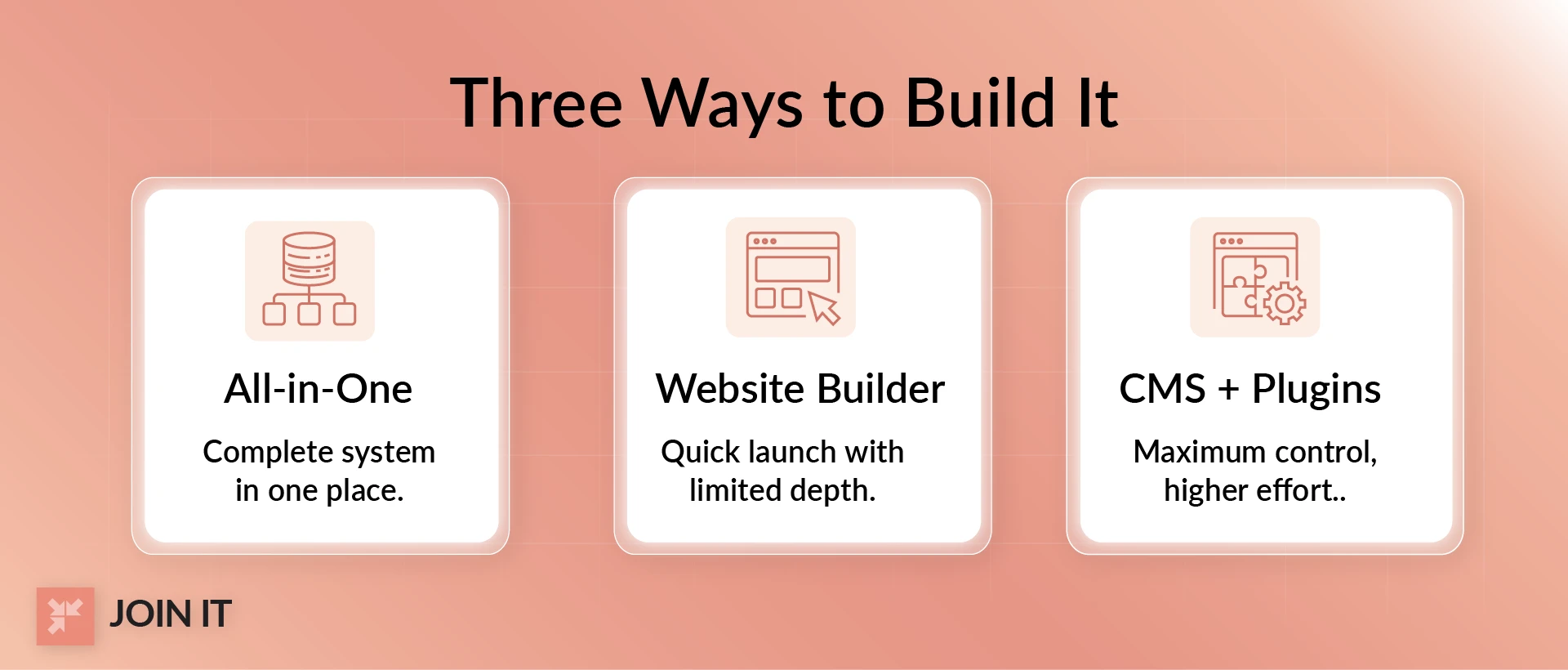
There are three main ways to build a membership site.
All-in-One Membership Platforms
These are turnkey systems (like Join It, Wild Apricot, Glue Up) that bundle membership database, billing, renewals, event tools, email, and a member area.
Best for: Organizations needing everything integrated (associations, nonprofits).
Watch for: Monthly or annual fees and less design flexibility.
Website Builders with Membership Features
Drag-and-drop site builders like Wix, Squarespace, or Weebly now include built-in Members Area or plugins for gated content.
Best for: Small groups who want a quick, easy site and basic member pages.
Watch for: Limited membership-specific features and customizability.
CMS + Plugins / Custom Development
Using a CMS like WordPress, Joomla, or Drupal with membership plugins (like MemberPress, Paid Memberships Pro) or custom coding.
Best for: Maximum control and flexibility (custom workflows or unique features).
Watch for: Extra complexity and maintenance (you'll manage plugins, updates, hosting, etc.).
If you're using WordPress, check out our guide to WordPress membership plugins to compare options. For groups that want to skip the technical setup entirely, a no-code membership website builder handles everything out of the box.
Quick decision guide:
If you need recurring billing, renewal reminders, and a full CRM, consider an all-in-one platform. If you only need a simple gated section on an existing website, a site builder with membership add-on might suffice. If you require complex custom features or branding, a CMS with plugins is likely the way to go.
What Does It Cost to Build a Membership Website?
Costs vary by scope, tools, and team capacity, but it helps to plan for both build costs and ongoing costs before you choose a path.
Typical cost buckets by build path
DIY (website builder or CMS + plugins)
- Build costs: Your time, setup, design, plugin selection, and testing
- Ongoing costs: Hosting, plugins or add-ons, maintenance, security updates, and payment processing fees
- Common hidden costs: Plugin conflicts, manual admin work, and developer help when something breaks
All in one membership platform
- Build costs: Setup, configuration, branding, and data import or migration
- Ongoing costs: Platform subscription, payment processing fees, and optional add-ons
- Common hidden costs: Custom design limits
Custom build
- Build costs: Design, development, QA, and integrations
- Ongoing costs: Hosting, monitoring, maintenance, developer support, and payment processing fees
- Common hidden costs: Ongoing bug fixes, feature requests, and integration maintenance
A lower upfront cost can still become expensive if ongoing maintenance is high. Match your build path to your team’s technical capacity, not just your launch budget.
12 Steps to Build a Membership Website
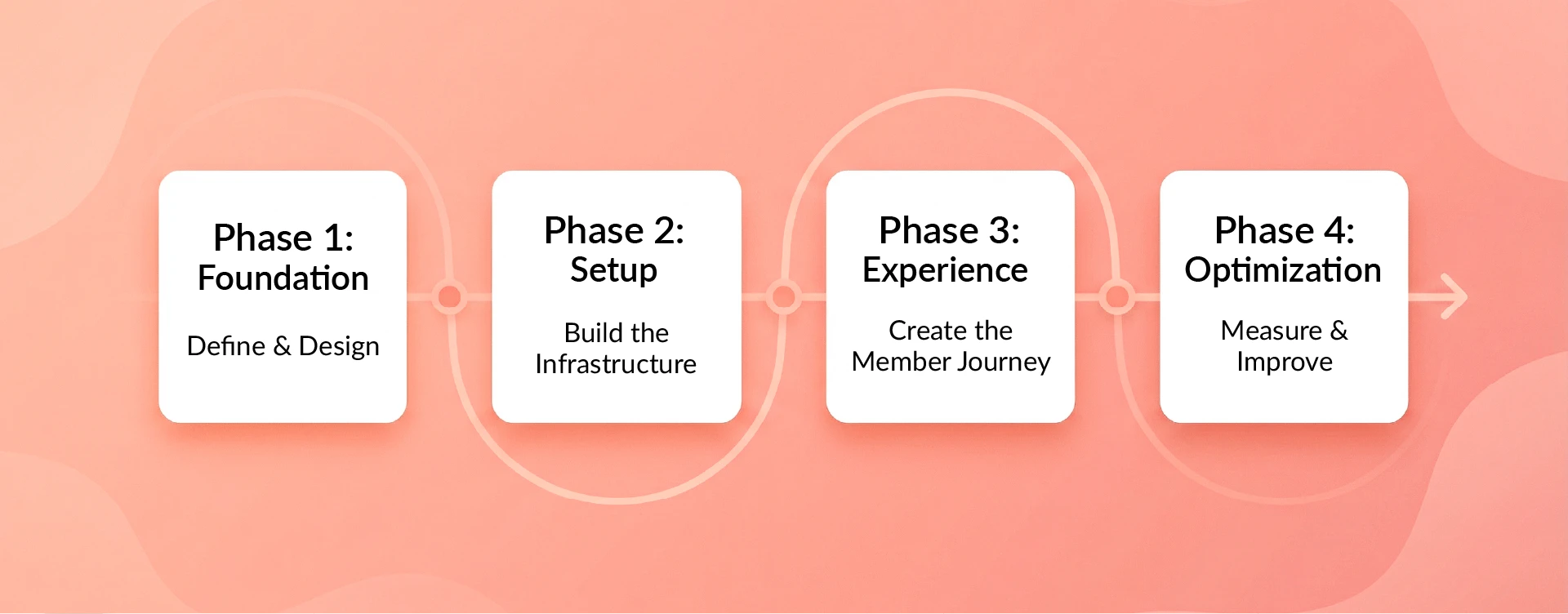
Step 1: Define Your Audience + Membership Offer
Identify exactly who your members are and what key problem your membership solves.
For example: "Busy entrepreneurs who want to grow networks" or "Cyclists who need protection and community."
Then list 3 to 5 immediate benefits members will receive. These might include access to an exclusive resource library, entry to member-only events, discounts, access to a private forum or directory, or a monthly newsletter.
Members value tangible perks. One survey found 46% of members say job and career opportunities are a key membership benefit.[3] Make sure your benefits match what your audience truly wants.
Finally, state your positioning: why join your membership vs. alternative options? This unique value statement will guide your messaging.
Step 2: Choose Your Membership Model (Pricing + Access)
Decide how members pay and what they get access to.
Common pricing models include:
Free Membership. One-Time Fee (lifetime membership). Subscription-Based Membership (monthly or annual dues). Tiered Membership (Silver, Gold, Platinum levels). Donation-Based Membership. Event-Based Membership. Subsidized Membership.
For deciding on the right number of tiers, check out our article on how many membership tiers your group should offer.
Access and features you will provide:
Members-only content library (gated articles, videos, guides). Member directory or networking. Events and ticketing perks. Discounts and perks. Courses or certifications. Community or forum.
Match your pricing with a clear access promise. For example: "Join at $50 per month and get instant access to our resource library, member directory, and monthly webinars."
Step 3: Membership Website Pages Checklist (Must-Have Pages)
Typical public pages include:
Home page. About or Mission page. Pricing and Join/Sign-up page. Events preview page. Contact or Support page. FAQ page.
Member-only pages often include:
Account or Profile page. Member Dashboard. Resources or Library page. Event Registration page. Invoices or Receipts page. Renewal or Cancel page.
Trust and legal pages:
Privacy Policy. Terms of Service. Cookie Consent or Preferences page (in applicable regions).
Step 4: Features Checklist (What Good Membership Sites Usually Include)
Key features to plan for:
For a complete overview, explore our membership website features page.
Step 5: Choose a Platform (Quick Platform Snapshots)
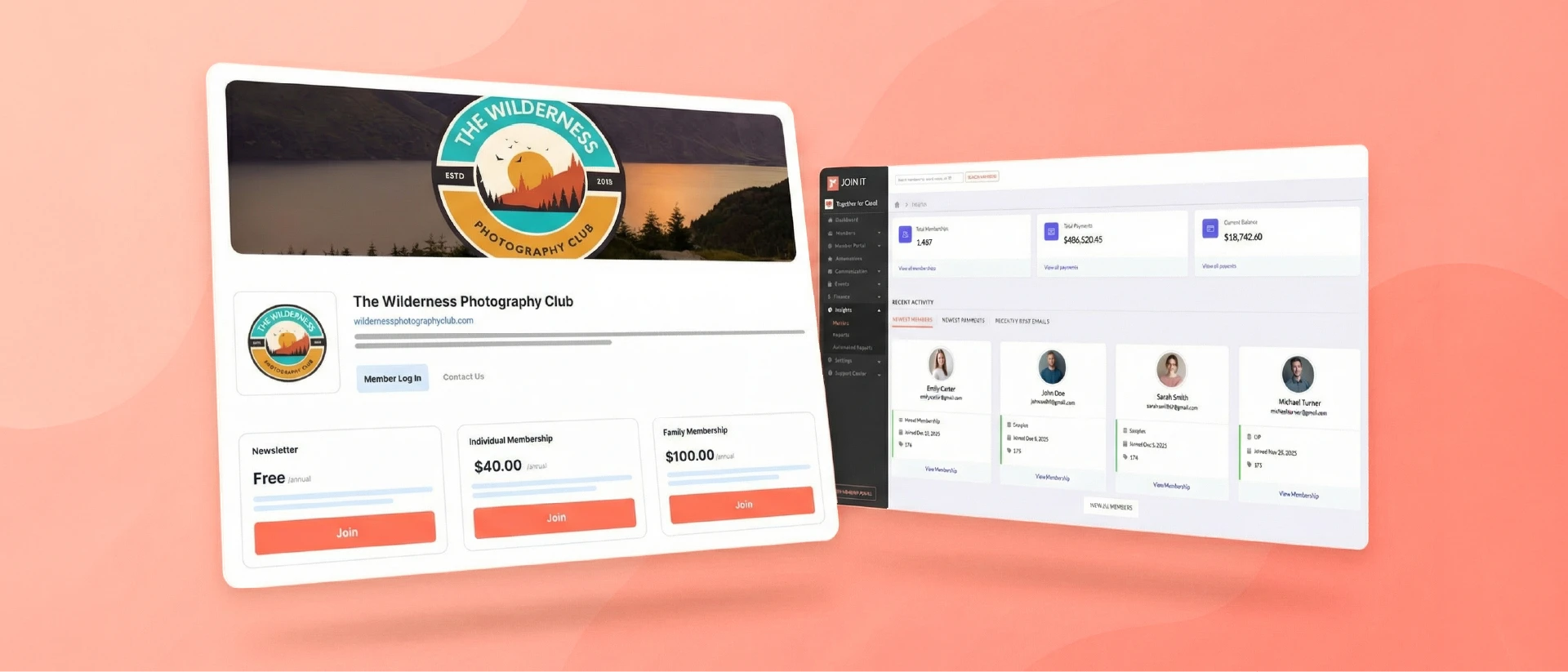
Join It: An all-in-one membership platform with membership database, digital membership cards, member portal, recurring billing, event registrations, and email reminders. Best for integrated solutions. Watch for subscription fees and design limits.
WordPress + Plugins: Most flexible DIY option. WordPress is free, but you'll add membership plugins for functionality. Best for custom sites and control. Watch for setup complexity. If you're already using WordPress, our guide to WordPress integration can help.
Wix: Website builder with built-in membership add-ons. Best for fast, no-code setup. Watch for more basic membership features. Learn more about Wix integration options.
Squarespace: Design-first templates with membership capabilities. Best for visually appealing sites. Check out Squarespace integration details.
Ask yourself: Do I need multi-tier billing? A member directory? Admin roles? Reports export? Email blasts? Match those needs to platform capabilities. You can see all integrations available for connecting your membership platform with other tools.
Step 6: Set Up Payments + Checkout Basics
Configure your payment processing and buying flow.
If using a subscription model, decide on one-time vs recurring billing. Make your refund and cancellation policy clear.
Optimize your checkout: collect only essential information (too many form fields kills conversions). Display clear pricing, total costs, and a reassuring confirmation page.
Note for Europe: European payments often trigger 3D Secure authentication, which may add an extra verification step at checkout.
Step 7: Build the Member Experience (Member Area, Content, Community)
Structure the members-only portion logically. Often there is a Member Dashboard that greets users after login, summarizing their membership status and linking to all sections. A simple member portal makes navigation easy.
Develop your members-only content.
Content that qualifies as member-only usually delivers high value or exclusivity: e-books, in-depth reports, expert webinars, recorded workshops, templates, podcasts, or interactive tools. Ensure this content lives in a gated library or protected pages.
If you include a community component, set clear rules and moderation.
Publish community guidelines so members know what's acceptable. Assign moderators to oversee discussions, remove spam, and maintain a respectful tone. A well-moderated forum can greatly increase member loyalty.
Step 8: Make Joining Easy (Sign-Up Flow + Onboarding Basics)
On your Join or Signup page, clearly restate pricing and benefits, and use a concise form. Include trust signals (testimonials, money-back guarantee) near the join button.
Use as few form fields as possible. Research shows every extra field cuts conversions.
After sign-up, send a welcome message.
Outline where the new member should start. Provide immediate value (link them to a "Start Here" resource, orientation video, or first perk).
An effective onboarding might include: a welcome email highlighting key areas, instructions to set up their profile, and a "first week checklist" of suggested actions.
Step 9: Import Your Member Database (If You're Migrating)
If you're moving from an old system or spreadsheet, prepare your data carefully.
Clean up member fields (name, email, address, membership level, renewal date, payment status). Export these into CSV files that match your new platform's required fields. Test-import a small batch first.
During migration, maintain data security: only authorized staff should handle the export, and use secure file transfer. Keep the member data accessible only to your admin team.
Step 10: Launch Checklist (QA + Domain + Tracking)
Before going live, do a full quality check.
Test the join or signup flow yourself: sign up as a new member, confirm payments work, and ensure you get the welcome email and account access. Test login/logout, password reset, and member page permissions.
Check all public pages for broken links or typos. Test on mobile devices and multiple browsers.
Set up your domain and SSL: Point your membership site to your custom domain and ensure HTTPS is enabled.
Implement analytics and tracking. Install Google Analytics 4 on all pages. Set up key events: track "join page viewed" and "membership signup completed" so you can measure conversion rates.
If using marketing cookies, configure the site to show a cookie consent banner on first visit. In the EU/UK, disable non-essential tracking until consent is given.
Step 11: Promote Your Membership Website
Use your existing channels first: email newsletters, social media posts, and any partner or sponsor networks.
Consider special offers: "Founding Member" discounted pricing for first 100 members, or bundling membership with event tickets for a limited time. A referral program can also jump-start growth.
Focus on audiences you already reach before investing in cold marketing.
Step 12: Measure What Matters (Performance + Simple KPIs)
Track basic key performance indicators: New members per month. Conversion rate on the join page. Renewals vs churn.
Keep an eye on member activity: how often they log in, participate in forums, or use resources.
Use feedback loops: periodically survey members to ask what they like or want more of. Review support inquiries for common issues.
Focus on retention and satisfaction. It's much cheaper to keep an existing member than find a new one. For strategies on keeping members engaged long-term, explore our membership retention guide. And for broader administrative best practices, check out our guide to membership management.
Membership Website Software
Membership website software falls roughly into three categories.
All-in-one membership platform: Best if you need members, payments, renewals, and a member area. These platforms give you everything in one product. Choose this if you want integrated recurring billing and built-in community tools. The Join It membership website builder is an example of this approach.
Website builder with membership features: Best if you want a fast website and basic gated pages. Choose this if you need a fast launch and only basic gated content.
CMS + plugins: Best if you want more control and can handle extra setup. Choose this if you need maximum customization and have the tech know-how.
Membership Website Templates + Design Inspiration
When choosing a template or design, look for:
Clear pricing or join section with prominent membership tiers and "Sign Up" buttons. Hero or feature blocks that spell out the top member benefits. Testimonials or social proof to build trust. FAQ section or content preview. Strong calls-to-action on every screen.
Common layout patterns include:
A bold headline and CTA at top. A row of benefit or features boxes. Pricing plans side-by-side. An "About us" section. Frequently asked questions. A footer with contact and legal links.
A clean look with your brand's colors and readable fonts is best. Always include trust markers (security badges or guarantees) on checkout pages.
Examples of Successful Membership Websites
Humble Grape Wine Club
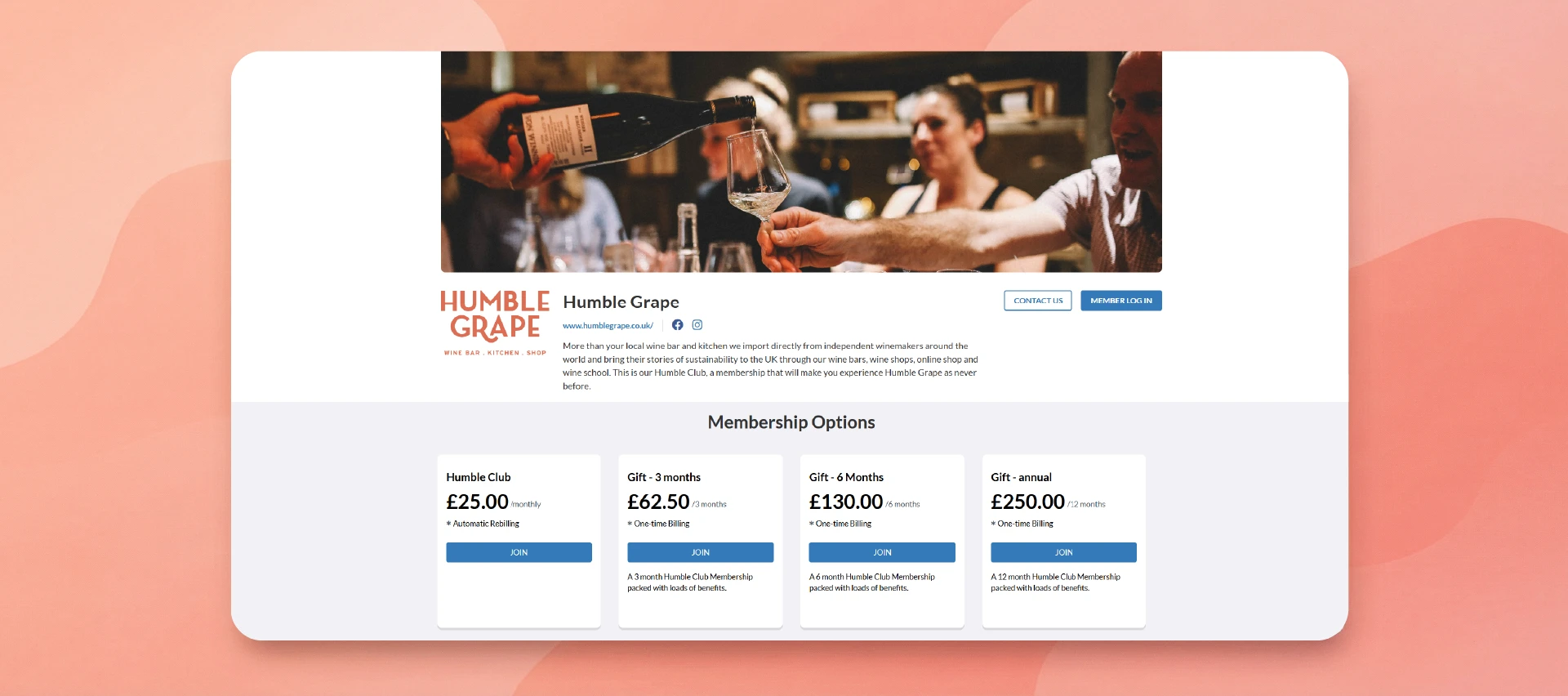
A wine bar's club in the UK where for £25 per month members get 2 free glasses of wine per week (up to £80 value), plus a 10% discount on events and online shop, monthly tastings, and birthday perks.
Why it works: it leads with concrete perks, clearly states the cost and savings, and uses urgency ("first month half off") and gifting options to entice signups. See how they do it in the Humble Grape wine club story.
Bicycle Network
A cycling association in Australia offering tiered cover plans (Premium vs Basic vs Advocacy) with clear prices and benefits (insurance, legal support, discounts). The homepage showcases strong member benefits and has prominent "Sign Up" buttons.
Why it works: it sells real value with transparent pricing and benefits listed side-by-side. Read the full Bicycle Network case study.
NewFilmmakers Los Angeles
An indie-film community offering annual memberships at several levels with benefits including festival passes, panel tickets, complimentary event drinks, VIP access to screenings, and discounted submission fees.
Why it works: it appeals to a tight-knit community with highly relevant perks, uses tiered pricing for different budgets, and clearly lists all benefits. Check out the NewFilmmakers Los Angeles case study.
Security, Privacy, and Accessibility Basics
Security basics: Use HTTPS/SSL on all pages. Require strong passwords. Limit admin access. Keep software updated. Use CAPTCHAs on forms. Consider two-factor authentication for admin logins.
Privacy basics: Publish a clear Privacy Policy. In the EU/UK, display a cookie consent banner on first visit and get consent before setting non-essential cookies. Offer members the ability to opt out of marketing communications.
Accessibility basics: Provide alt text for images. Include video captions or transcripts. Ensure good color contrast for text. Make sure forms have proper label elements. Ensure the site is navigable by keyboard. Apply WCAG 2.1 principles.
Wrapping Up
Building a membership site involves planning your offering, choosing the right tools, and executing carefully.
In summary: define your niche and member benefits, pick a clear pricing and access model, list all the pages and features you need, and then choose a platform that fits your needs.
After launch, measure signups and retention, and iterate on the value you deliver.
Next steps: Start small with your core offer. Test with a friendly audience. Then refine and expand. The fundamentals are: provide compelling member value, make joining seamless, and keep members engaged over time.
Build a Membership Website With Join It
You can follow every step in this guide manually, but it’s easier when your website, payments, renewals, and member data work together.
With Join It’s membership website builder, you can build a membership website with flexible tiers, online payments, automated renewal reminders, and self service member portals. Digital membership cards add instant mobile access and reduce friction at check in.
Start a free trial, or book a demo to see how it works in practice.
FAQs
How to build a membership-based website?
Follow the 12-step outline above: plan your offer, select a platform, build content and pages (public and members-only), set up payments, and test. No single tool is "best." Match your needs to a solution. The key is clear member value and a smooth signup and renewal flow.
What is the best platform for a membership site?
It depends on your requirements. For full membership management (renewals, emails, reports) an all-in-one service is often easiest. For a simple members-only section, a site builder like Wix can work. For ultimate flexibility, a CMS like WordPress with a membership plugin lets you customize everything. Evaluate each option's features, cost, and your technical comfort.
Are membership sites profitable?
Profitability depends on retaining members (studies show new members renew around 50% in year one, about 80% by year two) and keeping costs in check. Every retained member translates to recurring income, so a high-retention membership with strong value can be quite profitable.
References
- Reddit. recently posted on Reddit
- ASAE Center. about 50% of new members renew after year one, around 80% in year two
- NonProfit PRO. 46% of members say job and career opportunities are a key benefit


