
Booster Club Membership Software
Join It keeps your booster club's members, dues, donations and volunteers in one account the club owns, not in this year's treasurer's Google Sheet. Parents join and pay online, get a card for the gate, and next season's board logs in and carries on.
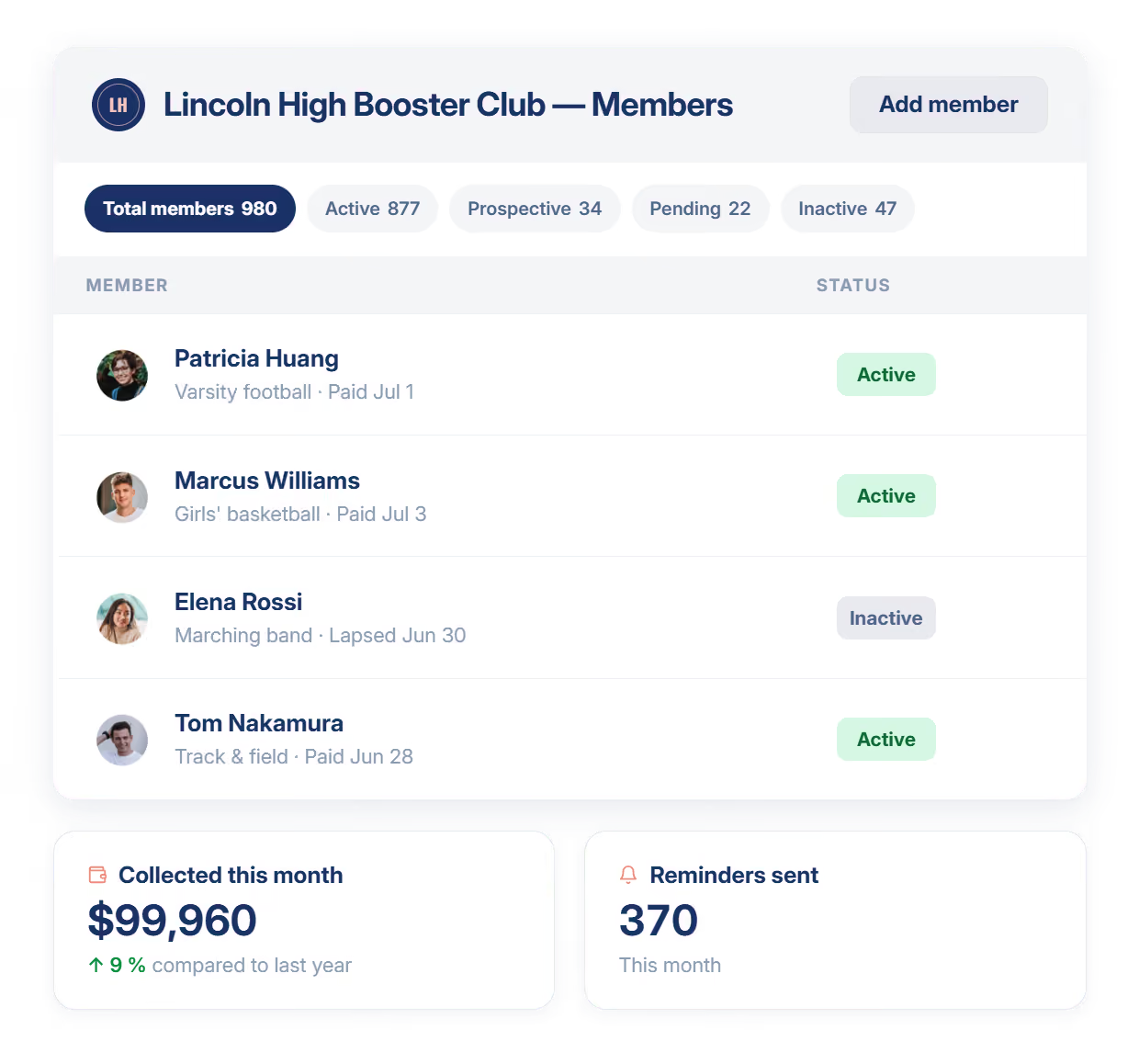
- One list of members, volunteers and supporters
- Dues and donations collected online, cash logged by hand
- Emails to the whole club from one place, not a reply-all thread
Trusted by Athletic and Activity Booster Clubs worldwide






Three Problems That Drain Every Volunteer Board
The Board Turns Over and the Spreadsheet Goes With It
Officers serve while their kid is on the team, then graduate out, and the member list leaves with them. Join It holds members, dues and donations in one account the club owns, so the next board picks up where the last one stopped.
A Reply-All Thread Is Not a Membership System
Two hundred parents on one email chain, dues chased by hand and no way to know who has paid. Join It gives you one list, sends the reminders, takes payment online and marks the record paid, so volunteers stop doing the menial part.
Nobody at the Gate Knows Who Bought a Pass
Season passes sold at the start of the year are impossible to check at the game. Join It gives every member a digital card with live status, so whoever is on the gate scans it and knows, and each scan is logged.
One Platform, Purpose-Built for Booster Clubs
Join It replaces your scattered tools with a single platform your whole board can use, without a training manual.
Member Records
Every member, contact detail, membership type and payment history in one searchable database.
Dues and Donations
Collect membership dues and one-off donations online, or record cash and checks by hand. See who has paid at a glance.
Automations
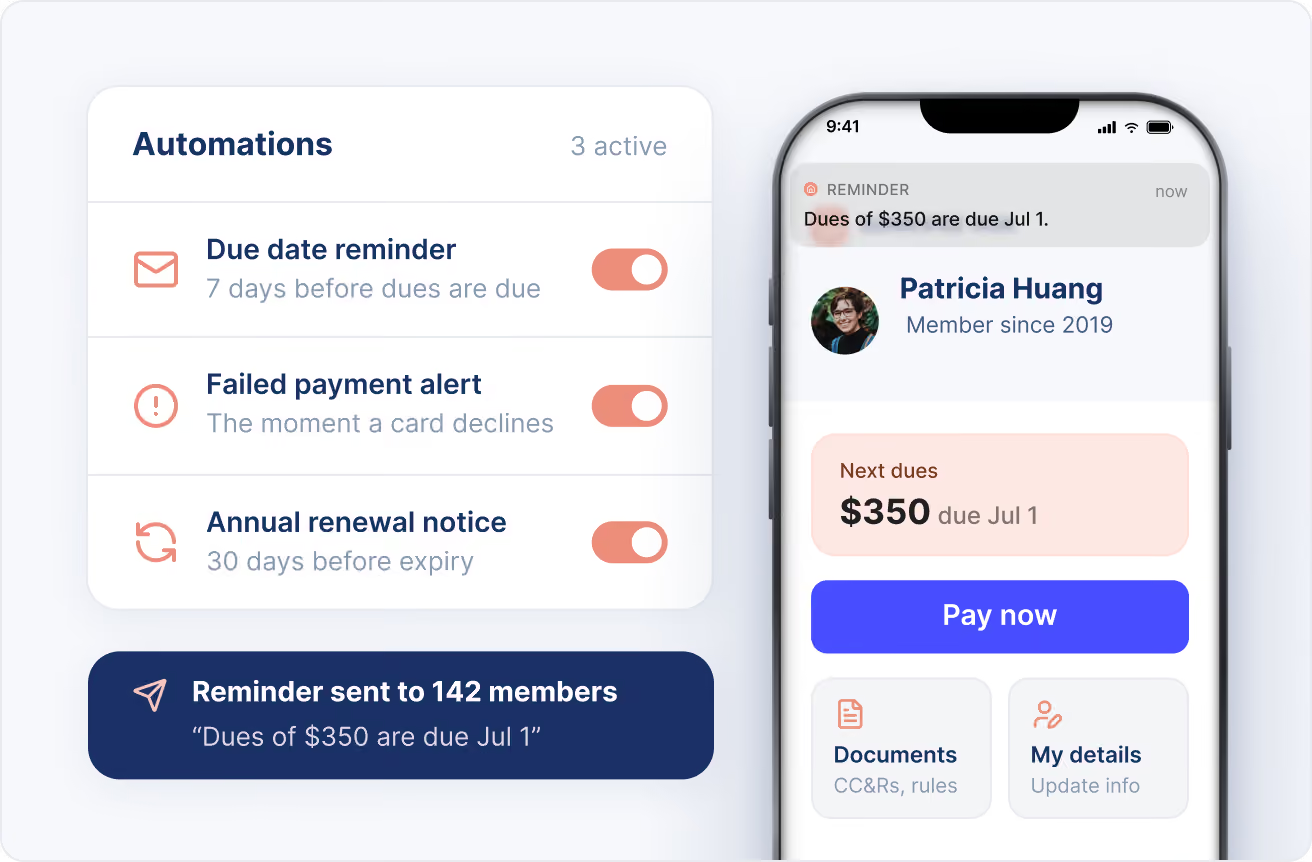
Renewal reminders, overdue notices and failed-payment alerts go out for you, on the schedule you set.
Member Portal
Members update their own details, pay and download their card without emailing the treasurer.
Communications
Send announcements and newsletters to your whole community or to specific groups, straight from your member list.
Season Passes and Check-In
Sell membership tiers as season passes, scan the card at the gate, and set a check-in allowance per tier.
Every Member Record in One Searchable Place
Stop keeping members in one sheet, volunteers in another and donors in the treasurer's head. Join It gives your board one searchable member database, with every record, note, payment and donation in one place that any officer can reach.
- Import your existing member list from a spreadsheet
- Custom fields for student name, team and volunteer interest
- Full payment and donation history on every record
- Admin logins for each officer, removed when they roll off

Collect Dues and Donations Without Chasing Anyone
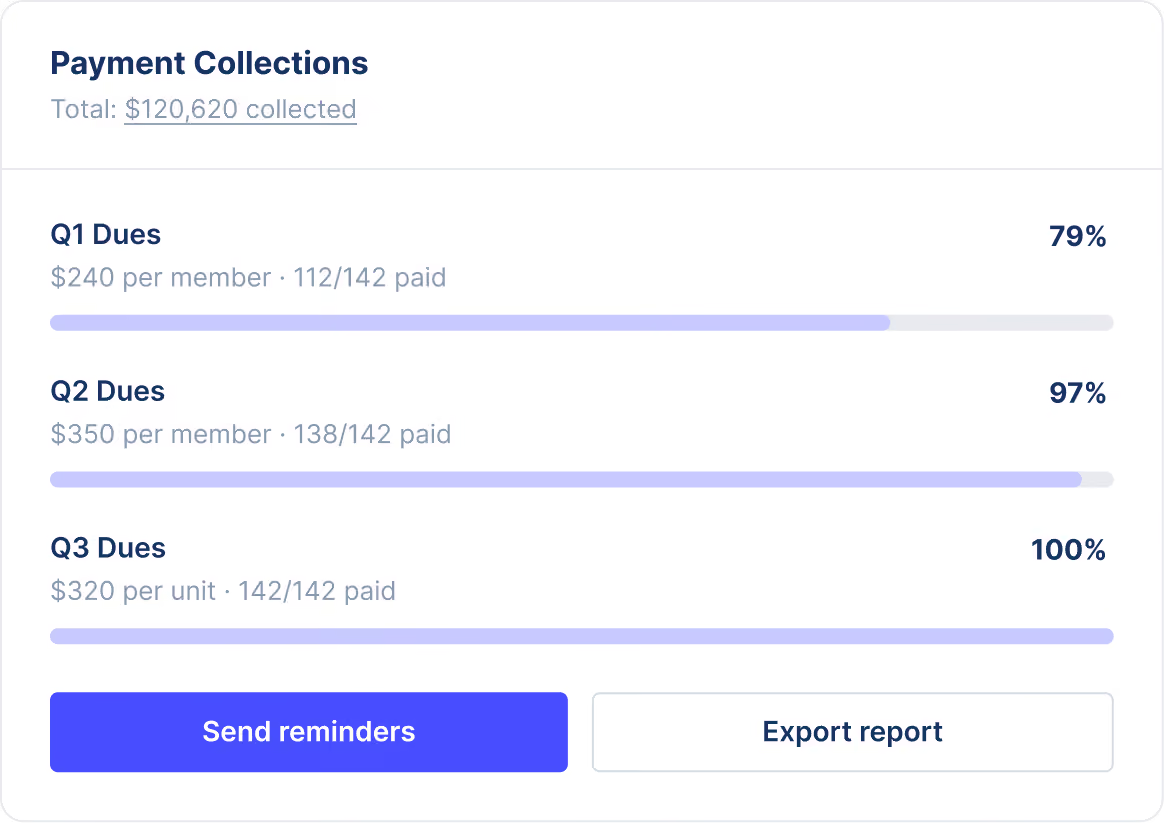
Set your membership tiers once and let Join It do the collecting. Parents get a payment link and a receipt, the record updates itself when they pay, and you see who is current without a spreadsheet. Cash at the concession stand can still be recorded by hand.
- Online payments through Stripe, with automatic receipts
- Reminders before and after the renewal date, sent for you
- Optional donation added at checkout on top of dues
- Payments synced to QuickBooks Online for the treasurer
Give Every Member a Pass the Gate Can Check
Every member gets a digital card in Apple or Google Wallet showing their tier and live status, so a volunteer on the gate scans it with any phone and knows whether it is valid. Behind it sits a portal where members update their own details and renew.
- Apple Wallet and Google Wallet cards with a scannable QR code
- Card status updates when a member renews or the season ends
- Check-in allowance per tier, so a two-ticket pass admits two
- Printable cards for grandparents without a smartphone
Booster Clubs Already Running on Join It
The clubs below back school athletics from California to Florida. They use Join It to keep one member list, collect dues and donations online and hand next season's board a system to log into, not a spreadsheet. If your club looks like these, it fits.



Big M Boosters
California
,
US
Irvington High School Boosters
New Jersey
,
US
The Seaside School Athletic Booster Club, Inc.
Florida
,
US
Burkburnett Alumni
Texas
,
US
WHS Huskies Boosters
Fremont
,
US
Davis Blue Devil Athletic Boosters
California
,
US
It has made membership management much simpler, with everything in one place. Memberships, renewals, member information and check-ins are all easy to manage, which saves our volunteers a huge amount of time.
Up and Running in an Afternoon
Import Your Member List
Upload your existing spreadsheet using the import template, with names and emails as the minimum. Our support team helps you map the rest and load it, so nobody is retyping the member list by hand.
Set Up Tiers and Reminders Once
Create your membership tiers and season passes, connect Stripe and QuickBooks, and choose how many reminders go out before and after the renewal date. From then on Join It collects, sends receipts and follows up.
Invite Members to Their Portal
Send one welcome email. Members can then see their status, pay, add their card to Apple or Google Wallet and update their own details, without emailing the treasurer.
Plug in the tools you already use.
Join It sits alongside your email, accounting and event tools — so
member records, payments and registrations stay in sync without a single manual export.
Member data
Mailchimp
Constant Contact
Klaviyo
Payment data
Stripe
QuickBooks
Xero
Everything else
Eventbrite
Webhooks
API
Booster Boards Ask Us
What is booster club membership software?
Booster club membership software helps booster organizations manage parents, supporters, dues, donations, fundraisers, events, volunteers, and records in one place.
Can booster clubs manage parents, supporters, and volunteers together?
Yes. Join It can help booster clubs organize paying members, donors, volunteers, parents, sponsors, and occasional supporters in one searchable database.
Can booster clubs collect dues and donations online?
Yes. Booster clubs can collect membership dues and donations online while keeping payment activity connected to each supporter record.
How are offline booster club payments recorded?
Admins can record offline payments such as cash, check, bank transfer, or fundraiser payments so member records stay accurate.
Can booster club payments sync with QuickBooks?
Yes. Join It can sync recorded membership payments into QuickBooks Online, helping the booster club keep accounting records aligned with membership revenue.
Can multiple booster club volunteers manage Join It?
Yes. Booster clubs can invite multiple administrators so presidents, treasurers, membership chairs, or volunteer coordinators can share the workload.
Ready to Hand Next Season's Board a Working System?
Start a free trial, import your member list and set up your first membership type. No credit card, no setup fee, and real people on support if you get stuck.


