15 Best Church Management Software Tools (Reviewed for 2026)


Choosing the right church management software can feel overwhelming.
You're juggling member records, online giving, volunteer schedules, event registrations, and trying to keep everything organized without losing your mind.
And if you're like most church leaders, you're probably using 5 to 9 different platforms to get it all done.
(Yes, really. Research shows that about 45% of churches juggle that many tools.)
The good news? The right church management system can consolidate everything into one platform, saving you time, reducing errors, and letting you focus on what actually matters: ministry.
This guide breaks down 15 of the top church management software tools available in 2026. You'll see real pricing, actual user ratings, key features, and honest pros and cons based on verified reviews and community feedback.
Let's dive in.
Key Takeaways
Here's what you need to know before evaluating church management software:
Technology adoption is nearly universal. According to a 2023 industry report, 94% of churches say technology is important to their ministry. In fact, 87% of churches already use a ChMS, and Pushpay reports adoption has reached about 89%.
Tool overload is the real problem. With nearly 45% of churches using 5 to 9 different digital platforms, the need for consolidated, integrated systems has never been clearer. Switching between multiple tools creates duplicate data, missed follow-ups, and reporting gaps that slow down ministry work.
Budget constraints are real. Despite growing adoption, 58% of churches allocate 10% or less of their budget to technology. This drives demand for affordable, easy-to-use solutions rather than complex enterprise systems.
The market is growing fast. The global church management software market was valued at approximately $970.9 million in 2024 and is projected to reach $1.47 billion by 2033. This growth reflects increasing recognition that good software isn't just "nice to have," it's essential for effective ministry operations.
Good software supports mission, not just operations. The best church management platforms help you track people, manage giving, coordinate volunteers, and communicate effectively so you can spend more time on discipleship and community care.
What Is Church Management Software?
Definition (Simple + Operational)
Church management software (also called a ChMS, church management system, or church management platform) is an all-in-one solution that helps churches organize people and households, track giving and attendance, manage volunteers, coordinate events, send communications, and generate reports.
Think of it as the central hub for your church's administrative operations.
Some people call it church database software or church administration software, but they're all describing the same core idea: a system that brings scattered tools and spreadsheets into one organized platform.
What a "Church Management System" Includes (vs a Single-Purpose Tool)
Here's where things get important.
A true church management platform is different from single-purpose tools.
A ChMS platform covers multiple functions in one system: membership tracking, giving, attendance check-in, communications, volunteer coordination, event registration, and reporting.
Church communication software typically handles only text messaging and email campaigns.
A church giving platform focuses on donations, receipts, and recurring contributions.
Church accounting software deals specifically with fund accounting and financial reports.
The problem? When you use separate tools for each function, you end up with the tool overload problem we mentioned earlier. Data doesn't sync between systems. You're entering the same information twice (or three times). Reporting becomes a nightmare because you're pulling data from multiple sources.
That's why nearly half of churches are juggling 5 to 9 platforms, and why consolidation is such a priority in 2026.
Why Churches Need Church Management Software Now
Understanding why church attendance is declining helps explain why effective systems for tracking engagement, following up with visitors, and maintaining connections have become essential.
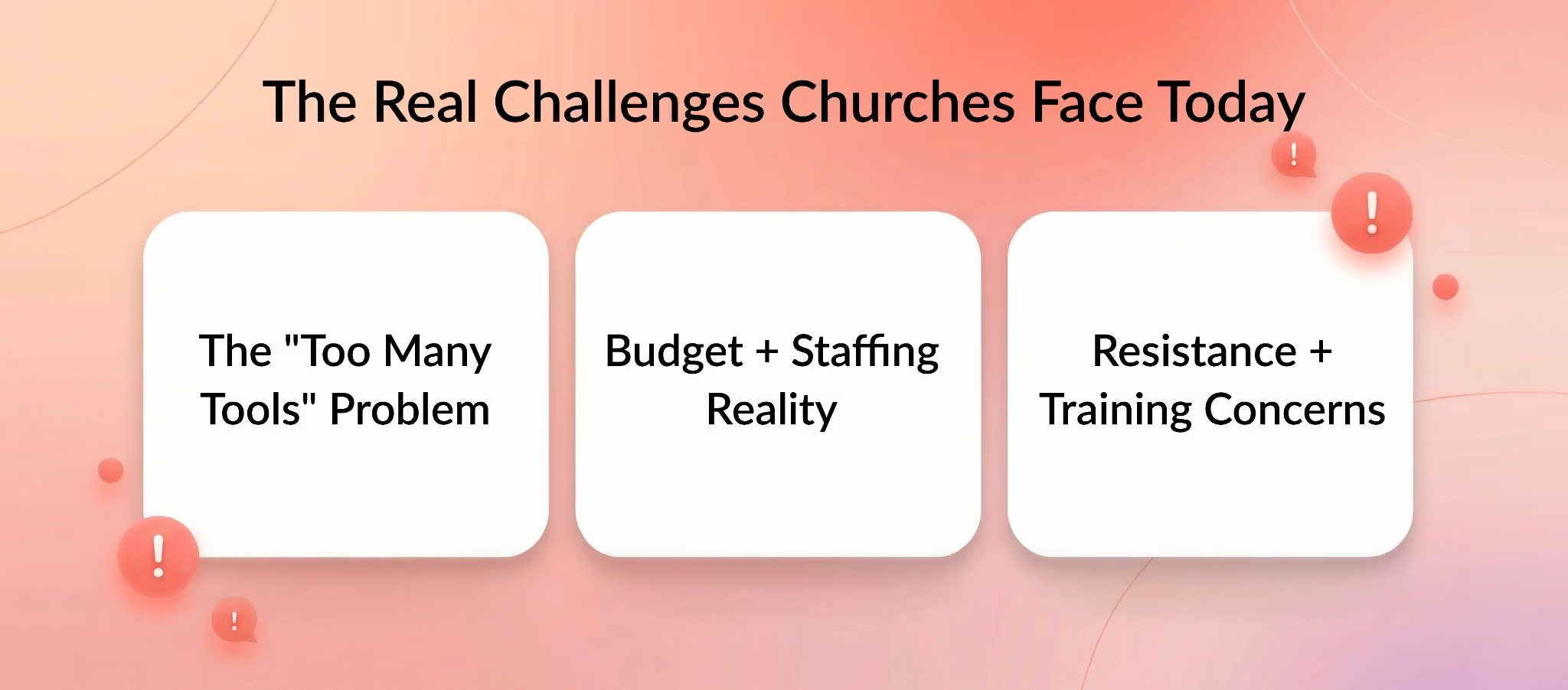
The "Too Many Tools" Problem
Let's paint a picture.
Your church uses Google Sheets for the member directory. Mailchimp for email newsletters. Planning Center for volunteer scheduling. A separate giving platform for donations. And maybe another tool for event registrations.
Sound familiar?
Multiple systems create duplicate data, missed follow-ups, and reporting gaps. When someone updates their address in the giving system but not in the directory, you end up mailing them at the wrong location. When a first-time visitor fills out a digital connection card, but that data doesn't flow into your follow-up workflow, they slip through the cracks.
The 45% of churches using 5 to 9 different digital tools aren't doing it by choice. They're doing it because no single system met all their needs when they started building their tech stack.
The result? More administrative work, not less.
Budget + Staffing Reality (Especially Volunteer-Run Churches)
Here's the hard truth: most churches don't have unlimited budgets or full-time IT staff.
With 58% of churches allocating 10% or less of their budget to tech, affordability matters. You need simple, reliable, all-in-one tools that don't require a dedicated tech team to maintain.
Small churches and volunteer-run ministries face an even tougher challenge. You might have one administrator managing everything from the bulletin to the database. Or you're relying on volunteers who already have full-time jobs.
Complex systems with steep learning curves just don't work in this environment. You need software that's intuitive enough for a volunteer to pick up quickly, yet powerful enough to handle growing congregational needs.
Resistance + Training Concerns
Let's be honest: not everyone on your team is excited about new software.
Some leaders worry that technology might distract from mission or be too hard to learn. They've seen church management software implementations fail because of poor onboarding or lack of ongoing support.
This resistance is real and valid.
The solution isn't to avoid technology altogether. It's to choose systems with strong onboarding, responsive customer support, and interfaces that don't require a computer science degree to navigate.
Churches that successfully implement new software typically start with a clear plan: they test it during a trial period, train key staff and volunteers, and roll it out gradually rather than switching everything overnight.
Church Management Software Trends (What to Expect in 2026)
AI + Automation in Church Operations
Artificial intelligence isn't just for tech companies anymore.
Churches are using AI tools like ChatGPT to draft communications, create outreach materials, and even brainstorm sermon ideas. Meanwhile, automation features handle repetitive tasks like follow-up emails for first-time visitors or birthday messages for members.
The practical angle? Automation saves staff time, which means more time for actual ministry work.
Expect to see more church management platforms rolling out automated workflows for guest follow-ups, volunteer reminders, and donation receipts in 2026 and beyond.
Analytics Becoming a "Must-Have"
Modern churches aren't just tracking attendance, they're analyzing patterns.
Analytics capabilities let you see giving trends over time, identify which small groups are thriving, spot attendance drops early, and understand engagement across different ministries.
This isn't about treating church like a business. It's about making informed decisions. For teams experimenting with AI-assisted reporting, resources on Gemini for data analytics can help non-technical staff turn exported attendance, giving, and engagement data into clearer insights.
When you can see that summer attendance drops by 30% every year, you can plan lighter programming during those months. When you notice giving dips in January and February, you can adjust your budget timeline accordingly.
Good reporting supports better decision-making, which supports stronger ministry.
Security + Permissions Are No Longer Optional
Here's something that doesn't get talked about enough: data security.
After incidents where church staff misused access to donor information, communities are paying attention to role-based permissions and data protection.
In 2026, you should expect robust permission settings that let you control who can see donor amounts, edit member records, or access financial reports. This protects your congregation's privacy and builds trust.
SSL encryption, secure payment processing, and regular security updates should be standard features, not optional add-ons.
Multi-Language Support and Diverse Congregations
Churches are increasingly diverse.
Multi-language support for texting, emails, and member communications is becoming a key selection factor, especially for congregations serving immigrant communities or multilingual neighborhoods.
If your church communicates in Spanish, Korean, Tagalog, or any other language, make sure your software can handle it without forcing you into workarounds. Churches investing in building a membership website should prioritize platforms that support multilingual content from the start.
What to Look For in Church Management Software (Feature Framework)
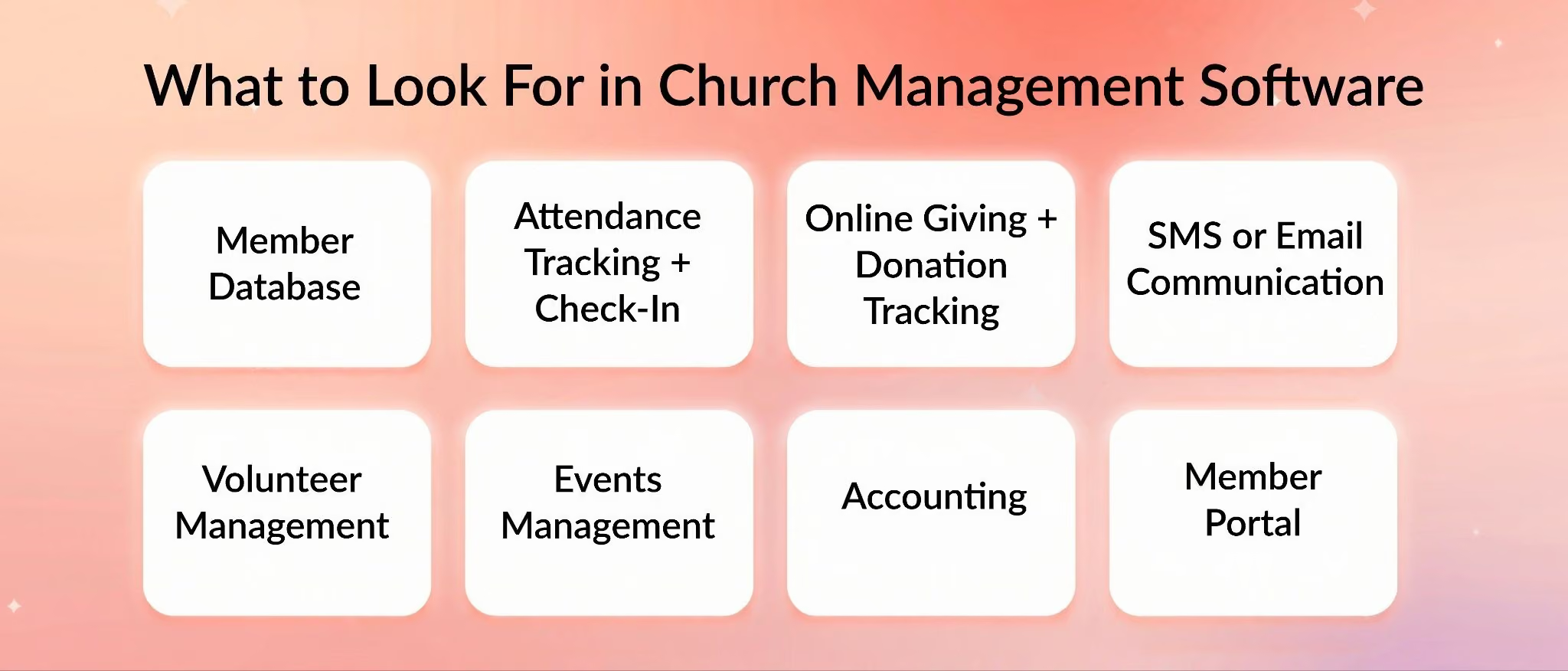
Every church management system claims to be "complete" or "all-in-one." But what does that actually mean?
Here's what to evaluate when comparing platforms.
People + Household Database (Member/Visitor CRM)
At the core of any church management platform is the people database.
This is your church household database, your member directory, and your visitor tracking system all in one. It should let you store contact information, track family relationships, add notes about pastoral care needs, assign tags (like "new member" or "small group leader"), and manage roles and permissions.
For churches evaluating church membership database software specifically, the ability to track relationships and maintain accurate household groupings is non-negotiable.
What good looks like:
- Easy to add families and individuals
- Track relationships (spouse, children, emergency contacts)
- Custom fields for unique data (baptism dates, spiritual gifts, dietary restrictions)
- Visitor follow-up workflows
- Export lists for mail merges or other uses
What to test in demos: Can you quickly add a new family? Can you see at a glance who visited last Sunday and hasn't been followed up with yet? Can you export a list of all volunteers for a specific ministry?
If any of these tasks feel clunky, keep looking.
Attendance Tracking + Check-In (Including Kids Ministry)
Church attendance tracking software helps you see trends over time and manage check-in on Sunday mornings.
For kids ministry, this gets even more critical. You need secure child check-in that prints matching parent and child tags, tracks allergies and medical needs, and ensures only authorized adults can pick up children.
What good looks like:
- Self-service kiosks or mobile check-in
- Barcode or QR code scanning
- Age-based grouping (nursery, preschool, elementary)
- Attendance reports by service, ministry, or date range
- Safety features (allergy alerts, custody restrictions)
Research shows that churches using platforms like Planning Center set up separate "locations" and "stations" for each class to track Sunday School attendance effectively.
Online Giving + Donation Tracking
This is often the first feature churches research.
Church online giving software lets members contribute via credit card, ACH, Apple Pay, Google Pay, or even text-to-give. It should support recurring giving, pledge campaigns, multiple funds (missions, building, general), and automatically generate end-of-year statements.
What good looks like:
- Multiple payment methods
- Recurring gift options
- Donor-covered fees (so donors can pay processing costs)
- Transparent fee structure
- Integration with your accounting system
- Mobile-friendly donation pages
Fee math matters. If your platform charges 3% + $0.30 per transaction, calculate how that impacts annual giving. On $500,000 in donations, that's $15,000+ in fees. Some platforms let donors cover fees, which can save your church thousands of dollars per year.
For churches looking to streamline donations tools, the key is balancing ease of use with cost-effectiveness.
Church Communication Software (Text + Email)
Effective communication keeps your congregation engaged.
Church texting software and email tools should let you send broadcast messages, segment your audience (parents, volunteers, members vs. visitors), set up automated follow-ups, and track delivery and open rates.
Two-way texting is especially valuable. Instead of one-way announcements, you can have conversations, answer questions, and collect responses (like RSVPs for events).
What good looks like:
- Unlimited or high-volume email sending
- SMS/text messaging with keyword opt-ins
- Segmentation and tagging
- Automation workflows (welcome series, birthday messages)
- Deliverability tracking
Some platforms charge per text message, others include a monthly allotment. Make sure you understand the pricing model before committing.
Volunteer Management + Scheduling
Church volunteer management software helps you recruit, schedule, and remind volunteers across all your ministries.
Whether it's worship teams, greeters, nursery workers, or setup crews, you need a system that shows open slots, sends automatic reminders, handles rota conflicts, and tracks volunteer hours.
What good looks like:
- Self-service sign-up for volunteers
- Automated reminders (email and text)
- Conflict detection (same person scheduled twice)
- Role-based assignments
- Volunteer directory with skills and availability
When volunteers can see their schedule on their phone and get reminded the day before they serve, no-shows drop significantly.
Events + Registrations + Calendar
Church event management software handles everything from weekly Bible studies to summer camps.
You should be able to create registration forms, collect payments, set capacity limits, and manage facility scheduling all in one place. Platforms with robust event registration capabilities let you customize forms, collect waivers, and even process group registrations for families.
What good looks like:
- Public and private events
- Custom registration forms
- Payment collection
- Waitlists for full events
- Facility/room scheduling
- Integration with member events and small groups
One Capterra reviewer noted frustration with software that lacked basic calendar features, showing how essential smooth event management really is.
Accounting + Fund Accounting (When It Matters)
Church accounting software with fund accounting capabilities tracks money by designated funds (general, missions, building, benevolence) rather than just income and expenses.
This is critical for churches because donors often give to specific purposes, and you need to track how those funds are used.
What good looks like:
- Multiple fund tracking
- Budget vs. actual reporting
- Donation-to-ledger workflows
- Audit trails for transparency
- Integration with QuickBooks or other accounting systems
Not every church needs full accounting built into their ChMS. Some prefer to use dedicated accounting software and integrate it with their church management platform.
Mobile App + Website (For Digital Ministry)
A church mobile app gives members access to sermons, event calendars, giving options, and their member profile, all from their phone.
Some platforms also include a church website builder so you can manage your site and your church data from one system.
What good looks like:
- Custom branding (your church's logo and colors)
- Sermon hosting and playback
- Mobile giving
- Push notifications for announcements
- Member login for directory access
Platforms like Nucleus position themselves specifically as digital ministry hubs with built-in website builders and giving tools.
Integrations (Avoid Double-Entry)
Even the best all-in-one platform might not do everything.
That's where integrations come in. Look for software that connects with Planning Center, Mailchimp, Google Calendar, Stripe, PayPal, or QuickBooks.
Real integration questions from communities often focus on syncing data, exporting reports, and workflow workarounds. If your church already uses certain tools and loves them, make sure your new ChMS can work alongside them.
Budget Fit Checklist (Small vs Large Churches)
With 58% of churches allocating 10% or less of their budget to technology, affordability expectations are real.
For small churches (under 200 people):
- Look for flat-rate or low-tier pricing
- Prioritize ease of use over advanced features
- Consider free options for basic modules
- Watch out for processing fees on giving
For mid-sized churches (200 to 1,000 people):
- Evaluate total cost (base subscription + texting + processing fees)
- Consider modular systems where you pay for what you use
- Ensure the system can scale as you grow
For large or multi-campus churches (1,000+ people):
- Expect higher monthly costs but negotiate volume pricing
- Prioritize advanced features (multi-campus support, role-based permissions, robust reporting)
- Budget for onboarding and training
How to compare real cost: Add up the base subscription, processing fees on expected giving volume, texting credits, and any add-on modules. That's your true monthly cost.
"Free" Church Management Software Reality Check
Let's talk about free church management software.
Platforms like ChMeetings offer a free plan for up to 50 people. Planning Center's People module is free. Continue To Give has a $0/month Silver plan with higher transaction fees.
Sounds great, right?
Here's the catch: "free" often comes with hidden effort costs. Limited features, minimal support, and reliability issues can end up costing you more in time and frustration than a paid solution would.
One forum user described trying a free ChurchTrac installer multiple times only to have it fail. Another bluntly said their experience with free church software "has not been good at all."
That doesn't mean free options are bad. It means you need to weigh the trade-offs. If you're a very small church with tech-savvy volunteers, a free plan might work fine. But if you need reliable support and full features, investing in a paid platform often makes more sense.
Common Complaints & Dealbreakers (From Real Users)
Let's look at what frustrates churches most about church management software.
Pricing Feels High for Smaller Churches
Cost vs. value is a recurring theme.
One Reddit user called Breeze "pretty expensive" at ~$80/month for small congregations. Another reviewer noted that Clearstream's pricing "can feel high for smaller churches."
The takeaway? Smaller churches need to carefully evaluate whether the features justify the cost. Sometimes paying a bit more for reliability and support is worth it. Other times, a simpler, cheaper tool does the job.
Dated UI / Frustrating Workflows
Nobody wants to use software that feels like it was built in 2005.
A Churchteams reviewer mentioned missing UI features like "no sub-dropdown menus" and an "archaic" design. Another review pointed out the lack of a "forgot your password" option, which pushed users away.
User experience matters. If your team dreads logging in, they won't use it consistently, and your data quality will suffer.
Missing Features + Migration Pain
Some platforms look complete on paper but fall short in practice.
Common frustrations include missing unified calendars, clunky volunteer modules, and weak mobile apps.
Migration is another pain point. Moving data from an old system to a new one is rarely seamless. Reddit users discussing transitions from Breeze to Planning Center highlighted the importance of good migration tools and support. One person advised, "Do it and don't look back," praising Planning Center's robust migration assistance.
Security + Permissions After Incidents
Data security is non-negotiable.
After a church fraud case, community members urged reviewing roles and permissions in Planning Center to protect donor information.
Role-based access matters. Your worship leader doesn't need to see donor giving amounts. Your volunteers shouldn't be able to edit financial records.
Look for software with granular permission controls so you can limit access appropriately.
How We Evaluated These Church Management Software Tools
To give you useful, trustworthy comparisons, we evaluated every platform using consistent criteria.
Evaluation Criteria (Scoring Rubric)
We looked at:
Core ChMS coverage: Does it handle people, giving, attendance, communications, volunteers, events, and reporting?
Reporting/analytics: Can you generate useful insights, not just raw data dumps?
Integrations & exports: Does it play well with other tools, or trap your data?
Mobile & admin usability: Is it easy to use on phones and tablets? Is the admin interface intuitive?
Pricing clarity + total cost: Are prices transparent, or hidden behind "contact us" forms? What's the real monthly cost including fees?
Support/onboarding: Do they help you get started, or leave you to figure it out alone?
Security/permissions: Can you control who sees what?
Sources We Used (Transparency)
We pulled data from:
- SoftwareAdvice ratings + review counts for each tool
- Official pricing pages (linked throughout this guide)
- Community threads from Reddit (r/churchtech, r/planningcenter), forums, and Q&A sites
- Industry reports from Pushpay, ChurchLeaders, and ACS Technologies
All statistics are cited with links so you can verify them yourself.
The 15 Best Church Management Software Tools (Full Reviews)
Now let's dive into detailed reviews of each platform.
1) Join It
Best for: Membership-focused churches with renewals and events
What it is
Join It is membership management software used by churches and nonprofits to maintain a centralized database, process payments and renewals, and sell tickets for events. It's designed around the idea that churches function like membership organizations, with clear renewal cycles and engagement tracking.
Key church-management features
- Membership database & CRM: Track people, membership types, renewal dates, and donations
- Digital membership cards & portal: Members access their profile, pay dues, and download digital membership cards
- Event ticketing & check-in: Sell tickets, scan digital cards at events, manage capacity
- Communications: Targeted email campaigns, bulk messaging, member timeline
- Recurring billing: Automate membership renewals and recurring contributions
Pricing
Monthly:
- Starter: $29/mo + 3% platform fee
- Total: $99/mo + 2% fee
- Extra: $199/mo + 1.5% fee
Platform fees only apply to online payments and can be passed on to members.
Annual: 10% discount (Starter ~$26.10/mo, Total ~$89.10/mo, Extra ~$179.10/mo). Nonprofits get an additional 10% discount.
Free trial details
30-day free trial, no credit card required.
User sentiment
What users like: Ease of use and responsive support. Testimonials highlight that the system is "simple to set up" and customer service is "stellar."
Common feedback: Users appreciate the focus on membership renewals, which many church management platforms don't emphasize.
Who it's best for
Join It works especially well for churches that treat membership formally, with annual renewals, dues, or participation fees. If you're running membership-driven small groups, classes, or recurring events, Join It's model aligns well. It's also a strong fit for churches exploring how to grow church membership through structured engagement.
For a complete overview of what Join It offers, check out their full features list.
2) Planning Center
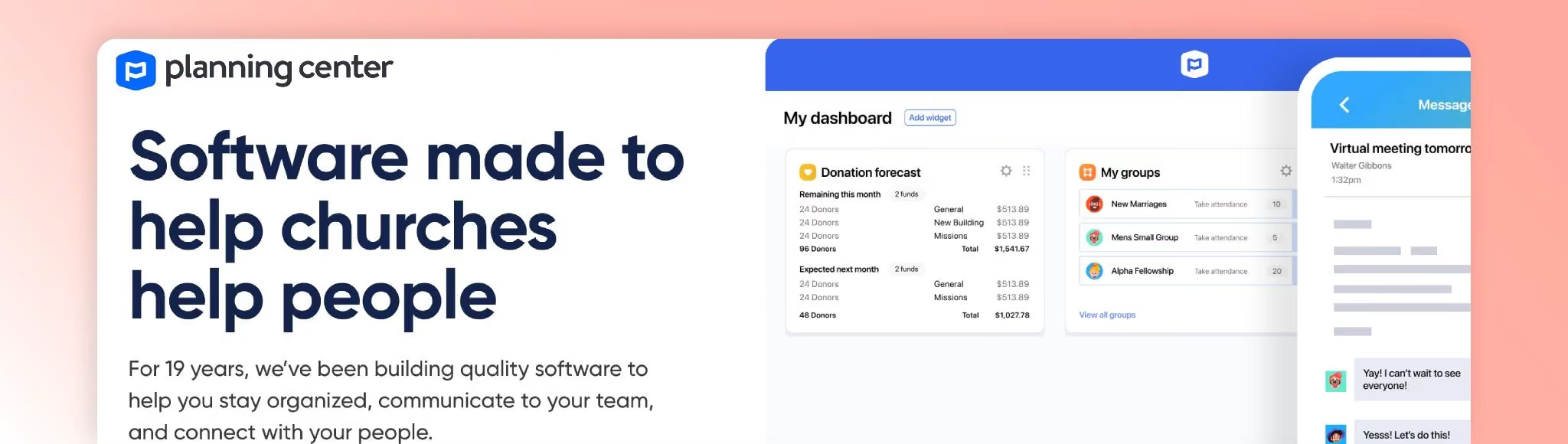
Best for: Churches wanting modular, pay-for-what-you-use flexibility
What it is
Planning Center is a modular church management suite. The People module (membership database) is free. Churches add only the modules they need: Groups, Check-Ins, Registrations, Giving, and more.
Key church-management features
- People (free): Membership database, reporting, online forms, workflows
- Groups: Track group rosters and schedules; priced by active members
- Check-Ins: Manage child check-in/checkout; priced by daily check-ins
- Registrations: Event sign-ups for conferences, camps; priced by event size
- Giving: Process online donations; 2.15% + $0.30 for cards, free ACH
Pricing
Each module has tiered pricing based on usage.
Groups: Free for 15 members, then $15/mo (75 members), $32/mo (200), $69/mo (500), $115/mo (1,000), $179/mo (1,500), $239/mo (unlimited)
Check-Ins: Free up to 10 daily check-ins, then $15/mo (30), $32/mo (75), $69/mo (200), $115/mo (500), $179/mo (1,000), $239/mo (unlimited)
Registrations: Free for 5 attendees, then $15/mo (20), $32/mo (50), $69/mo (150), $115/mo (400), $179/mo (1,000), $239/mo (5,000)
Giving: Free for very few donations, then $15/mo (75 donations), $32/mo (200), $69/mo (500), $115/mo (1,000), $179/mo (1,500), $239/mo (unlimited)
People module is always free.
Free trial details
30-day free trial, no credit card required.
User sentiment
What users like: Flexibility. You only pay for modules you need. Robust volunteer scheduling and best-in-class check-ins for kids ministry.
Common feedback: Reddit users unanimously recommend Planning Center for churches outgrowing simpler systems. One person said, "Do it and don't look back," praising scalability and migration tools.
Who it's not for
If you want everything in one simple package with flat pricing, Planning Center's modular approach might feel complex. Costs can add up if you need multiple modules.
3) Breeze (Tithely Church Management)

Best for: Churches wanting all-in-one simplicity with flat pricing
What it is
Breeze (now rebranded as Tithely Church Management) is an all-in-one church management platform covering member records, volunteer scheduling, event planning, and communications.
Key church-management features
- Unlimited admin users and member management
- Volunteer tracking & scheduling
- Service planning
- Church calendar & events
- Groups management
- Email editor, automation & follow-ups
- Mobile app
- Texting (first 250 texts free, then $10 per 1,000 texts)
- Free online giving integrated with Tithely
Pricing
Single subscription: $72/month (~$864/year). No setup or termination fees.
Free trial details
30-day free trial, no credit card required.
User sentiment
What users like: Simplicity and value. Flat pricing and inclusion of giving features are appreciated.
Common complaints: Some users note that workflows for events and volunteers can feel clunky compared to more robust platforms. One Redditor called it "pretty expensive" for small churches at ~$80/month.
Who it's not for
If you need highly customizable workflows or advanced reporting, Breeze might feel limited. Churches with complex multi-campus needs may outgrow it.
4) Church Windows
Best for: Churches wanting desktop reliability with cloud access
What it is
Church Windows is a hybrid church management solution with desktop and web versions. Modules include Membership, Donations, Accounting and Payroll, and Scheduler.
Key church-management features
- Membership management: Household and individual records, attendance, sacraments, groups
- Donations: Contributions, pledges, giving statements
- Scheduler: Event scheduling and facility reservations
- Accounting & Payroll: Fund accounting and payroll within GAAP standards
Pricing
Monthly: 1 module: $19/mo; 2 modules: $39/mo; 3 modules: $49/mo; 4 modules: $59/mo
Annual: 3-module subscription: $529/year (~$44.08/mo); 4-module: $637/year
Free trial details
Free working trial available (trial length not specified); no credit card required.
User sentiment
What users like: Ability to choose only needed modules. Robust functionality despite a dated interface.
Common complaints: Interface feels dated, but users value the depth of features.
Who it's not for
If you prioritize modern UI and mobile-first design, Church Windows may not appeal. It's more functional than flashy.
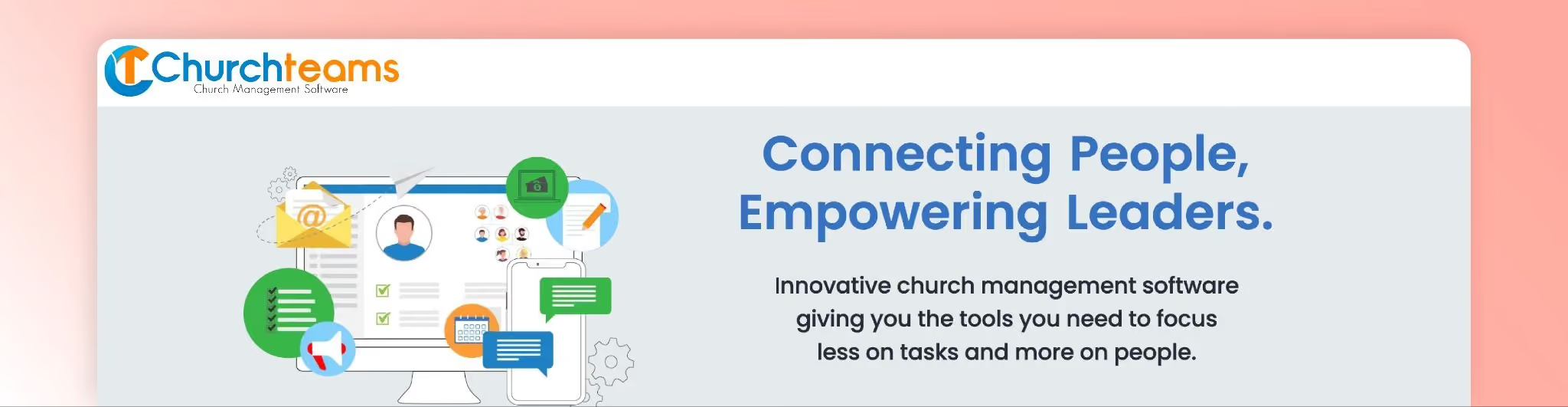
5) Churchteams
Best for: Group-centric churches emphasizing assimilation and community
What it is
Churchteams is a cloud-based church management platform built around groups. It combines membership, volunteer scheduling, check-in, event registration, online giving, and automation.
Key church-management features
- Group-centric database: Organize people into groups, track attendance and assimilation
- Volunteers & check-in: Schedule volunteers, manage child check-in/out
- Online giving & text-to-church: Integrated giving, text-to-give, 500 outbound texts/month included (extra texts $0.02)
- Automation & assimilation workflows: Automate follow-ups for visitors and volunteers
Pricing
Prices scale with database size:
Starter: 200 people $37/mo; 500 people $67/mo; 2,000 people $97/mo; 6,000 people $147/mo; 10,000 people $197/mo
All-Pro (includes text-to-church): 200 people $47/mo; 500 $77/mo; 2,000 $107/mo; 6,000 $157/mo; 10,000 $207/mo
MVP (All-Pro + online giving): 200 people $67/mo; 500 $97/mo; 2,000 $127/mo; 6,000 $177/mo; 10,000 $227/mo
No annual discounts; month-to-month plans.
Free trial details
30-day free trial, no contract; payment info not required until trial ends.
User sentiment
What users like: Comprehensive feature set and strong support. Value pricing for growing churches.
Common complaints: Some reviewers mention the interface can be overwhelming, with missing UI elements like sub-dropdown menus and an "archaic" design for 2022.
Who it's not for
If you want cutting-edge design and polished UI, Churchteams may feel clunky. But if you value depth over aesthetics, it's worth considering.
6) Clearstream

Best for: Multi-campus churches needing robust texting and communication tools
What it is
Clearstream is an SMS and email communications platform designed for churches. It allows broadcast texts, keyword management, response tracking, and integrations with church management systems.
Key church-management features
- Mass texting & keywords: Broadcast texts, automated follow-ups, keyword opt-ins
- Multi-campus support & subaccounts: Create subaccounts for departments, assign phone numbers
- Tap Tags & email tools: Mobile web pages linked from texts, unlimited email sending
- Integrations: Planning Center, Slack, Mailchimp, Rock RMS
Pricing
Credit-based monthly plans:
- $29/mo: 1,250 credits, 1 phone number
- $49/mo: 2,500 credits, 2 subaccounts, 3 phone numbers
- $99/mo: 6,000 credits, 4 subaccounts, 5 phone numbers
- $199/mo: 12,000 credits, 8 subaccounts, 9 phone numbers
- $299/mo: 20,000 credits, 10 subaccounts, 11 phone numbers
- $499/mo: 35,000 credits, 15 subaccounts, 16 phone numbers
- $949/mo: 70,000 credits, 20 subaccounts
No contracts, no setup fees, live support included.
Free trial details
30-day free trial with 100 credits, no credit card required.
User sentiment
What users like: Reliable deliverability and quick support. Multi-campus message routing is praised.
Common complaints: One reviewer called the interface "dated" and noted pricing "can feel high for smaller churches."
Who it's not for
If you need a full church management system (not just communications), Clearstream won't cover all bases. It's a specialist tool, not an all-in-one.
7) Donarius
Best for: Small churches with tight budgets wanting a one-time purchase
What it is
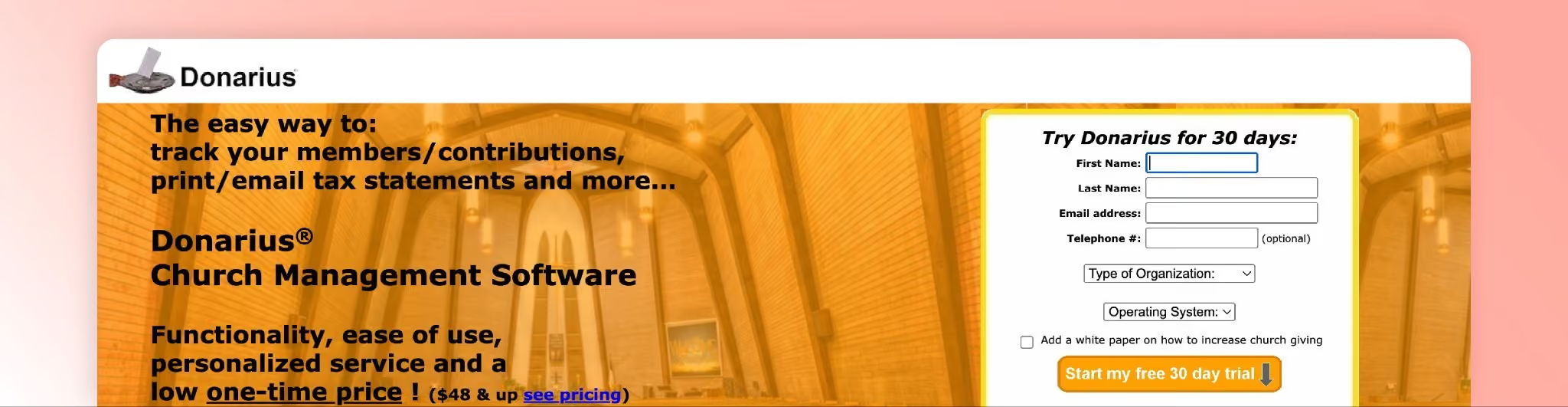
Donarius is a Windows-based donation management system for small churches and nonprofits. It records contributions, prints receipts, and maintains member information. You can create personalized letters and emails, print photo directories, and integrate online donations via PayPal and Stripe.
Key church-management features
- Donation tracking & receipts: Track contributions, print or email tax receipts, year-end statements
- Membership & attendance: Member lists, visit tracking, small-group participation
- Communication tools: Send letters, emails, texts
- Directory & labels: Print photo directories, labels, envelopes
Pricing
One-time purchase: Base version $63.97 US; optional modules $16.50 each
Discounts: Small churches (<100 donors) get 25% off (base $47.98, modules $12.37). Developing countries get 60% off.
Licenses allow installation on multiple computers. No monthly or annual fees.
Free trial details
Fully functional 30-day demo (exports and receipts limited). No credit card required.
User sentiment
What users like: Low one-time cost and responsive customer service.
Common feedback: Interface feels dated, but users value affordability.
Who it's not for
If you need cloud-based access or modern mobile apps, Donarius won't fit. It's desktop-only and best for churches comfortable with older software styles.
8) CharityTracker
Best for: Churches managing assistance cases and benevolence ministry
What it is
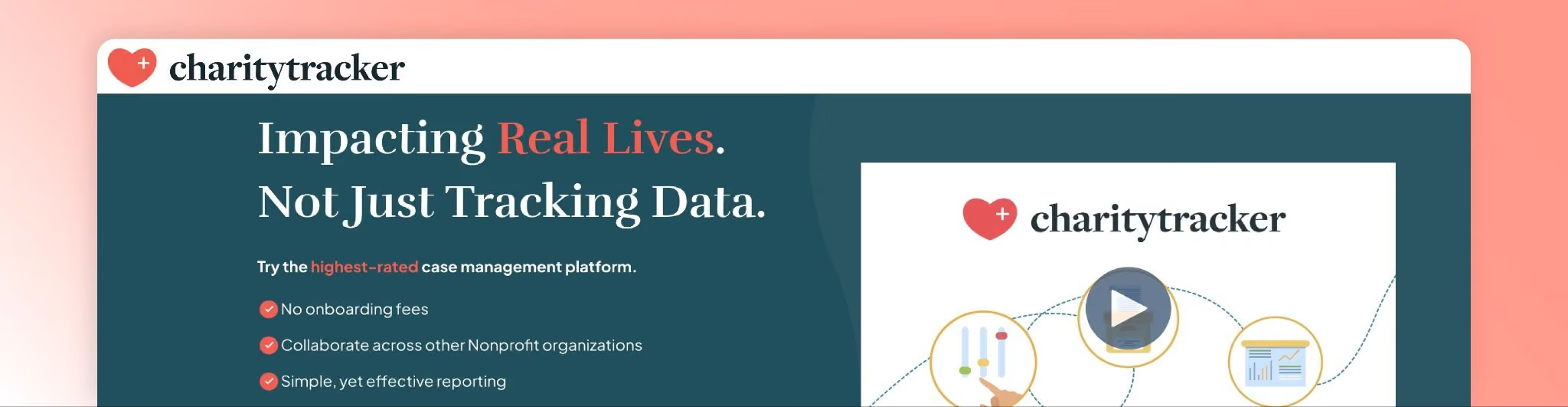
CharityTracker helps churches and nonprofits manage assistance cases, collaborate with partner agencies, and track services provided. It includes case management, needs tracking, outcome reporting, and communication tools.
Key church-management features
- Case management: Record client interactions, assistance provided, pledges
- Bulletins & reports: Share needs across partner agencies, generate donor/board reports
- Plus features: Barcode scanning, digital signatures, file uploads, outcome tracking
- Pro features: Kiosk intake, SMS broadcasts, scheduling, customizable assessments, API
Pricing
Monthly: Basic $20/user/mo; Plus $40/user/mo; Pro $60/user/mo
Annual: 10% discount (Basic $216/year, Plus $432/year, Pro $648/year)
Free trial details
14-day free trial; credit card not mentioned.
User sentiment
What users like: Collaborative aspect (multiple churches share data to avoid duplication) and flexible reporting.
Common complaints: Per-user pricing can get expensive for large teams.
Who it's not for
If you're not running benevolence or assistance ministries, CharityTracker's focus won't align with your needs. It's a niche tool.
9) ChurchTrac
Best for: Affordable church management that scales with your database size
What it is
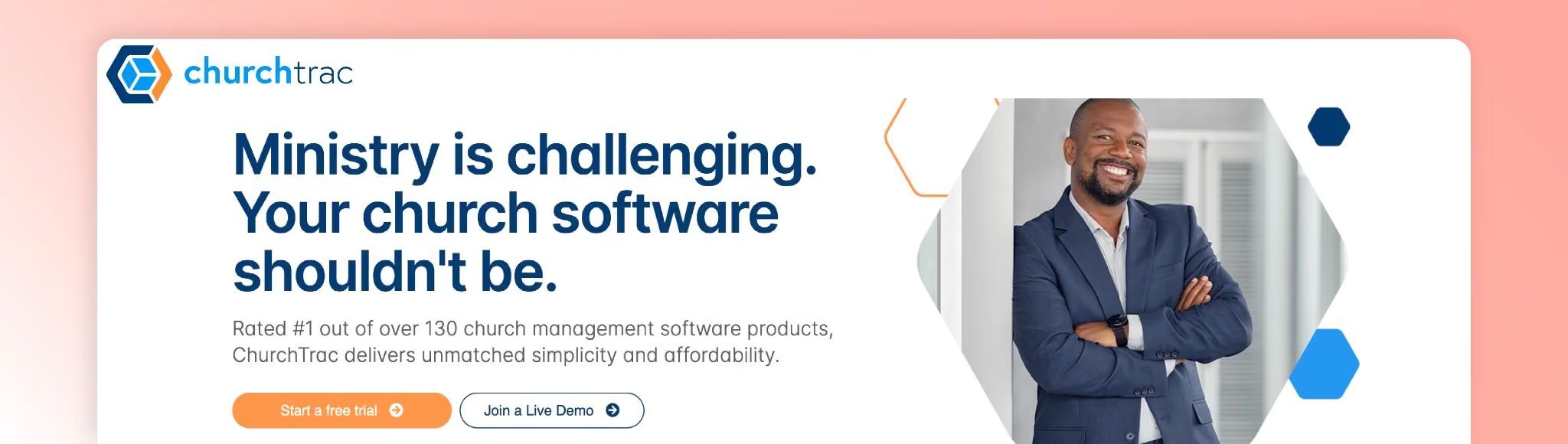
ChurchTrac is a budget-friendly church management system that prices based on the number of names in your database. It includes people management, communications (email/text/voice), online giving, attendance check-in, groups, volunteer scheduling, worship planning, automations, and a church app.
Key church-management features
- People management & database: Store member records, assign roles, track attendance
- Online giving & donations: Stripe integration, giving statements, fund tracking
- Check-in & child security: Secure check-in for children and volunteers
- Groups & events: Event registration, small groups, volunteer scheduling
- Worship planning & automations: Plan songs, run sheets, automated email/text reminders
- Accounting (add-on): Budgeting and fund accounting (+$15/mo)
- Messaging (add-on): Two-way SMS/voice (+$7/mo)
Pricing
Monthly: ~$9/mo for up to 75 names; scales gradually up to ~$105/mo for larger databases. Pricing based on names, not features.
Add-ons: Accounting $15/mo, Messaging $7/mo
Annual: ~10% discount
Free trial details
30-day free trial, no credit card required. Most features included except voice/text messaging and some online giving features may be limited.
User sentiment
What users like: Low entry price and breadth of features. Pay only for needed add-ons.
Common feedback: Interface is simple but functional. Affordability is a major selling point.
Who it's not for
If you need highly polished UI or advanced customization, ChurchTrac might feel basic. But for budget-conscious churches, it's hard to beat.
10) Text In Church
Best for: Automated follow-ups and keyword-based communication workflows
What it is
Text In Church is a communication tool tailored for churches. It provides bulk texting, email campaigns, and follow-up workflows to engage visitors and members.
Key church-management features
- Automated follow-ups & keywords: Welcome texts, reminders, prayer requests, unlimited keywords
- Group messaging & email: Unlimited email sending, done-for-you templates
- Mobile app & unlimited users: Track conversations, manage contacts on the go
- Optional Calling Plus add-on: Digital receptionist, call forwarding ($10/mo per seat)
Pricing
Monthly: Basic $31/mo (500 texts, 1 local number); Pro $56/mo (1,500 texts, 2 numbers); Premium $81/mo (2,500 texts, 3 numbers)
(Note: Some pricing shows $37/mo Basic, $67/mo Pro, $97/mo Premium; verify on official site.)
Annual: ~2 months free (Basic $369/year, Pro $668/year, Premium $967/year)
All plans include unlimited keywords, emails, templates, users.
Free trial details
30-day free trial with full access; credit card requirement not specified.
User sentiment
What users like: Intuitive message scheduling and database integration.
Common complaints: Some users note occasional delays in scheduled messages.
Who it's not for
If you need a full church management system beyond communications, Text In Church won't cover people management, giving, or events.
11) Continue To Give
Best for: Churches wanting free giving software with optional ChMS features
What it is
Continue To Give is a donation and church management platform offering online, mobile, kiosk, and text giving, plus pledge management, CRM, event ticketing, and fund accounting. Integrations include Breeze CHMS, Aplos, and Neon CRM.
Key church-management features
- Donation collection: Credit/debit cards, ACH, text giving, QR codes, kiosks
- Donor portal & recurring giving: Donors manage recurring gifts, update payment methods
- Advanced ChMS module: CRM, member directory, tags, tasks, email/text messaging, custom forms, events, child check-in (+$40/mo + $0.03 per contact)
- Fund accounting: Track funds, budgets, link contributions to accounting entries (+$29/mo)
Pricing
Silver plan: $0/mo; transaction fee 3.2% + $0.45 per credit/debit gift; ACH 0.5% + $0.35. Includes text giving, kiosks, forms, peer-to-peer fundraising.
Gold plan: $29/mo; lower processing (~2.5% + $0.25 for cards, 0.5% + $0.35 for ACH)
Add-ons: Donor Pays Fees ($5/mo, free on Silver), Text Giving ($10/mo per custom number), ACH Donations ($5/mo), ChMS module ($40/mo + $0.03/contact), Fund Accounting ($29/mo)
Free trial details
"Get started for free! No commitment, no credit card, no risk."
User sentiment
What users like: Low barrier to entry with a free version. Integration of giving with CRM and accounting.
Common feedback: Transaction fees vary by plan; calculate total cost before committing.
Who it's not for
If you want a true all-in-one without paying extra for ChMS features, the add-on costs can add up quickly.
12) Anedot
Best for: Churches wanting no monthly fees, only transaction-based pricing
What it is
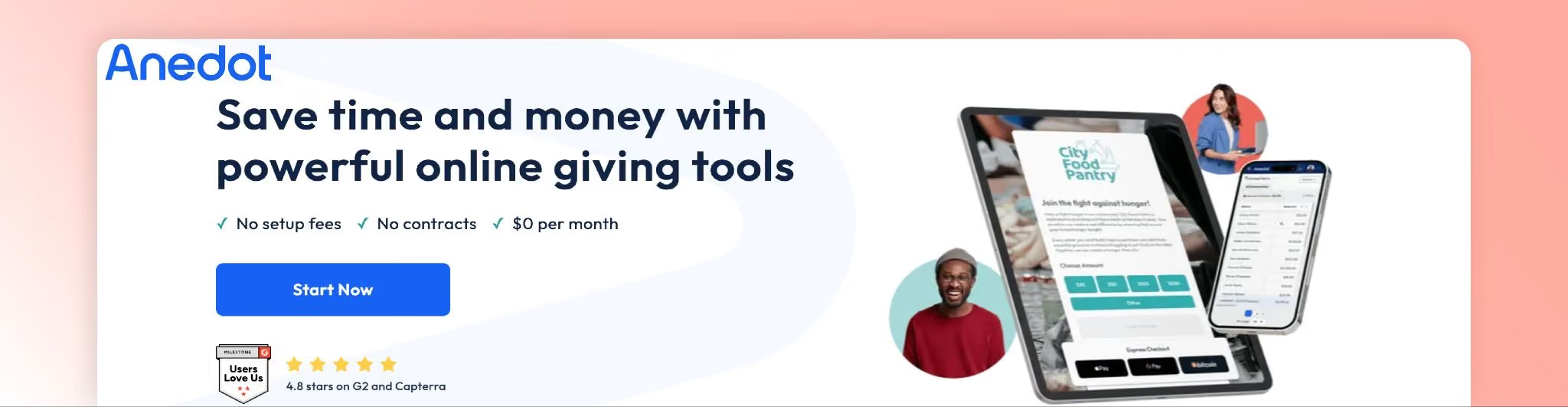
Anedot is a giving platform for churches and nonprofits. It provides customizable donation/action pages, event ticketing, donor management, and integrations. No monthly fees, no setup fees, no contracts.
Key church-management features
- Action Pages: No-code donation pages for offerings, membership sign-ups, event registrations; donors can cover fees
- Events: Ticketing with free or paid options, attendee check-in
- Recurring and multi-fund giving: Accept cards, ACH, Apple Pay, Google Pay, PayPal, Bitcoin
- Donor portal & upgrades: Donors manage gifts; churches present upgrade prompts to convert one-time to recurring
- Integrations: Connect with church management and analytics systems
Pricing
No monthly or setup fees.
Processing fees: 501(c)(3) orgs: 3.3% + $0.30 per credit/debit/PayPal gift; 0.3% + $0.30 per ACH gift. Donors can cover fees so church pays only $0.30 per transaction.
Standard (non-nonprofit): 4% + $0.30 per card transaction.
No contracts or minimums.
Free trial details
Not applicable (no subscription fee); simply sign up and pay per transaction. No credit card required to open account.
User sentiment
What users like: Ease of setting up donation pages, low costs, responsive support.
Common feedback: Interface could be more intuitive.
Who it's not for
If you need a full church management system with member database, attendance tracking, and volunteer scheduling, Anedot only covers giving.
13) ChMeetings
Best for: Churches wanting a free option for small congregations
What it is
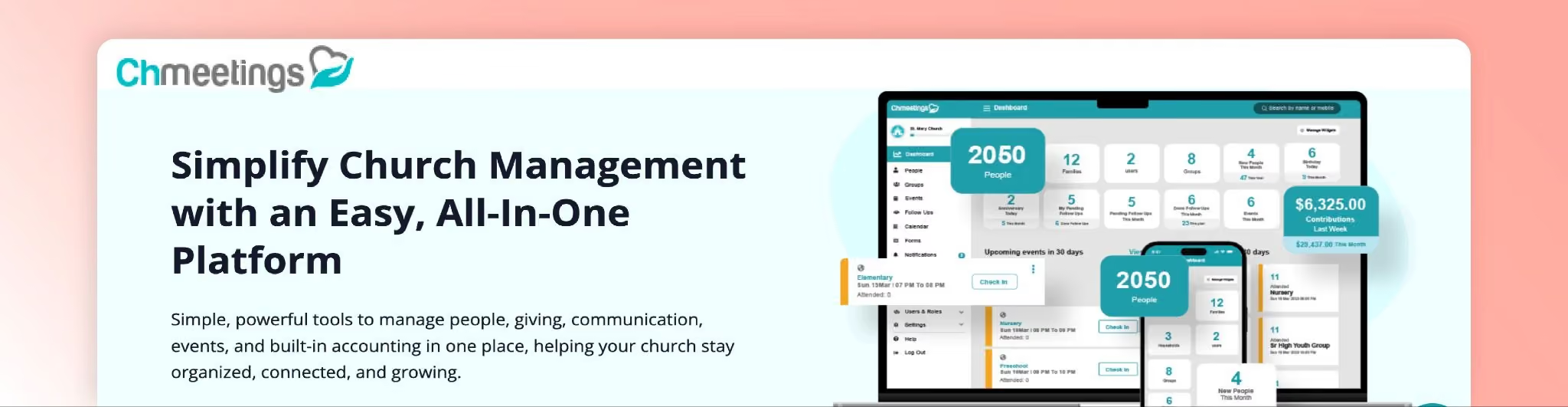
ChMeetings is a complete church management platform used by thousands of churches worldwide. It supports membership management, online giving, accounting, event organization, volunteer scheduling, child check-in, a mobile app, and more.
Key church-management features
- Membership management: Track members, attendance, sacraments, small groups
- Events & check-in: Organize events, paid registrations, attendance tracking
- Online giving & pledges: Accept donations and pledges, provide donor statements
- Volunteer scheduling & appointments: Schedule volunteers, member appointment booking
- Accounting & reporting: Manage church finances, generate reports
- Automations & integrations: Automate workflows, integrate with other systems, custom forms
Pricing
Monthly: Free ($0) for up to 50 people; Very Small $12/mo (100 people); Small $25/mo (250 people); Medium $40/mo (500 people); Large $50/mo (1,000 people); Unlimited $60/mo (unlimited people)
Free plan lacks volunteer scheduling, worship planning, accounting, automations, integrations, and advanced reporting. Paid plans add these features in tiers.
Annual: Equivalent of 10 months (two months free)
Free trial details
Free accounts can be created without a credit card. Data migration is free for paid packages.
User sentiment
What users like: Robust feature set, strong support, competitive pricing.
Common feedback: Advanced features can have a learning curve.
Who it's not for
If you're a very small church and need advanced features, you'll have to upgrade from the free plan. But the pricing is still reasonable.
14) Nucleus
Best for: Churches prioritizing website design and digital ministry
What it is
Nucleus is a premium church website builder and digital ministry platform. It provides a mobile-first website builder with integrated sermons, online giving, messaging, and media tools.
Key church-management features
- Website builder: Sermon hub, launcher for next steps, private prayer hub, flows (dynamic forms for registrations/payments), integrations with Planning Center and Google/Apple Calendar
- Included tools: Banners, info cards, templates, advanced permissions, SSL, web hosting, SEO, unlimited pages, custom CSS, custom domains, unlimited users, world-class support
- Giving module: GivingFlow for donations, recurring gifts, payment processing, admin tools, reporting with custom branding, gift scheduling, funds & memos, next-day deposits, cash/check tracking
- Additional modules: Messages and Media modules for messaging and media hosting
Pricing
Monthly: Core website builder $49/mo. Add-on modules (Giving, Messages, Media) each $49/mo.
Purchasing multiple modules unlocks 10% discount per additional product, up to 30% off entire subscription.
Annual: $588/year per module (equivalent to $49/mo). Same discounts apply when bundling.
Free trial details
15-day free trial for website builder and other modules; credit card requirement not specified.
User sentiment
What users like: Testimonials report significant savings vs. other giving platforms and increased donations. Described as a "Pushpay killer" with improved giving and lower fees.
Common feedback: Focus is on website and digital ministry, less on traditional ChMS features like attendance tracking.
Who it's not for
If you need robust member database, attendance tracking, and volunteer scheduling, Nucleus won't cover everything. It's best as a digital-first platform.
15) Flocknote

Best for: Communication and member management with a free option for small churches
What it is
Flocknote is a communication and member-management platform for churches. It enables email and text messaging, online giving, event sign-ups, and household/member database management.
Key church-management features
- Communications: Unlimited emails, standard texts, unlimited admins and groups, open-rate tracking (Unolytics), text-to-join keywords
- Member management: Customizable household database, attendance & participation tracking, household grouping, relationship tracking, sacrament tracking, document storage, parental contacts
- Event registration: Simple sign-ups for services, potlucks, volunteering, ticketed events
- Online giving & donor management: Secure payment processing, campaigns and pledges, exportable donor summaries, automatic end-of-year receipts, advanced donor management
- Advanced tools (Complete plan): Family/visitor/religious education registration, advanced analytics and reporting, community insights, sacrament tracking
Pricing
Flocknote Starter: Free for 0-40 members; 41-50 members $10/mo; 51-70 members $17/mo (prices scale with membership). Includes unlimited email & standard texting, online giving, simple sign-ups, unlimited admins and groups.
Flocknote Complete: Starter + $75/mo; for example, 0-40 members $75/mo, 41-50 members $85/mo, 51-70 members $92/mo. Adds 5 text-to-join keywords, family/visitor/religious education registration, advanced donor management, comprehensive household database.
Flocknote Enterprise: Custom pricing for dioceses and multi-campus churches with advanced analytics and reporting.
Free trial details
"2-minute setup, no credit card, unlimited free trial." Flocknote Starter remains free for life for up to 40 members.
User sentiment
What users like: Ability to reach congregants via email and text, manage events and volunteers, track giving. Free version for small churches is praised.
Common feedback: Pricing rises as membership increases.
Who it's not for
If you need robust accounting or complex multi-campus features, Flocknote may not cover all bases. It's strongest in communications and member engagement.
Best Church Management Software by Church Type (Decision Shortcuts)
Not sure where to start? Here are quick recommendations based on church size and needs.
Best Church Management Software for Small Churches
Top picks: ChMeetings (free for up to 50 people), ChurchTrac (~$9/mo for 75 names), Flocknote (free for up to 40 members)
Small churches need affordability, simple setup, and ease of use. These platforms offer low entry costs and intuitive interfaces that work well with volunteer administrators.
If your small church is exploring membership retention strategies, systems that emphasize engagement tracking and automated follow-ups can make a big difference.
Best for Multi-Campus Church Management
Top picks: Clearstream (multi-campus texting with subaccounts), Churchteams (group-centric with robust permissions), Planning Center (modular scalability)
Multi-campus churches need role-based permissions, subaccounts for each location, location-specific check-ins, and messaging that routes to the right staff.
Look for platforms that let you manage all campuses from one dashboard while giving campus pastors control over their specific data.
Best for Catholic Parish Management Software / Parish Management System
Top picks: Flocknote (sacrament tracking, religious education workflows), ChMeetings (sacrament and parish reporting)
Catholic parishes often need sacrament tracking (baptism, confirmation, first communion, marriage), religious education management, and diocese-level reporting.
Make sure your chosen platform supports these workflows natively rather than forcing you into workarounds.
Best if Your #1 Pain Is Giving Fees
Top picks: Anedot (donors can cover fees, $0.30 if they do), Continue To Give (free plan available), Planning Center Giving (free ACH)
Processing fees add up fast. On $500,000 in annual giving, a 3% fee costs $15,000.
Platforms that let donors cover fees or offer free ACH transfers can save your church thousands of dollars per year. Run the math on your expected giving volume before choosing.
How to Choose a Church Management System (Step-by-Step)
Here's a practical framework for making your decision.
Step 1: Map Your Workflows (People, Giving, Check-In, Comms)
Start by listing what you actually do every week.
Do you check in kids on Sunday mornings? How many volunteers do you schedule each week? How often do you send congregational emails or texts? What reports does your board need quarterly?
Write it all down. This becomes your feature checklist.
Step 2: Decide Your Platform Strategy (All-in-One vs Best-of-Breed)
You have two options:
All-in-one: One platform that does everything (even if it's not the absolute best at each task). This reduces tool overload and keeps your data in one place.
Best-of-breed: Pick the best tool for each function and integrate them. This gives you the best features but increases complexity.
Given that 45% of churches already juggle 5 to 9 platforms, most are moving toward consolidation. Unless you have a strong IT team, all-in-one usually wins.
Step 3: Run a Trial with Real Scenarios
Don't just click around the demo.
Test it with real tasks:
- Add a family that visited last Sunday
- Schedule volunteers for next week's service
- Set up a kids check-in station
- Generate a giving report for the past month
- Send a test email to a segment of your database
If any of these tasks feel clunky or confusing, that's a red flag. You'll be doing these tasks every week. They need to be smooth.
Step 4: Plan Migration + Training
Switching systems is disruptive.
Migration pitfalls to avoid:
- Losing historical giving data
- Breaking donor recurring gifts
- Missing member contact information
- Confusing volunteers with a sudden switch
How to avoid a failed rollout:
- Export and backup all data from your old system
- Run both systems in parallel for a month
- Train key staff and volunteers before going live
- Communicate the change to your congregation ahead of time
Reddit discussions about transitions highlight the importance of good migration support from your new vendor. Ask about their migration process during demos.
FAQ (Targeting Real 2026 Queries)
What is church management software?
Church management software is a digital platform that helps churches organize people, track giving and attendance, coordinate volunteers, send communications, and generate reports. It consolidates multiple administrative tasks into one system.
What is the best church management software?
The best church management software depends on your church's size, budget, and priorities. Planning Center offers modular flexibility, Breeze provides all-in-one simplicity, and ChurchTrac delivers affordability. Evaluate based on your specific needs rather than one-size-fits-all rankings.
How much does church management software cost?
Church management software pricing ranges from free options like ChMeetings for small churches to $50-$200+ per month for larger congregations. Transaction-based models charge per donation. Expect to pay more for advanced features, higher user counts, or multi-campus support.
Is there free church management software?
Yes. ChMeetings offers a free plan for up to 50 people, Planning Center's People module is free, Flocknote is free for up to 40 members, and Continue To Give has a $0/month option with higher transaction fees. Free plans often have feature limitations.
What features should a church management system include?
A complete church management system should include a member database, attendance tracking, online giving, volunteer scheduling, event registration, email and text communications, reporting and analytics, and mobile access. Additional features like accounting, website builders, and check-in vary by platform.
What's the best church check-in software for children's ministry?
Planning Center Check-Ins is highly rated for kids ministry with robust safety features, barcode scanning, and parent/child matching tags. Other strong options include Breeze and Churchteams, both offering secure child check-in with allergy alerts and authorized pick-up controls.
What's the best church texting software?
Clearstream and Text In Church specialize in church texting. Clearstream offers multi-campus support and keyword management, while Text In Church focuses on automated follow-ups. Churchteams and Flocknote also include strong texting features within broader church management platforms.
How to choose a church management system?
Map your weekly workflows, decide between all-in-one or modular systems, run trials with real scenarios like adding families and generating reports, and plan your migration and training. Prioritize features you'll use daily over nice-to-have extras.
Conclusion (Mission + Operations + Next Step)
Choosing church management software isn't just about organizing spreadsheets or tracking numbers.
It's about freeing up time and mental energy so you can focus on what matters: discipleship, community care, and ministry impact.
The right system matches your church's size, workflows, and budget. It reduces tool overload, automates repetitive tasks, and makes your data accessible when you need it.
Start by identifying your top three pain points. Is it volunteer no-shows? Missed visitor follow-ups? Confusing giving reports? Then build a short-list of 2 to 3 platforms that address those issues directly.
Run trials. Test real scenarios. Involve your team in the decision.
And remember: no software is perfect. Pick the one that solves your biggest problems today and can grow with you tomorrow.
If you're exploring membership management or looking to build stronger engagement through a simple member portal, the tools in this guide can help you get there.
For churches specifically focused on membership engagement and renewals, Join It offers a membership-first approach that complements traditional church management needs.
Ready to get started? Try Join It free for 30 days or request a free demo to see how membership-focused church software can support your ministry.

Guides from the Experts
Through our work with 4,000+ organizations - we’ve put together helpful guides to assist; regardless of where you are on your journey.
.webp)

A Complete Guide to Membership Organizations
Everything you need to know to manage and grow your membership business
.webp)
Maximize Membership Retention: 10 Proven Strategies
Tried and true strategies that not only win membership, but keep them

Build a Membership Website: A Step-by-Step Guide
Your one-stop resource for knowing all the features your modern membership website needs
Ready to start your free trial?
Our membership software is intuitive to use and even easier to test for yourself.