
The Ultimate Guide to Digital Membership Cards
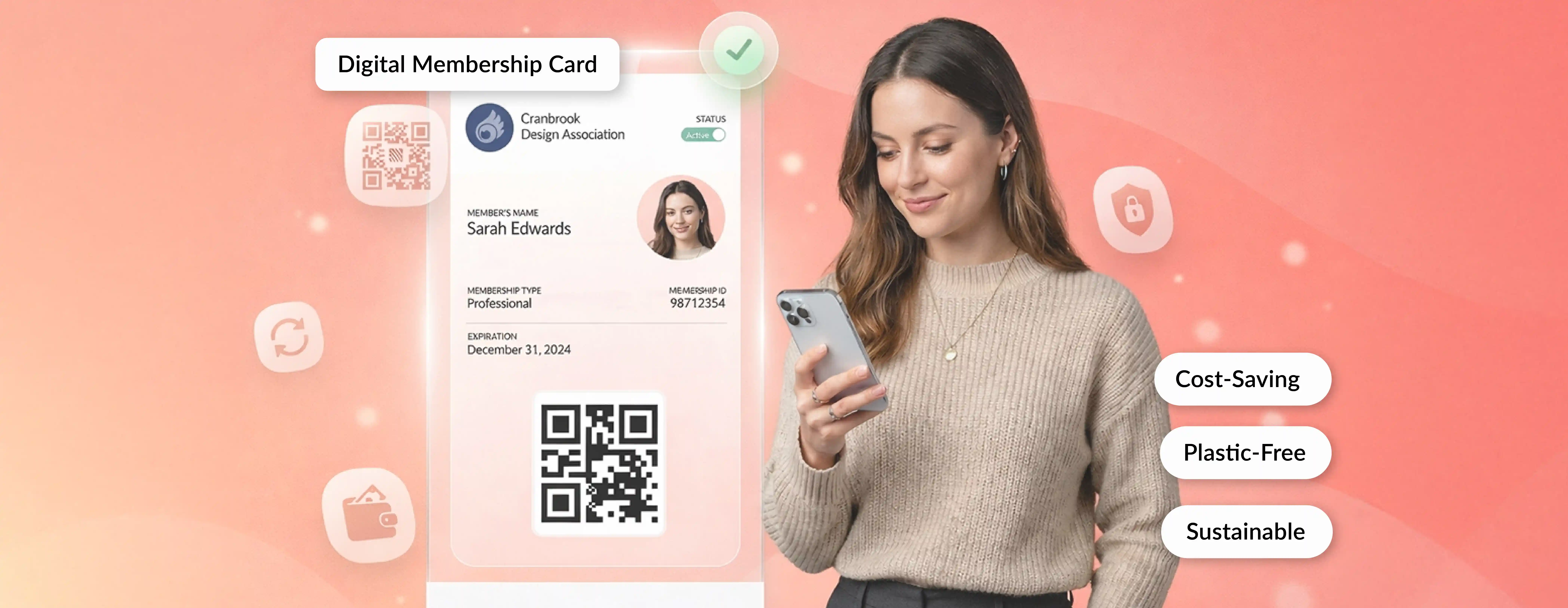
Digital membership cards are virtual versions of traditional membership cards that members access on their smartphones via mobile wallets like Apple Wallet or Google Wallet.
Instead of carrying a plastic card that can get lost or forgotten at home, members simply pull up their phone and scan in.
But here's the thing.
Digital membership cards aren't just about convenience.
A digital membership card is an electronic membership credential that members save on their phone, usually in Apple Wallet or Google Wallet. It shows key membership details and a scannable code that can be verified to confirm active status.
For organizations, they eliminate printing costs, reduce administrative headaches, and provide valuable data on member behavior.
For members, they mean never forgetting their card again and getting instant access to benefits.
Pretty straightforward, right?
In this guide, you'll learn everything you need to know about digital membership cards, including:
- What digital membership cards are and how they actually work
- The technology powering mobile wallet integration and security
- Real benefits organizations are seeing (with actual numbers)
- How to design cards people will actually use
- Security considerations and privacy basics
- Integration with your existing tech stack
- Practical rollout strategies that reduce member resistance
- Trends shaping the future of digital credentials
Who this guide is for: Nonprofits, museums, gyms, clubs, alumni associations, retail memberships, and any organization managing member credentials.
Let's dive in.
Key Takeaways
What Is a Digital Membership Card?
Digital Membership Card Definition
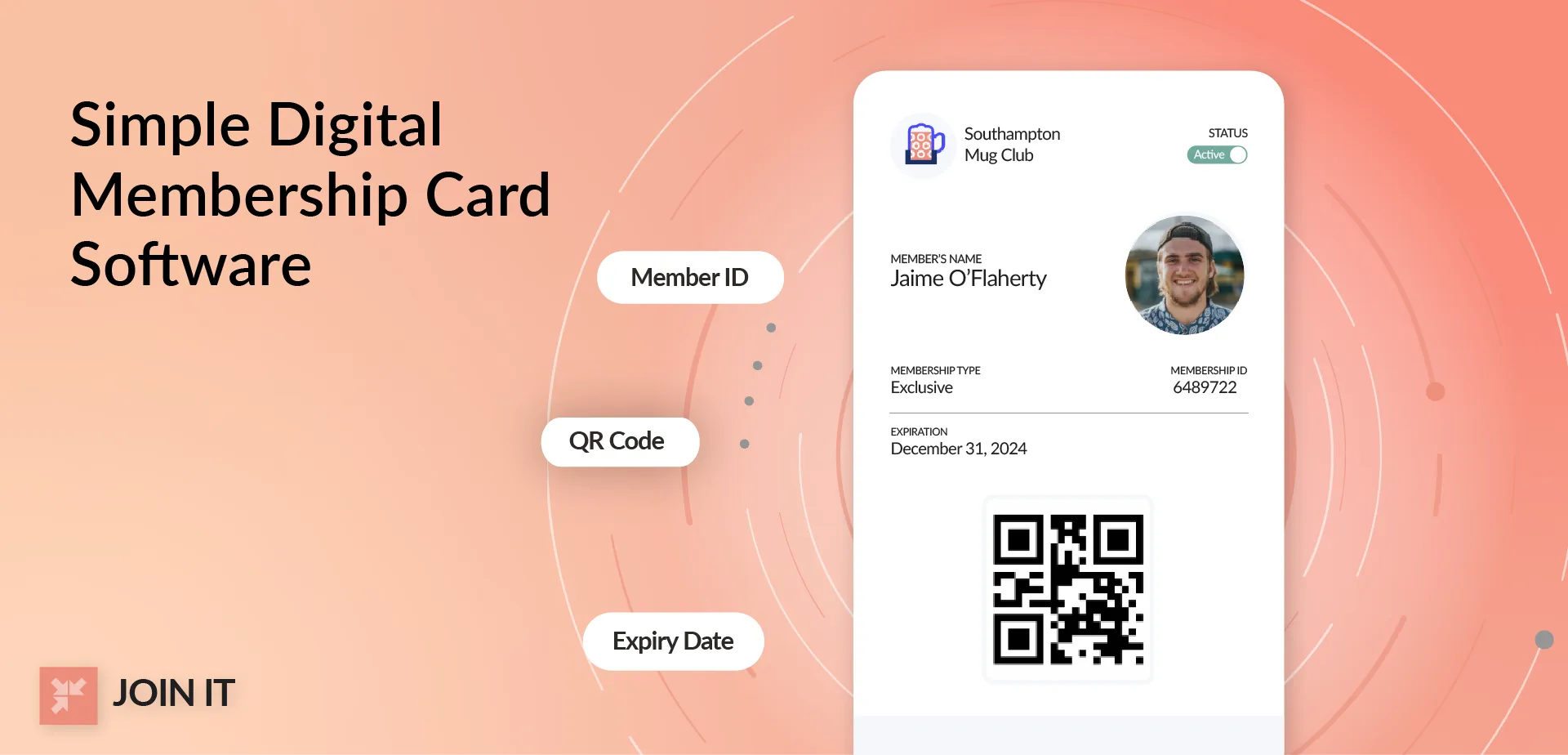
A digital membership card is an electronic credential stored on a member's smartphone that proves membership status and provides access to benefits.
It lives in mobile wallet apps (like Apple Wallet or Google Wallet), in your organization's app, or accessible via email link or member portal.
Members use it for identity verification, facility entry, and accessing member-only perks.
Most digital cards display essential information like member name and ID, membership tier or level, expiration date, and a scannable QR code or barcode.
The card updates automatically when membership status changes. No need to reissue anything.
Types of Membership Credentials
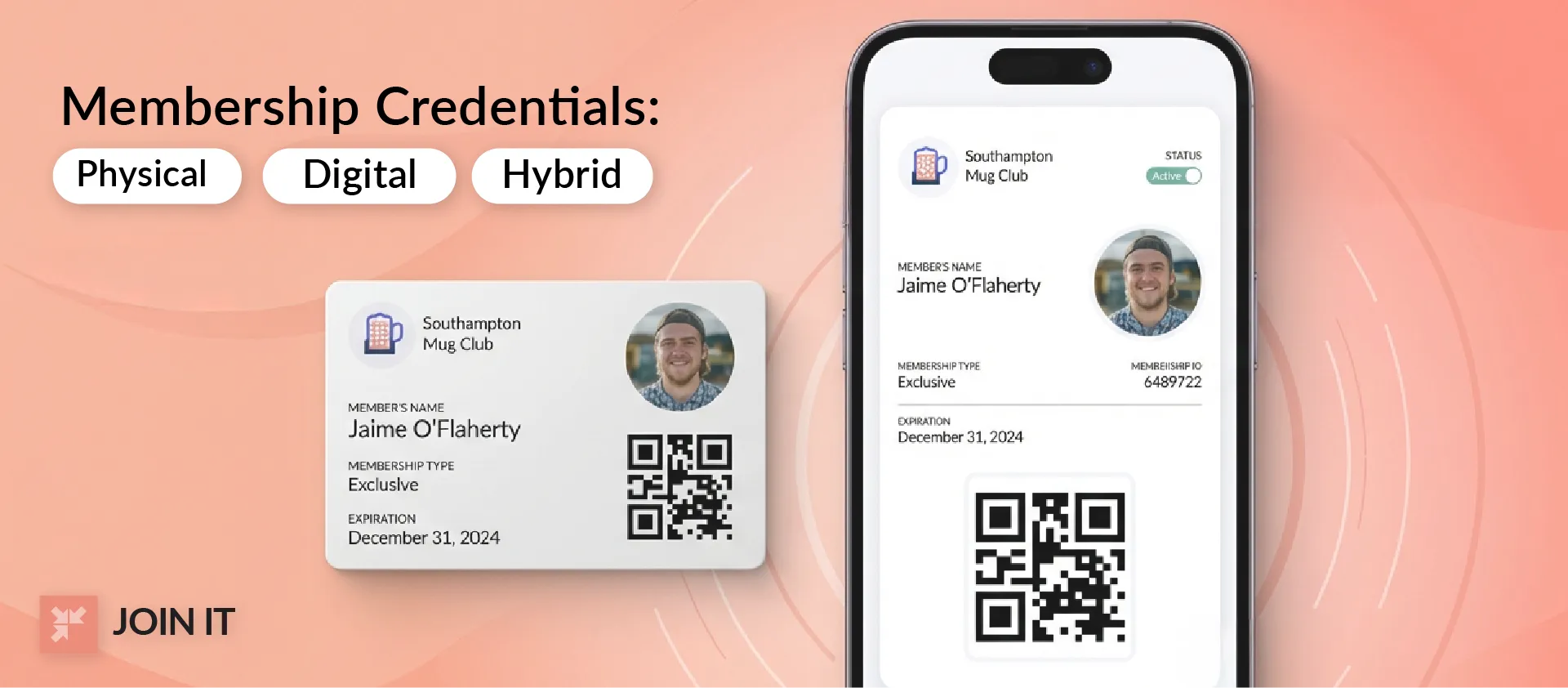
When we talk about membership cards, there are actually a few different formats:
Physical membership cards are the traditional plastic cards you get in the mail. They work fine until they get lost, damaged, or left at home.
Digital membership cards live on your phone as wallet passes, app-based credentials, or link-based cards accessible through email or portal.
Hybrid memberships offer both options during transition periods. Many organizations start here, giving members a choice while they phase out plastic.
One quick note: Digital membership cards are different from loyalty cards. Loyalty cards typically track purchases and reward points (think grocery store rewards). Membership cards verify identity and membership status for access and benefits.
Digital Membership Cards vs Digital Memberships
This trips people up constantly.
A digital membership card is the credential itself. The thing you show to get into the museum or gym.
A digital membership is the entire membership relationship, including the payment plan, benefits package, and membership status.
You can have a digital membership (you pay online, manage everything through a portal) but still carry a physical card. Or vice versa.
Most modern organizations offer both: digital membership management AND digital membership cards.
Where You See Digital Membership Cards in Real Life
Digital membership cards are everywhere now:
Retail memberships like Costco and Sam's Club have offered digital cards for years. Show your phone at checkout instead of digging for plastic.
Arts organizations and small nonprofits are embracing digital membership cards and virtual membership cards as a practical upgrade. Washington Clay Arts Association added digital membership cards to their membership program in 2022, allowing members to instantly show proof of membership at local clay suppliers and receive in-store discounts. The shift made benefits easier to access and removed the need for emailed cards or manual checks.
Major sports organizations are making the switch too. The PGA announced in 2025 that all members would receive digital cards, calling it "a meaningful step towards sustainability" that eliminates thousands of plastic cards annually.[1]
Gyms and fitness centers use digital cards for touchless check-in. Alumni associations issue them to reduce costs and improve accessibility. Nonprofit supporters get them as proof of membership status.
The adoption is genuinely cross-industry at this point.
How Do Digital Membership Cards Work?
The Simple Flow from Signup to Scan
Here's what happens behind the scenes (high-level only):
- A member signs up or renews
- Their information gets added to your membership database
- The system automatically generates a personalized digital card
- The card is delivered via email or text with an "Add to Wallet" link
- Member taps the link and the card appears in their phone's wallet app
- When they show up at your facility, they display the card
- Staff scan the QR code or barcode
- The scan checks against your current database to verify active membership
The whole process takes seconds once set up.
And here’s the best part: when a member renews or updates their information, the digital membership card updates automatically. Valley Ranch Islamic Center shared that digital membership cards were a must and Join It was the only platform they found that really had them. Members only download once and their card stays current without needing reissue or admin help.
QR Code vs Barcode vs Member Lookup
Different organizations use different verification methods:
QR codes can store more data and are easier to scan from any angle. Most modern implementations use these. They can encode the member ID, membership level, and even validation tokens.
Barcodes (the traditional lines you see on products) work too, especially if your organization already has barcode scanners. They're simpler but hold less information.
Member lookup means staff manually enter the member ID number to verify status. This works as a backup when scanning isn't available, but it's slower.
Most organizations use QR codes as the primary method with manual lookup as a fallback.
Static vs Dynamic Codes
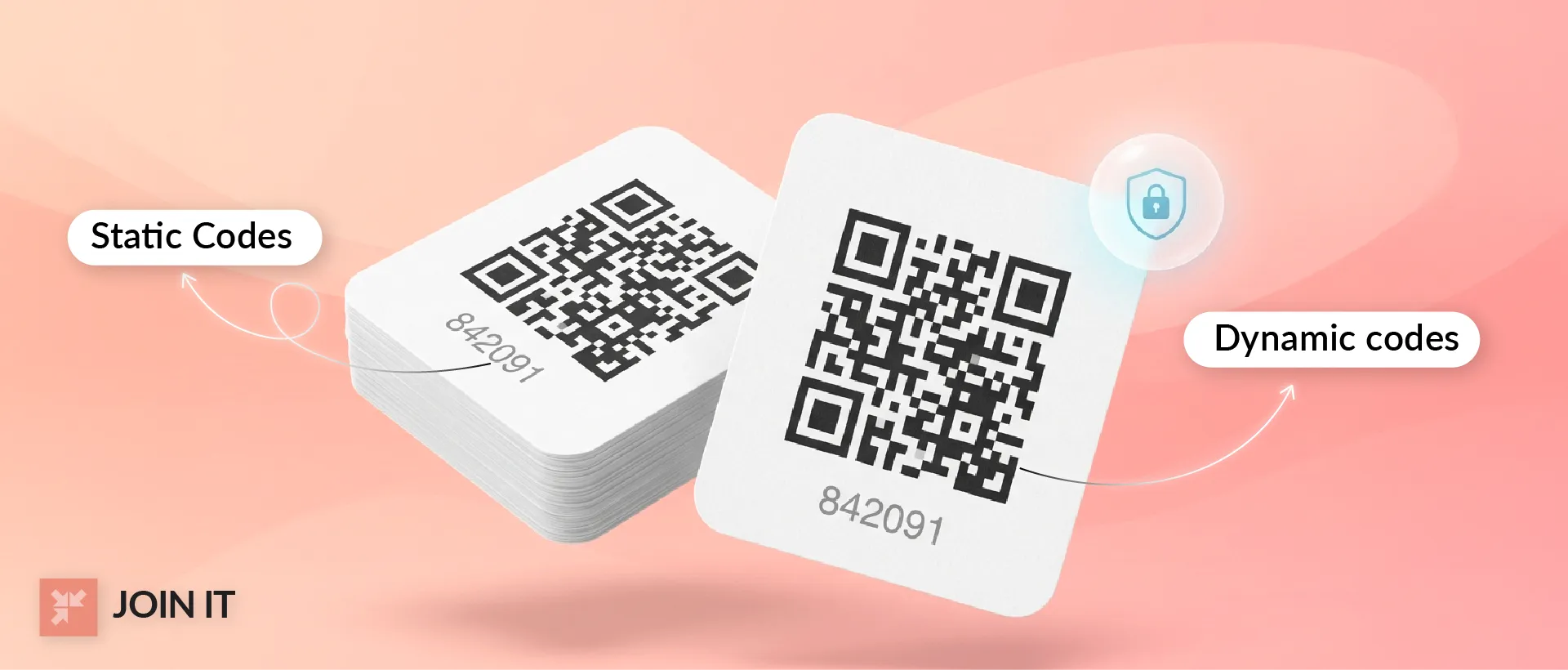
This matters for security.
Static codes never change. The same QR code appears on the card permanently. Simple to implement, but easier for someone to screenshot and share with non-members.
Dynamic codes refresh periodically (some every 30 seconds). This prevents screenshot sharing since the code expires quickly.
Dynamic codes are more secure and can reflect real-time membership status (like whether dues are current). But they require the member's phone to have internet connectivity when displaying the card.
Most organizations handling high-value benefits or dealing with fraud concerns opt for dynamic codes.
Mobile Wallet and Phone Storage for Digital Membership Cards
How to Store Membership Cards on Your Phone
Members have several options for accessing their digital membership cards:
Apple Wallet / Google Wallet is the gold standard. These native apps come pre-installed on iPhones and Android devices. Cards added here appear alongside credit cards, boarding passes, and event tickets.
In-app cards work if your organization has its own mobile app. Members log in and display their card within your app. This gives you more control over the experience but requires members to download another app.
Link-based cards are accessible through email, SMS, or your member portal. Members click a link to view their card in a mobile browser. Works for anyone, but less convenient than wallet integration.
What members prefer: Wallet integration when possible. It's familiar, always accessible, and doesn't require remembering passwords or downloading apps.
Do Digital Membership Cards Work Offline?
Here's the nuance.
Displaying the card works offline in most cases. Once a member downloads their card to Apple Wallet or Google Wallet, it stays on their device. They can pull it up and show the QR code even without internet connection.
But real-time validation might not work offline, depending on your setup.
If your check-in system needs to verify membership status against your live database (to confirm dues are paid, membership hasn't expired, etc.), that requires connectivity. The member can show their card, but you can't validate it in real-time.
Static QR codes that encode the member ID can be scanned offline, with validation happening later when connectivity returns.
Dynamic QR codes that refresh require internet to display the current code.
For most organizations, this isn't an issue. WiFi or cellular data is available at check-in points. But it's worth considering for remote locations or outdoor events.
Digital Membership Card Benefits for Organizations and Members
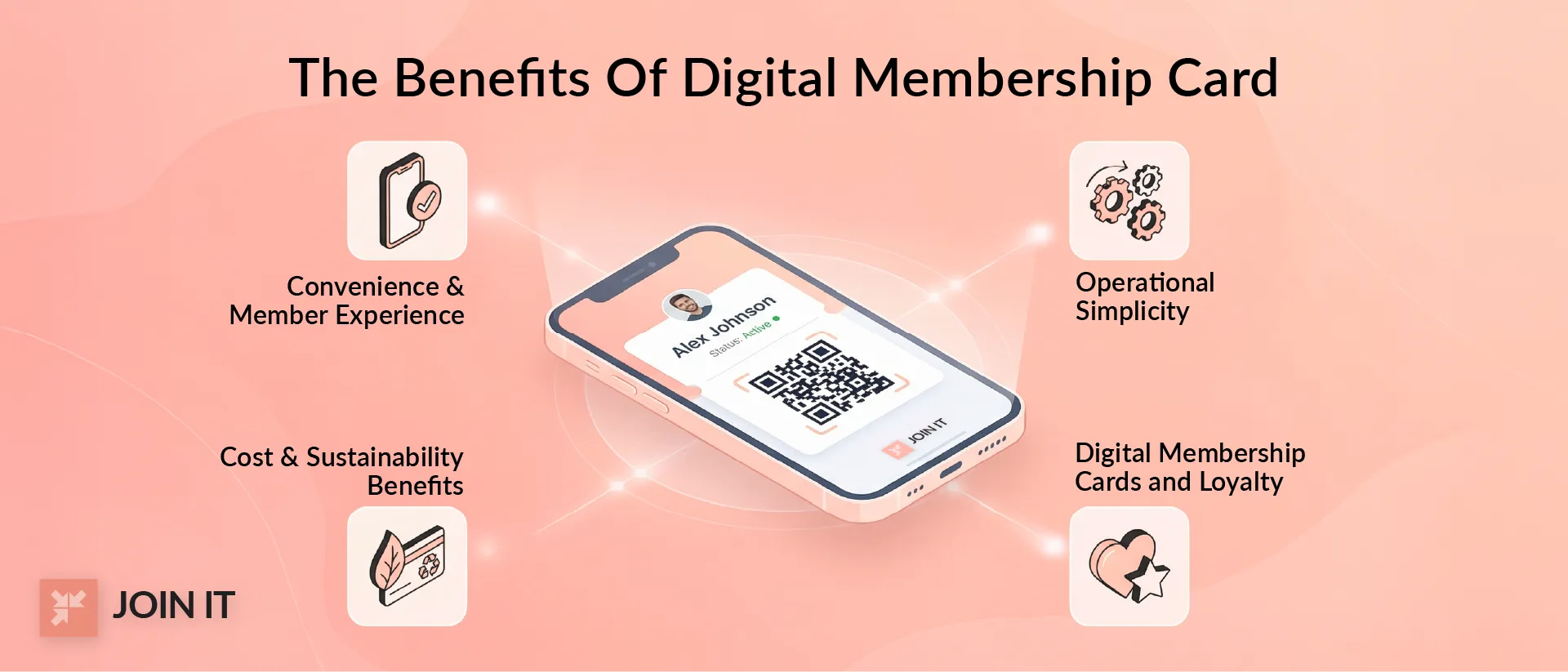
Convenience and Member Experience
This is the number one reason members love digital membership cards. They always have their card because it lives on the phone they carry every day.
At NewFilmmakers Los Angeles (NFMLA), where members regularly attend screenings, panels, and networking events, having a digital membership card ensures smooth and immediate check-in without needing to carry a physical card.
For members who belong to multiple organizations, it is a relief to keep everything in one place on their phone.
Digital membership cards offer quick and easy verification and create a more seamless experience. Less friction at the door means more focus on the event.
Operational Simplicity
From the organization side, digital cards eliminate constant administrative headaches.
Fewer replacement requests for lost or damaged cards. The Illinois Alumni Association notes they switched to digital "to be more environmentally friendly" and help members "never have to worry about forgetting" their card.[2]
Easier updates when membership status changes. Instead of printing and mailing a new card when someone upgrades from Individual to Family membership, the digital card updates automatically.
At Valley Ranch Islamic Center, managing memberships used to involve spreadsheets, manual card checks, and one-on-one admin support. With digital membership cards in place, members now handle their own renewals and simply show their phone for verification. Admins no longer spend hours emailing reminders, printing lists, or confirming eligibility at events.
The administrative burden just evaporates.
Cost and Sustainability Benefits
The numbers here are significant.
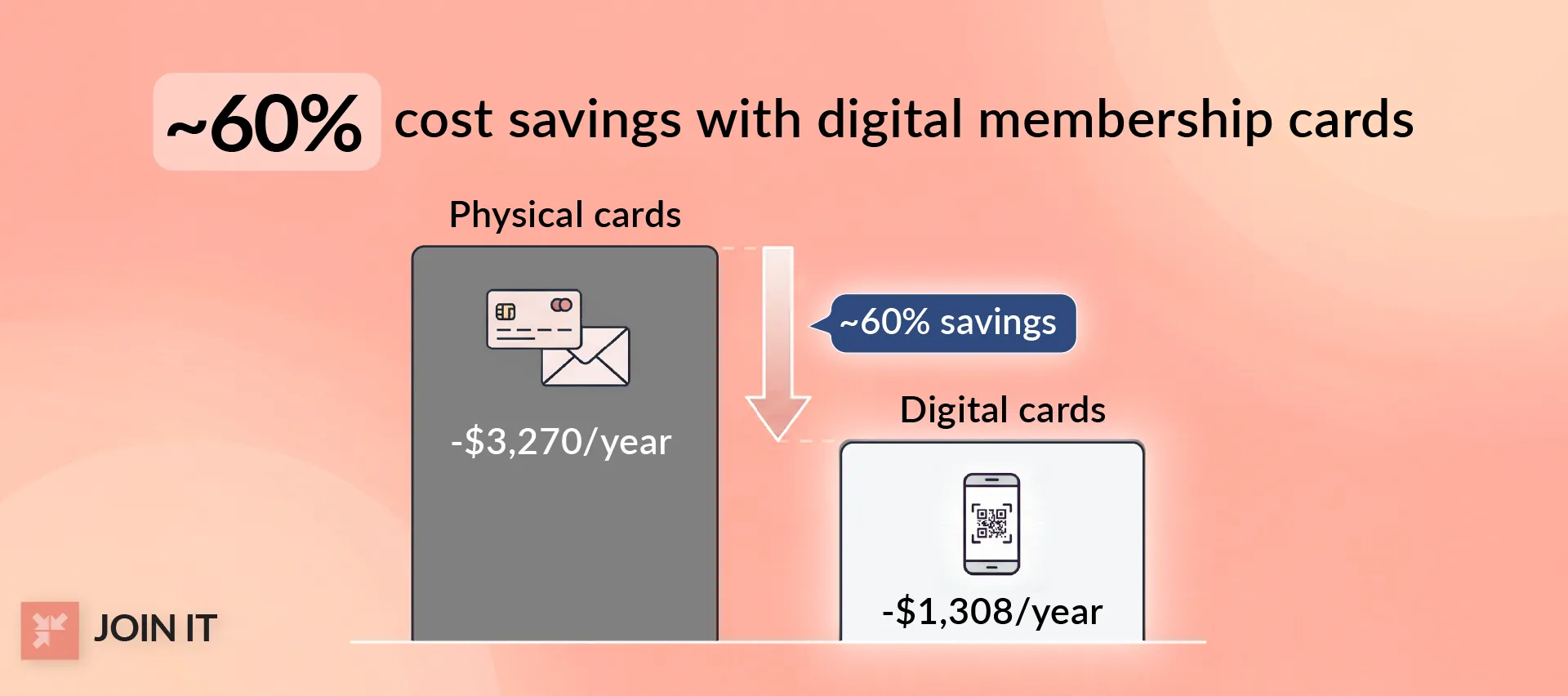
Independent cost comparisons show how quickly physical membership cards add up. Using common industry assumptions, a plastic membership card costs around $6.50 per member when you factor in printing, postage, and basic mailing materials. For an organization with 500 members, that equals roughly $3,270 per year.
By comparison, digital membership cards are typically included as part of a software subscription, often totaling around $1,308 per year for a program of similar size. That represents close to 60 percent savings. Even if exact costs vary, the takeaway is consistent. Digital membership cards scale far more efficiently than printing and mailing physical cards.[3]
For members who care about environmental issues (and data suggests 63% of millennials prefer digital partly for sustainability), this matters.[4]
For organizations weighing cost, sustainability, and scalability, the broader benefits of digital membership cards make a compelling case for moving beyond physical credentials.
Digital Membership Cards and Loyalty
Digital cards can supercharge your loyalty and engagement programs.
Because the cards are interactive and connected to your database, you can link them to perks, discounts, and partner benefits. A member taps their card and sees their current reward points. Or gets a notification about a member-only event happening nearby.
This creates opportunities for deeper engagement beyond just proving membership.
The cards can include clickable links to book events, purchase tickets, or access exclusive content. Everything members need in one place.
Organizations using digital cards as part of comprehensive loyalty strategies report significantly higher engagement. One study of digital business cards found 35% higher follow-up rates and 55% better information retention with digital versus physical credentials.
The interactive nature changes the relationship from static credential to active engagement tool.
These strategies are explored more fully in our complete membership card guide, which breaks down design, benefits, and engagement models.
Designing Digital Membership Cards People Actually Use
Digital Membership Card Template Essentials
What should actually appear on your digital membership card?
Must-have fields:
- Member name (for identification)
- Member ID or number (for database lookup)
- Membership tier or level (Individual, Family, Premium, etc.)
- Expiration or renewal date
- Scannable QR code or barcode
- Organization logo and branding
Nice-to-have fields:
- Member photo (for high-security situations)
- Join date or member-since year
- Quick links to benefits or member portal
- Contact information for support
- Special designations (Founding Member, Lifetime Member, etc.)
The key is balance. Include enough information to be useful without cluttering the small screen space.
Branding, Clarity, and Accessibility
Your digital card represents your organization. It should look professional and on-brand.
For readability:
Use clear, legible fonts in appropriate sizes for mobile screens. Small text is frustrating on phones.
Ensure high contrast between text and background. The card needs to be readable in various lighting conditions (bright sunlight at an outdoor venue, dim lighting at a theater entrance).
Don't overcrowd the card with too much information or tiny logos.
For accessibility:
Color contrast matters. Ensure your design meets guidelines for text visibility.
While mobile wallets don't support alt text for images, putting key information as actual text (not just images) helps with accessibility.
Consider readability for members with vision impairments. Clear, simple layouts work better than complex designs.
For device compatibility:
Test how your card displays on different screen sizes (iPhone SE vs iPhone Pro Max, various Android devices).
Ensure the QR code is large enough to scan reliably, even on smaller screens.
Check how the card appears on smartwatches like Apple Watch, where some members may access it.
Want to create cards that reflect your brand effectively? Learn how to customize digital membership cards with your organization's identity.
Are Digital Membership Cards Secure?
Can a QR Code Membership Card Be Copied?
Yes, technically.
Someone could screenshot a digital card and forward the image to a non-member. Or a non-member could photograph someone else's card display.
This is possible with simple implementations that use static QR codes.
But several strategies reduce this risk:
Verification against member status: When the QR code is scanned, your system checks the current database. If membership has lapsed or been cancelled, access is denied even if someone has an old screenshot.
Expiring or dynamic codes: Codes that refresh every 30 seconds can't be effectively shared since they become invalid almost immediately.
Minimal visible data: Don't display sensitive information like full member numbers or personal details that could be misused if a card image is shared.
Photo verification: For high-value memberships, include member photos on the card so staff can verify the person presenting matches the credential.
s it perfect? No security system is foolproof. But real-time verification and dynamic codes make digital membership cards as secure as, and often more secure than, physical cards that can be lost or borrowed.
Privacy Basics
What data should and shouldn't appear on your digital membership cards?
Display only essential information:
- Member name
- Membership ID
- Tier or level
- Expiration date
- Organization branding
Avoid displaying:
- Full address or phone number
- Payment information
- Social security or government ID numbers
- Email addresses
- Detailed personal demographics
Beyond what appears on the card itself, consider what data you collect and how you use it.
Members trust you with their information. Be transparent about what you track (card scans, location data, usage patterns) and how you use it.
Provide clear privacy policies. Give members control over their data when possible.
How Do Digital Membership Cards Connect to Your Tech Stack?
Membership Database and CRM Connection
Digital membership cards work best when they're connected to your existing systems, not operating as an isolated silo.
When a member joins or renews in your membership database, that should automatically trigger digital card generation and delivery. When their status changes (upgrade from Individual to Family, renewal, expiration), their card should update to reflect it.
This requires integration between your card system and your Customer Relationship Management (CRM) or Association Management System (AMS).
The most effective digital membership cards connect directly to your membership database, update in real time, and act as a simple gateway to deeper member engagement.
One nonprofit administrator shared on Reddit that they chose their digital card solution specifically because it offered direct integration with Raiser's Edge NXT. "Every time a member was added in the CRM, a card was automatically generated and emailed, with no extra manual steps."[5]
That seamless flow saves enormous time and prevents the data discrepancies that plague manual processes.
Member Check-In and Verification
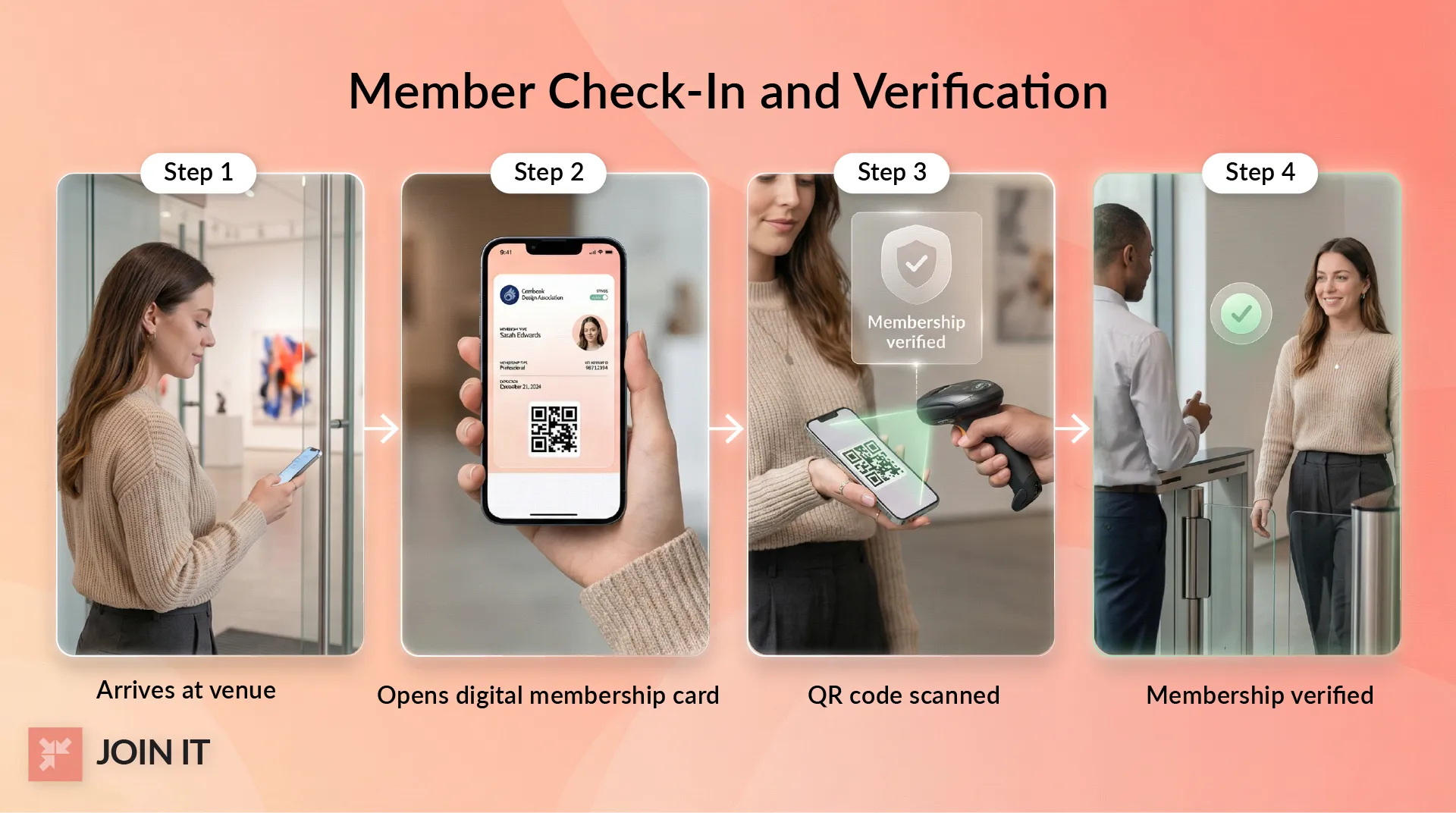
Digital cards shine at events, facility entrances, and benefit redemption points.
Common workflows:
- Member arrives at your museum/gym/event
- They open their phone and display their digital card
- Staff scan the QR code using a tablet, smartphone, or dedicated scanner
- The system verifies membership status against your database
- Member is admitted (or, if membership has lapsed, prompted to renew)
This happens in seconds. Much faster than manually looking up names in a spreadsheet or checking physical cards against a printed list.
The verification can happen via:
- Dedicated check-in apps on tablets or smartphones
- Integration with existing access control systems
- Turnstiles or gates with built-in scanners
- Simple QR code scanning with manual verification
For organizations running frequent events, this streamlined member check-in process significantly improves the member experience while reducing staff workload.
How Do You Choose a Digital Membership Card Solution?
What to Look For
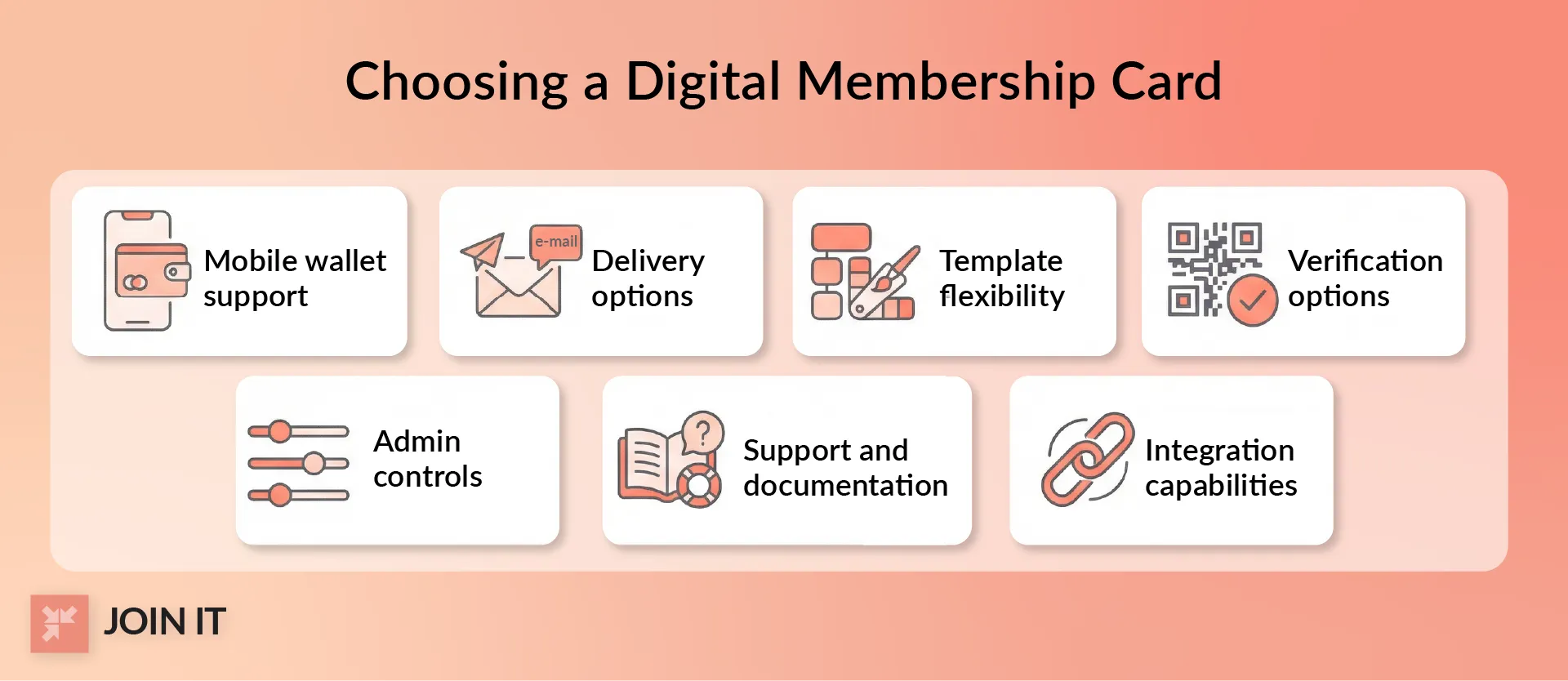
Not all digital membership card platforms are created equal.
Key features to evaluate:
Mobile wallet support: Does it integrate with Apple Wallet and Google Pay? This is table stakes for modern implementations.
Delivery options: Can cards be sent via email, SMS, or through your member portal? Multiple delivery methods improve accessibility.
Template flexibility: Can you customize the card design to match your branding? Or are you stuck with generic templates?
Verification options: Does it support QR codes, barcodes, and manual lookup? Different situations call for different methods.
Admin controls: Can you easily update member information, pause memberships, or regenerate cards when needed?
Support and documentation: Are there clear help docs for both administrators and members? Is responsive support available when issues arise?
Integration capabilities: Does it connect with your existing CRM, email platform, and other tools?
Price matters, but it shouldn't be the only consideration. A cheap solution that requires hours of manual workarounds isn't actually saving you money.
Questions to Ask Vendors
Before committing to a platform, ask these questions:
Does the card update automatically on renewal or expiration? You want real-time synchronization with your membership database, not manual card regeneration every time status changes.
Can we do hybrid (digital plus physical) during transition? Many members need time to adapt. The ability to offer both options during a transition period reduces resistance.
What happens when members change phones? The process should be simple. Ideally, members can re-download their card through your member portal or by clicking the original email link.
How do you handle members without smartphones? There should be a backup option, whether that's printable cards, desktop access, or continuing to offer physical cards for those who need them.
What data do you collect and how is it used? Privacy matters. Understand what information the vendor accesses and their data handling practices.
What kind of support do you provide during implementation? Setup shouldn't be a nightmare. Look for vendors offering onboarding assistance, training resources, and responsive support.
Many vendors don't publish pricing publicly, which frustrates nonprofit administrators on forums. Don't hesitate to ask for clear cost breakdowns upfront.
Want to see a digital membership card system in action? Check out this membership card software demo.
How Do You Roll Out Digital Membership Cards Without Pushback?
Why Members Resist
Even great technology faces adoption challenges.
Common reasons members hesitate:
Technology comfort gap: Not everyone is confident with smartphone apps and digital wallets. This particularly affects older demographics. According to data cited in NonProfit PRO's research, different generations have vastly different comfort levels with digital tools.[6]
Habit and familiarity: "I've always used a physical card" is a powerful force. Change requires effort, even when the new way is objectively better.
Privacy concerns: Some members worry about tracking, data collection, or having their phone scanned. These concerns may be unfounded, but they're real.
"I don't want another app" syndrome: If members think they need to download yet another app (they usually don't with wallet integration), that creates resistance.
Lack of understanding: Many members simply don't understand how digital cards work or why they should bother switching.
The good news? These barriers are surmountable with the right approach.
A Simple Rollout Approach
Most successful implementations follow a three-phase strategy:
Phase 1: Pilot (10-15% of membership)
Start with a small group. Ideally tech-savvy members who are likely to adopt easily and provide constructive feedback.
Test your processes: card generation, delivery, activation, scanning, and support.
Identify and fix issues before rolling out to your full membership.
Gather feedback and refine your approach.
Phase 2: Hybrid period (3-12 months)
Roll out digital cards to all new and renewing members while continuing to support existing physical cards.
This approach distributes cards to new and renewing members and often yields quick adoption wins.
Actively promote digital cards through email, social media, website banners, and in-person communications.
Offer both options so members can choose what works for them.
Phase 3: Default to digital (with exceptions)
Once adoption reaches 70-80%, make digital the default while maintaining an opt-in process for physical cards.
Some organizations charge a small fee ($5) for physical cards to encourage digital adoption while still offering choice.
This gradual approach reduces friction and accommodates members at different technology comfort levels.
Member Help Resources That Reduce Confusion
Clear, accessible support documentation makes or breaks your rollout.
Essential resources:
"How to Access Your Digital Card" page: Step-by-step instructions with screenshots for both iPhone and Android.
Short FAQ document: Address common questions before members ask:
- How do I download my card?
- What if I don't have a smartphone?
- Can I still use my physical card?
- What happens if I lose my phone?
- How do I share my card with my spouse/family?
Video tutorial: A 2-3 minute walkthrough showing the activation process. Some people learn better visually.
Support contact information: Make it easy for members to get help. Email, phone, or chat support during the transition reduces frustration.
Proactive communication prevents most support requests. When members know what to expect and how to get help, adoption goes much smoother.
For detailed member instructions, see this guide on how members can use their digital membership cards.
What Is Next for Digital Membership Cards?
What's Changing
The digital membership card landscape is evolving rapidly.
Wallet-first experiences are becoming the standard. Members expect credentials to live in their phone's native wallet app, not in separate organization-specific apps. This trend will only accelerate.
Faster verification through improved scanning technology and database connectivity means sub-second check-in processes at high-traffic venues.
More contactless expectations emerged from the COVID-19 pandemic and are now permanent. Members expect touchless interactions for health, convenience, and speed.
According to research from The Financial Brand, approximately 79% of e-commerce payments are projected to use digital wallets by 2030. This comfort with digital credentials extends beyond payments to all forms of identification and membership.[7]
Organizations that embraced digital cards during the pandemic found members didn't want to go back. The convenience stuck.
Emerging Tech
Several technologies are poised to reshape digital membership cards in the coming years.
AI personalization will enable cards to display different content based on member behavior and preferences. Your card might highlight benefits you actually use while hiding ones you don't. Predictive systems could suggest relevant events or offers based on your past engagement.
NFC (Near Field Communication) expansion means members can just tap their phone to a reader instead of displaying a QR code for scanning. Similar to Apple Pay transactions. Faster and more seamless.
Digital identity direction points toward unified credentials that work across multiple organizations. The European Union's Digital Identity Wallet initiative mandates interoperable digital IDs by 2026, showing where regulation is headed globally.[8]
AR (Augmented Reality) as niche application might enable interactive card experiences where members point their phone at a card and see additional content overlay. Useful for museums providing exhibit information or gyms showing workout tutorials, but likely remaining a specialty feature rather than mainstream requirement.
These aren't science fiction. Early implementations are happening now.
How Do You Make an Online Membership Card?
The Three Common Ways Organizations Create Digital Membership Cards
Most organizations choose one of these approaches:
Wallet pass integrates directly with Apple Wallet and Google Pay. This is the most user-friendly option. Members receive an email or text with an "Add to Wallet" link. One tap and it's installed.
The technical term is PKPass files for iOS and similar formats for Android, but you don't need to know that. Modern platforms handle the generation automatically.
In-app card lives within your organization's mobile app. Members log in and display their credential. This gives you more control over functionality and appearance, but requires members to download and maintain another app on their phone.
Link-based card is accessible through email, SMS, or your member portal. Members click a link to view their card in a browser. Works for everyone, including those without smartphones (they can access from a computer). Less convenient than wallet integration but more universally accessible.
Most full-featured membership platforms support all three delivery methods, letting you choose based on your members' needs.
When creating cards, you'll work with a template concept. Your platform provides a base design that you customize with your organization's branding, required fields, and functional elements.
What You Need Before You Create One
Before generating your first digital membership card, gather:
Member data fields: At minimum, member name, ID number, membership level, and expiration date. Your membership database should already have this information.
Branding elements: Your organization's logo (high-resolution version), brand colors (hex codes), and any other visual identity elements you want on the card.
Delivery channel: How will you send cards to members? Most organizations use email as the primary method, with SMS as an option. You'll need email templates prepared.
Verification method: Will you use QR codes, barcodes, or both? What scanning equipment or apps will staff use? Test your verification workflow before launch.
With these elements ready, most platforms can generate and deliver digital cards in minutes.
How to Make a Digital Loyalty Card (And How It's Different From a Membership Card)
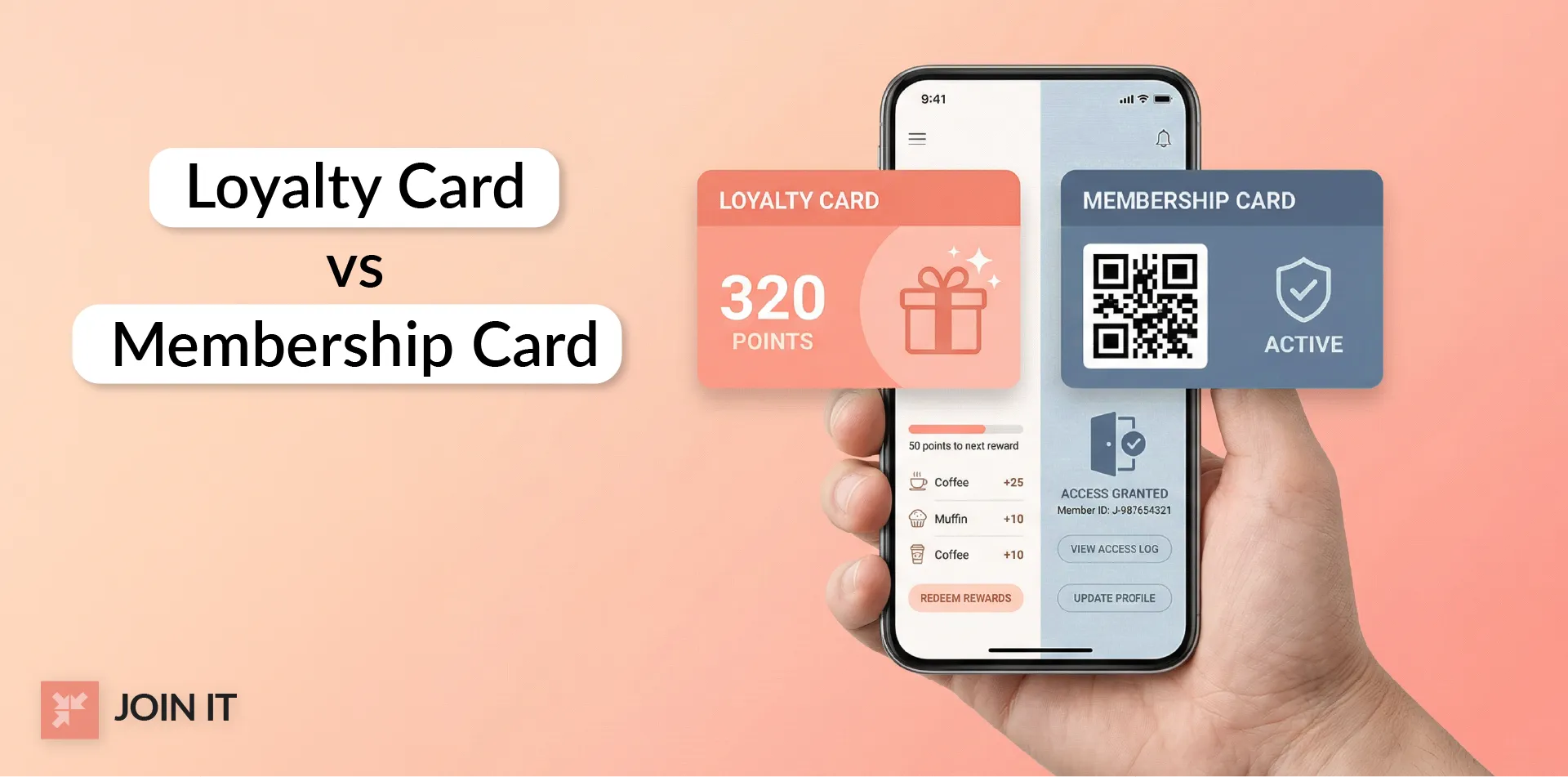
Loyalty Card vs Membership Card
These terms get confused constantly, so let's clarify:
A loyalty card tracks purchases and rewards repeat customers. Think grocery store rewards programs where you earn points for buying products, or coffee shop punch cards giving you a free drink after 10 purchases.
The focus is on transaction history and incentivizing purchases.
A membership card verifies identity and membership status to grant access and benefits. Think museum admission, gym entry, or professional association credentials.
The focus is on proving you're a current, paid member entitled to specific benefits.
Why do people mix them up?
Because many organizations combine both functions. Your gym membership card might also track your check-in frequency and reward consistent attendance. Your museum card might offer discounts at the gift shop based on membership tier.
The line blurs in practice, but the core distinction remains: loyalty is about purchase behavior, membership is about access and identity.
When a Digital Loyalty Card Makes Sense
If your organization primarily offers a loyalty or rewards program rather than a membership, you might need loyalty card functionality instead:
Retail and discount-centric programs where members accumulate points through purchases and redeem them for rewards or discounts.
Frequent buyer programs tracking transaction history and offering escalating benefits based on spending levels.
Referral and social reward systems where members earn benefits by bringing in new customers or participants.
Organizations focused on access, identity, and benefit eligibility typically need membership cards.
Organizations focused on purchase behavior and rewards typically need loyalty cards.
Many need both functionalities in one integrated system.
The technology is similar (digital credentials on phones, scannable codes, database integration), but the data being tracked and the use cases differ.
FAQ: Digital Membership Cards
What is a digital membership card?
A digital membership card is an electronic credential stored on a smartphone (typically in Apple Wallet or Google Pay) that proves membership status and provides access to member benefits.
Unlike physical plastic cards, digital cards update automatically when membership status changes and can't be lost or forgotten at home since they live on the device members carry everywhere.
How to make an online membership card?
Most organizations use membership management platforms that generate digital cards automatically. You provide member data (name, ID, membership level, expiration), customize the design with your branding, and the system creates wallet-compatible cards delivered via email or SMS.
Members receive a link, tap "Add to Wallet," and the card appears on their phone. No complex development required.
How to make a digital loyalty card?
Digital loyalty cards work similarly to membership cards but focus on tracking purchase behavior and rewards rather than identity and access.
You need a loyalty program platform that can generate digital cards with features like point tracking, reward redemption, and transaction history. The technical implementation uses the same wallet integration as membership cards, but with different data fields and backend logic.
How to store membership cards on phone?
The easiest method is using your phone's native wallet app. On iPhones, that's Apple Wallet (pre-installed). On Android devices, it's Google Pay (often pre-installed, or available as a free download).
When your organization sends you a digital membership card link via email or text, you simply tap the link and select "Add to Wallet." The card appears alongside your credit cards, boarding passes, and other digital items.
No special app or account creation needed.
Do digital membership cards work offline?
Displaying the card works offline. Once you add a digital card to your phone's wallet, it stays on the device and you can show it even without internet connection.
However, real-time verification (scanning the card to check membership status against the organization's database) typically requires connectivity. The scan itself works offline, but validating that your membership is current and active needs internet access.
For most situations (entering museums, gyms, or events with WiFi available), this isn't an issue.
Can a QR code membership card be copied?
Technically yes, someone could screenshot a digital card and share the image. However, several security measures mitigate this risk:
Dynamic QR codes that refresh every 30 seconds make screenshots useless almost immediately. Real-time verification against the membership database denies access if status has changed or membership has lapsed. Minimal display of sensitive information limits misuse potential.
While no system is perfectly secure, digital cards with dynamic codes and database verification are typically as secure as (or more secure than) physical cards that can be stolen or borrowed.
Do members need an app?
Not usually. Digital membership cards work with Apple Wallet (iPhone) and Google Pay (Android), which are standard apps on most smartphones.
Members don't need to download your organization's app or create additional accounts. They simply tap the "Add to Wallet" link you send via email or text.
Some organizations do offer cards through their own apps as an alternative, but wallet integration is the most accessible approach since it uses apps members already have.
What happens when a membership expires or renews?
One major advantage of digital cards is automatic updates.
When your membership expires, the card can display that status (showing it's no longer valid) or disappear from your wallet entirely, depending on how the organization configures it.
When you renew, the card updates automatically to show the new expiration date. No need to request a new card or wait for something in the mail.
What should be included on a digital membership card template?
Essential elements include:
- Member name for identification
- Unique member ID number
- Membership tier or level (Individual, Family, Premium, etc.)
- Expiration or renewal date
- Scannable QR code or barcode
- Organization logo and branding
Optional but useful elements:
- Member photo for verification
- Quick links to member portal or benefits
- Support contact information
- Special designations (Lifetime Member, Founding Member, etc.)
The key is including enough information to be functional without cluttering the limited screen space. Most effective designs prioritize clarity and readability over cramming in every possible detail.
Digital Membership Cards With Join It
Join It provides digital membership cards that members can save to Apple Wallet or Google Wallet, with a scannable QR code for quick verification. Cards can include member name, membership type, expiry date, and optional photo for faster on site checks.
When a member renews or updates their details, the digital membership card stays current without a new download or manual reissue. Valley Ranch Islamic Center shared, “Digital membership cards were a must. Join It was the only platform we found that really had them.”
If you want digital membership cards that work on phones and stay updated as membership changes, Join It is a simple option to consider.
Want to see digital membership cards in action? Start a free trial or book a demo to see if Join It fits your membership program.
References
- PGA. Embracing the future with digital membership cards
- Illinois Alumni Association. Digital Membership Card FAQs
- MemberJungle. Close to 60 percent savings.
- WaveConnect. Digital Business Card Statistics
- Reddit. Cuseum or Membership Anywhere for Digital
- NonProfit PRO. Technology's Impact on Member Loyalty
- The Financial Brand. Digital Payments Dominate Globally
- European Commission. European Digital Identity


