
10 Membership Form Templates for Applications, Registrations, and Renewals
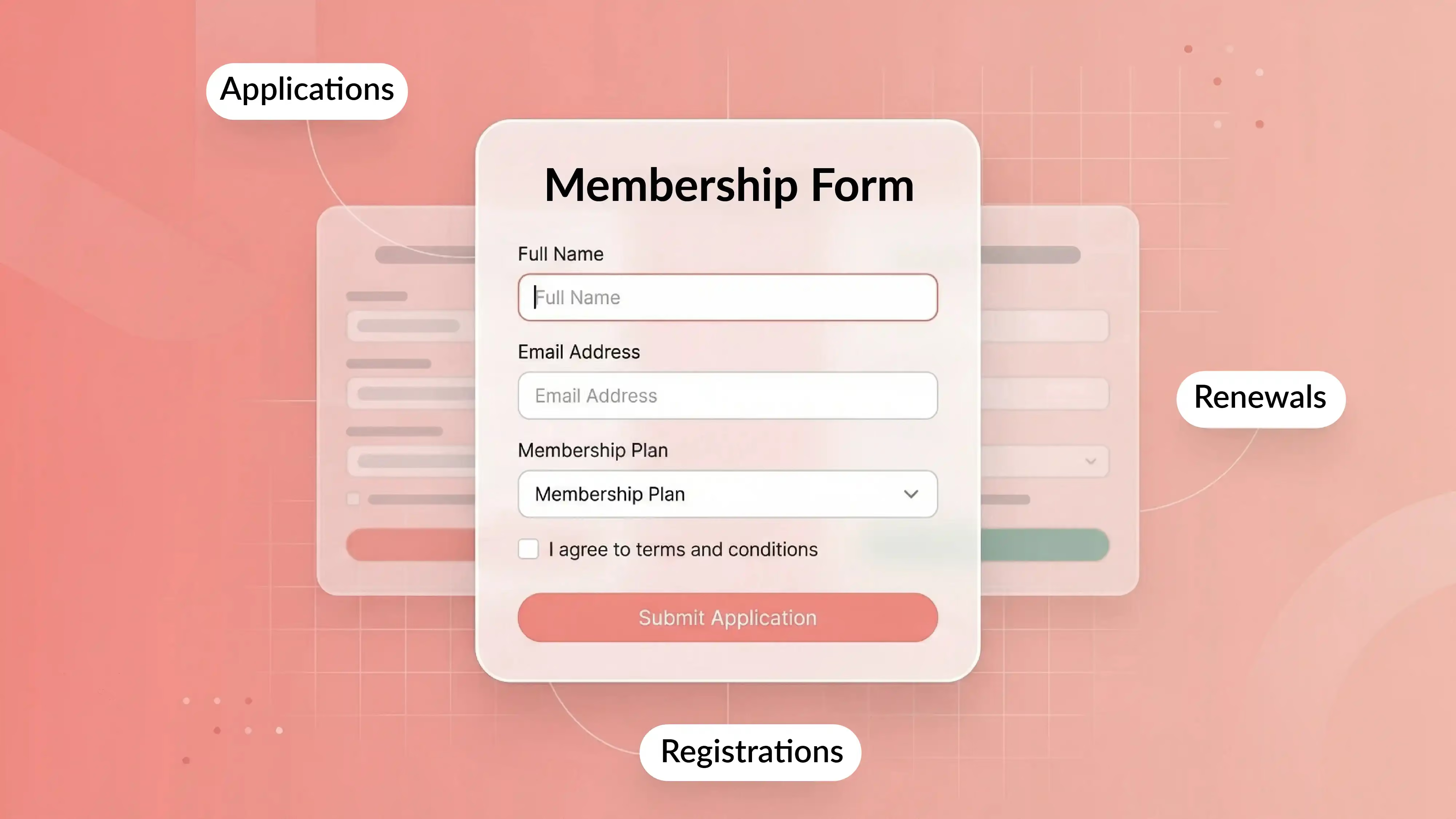


Half of all associations report flat or declining membership, according to a recent survey by ASAE Center. And only 11% feel their value proposition is "very compelling."
That's a problem. But here's the thing: sometimes the issue isn't what you offer. It's how you ask people to join.
A confusing membership form with vague labels, hidden fees, and a clunky mobile experience can quietly kill sign-ups before anyone even sees the benefits. One association saw a 32% increase in new member sign-ups simply by redesigning their membership page for clarity. No new programs. No discounts. Just a better form.
This guide gives you 10 ready-to-use membership form templates for applications, registrations, and renewals. Whether you run an association, nonprofit, church, club, gym, or chamber, you'll find a template that fits. Each one includes the fields to use, the optional add-ons worth considering, and when to use it.
You'll also find practical advice on what to include, what to skip, how to handle payments, and how to avoid the most common mistakes that frustrate new and returning members.
What's inside:
- 10 membership form templates organized by use case
- What fields to include (and which to leave out)
- How to handle payment, consent, and renewals
- Common mistakes that hurt sign-ups and how to fix them
- How to choose the right template for your organization
Key Takeaways
What Is a Membership Form?
A membership form is a structured document or digital form that collects the information an organization needs to enroll, register, or renew a member.
That sounds simple. But in practice, a membership form does much more than gather names and emails. It handles member onboarding, communicates membership levels, explains membership fees, and often processes payment in the same flow.
Organizations use different forms for different stages. An application is not the same as a registration, and neither of those is a renewal. Using one generic form for every situation creates confusion for members and extra work for your team.
Forms can be paper, digital, or a mix of both. And the format you choose changes what the form can do. A printable membership form works well at a registration table. A digital membership form with conditional logic and payment integration works better for online signups at scale.
The real goal isn't just data collection. It's making it easy for someone to say yes.
Quick Membership Form Checklist
A complete membership form should answer five questions for the applicant:
- Who is joining?
Collect the member’s name and essential contact information. - Which membership are they choosing?
Show the available membership level, eligibility requirements, price, and included benefits. - What information does the organization genuinely need?
Ask only for information that will be used for approval, onboarding, communication, billing, or member services. - What is the applicant agreeing to?
Clearly present membership terms, renewal conditions, payment frequency, privacy information, and any required consent. - What happens after submission?
Explain whether membership is approved immediately, reviewed by staff, or activated after payment.
Essential Membership Form Fields
For most organizations, the minimum fields are:
- Full name
- Email address
- Membership type or level
- Membership start date
- Payment option, when dues apply
- Agreement to membership terms
Additional fields such as address, employer, chapter, interests, household members, or volunteer preferences should only be required when the organization has a clear reason to use them.
Simple rule: if your team will not use the information during approval, onboarding, billing, or the member’s first 90 days, consider leaving it off the initial form.
Membership Application Form vs Membership Registration Form vs Membership Renewal Form
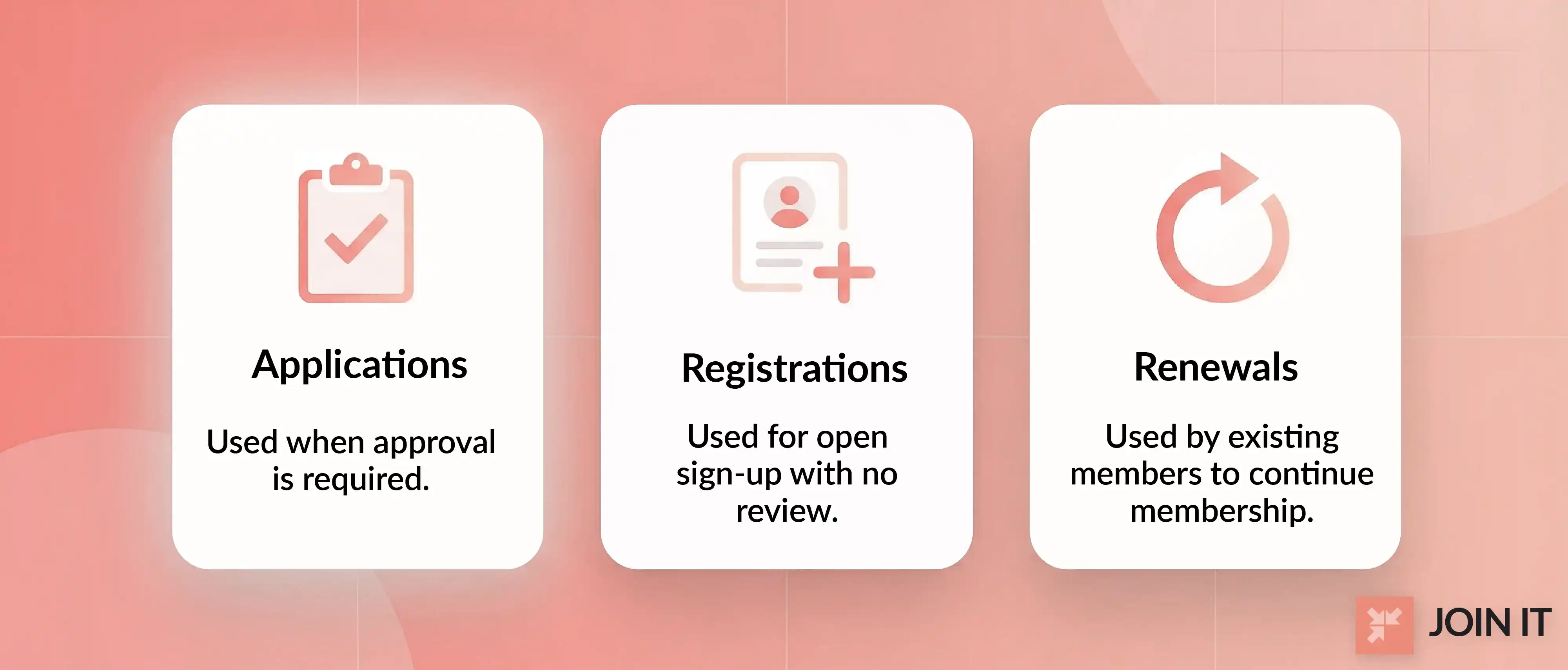
A membership application form is what you use when there's a review or approval step. Think professional associations, chambers, or organizations where not everyone who applies automatically gets in. The form collects more detail because someone on your end needs to evaluate it.
A membership registration form is simpler. It's for open-enrollment situations where anyone who fills out the form is in. Events, community groups, hobby clubs, and programs with straightforward signup use this type. Less friction, faster processing.
A membership renewal form exists for people who are already members. The goal here is speed. Pre-fill what you already know. Ask only for updates. Don't make a loyal member feel like they're starting from scratch every year.
Each form serves a different purpose. Matching the right form to the right moment makes a real difference in completion rates.
Paper Membership Form vs Digital Membership Form
Paper membership forms still make sense in certain situations, like in-person events, communities with older demographics, or volunteer-led groups with limited tech resources.
But digital forms are better for almost everything else. They handle payment processing, connect to your member database, reduce data entry errors, and make renewals faster. When you build a membership website, embedding a digital form is one of the first things to set up.
The best approach for many organizations is a hybrid: paper at the point of contact, digital in the back end.
Why Membership Form Design Matters for Sign-Ups, Payments, and Retention
Most organizations spend weeks crafting their membership benefits. Then they throw together a form in an afternoon.
That disconnect costs real money.
When RMA Association simplified their form layout and made membership options clearer, new member applications jumped 32%. In another case, an association that overhauled their joining process achieved 38.7% membership growth and 18.7% better retention within a single year.
Better form design leads to more completed sign-ups, fewer manual errors, faster processing, smoother renewals, and richer member data. Today's members expect "visible results" and "digital ease," according to ASAE Center research. A clunky form undermines perceived value before someone even becomes a member.
Common Membership Form Problems Real Users Complain About
These aren't hypothetical issues. Real users bring them up on forums and community threads constantly.
On a Squarespace forum thread, a club admin asked how to include multiple membership types, donations, renewals, and payment in one form. The workaround involved cobbling together product pages and custom fields.
On Reddit's r/MailChimp, a user asked if MailChimp could handle membership signup plus payment. The answer: it can collect leads, but payments need a separate page.
A Wild Apricot forum user pointed out that default labels like "Bundle (up to 25 members)" mean nothing to regular applicants.
And on Reddit's r/CRM, a nonprofit supporting multiple chapters asked how to route dues payments to the right chapter bank account through their membership form.
The pattern is clear: forms that are too long, unclear about pricing, weak on mobile, full of irrelevant fields, and disconnected from payment all push potential members away.
10 Membership Form Templates to Copy and Adapt
These templates are organized by use case and member type. Copy the structure even if you use a different platform. Each one includes what fields to include, what optional fields make sense, and when to use it.
For each template, a Canva template is included so you can start customizing right away.
1. Membership Application Form Template
Best for general associations, clubs, chambers, and nonprofits that need a versatile starting point.
Core fields: Full name, email, phone, membership type, payment status, and consent acknowledgment. Only include address if you genuinely need it for mailings or local chapter assignment.
Optional fields: Chapter or location, interests, referral source, and a brief "why do you want to join?" open-ended question. Some forms use this to gauge member motivations for segmented follow-up.
This is the base template most organizations start from. If you're not sure which form to use, start here and trim what you don't need. You can also add custom fields for your membership types as your organization grows.
2. Membership Registration Form Template
Best for events, open-enrollment groups, and programs with simple signup requirements.
This new member registration form should be shorter than an application form. No review step, no approval process. The person fills it out and they're in.
Core fields: Full name, email, membership type.
Optional fields: Event preferences, how they heard about you, and communication opt-in.
Keep this one lean. Every extra field you add reduces your completion rate.
3. Association Membership Application Form Template
Best for associations, chambers, and professional groups where membership often represents an organization, not just an individual.
Core fields: Organization name, member role or title, industry, chapter, billing contact, membership level.
Optional fields: Committee interest, additional team members, referral.
Association forms need to explain membership fees and membership benefits more clearly than general forms. If your dues have multiple components, break them down so applicants see exactly what each part covers. A solid membership pricing strategy makes this section much easier to write.
4. Nonprofit Membership Form Template
Best for nonprofits and community organizations where membership intersects with giving.
Core fields: Full name, email, supporter type, communication preferences.
Optional fields: Donation add-on, volunteer interest, areas of focus.
The challenge here is combining membership signup with optional giving without making the form feel like a fundraising pitch. Keep the donation field clearly optional. Lead with mission clarity and trust. Let members choose how they want to engage.
5. Church Membership Form Template
Best for churches and faith communities where household information matters.
Core fields: Full name, household details, preferred campus or location if relevant.
Optional fields: Family members, ministry interests, pastoral care preferences.
A church membership form should ask what's necessary for meaningful connection, not everything you might want to know eventually. Don't ask for too much sensitive information too early. Build trust first, then collect more detail through follow-up conversations.
6. Club Membership Registration Form Template
Best for hobby clubs, social clubs, alumni groups, and recreational organizations.
Core fields: Full name, email, interests, chapter or location.
Optional fields: Participation preferences, event interest, skill level.
Club forms should balance community feel with clean data collection. A book club membership form looks very different from a tennis club membership form, so tailor the optional fields to what actually makes your members' experience better.
7. Gym Membership Form Template
Best for gyms, fitness studios, health clubs, and sports facilities.
Core fields: Full name, email, membership tier, emergency contact, waiver acknowledgment, billing cycle.
Optional fields: Class preferences, fitness goals, trainer interest.
Gym forms need tighter wording around terms, payment, and health-related disclosures. The waiver section should be clear but not intimidating. Make sure members understand what they're agreeing to, especially around cancellation and recurring payments.
8. Family Membership Form Template
Best for museums, churches, clubs, and community organizations offering household membership plans.
Core fields: Primary member name, email, additional household members, dependent ages if relevant, shared contact preferences.
Optional fields: Individual interests per member, accessibility needs.
The key design challenge is handling one payer with multiple covered members. Keep the primary member's section straightforward, then use a simple repeatable block for each additional family member. This template works especially well when your membership tiers include both individual and family options.
9. Corporate or Chamber Membership Form Template
Best for chambers of commerce, trade groups, sponsorship-linked memberships, and corporate plans.
Core fields: Company name, primary contact, billing contact, package level, number of included seats or benefits.
Optional fields: Team member list, sponsorship interest, industry category.
This corporate membership application form differs from individual forms because you're often selling to a decision-maker who won't be the only person using the membership. Make the value clear at the organization level, not just the individual level.
10. Membership Renewal Form Template
Best for existing members who need a fast, low-friction way to continue.
Core fields: Pre-filled name and contact info, updated details if anything changed, plan selection, payment method, consent refresh.
Optional fields: Feedback question, interest updates.
A membership renewal form template should never feel like starting over. If you already have someone's data, pre-fill it. Ask only for changes. The fewer clicks to "Renew," the better your retention rate will be.
What Information Should a Membership Form Include?
Not every organization needs the same fields. The right fields depend on your membership model, your approval process, and what you'll actually do with the data after someone joins.
If you want a deeper breakdown, this guide on information you should collect from members covers the full picture.
Required Fields for Most Membership Forms
These belong on almost every membership form sample, regardless of organization type:
- Full name and email address
- Membership type or level
- Payment information (if dues apply)
- Terms or consent acknowledgment
- Renewal date or effective date
Keep required fields to the minimum. Every field you add creates one more reason for someone to abandon the form.
Optional Fields to Add Only When They Truly Help
Only include these if you have a clear plan for using the data:
- Interests or areas of engagement
- Chapter or location
- Referral source
- Volunteer interest
- Household members
- Organization name
- "Why are you joining?"
The rule is simple: if you won't use the answer within the first 90 days, don't ask for it at signup.
Membership Fees, Payment Options, and Membership Levels
Show pricing clearly. Don't bury fees in fine print. Members should understand what they pay, what they get, and when the next payment is due.
Include recurring payment options, one-time payment, or invoice-style billing based on what fits your membership model. If you need to collect membership dues directly through your form, make sure the payment step feels like a natural part of the flow, not a jarring redirect.
When members can see exactly what their fees fund, trust goes up and drop-off goes down.
Membership Benefits, Terms, and Consent
Connect benefits clearly to each membership tier. Don't make people guess what they're getting at each level.
Place terms and conditions where they're visible but not overwhelming. A checkbox with a link to full terms works well.
And here's something most forms get wrong: keep marketing consent separate from your basic membership agreement. According to ICO guidance, consent should be freely given and unbundled from other terms. A member should be able to join without being forced to accept promotional emails.
How to Create a Membership Form That Gets More Completions
Building a membership form that people actually finish requires more than a list of fields. It requires thinking about the experience from the member's side.
Show Members What They Pay For
Don't just list a dollar amount. Explain what each part of the dues covers. Some associations itemize their dues into different components so members see the value behind each fee. This builds trust and reduces the "is it worth it?" hesitation.
Use a Step-by-Step Membership Form Process
Long forms scare people off. The Inland Empire Chamber divides its application into four steps with a progress bar, which keeps the process from feeling overwhelming.
Ask one thing at a time. Show a progress indicator. Use conditional logic to hide fields that aren't relevant to a specific member type. This is what separates a membership form example that converts from one that gets abandoned.
Use Smart Defaults, Autofill, and Save-Progress Logic
Pre-fill information when possible. Use address lookup so members don't type their location manually. If a returning member revisits, remember their details.
If someone abandons the form halfway, a saved-progress reminder can bring them back. These small touches add up quickly.
Personalize the Membership Form for the Community You Serve
A gym membership form and a church membership form need different fields, different tone, and different structure. Don't use a one-size-fits-all template without adapting it.
Ask questions that let you tailor the experience later. A "Why are you joining?" field gives you data for segmented communications. An "Interests" field helps you recommend the right programs from day one.
Make the Membership Form Mobile-Friendly and Accessible
Mobile-first digital membership experiences are becoming the standard. Members expect to join from their phone with the same ease they'd expect from any modern app.
Use large touch targets. Keep labels simple. Show clear validation messages next to the field, not at the top of the page. Make sure the tab order is logical and the form works with screen readers.
Add Payments, Donations, and Upsells Without Hurting Conversions
If your org accepts donations alongside membership, include the option, but keep it clearly optional. The Nevada Restaurant Association adds optional contribution choices right in their application, which increases revenue without disrupting the core signup.
Use Confirmation, Follow-Up, and Member Onboarding After Submission
A submitted form is not the end. It's the beginning of the member relationship.
Send a confirmation email. Show a thank-you page with next steps. Set up a welcome sequence. Schedule a renewal reminder. If you're using membership management software, most of this can be automated.
You can also use a member database template to organize the information you collect and track follow-ups until you're ready for a more robust system.
Paper Membership Form vs Online Membership Application Form
This isn't really an either/or question anymore. It's about knowing when each format makes sense.
When a Paper Membership Form Still Makes Sense
Paper works at in-person events, volunteer-led environments with limited tech, and communities with older member bases who prefer something tangible. A printable membership form is also useful as a backup when internet access is unreliable.
When an Online Membership Application Form Is Better
Digital forms win when you need payment integration, conditional logic, CRM integration, faster approvals, easier renewals, and fewer manual errors. An embeddable membership form on your website lets people join 24/7 without waiting for anyone to process their paperwork.
A Hybrid Membership Form Workflow for Real Organizations
The most practical approach for many groups: use paper at the point of contact, then digitize the information into your system. Collect the signup in person, enter it online later. This gives you the personal touch of face-to-face interaction with the efficiency of digital record-keeping.
Membership Form Mistakes to Avoid
Mistakes That Hurt New Member Sign-Ups
Asking for too much too early. Forcing a full profile before someone even knows if they want to join. Making membership levels confusing. Burying the "Join" button under walls of text.
Mistakes That Hurt Membership Renewals
Treating renewal like a new application. Not pre-filling data. Requiring members to re-enter information you already have. Making them search for the renewal page.
Mistakes That Hurt Mobile Completion Rates
Tiny checkboxes. Cluttered layouts. Forms that don't scroll properly. Validation messages that appear at the top of the page instead of next to the problem field.
How to Choose the Right Membership Form Template for Your Organization
Choose Based on Organization Type
An association needs detailed professional fields. A nonprofit needs donation integration. A church needs household details. A club needs interest-based questions. A gym needs waivers and billing cycles. A chamber needs corporate-level packaging.
Match your template to your world.
Choose Based on Membership Model
Individual memberships are the simplest. Family memberships need dependent handling. Corporate memberships need multi-seat packaging. Recurring dues need integrated payment. One-time signups need clear confirmation. Renewal-heavy models need prefilled data.
Choose Based on Workflow Complexity
If signup is simple, use a registration form. If there's an approval step, use an application form. If payment happens at signup, integrate checkout. If you need renewal automation, make sure your form connects to a system that handles it.
The best template is the one that collects the right information with the least friction. Start with the closest match from the 10 templates above, then adapt. A membership form builder can help you turn any of these templates into a live, working form without starting from zero.
Frequently Asked Questions About Membership Forms
What Is a Membership Application Form?
A membership application form is a document or digital form that collects information from someone who wants to join an organization. Unlike a simple registration form, an application usually involves a review or approval step before membership is confirmed. Applications are common in professional associations, chambers, and organizations with eligibility criteria.
What Information Should a Membership Form Include?
At minimum, a membership form should include the member's name, email, membership type, and consent acknowledgment. If dues apply, payment information is essential. Beyond that, only add fields you'll actively use. Interests, chapter affiliation, and referral source are useful if they inform your communications. If they don't, leave them out.
How Do You Create a Membership Form?
Start by choosing the right template for your organization type and membership model. Define your required fields, decide on optional fields, and structure the form so it flows logically. Then pick a platform to build it on. Tools like Join It make it easy to go from template to live form with payment, automation, and member tracking built in.
What Are the Benefits of Online Membership Forms?
Online membership forms reduce manual data entry, eliminate transcription errors, support real-time payment processing, and connect directly to your member database. They also make renewals easier and allow you to use conditional logic to show only the fields that are relevant to each member type.
Can a Membership Form Collect Dues or Fees?
Yes, and it should whenever possible. The best approach is to route payment through a hosted, PCI-compliant processor rather than storing card data in the form itself. This keeps things secure while giving members a smooth checkout experience without leaving the form.
What Should a Church Membership Form Ask For?
A church membership form template should ask for the member's name, contact information, household details, and preferred campus or service time. Optional fields can include ministry interests, family members, and pastoral care preferences. Avoid asking for overly personal information during the initial signup. Build that trust over time.
What Should a Gym Membership Form Include?
A gym membership form template should include the member's name, chosen membership tier, emergency contact, waiver acknowledgment, and billing cycle preference. Class preferences and fitness goals are useful optional fields. Pay close attention to the wording around cancellation policies and recurring payment terms.
How Do You Create a Membership Renewal Form?
Start with the data you already have and pre-fill it. Ask the member to confirm or update their contact information, choose their plan for the next cycle, and provide updated payment details if needed. Add a consent refresh if your terms have changed. The key principle: make renewing feel easier than signing up was.
Paper vs Online Membership Form: Which Is Better?
Neither is universally better. Paper works well at in-person events and for communities with limited tech access. Online forms are better for payment processing, automation, and accuracy. Most organizations benefit from a hybrid approach: paper at the point of contact, digital in the system. If you're leaning toward digital, which most organizations should, you can start a free trial to see how a modern membership form works in practice.
Ready to turn one of these templates into a real, working membership form? You can book a call to see how it all fits together for your organization.
References
- ASAE Center. The Membership Model Is Breaking Down
- Seer Interactive. Data-Driven Design Leads to 32% Increase in Membership Sign-Up Rate
- Initiate-it. Association Case Study
- Squarespace Forum. Best Method to Create a Membership Form for a Club
- Reddit r/MailChimp. Membership Form
- Reddit r/CRM. Membership Management Software for Non-Profit
- MembershipAnywhere. The Future of Membership Is Digital

Guides from the Experts
Through our work with 4,000+ organizations - we’ve put together helpful guides to assist; regardless of where you are on your journey.
.webp)

A Complete Guide to Membership Organizations
Everything you need to know to manage and grow your membership business
.webp)
Maximize Membership Retention: 10 Proven Strategies
Tried and true strategies that not only win membership, but keep them

Build a Membership Website: A Step-by-Step Guide
Your one-stop resource for knowing all the features your modern membership website needs
Ready to start your free trial?
Our membership software is intuitive to use and even easier to test for yourself.