
Membership Tiers: How to Structure Levels That Members Upgrade Into



Summary of the Article
Membership tiers work best as an upgrade ladder, not a price sheet. Most organizations should offer two or three main tiers, build every level on one clear axis, and make each step up worth naming in a single sentence. When the jump to a higher tier is easy and well-timed, upgrades happen at renewal instead of members quietly leaving.
If you want to test how your dues work out per level, the Membership Pricing Calculator is a free way to model the numbers before you publish a price sheet.
Start With the Right Goal for Your Membership Tiers
A price sheet lists what things cost. A membership level structure tells each member where they fit today and what the natural next step looks like. Those are different documents.
If your tiers exist mostly to capture every possible customer segment, you will end up with five overlapping levels that nobody can tell apart. The better goal is simpler: make the right decision obvious for the right person. That means fewer levels, clearer differences, and one level that most people should pick.
How Many Membership Tiers Should You Offer?
Two or three main tiers is the sweet spot for most membership organizations. Memberful's analysis of tier counts describes three as the industry standard: an entry level for people testing the waters, a core level that represents the heart of what you offer, and a premium level for your most engaged members.
That said, one tier is often the smartest starting point if you are new or your offer fits neatly into one package. And two tiers work well when your audience splits cleanly into two groups, such as casual readers and superfans.
Alongside your two or three main tiers, you can run special member types that are not really rungs on the ladder: student or senior rates, lifetime members, family or group plans, and honorary memberships. These serve specific people rather than competing for the same buyer.
We go deeper on this question in How Many Membership Tiers Should Your Group Offer?, so here we will focus on how to design the levels themselves.
Pick One Primary Axis for Your Membership Level Structure
Every strong tier structure stands on one axis. The three that work:
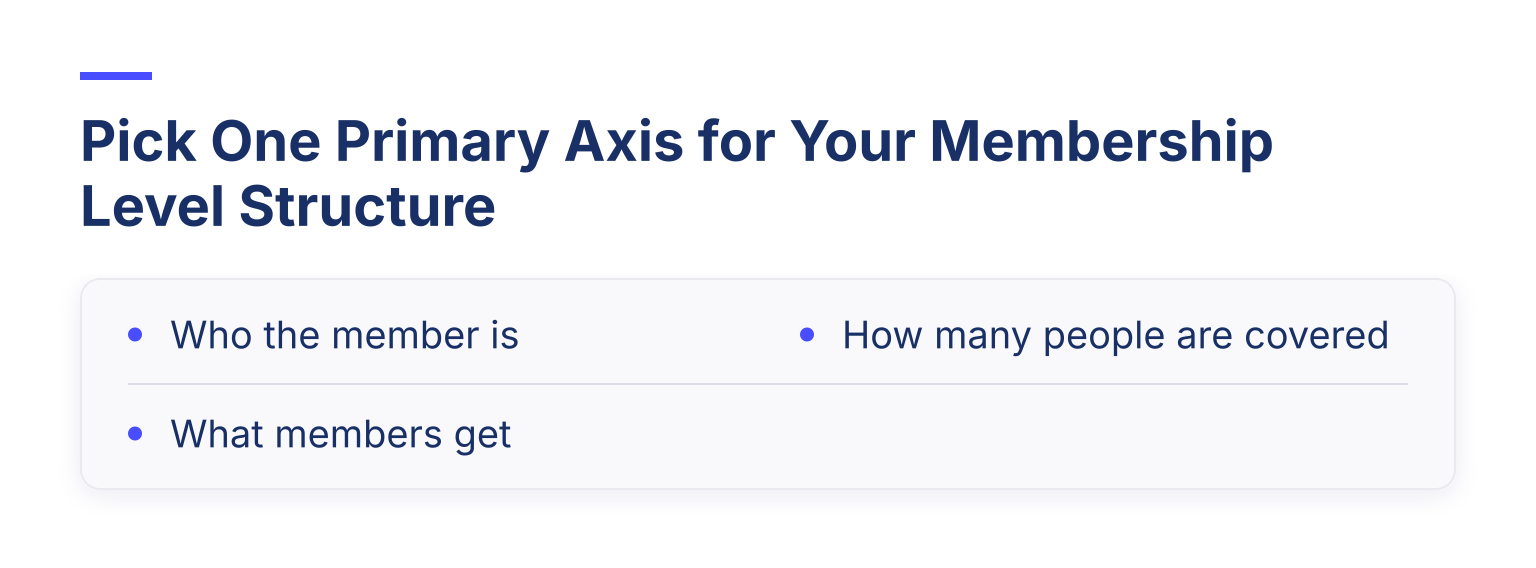
Problems start when tiers mix axes. If Bronze is a lower price, Silver is for students, and Gold is a family plan, a new visitor cannot sort themselves. Pick one axis, and handle the other differences as separate member types.
What Each Tier Should Include
Make benefits cumulative
Each level should include everything below it, plus one clear addition. A member comparing two levels should never wonder what they lose by moving up. When benefits are cumulative, the pricing page reads as a ladder instead of three unrelated products. Structured walkthroughs like Colossus's 2026 guide to membership tiers land on the same principle: keep each level distinct and build it on the one below.
Give each step one nameable differentiator
If you cannot describe what separates two tiers in one sentence, members cannot either, and that confusion shows up at checkout. A differentiator that works names something concrete: "monthly live workshops," "listing in the member directory," "two guest passes per year." "More perks" does not.
Mark a clear most-popular tier
Most buyers land in the middle when there is a higher and lower option around it, which is why marking a recommended level works so well. Mark your intended default as "most popular" or "recommended" so the choice does the work for people who just want to pick the sensible option.
Tiered Membership Pricing: Setting the Three Price Points
Before you set numbers, make sure you can see them: our guide on how to track membership dues covers the collection and reporting side once your tiers are live. With three tiers, each price has a job.
The entry tier should be easy to say yes to. Price it low enough that a curious newcomer joins on impulse. Its job is to get someone into the relationship, not to maximize revenue per member.
The premium tier anchors the range. It should reflect genuinely scarce value, such as direct access to leadership, mentoring, or recognition. Even if few members pick it, a well-priced top tier makes the middle look reasonable.
The middle tier should feel like obvious value. Do not build it as a slightly fancier version of entry. Make it the cheapest way to get something the entry tier cannot provide at all, such as live programming or small-group access. Price it so the difference from entry feels small next to what it adds.
A quick test from Circle's guide to structuring membership tiers: for each level, write down who it is for, what they pay, what they get, and what changes for them in 90 days. If you cannot answer that last one without hedging, the tier is not ready.
Design the Upgrade Path: Placement First, Upgrades Second
There is a tempting idea that you can place everyone in a cheap tier and count on them to upgrade when they are ready. Treat that as a bonus, not a foundation. Plenty of members settle into whatever tier they first joined and never revisit the decision.
So design for correct placement first: make the entry points clear enough that a first-time visitor picks the tier that fits without asking you. Then build real upgrade paths for members who are genuinely ready to move up. Two moments work well:
Make the Jump Frictionless
The gap between wanting a higher tier and actually getting it is where upgrade revenue dies. Two rules remove it:
For example, Join It lets members switch tiers during renewal from the member portal, so an upgrade becomes a normal part of the renewal flow instead of a support request. Its recurring billing and automated renewal reminders handle the timing side, which matters when different tiers renew on different schedules.
How Tiers Interact With Renewals and Retention
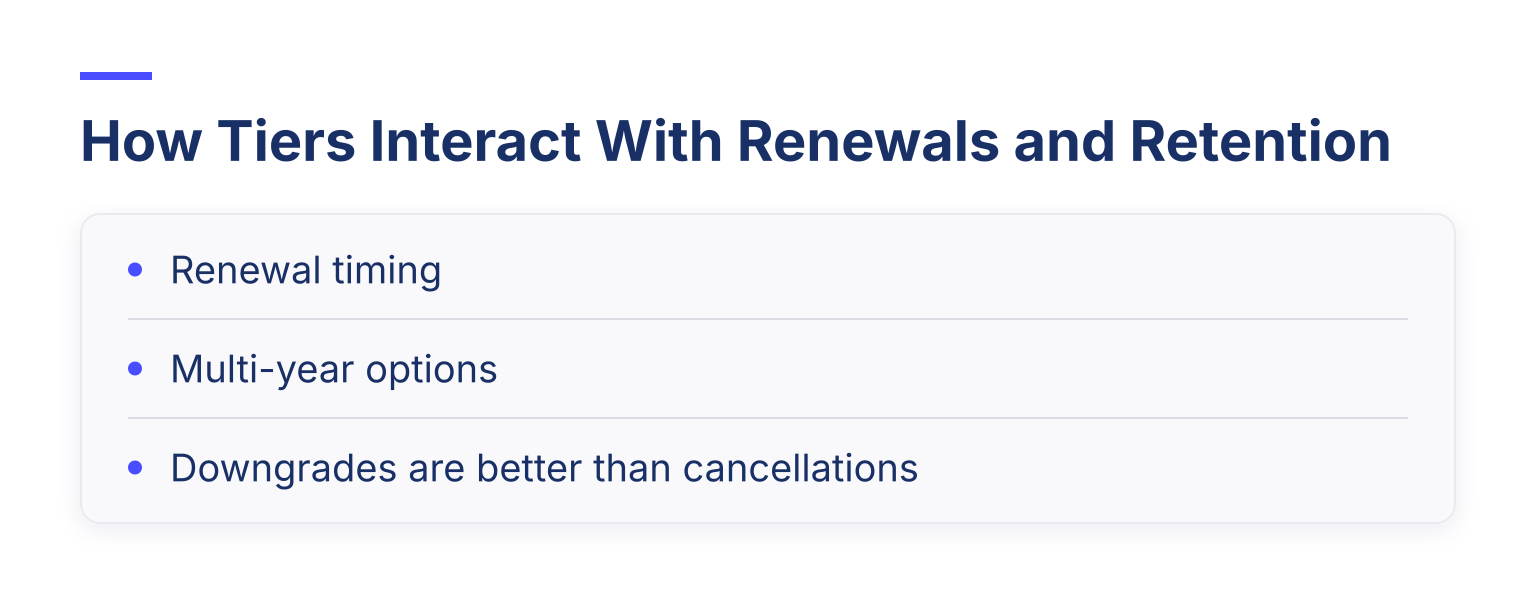
Tier design and retention run on the same engine. A few connections worth planning for:
Worked Example: A Three-Tier Structure for a Professional Association
Say a regional professional association currently charges one flat $95 annual fee. Here is a restructured version:
AssociateProfessional (most popular)LeaderPrice$40/year$95/year$220/yearWho it's forNewcomers to the field testing it outPractitioners who want full benefitsExperienced members who want visibility and influenceWhat they getNewsletter, member directory listing, discounted event ticketsEverything in Associate, plus full event access, voting rights, digital membership cardEverything in Professional, plus leadership forum access, annual recognition listing, one guest pass per eventThe one-sentence step up"Get connected at a low cost""Full access to everything the association does""Be seen as a leader in the field"
Pricing logic: $40 lowers the barrier for students and early-career members who currently pay nothing. The old $95 stays as the core tier, so existing members see no increase. $220 works as an anchor that is roughly double the core tier and buys things tied to status and access, not just more of the same content. The upgrade prompts run after a member attends two events (Associate to Professional) and on service anniversaries (Professional to Leader).
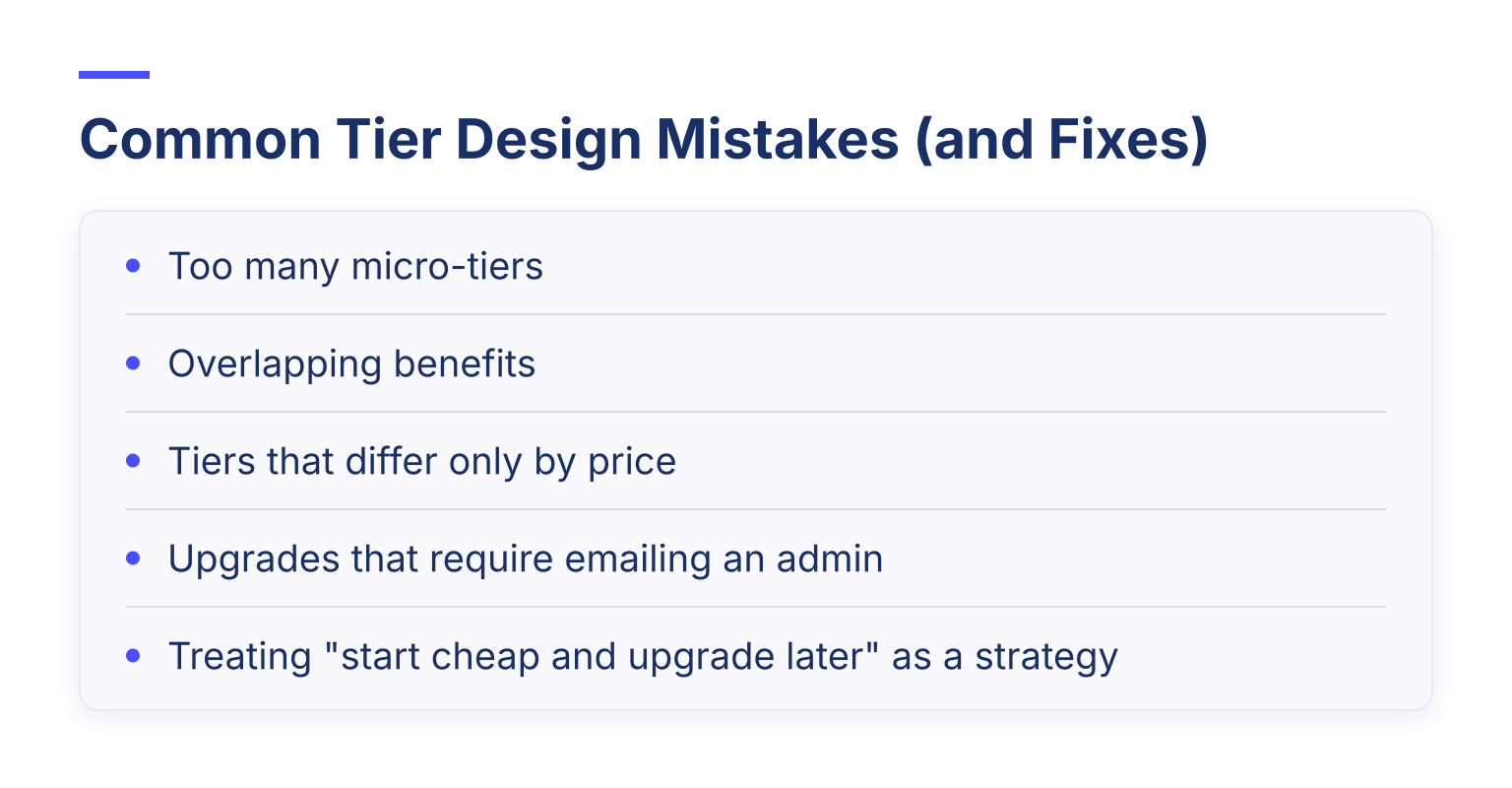
Common Tier Design Mistakes (and Fixes)
For a fuller walkthrough of building levels step by step, our guide How to Structure Membership Tiers: Examples and Benefits pairs well with this one.
Next Steps: Model Your Dues and Try the Structure
Before you announce new levels, do two things. First, model the numbers: use the Membership Pricing Calculator to see what your dues need to be per tier to hit your revenue target. Second, run the four-line test on each tier: who it is for, what they pay, what they get, and what changes for them in 90 days.
When the structure holds on paper, set it up in software that supports multiple membership types, recurring billing, and self-serve tier switching, so the upgrade ladder you designed actually operates without manual work. Join It is built for exactly this: membership types map to your tiers, automated renewal reminders keep timing right, and members manage their own level from the portal. Start a free trial to see how your tiers behave in a real system before you launch them.

Guides from the Experts
Through our work with 4,000+ organizations - we’ve put together helpful guides to assist; regardless of where you are on your journey.


A Complete Guide to Membership Organizations
Everything you need to know to manage and grow your membership business

Maximize Membership Retention: 10 Proven Strategies
Tried and true strategies that not only win membership, but keep them

Build a Membership Website: A Step-by-Step Guide
Your one-stop resource for knowing all the features your modern membership website needs
Ready to start your free trial?
Our membership software is intuitive to use and even easier to test for yourself.