
Integrating Stripe in Your Membership Management Operations



Most membership organizations hit the same wall. Dues come in late. Renewals slip through the cracks. And someone on the team is still chasing payments with spreadsheets and reminder emails.
Membership management with Stripe solves a big chunk of that problem. Stripe handles recurring billing, payment processing, invoices, receipts, and even failed payment recovery, all with support for 100+ payment methods and 135+ currencies. In 2024 alone, Stripe says its users recovered $6.5 billion through its recovery tools, with an average 56% recovery rate on failed subscription payments.
But here's the thing. Stripe is a payment and billing infrastructure, not a full membership platform by itself.
This article breaks down what Stripe handles well for membership organizations, where it falls short on its own, how to set up a cleaner membership billing workflow, and how a platform like Join It fits into the process.
Key Takeaways
- Stripe handles recurring billing, invoices, receipts, and payment recovery. It does not manage member records, communications, or access control.
- Over half of failed subscription payments can be recovered automatically with the right retry and dunning setup.
- Stripe subscriptions run indefinitely by default. Fixed-term memberships need expiration logic from outside Stripe.
- Most organizations still need a membership layer on top of Stripe to connect billing outcomes to member status and workflows.
- Self-service billing through Stripe's customer portal lets members update cards, view invoices, and manage subscriptions without admin help.
- The biggest operational mistake is going live without testing the full lifecycle: signup, renewal, failed payment, cancellation, and status sync.
- Stripe Billing adds 0.7% on top of standard processing fees. Budget for it early, especially at higher volume.
- Join It is rated Excellent on Trustpilot, integrates directly with Stripe, and gives you membership management, dues collection, automated renewals, failed payment handling, and a member portal all in one place.
What Is Membership Management with Stripe?
Stripe membership management means using Stripe's billing and payment tools to power the financial side of running a membership organization. That includes collecting membership dues, processing recurring payments, issuing invoices and receipts, handling renewals, and giving members a way to manage their own online billing.
Think of Stripe as the engine that runs the payment side of your operation. It's powerful and reliable. But it's not the whole car.
What Stripe Handles Well for Membership Organizations
Stripe was built for recurring billing, and it shows. You can set up subscriptions with tiered pricing, trials, coupons, prorations, and subscription schedules. It supports monthly and annual billing cycles, hosted invoices, automated receipts, and a customer portal where members can update their payment method without calling your office.
When a card fails, Stripe doesn't just give up. Its Smart Retries use machine learning to retry failed payments at the optimal time, which is a major reason it recovers over half of failed subscription charges on average.
Stripe also handles one-time payments, secure membership payments, dispute management, Stripe Tax for automated tax calculation, and global payment acceptance including ACH Direct Debit and SEPA.
Where Stripe Alone Falls Short
Here's where things get real. Stripe is a payment processor. It does not manage member records, onboarding flows, application logic, event registration, communication automations, or access control.
As one club owner put it on Reddit: "Stripe is literally only a payment processor… if you want anything else, you don't get it."
Stripe also doesn't enforce fixed-term expiration dates by default. Without added logic, a subscription continues indefinitely, which can leave members active long after their term should have ended.
That's why Stripe often works best as the payment layer inside a broader membership setup, not as the whole solution.
When Stripe Is a Good Fit for Membership Organizations
Why Organizations Use Stripe for Membership Payments
The biggest draw is automation. Instead of manually sending invoices and tracking who paid, Stripe handles recurring membership payments on schedule. Members can process renewal payments online, update expired cards through the billing portal, and receive receipts automatically.
For organizations that accept payments globally, Stripe's reach is hard to beat. It processes payments in 135+ currencies with dozens of local payment methods, and it boasts 99.999% uptime on peak days.

Best-Fit Scenarios
Stripe subscription management works especially well when your organization runs recurring dues (monthly or annual), offers online renewals, accepts optional donations alongside membership payments, or needs members to update their own payment method on file without staff help.
If most of your dues payments are digital and recurring, Stripe covers a lot of ground.
When You Need More Than Stripe
Stripe alone usually becomes insufficient when your organization manages fixed-term memberships, family or group plans, event-heavy workflows, status-based automations, or a mix of offline and online payment methods.
Another club owner on Reddit shared that using Stripe alone meant manually creating each invoice, emailing members, and tracking who still owed. The process was "limited" and error-prone.
That's why many organizations pair Stripe with membership software rather than relying on Stripe alone.
Stripe Alone vs. Membership Software
This is one of the most important decisions you'll make. Here's how the responsibilities break down.
What Stripe Should Own
Stripe is your payment processor, subscription billing engine, invoice and receipt layer, self-service billing portal, tax calculation tool, and dispute management system. Let it do what it does best.
What the Membership Layer Should Own
Everything else. Member records, renewal status, tier logic, credits and debits, event registration, communication automations, offline payments, and member-facing workflows should live in your membership platform or a custom system.
What to Look for in Membership Software With Stripe Integration
When evaluating a membership platform, look for clean Stripe sync, auto re-billing support, failed payment automations, fixed-term membership logic, the ability to import existing Stripe subscriptions, credits and debits on future invoices, offline payment support, reconciliation reporting, and member self-service.
A Practical Example: How Join It Layers Membership Operations on Top of Stripe
What Join It Adds on Top of Stripe
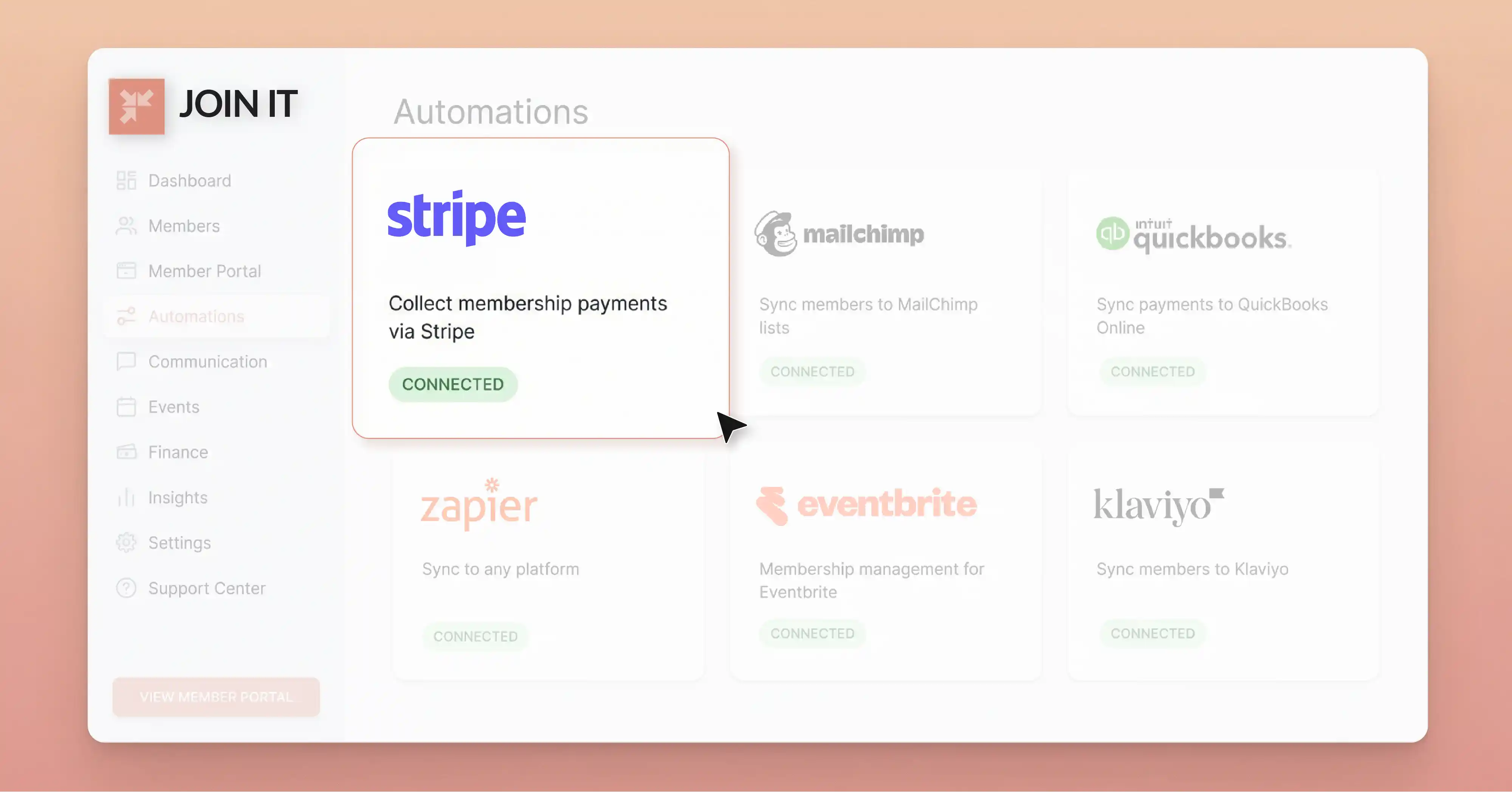
Join It is a good example of how membership software can turn Stripe into a more complete membership billing workflow. Organizations can sell automatically re-billing memberships through Stripe, and every processed payment is recorded on both the dashboard and the member's record.
When a payment fails, Join It sends automated failed payment notifications to the member asking them to update their billing details. If the payment still can't be collected after several attempts, the membership is automatically cancelled and the member receives a cancellation notice.
Join It also supports applying credits or debits directly to a member's account, adjusting future payments without changing the billing plan. And for organizations migrating from an existing setup, Join It can import existing Stripe subscriptions by matching Stripe Customer and Subscription IDs.

Why This Matters Operationally
The bigger lesson here goes beyond any single platform. Stripe can charge the payment. But the membership layer is what keeps billing tied to member status, records, notifications, and workflows. Without that connection, you're just collecting money with no system making sense of it.
If you're curious how this works in practice, you can book a call to see the workflow firsthand.
How Membership Management with Stripe Works in Practice
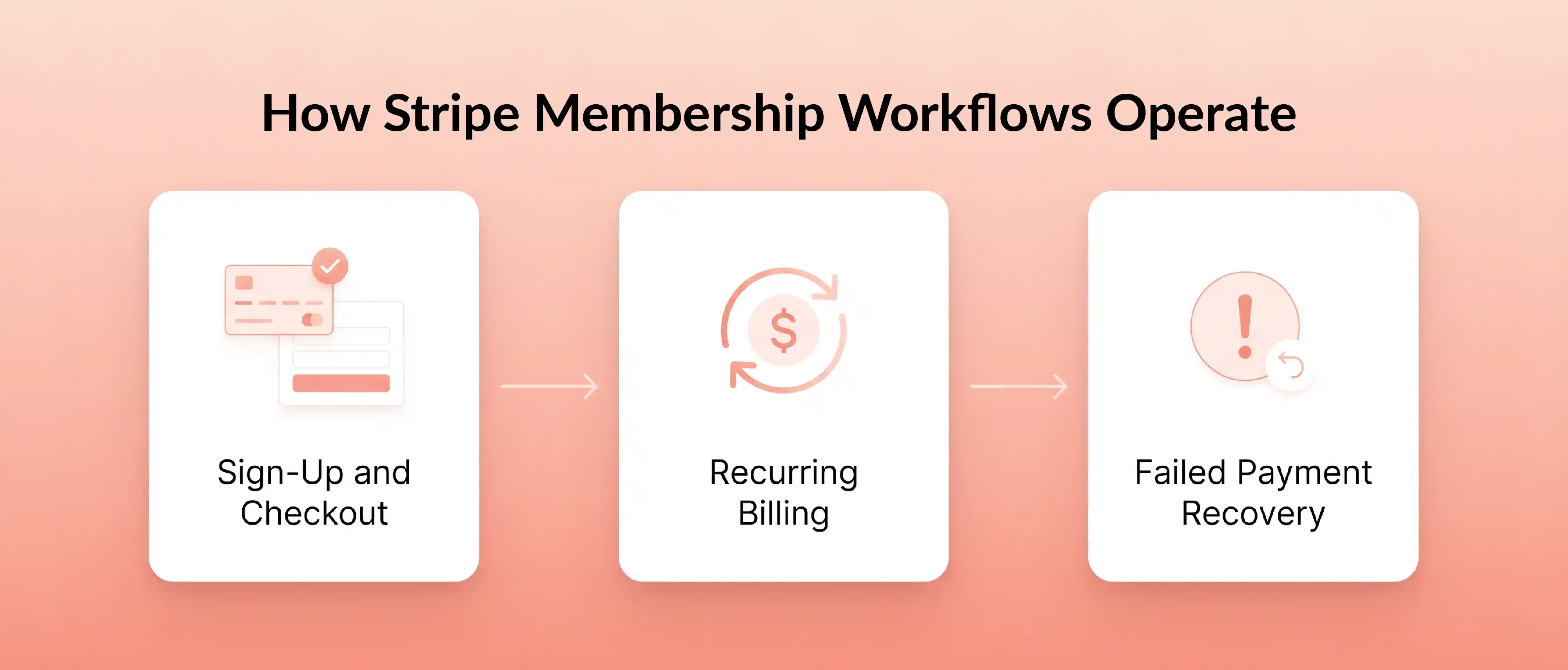
Here's the typical member lifecycle in a Stripe-powered membership workflow.
1. Sign-Up and Payment → A new member fills out a signup form, completes checkout via Stripe Checkout or an embedded payment form, and their payment is captured. The billing record gets tied to a member record in your membership system.
2. Recurring Billing and Renewals → Stripe handles the charge schedule automatically, whether it's monthly or annual membership billing. But membership status still needs a clear owner. Your membership platform or database should be the source of truth for whether a member is active, lapsed, or cancelled.
3. Failed Payments and Recovery → A card expires. A bank declines. Stripe retries automatically. If retries fail, the subscription gets cancelled and your system should update the member's status accordingly. When the member updates their card, reactivation can follow.
How to Set Up Stripe for Membership Billing
Step 1: Map Your Membership Model Before Setup
Before you touch a single Stripe setting, define your membership tiers, billing frequency (monthly vs. annual), renewal rules, grace periods, cancellation policy, tax requirements, and accepted payment methods.
Decide who owns member status. Will Stripe be your source of truth, or will a membership platform or CRM hold that role? This decision affects how you handle renewals, cancellations, and failed payments down the line. For most organizations, the membership platform should own status while Stripe owns billing.
Step 2: Choose the Right Stripe Setup Path
You have several options. Stripe Checkout gives you a hosted, conversion-optimized payment page. Payment Links let you create shareable links for dues collection without code. Recurring invoices work for manual or semi-automated billing. And a membership software integration, like connecting Stripe through a platform, handles the most common workflows out of the box.
Step 3: Configure Billing Rules, Self-Service, and Notifications
Set up your products and prices in Stripe. Configure whether subscriptions renew automatically. Enable the customer portal so members can update cards and view invoices. Turn on upcoming renewal reminder emails and failed payment notifications. Define your cancellation flow.
Step 4: Test the Full Lifecycle Before Go-Live
Run through every scenario before you launch: successful signup, successful renewal, failed renewal, card update, refund, cancellation, tax handling, webhooks, and status sync between Stripe and your membership system. If something breaks during testing, better now than with real members.
Renewals, Failed Payments, and Self-Service Billing
How Automatic Membership Renewals Work
Stripe subscriptions continue billing until cancelled or otherwise controlled. For membership organizations, this means automatic membership renewals happen on schedule as long as the payment method on file is valid.
That's convenient. But it also means you need clear logic for what happens when a renewal should stop, especially for fixed-term memberships.
Billing Cycle Anchor, Proration, and Fixed-Term Memberships
The billing cycle anchor is the date Stripe uses to schedule future charges. If a member signs up on March 15, that becomes their membership renewal date for all future billing cycles.
Proration applies when a member upgrades or downgrades mid-cycle. Stripe's proration behavior calculates the difference and adjusts the next charge accordingly.
Here's where organizations get tripped up: Stripe doesn't natively enforce a fixed-term end date. A 12-month membership won't automatically stop after 12 months unless you add expiration logic through your membership software or a custom integration.
How to Recover Failed Membership Payments
Failed payment recovery matters because every unrecovered charge is a lost renewal. Stripe's Smart Retries use machine learning to find the best time to retry, and they recover 56% of failed subscription payments on average.
For organizations using a platform like Join It, the recommended setup is straightforward: enable Smart Retries, set the retry period within 3 weeks, and cancel the subscription after the final retry. This ensures the connected membership is cancelled, the member gets notified, and linked automations like Mailchimp removal run automatically.
Why Self-Service Billing Matters
Members should be able to update their payment method, view invoices, check payment receipts, and see their payment history through a self-service billing portal without emailing your team. Stripe's customer portal handles this, and it directly reduces admin burden while keeping renewals cleaner.
Refunds, Credits, Tax, and Common Problems to Watch For
Refunds vs. Credits in Membership Operations
A refund returns money to the member's original payment method through Stripe. A credit reduces the amount due on a future invoice and is typically managed inside the membership platform, not Stripe itself.
For example, if a member overpays or you want to offer a goodwill adjustment, you might apply a credit to their membership rather than processing a full refund. Debits work the opposite way, increasing the next charge.
Stripe Tax and Cost Planning
If membership dues are taxable in your jurisdiction, Stripe Tax can automate tax calculation and fee collection based on the member's location. Setup requires adding tax registrations in Stripe and setting them to live. When using Stripe Tax for membership payments, note that the final tax amount typically appears on the invoice and receipt, not dynamically at checkout.
On costs, remember that Stripe Billing adds 0.7% on top of standard processing fees. For high-volume organizations, this adds up. Factor it into your budget early.
Common Membership Billing Problems and How to Prevent Them
Duplicate subscriptions happen when a member set up for auto re-billing also completes a manual renewal, creating a second active subscription. Fix: regularly audit for multiple Stripe subscriptions and cancel extras.
Active members without successful payment occur when retry logic or cancellation rules aren't configured properly. Fix: set Stripe to cancel the subscription after the final retry so your system updates status automatically.
Manual invoicing that stops scaling is common with organizations that start on Stripe alone. One Reddit user described manually entering invoices, tracking payments, and chasing late dues until switching to dedicated membership software.
Fixed-term memberships that continue too long result from Stripe's default behavior of billing indefinitely. Fix: use your membership platform's expiration logic to cancel subscriptions when the term ends.
Membership Management With Stripe by Organization Type
Associations, Nonprofits, and Chambers
These organizations typically collect annual membership dues, accept recurring donations alongside membership payments, and need renewal reminder emails. For European associations, SEPA Direct Debit through Stripe automates dues collection so members never forget to pay. Nonprofit membership payments can also bundle dues with optional giving, since Stripe processed $300M+ in donations on GivingTuesday alone.
Clubs, Gyms, and Churches
Monthly recurring payments, card-on-file updates, and failed payment handling are the core needs here. One gym owner who switched from Stripe-only to a gym-specific platform with Stripe integration gained auto-billing, trials, family discounts, and arrears tracking. Churches handling recurring tithes or church ACH payments follow a similar pattern. These organizations tend to outgrow Stripe-only setups faster because of their operational complexity.
FAQ About Membership Management With Stripe
Can Stripe Do Recurring Payments for Memberships?
Yes. Stripe subscriptions support recurring membership payments on monthly, annual, or custom billing cycles. You can configure automatic renewals, trial periods, and proration behavior directly in Stripe.
Can Stripe Handle Annual Membership Renewals on a Specific Date?
Partially. Stripe uses a billing cycle anchor to schedule charges, but it doesn't enforce a fixed end date by default. For memberships that need to expire on a specific date, you'll need expiration logic from a membership platform or custom code.
What Is the Difference Between Stripe and Membership Software?
Stripe is a payment processor and billing engine that handles invoices and renewals. Membership software manages member records, renewal status, communication, event registration, and workflows. Most organizations need both working together.
Can I Manage Memberships With Stripe Without a Separate Platform?
You can, but it usually means more manual work. Without membership software, you'll handle member records, renewal tracking, and communications yourself. For very small organizations, this might be fine. For growing ones, it rarely scales.
How Do Members Update Their Payment Method in Stripe?
Through Stripe's customer portal. Once enabled, members can update their card, view invoices, and even pause or cancel subscriptions without contacting staff.
What if Some Members Still Pay by Check, Cash, or Another Offline Method?
Stripe only processes online payments. For offline methods, you'll need a membership platform that supports hybrid payment processing options, allowing you to track cash or check payments alongside Stripe transactions. Some platforms let you mark offline members as pending until payment is received, then activate them manually.
Conclusion: Build a Cleaner Membership Billing Workflow With Stripe
Stripe is excellent at what it does: recurring membership payments, dues collection, renewals, receipts, invoices, and self-service billing. With features like Smart Retries recovering over half of failed payments and support for 135+ currencies, it's a strong foundation for any membership organization.
But most organizations still need a membership layer on top of Stripe to handle the full lifecycle: member records, renewal status, fixed-term logic, communications, credits, and offline payments.
The path forward is practical. Map your membership model first. Choose the right setup path. Configure billing carefully. Test the full workflow before launch. And if you need a platform that connects billing outcomes to membership status, automations, and records, you can start a free trial to see how it works with your Stripe account.
Your members will thank you. Your admin team definitely will.
Sources
- Stripe. Stripe Billing: Recurring Payments & Subscription Solutions
- Stripe. Stripe for Nonprofits: Billing & Payment Solutions
- Stripe. Stripe Billing Pricing
- Reddit. Club Owners: What System Do You Use to Handle Monthly Dues Payments?
- Reddit. Paid Memberships Pro Stripe Integration, Billing Cycles and Expirations
- Stripe. Collecting Membership Fees by SEPA Direct Debit

Guides from the Experts
Through our work with 4,000+ organizations - we’ve put together helpful guides to assist; regardless of where you are on your journey.
.webp)

A Complete Guide to Membership Organizations
Everything you need to know to manage and grow your membership business
.webp)
Maximize Membership Retention: 10 Proven Strategies
Tried and true strategies that not only win membership, but keep them

Build a Membership Website: A Step-by-Step Guide
Your one-stop resource for knowing all the features your modern membership website needs
Ready to start your free trial?
Our membership software is intuitive to use and even easier to test for yourself.