
Nonprofit Membership Management: Complete Guide

Here's something most membership articles won't tell you: buying software is usually the second problem, not the first.
The first problem is that nobody agrees on who is actually a current member. The spreadsheet says 312. The email list says 408. The board chair's notebook says "somewhere around 350." And the volunteer who built the original system left in March.
Sound familiar? You're in good company.
This guide covers what nonprofit membership management actually looks like inside a small, real, resource-limited organization, where it quietly breaks down, and what it takes to build something that works whether you have two staff members or twenty.
What you'll find here:
- What nonprofit membership management actually covers and what it doesn't
- Why most membership problems are operations problems before they're software problems
- How to structure member records, programs, dues, and renewals the right way
- What onboarding, engagement, and retention really require between renewal cycles
- How to choose and migrate to the right software without breaking everything
- A practical 30-day action plan for small teams
Let's start at the foundation.
Key Takeaways
- Membership status and payment status are not the same thing. Treating them as one field breaks renewals, reporting, and board conversations.
- Most nonprofit membership problems are record quality, renewal timing, and payment friction problems before they are software problems.
- A member can be active without having paid, and paid without being active. Status logic is what separates clean data from chaos.
- The first renewal is the hardest one to win. Organizations that win it consistently have a workflow, not just a reminder email.
- Grace periods and failed-payment recovery are where most quiet membership revenue is lost without anyone noticing.
- One canonical contact record connected to all roles keeps reporting clean and prevents the same person getting three different renewal emails.
- A board membership report should show movement and exceptions. A total member count alone is a data point, not a decision tool.
- There is no universal nonprofit membership retention benchmark. Your own cohort data tells you more than any industry average ever will.
- Join It is rated Excellent on Trustpilot and is purpose-built for nonprofit membership management, handling dues collection, status tracking, renewal automation, and member communication in one place.
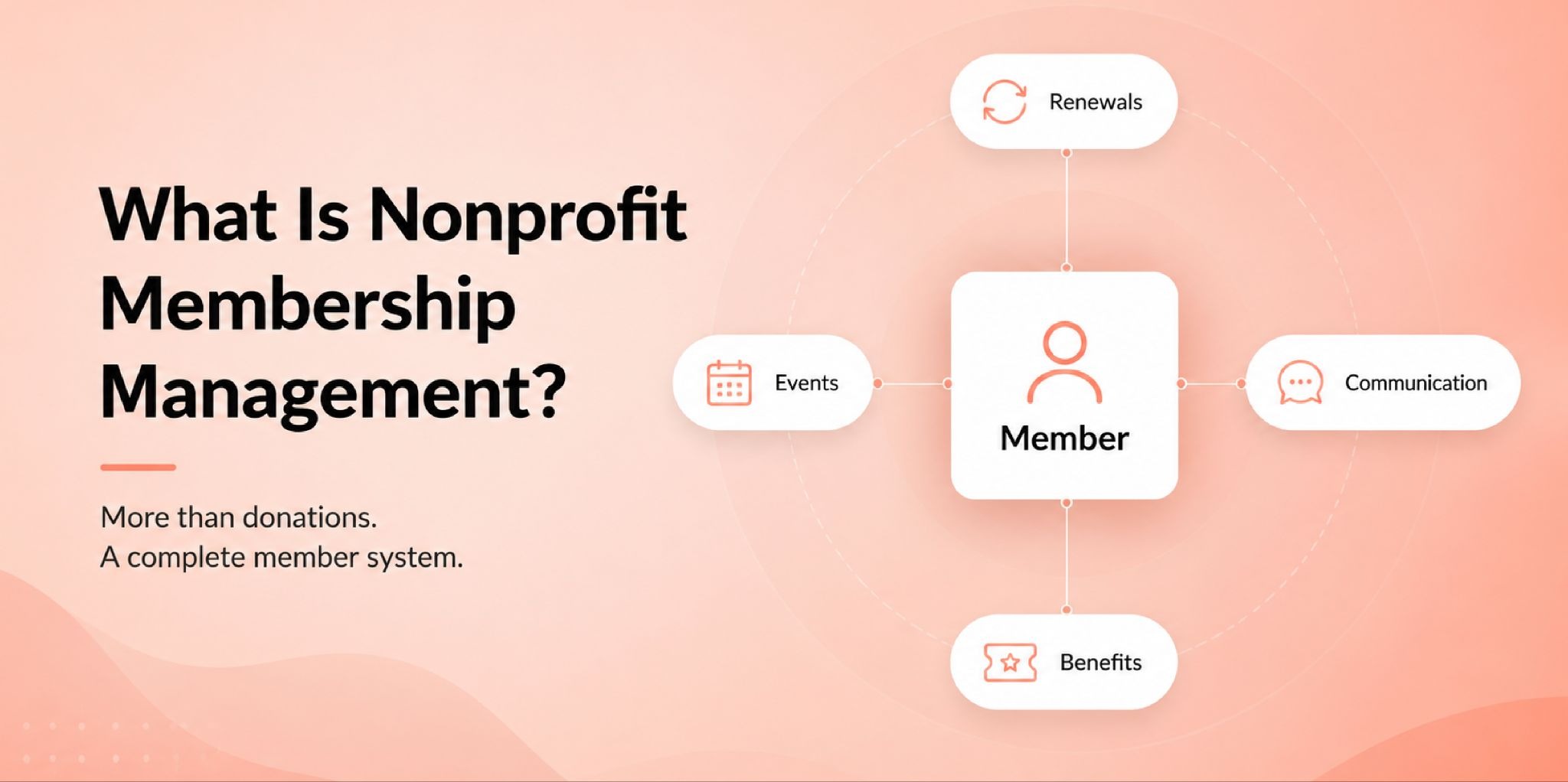
What Is Nonprofit Membership Management?
Nonprofit membership management is the full operating process of supporting a member relationship from the moment someone joins through every renewal, communication, event, and eventual lapse or departure.
It covers member records, dues collection, status tracking, renewal reminders, benefit access, engagement monitoring, and board reporting. Think of it as the operating system that keeps a member-based organization running between fundraising campaigns and annual events.
Membership management for nonprofits applies across a much wider range of organization types than most people realize. The IRS recognizes several exempt categories that commonly run membership programs: 501(c)(3) public charities, 501(c)(4) social welfare organizations, 501(c)(6) business leagues and chambers of commerce, 501(c)(7) social and recreational clubs, and 501(c)(8) fraternal societies. Operational practices look remarkably similar across all of them, even when tax treatment and dues deductibility differ significantly.
Membership management is not the same as donor management.
Donor management tracks gifts. Membership management tracks status, access, dues cycles, renewals, and member benefits. A donor CRM can handle the giving side of the relationship beautifully and still leave your renewal workflow completely unmanaged. That distinction matters more than most roundup articles admit.
It's also not the same as running a general nonprofit CRM. A CRM tracks contacts and activities. Membership management adds status logic, dues schedules, renewal rules, and benefit access layers on top of that contact record. Where a CRM ends and membership management begins is exactly where most small nonprofits start running into trouble, and where most generic articles stop being useful.
Why Nonprofit Membership Management Is an Operations Problem First
Here's a pattern that repeats across small nonprofits of every size and type: a team decides to "fix their membership problem" by purchasing new software. Data gets imported. Staff gets a training session. And within a few months, the new system is producing the same confusion as the spreadsheet it replaced.
The tools changed. The underlying problems didn't.
Those problems are almost always some version of five things:
- Record quality - duplicate entries, inconsistent status labels, missing renewal dates
- Renewal timing - reminders going out too late, too early, or to the wrong member segment
- Payment friction - members who want to renew but abandon the process partway through
- Staff or volunteer capacity - one person who understands how everything works with no backup plan
- Reporting visibility - dashboards that show totals but not trends, exceptions, or risk
The Blackbaud Institute's 2025 fundraising study found that 60% of nonprofits said better training would improve their technology use, and 56% said improved system integration would streamline operations. The tools were already there in most cases. The process wasn't.
Software amplifies whatever process exists underneath it. If the process is clean, software speeds it up. If the process is broken, software scales the chaos reliably and automatically.
One voice from a Reddit thread on nonprofit membership operations captured it simply: "We don't know who's renewed. We're manually checking dates and sending reminder emails one by one."
That's not a software problem. That's a workflow problem.
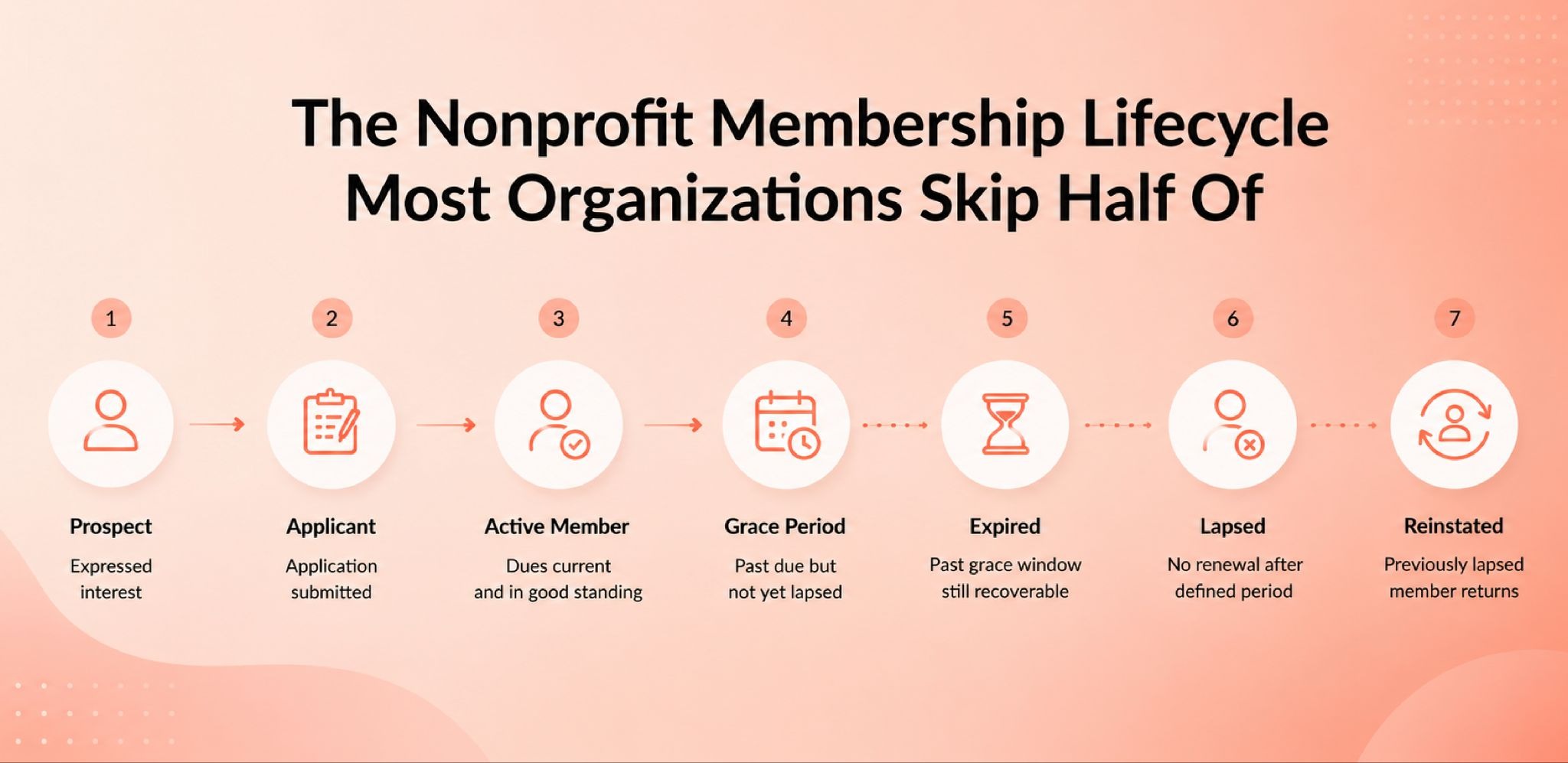
The Nonprofit Membership Lifecycle Most Organizations Skip Half Of
Every member moves through predictable stages. Most small nonprofit teams track two of them: "paid" and "not paid." The real lifecycle has more nuance than that, and skipping the middle stages is precisely why renewal confusion shows up at board meetings.
Here's the full picture:
Prospect. Someone who has expressed interest but hasn't joined yet. Tracking prospects separately lets you measure pre-member conversion, not just renewal rates.
Applicant or pending member. Application-based membership programs need this stage to clearly separate "applied" from "approved." Without it, active member counts become unreliable almost immediately.
Active member. Currently within their membership period with dues in good standing.
Grace period. A member whose end date has passed but who hasn't been formally lapsed yet. Grace periods are where quiet wins happen if a workflow is ready for them.
Expired member. Past the grace window. Still recoverable with the right outreach, but needs a different message than an active member approaching renewal.
Lapsed member. Has not renewed after a defined period. Needs a completely different communication strategy than someone who is simply late on payment.
Reinstated member. A previously lapsed member who came back. Worth tracking separately because win-back success rates reveal something important about your program's actual perceived value.
The most important concept across this entire lifecycle: membership status is not the same as payment status.
A member can be active with an invoice still pending. A member can sit in grace after a card failure. A member can be comped or scholarship-based and have paid nothing at all. And someone can complete a payment and still not be an active member if their application hasn't been approved yet.
When membership status and payment status live in the same field, reporting breaks, renewal logic breaks, and board meetings get uncomfortable.
How to Structure Nonprofit Membership Programs, Levels, and Tiers
Getting membership structure right before choosing a tool is one of the most consequential decisions a nonprofit can make. The model you choose determines your administrative load, your billing logic, and what your reporting can actually show.
Nonprofit membership model options to consider:
Individual memberships are the most straightforward. One person, one record, one dues amount, one renewal date. Easy to track, easy to report, easy to automate. The right starting point for most small nonprofits.
Household memberships extend access to a family unit under one dues payment. Useful for museums, community organizations, and recreational clubs. The key operational decision is whose contact details drive communications and renewal notices for the household.
Organizational or group memberships allow one institution or employer to pay dues covering multiple individual members. This is where billing contact separation becomes critical. The California Association of Public Administrators, Public Guardians, and Public Conservators reduced 1,500 individual renewal records down to 92 program-wide renewals by introducing group-level membership managers and explicit billing contacts, according to their published case study. That's not just an efficiency gain. It's an entirely different approach to membership architecture that makes renewals manageable at scale.
Open-join vs application-based nonprofit memberships:
Open-join programs let anyone sign up immediately. Application-based programs require a review step before membership is granted. Both models are valid, and many organizations run a combination depending on membership tier. The operational difference is that application-based programs need an explicit pending status, a defined approval workflow, and a communication sequence for applicants awaiting a decision. Without those pieces, pending applicants get counted as active members in reports, which corrupts the data from the start.
Setting clear nonprofit membership levels and tiers:
Tiers should change both the member's experience and your internal reporting logic. A basic level versus a premium level isn't just a pricing difference. It's a different benefits package, a different renewal reminder tone, and a different segment in your engagement reports.
Keep tiers simple enough for your team to manage consistently. Every tier you add creates a new reporting dimension, a new form configuration, and a new line in your renewal logic. More tiers than your team can explain clearly to a new volunteer is likely too many.
Special cases to define explicitly:
Honorary, student, board member, staff, scholarship-based, and sponsor-paid memberships all need defined status rules and renewal logic before they appear in your system. If a comped membership doesn't have explicit rules attached to it, it will create reporting and communication confusion every single renewal cycle. Define the exception once. Don't manage it case by case forever.
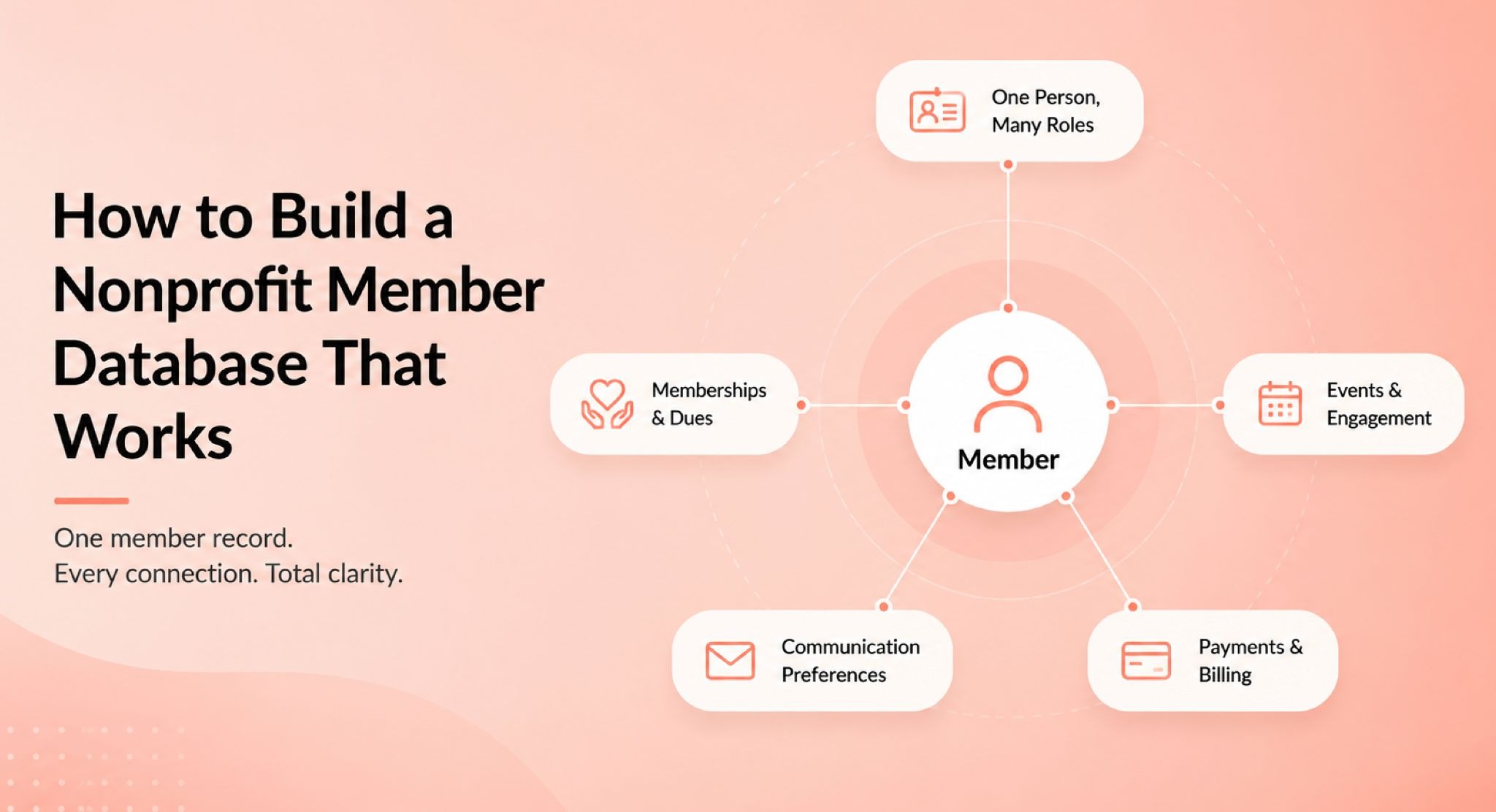
How to Build a Nonprofit Member Database That Works
A solid member database is not a contact list with extra columns. It's a system of record that connects one person to every way they interact with the organization.
One contact record. Many roles. That's the core principle, and it's the one most small nonprofits violate accidentally.
The same person can be a member, a donor, a volunteer, an event attendee, and a billing contact, all at once, without being stored as four separate records under four different spellings of their name. When the same human lives in multiple places across multiple systems, reports become guesswork and renewal emails become an embarrassment.
Washington Clay Arts scaled from around 400 to nearly 950 active members. A central part of making that growth manageable was the ability to look up member accounts quickly, resolve duplicate records, and report actual membership numbers rather than estimates to their board, according to their published case study.
What a nonprofit membership database should include at minimum:
- Core identity fields: name, contact details, preferred communication channel
- Membership fields: type, level, status, join date, start date, renewal date, end date, grace end date
- Payment fields: dues amount, payment method, recurring enrollment status, invoice status, failed-payment flag
- Engagement fields: events attended, volunteer activity, committee participation, tags and interests
- Communication fields: opt-in status, channel preferences, bounce status, do-not-contact flags
One field teams consistently overlook: who is the billing contact?
In organizational memberships, the person who pays dues is frequently not the person who should receive the newsletter, the event invitation, or the renewal notice. Records that don't separate these roles explicitly create a persistent source of billing errors and communication confusion that compounds each renewal cycle.
A good membership form builder makes this separation easier from the start, collecting the right information from the right person at the right stage rather than chasing missing fields after the fact. The forms used for joining, applying, and renewing should also be different configurations, not one generic form that creates data problems and a poor member experience at every stage.
One more rule worth stating plainly before migrating anything: run a data hygiene audit first. Standardize status labels, merge duplicate records, verify renewal dates, and confirm who is the member versus who is the payer. Better software cannot fix a broken data model by itself.
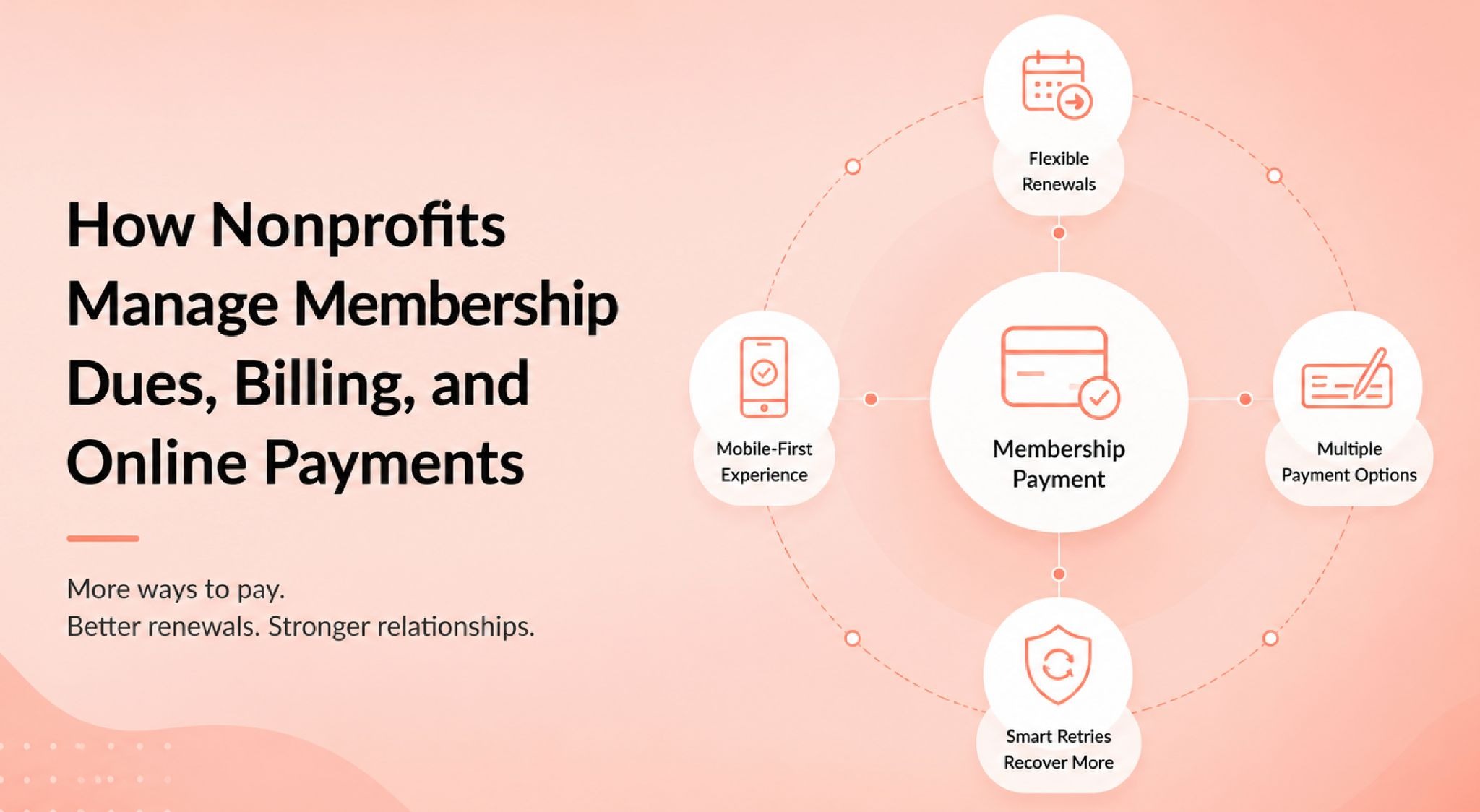
How Nonprofits Manage Membership Dues, Billing, and Online Payments
Collecting dues sounds simple. In practice, it's one of the highest-friction points in membership operations, and the friction usually appears at exactly the wrong moment in the member relationship.
To process membership payments cleanly, a few decisions need to happen before anything gets built: annual or rolling dues? Calendar-based or anniversary renewals? Recurring billing or manual invoices?
Each model carries a different administrative load. Annual calendar renewals create a predictable surge of activity in January or February, manageable if the workflow is prepared well in advance. Rolling memberships spread the effort evenly across the year but require continuous date monitoring. Monthly recurring billing is growing rapidly across the sector: according to M+R's 2025 Benchmarks, monthly giving increased 11% year over year and now accounts for 31% of online revenue for nonprofits in their sample.
For membership teams, that shift matters practically. Recurring dues with stored payment methods is no longer a "nice to have." It's becoming a baseline expectation from members who manage subscriptions this way in every other part of their financial lives.
Mobile matters here too. M+R's 2025 data found that more than half of nonprofit website traffic now comes from mobile devices. If your dues payment experience isn't optimized for a phone screen, you're creating friction at the exact moment a member is most likely to complete a renewal.
Don't assume every member is ready or willing to pay online. Community discussions across nonprofit forums consistently show that even when leadership prefers card payments, members sometimes still favor checks, particularly for higher-dollar organizational or institutional dues. A practical dues workflow acknowledges this hybrid reality rather than forcing everyone through one channel and quietly losing the holdouts.
A clear approach to how to track membership dues separately from general financial records keeps your membership status reporting clean and your finance reconciliation accurate. Payment history should connect to the member record without replacing membership status as the primary reporting field.
Failed payments are not immediate churn. A card decline is a prompt to act, not an automatic cancellation. Smart retry logic and a well-timed message asking members to update their payment method can recover a meaningful portion of those failures before the member even realizes there was a problem. Treat failed payments as a retention opportunity first.
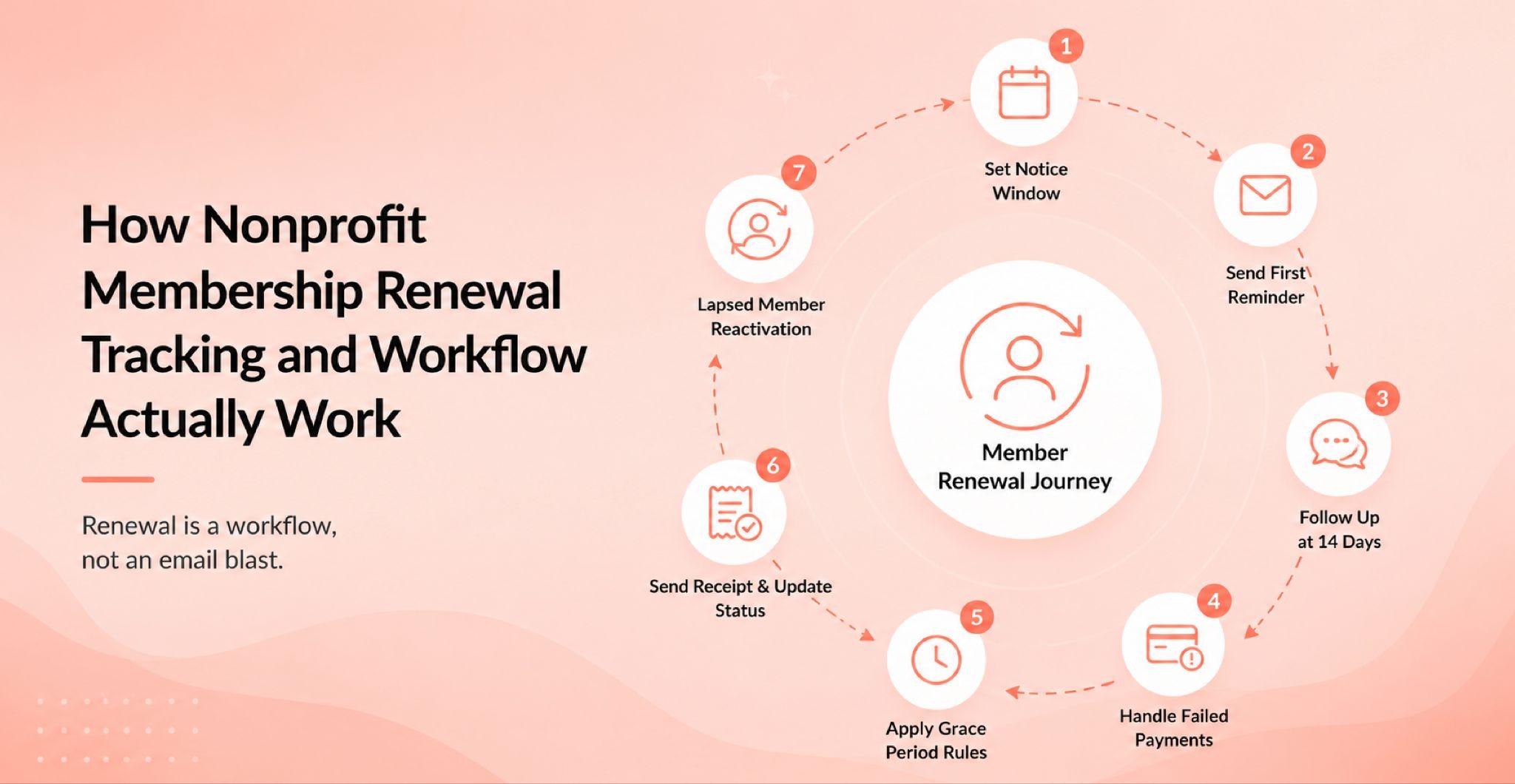
How Nonprofit Membership Renewal Tracking and Workflow Actually Work
This is the most important reframe in this entire article: renewal is a workflow, not an email blast.
Most small teams treat renewal as a single moment. Send a reminder, wait, see who pays. The organizations that retain members consistently treat renewal as a sequence with defined rules at every stage.
A real nonprofit membership renewal workflow looks like this:
- Set a notice window appropriate to your dues model (30, 60, or 90 days before end date)
- Send a first reminder with a clear renewal link, pre-filled with the member's current information
- Follow up with members who haven't acted at the 14-day mark with a shorter, more direct message
- Handle failed payments separately from members who simply haven't renewed yet (different problem, different urgency, different tone)
- Apply grace-period rules consistently across all members, not case by case based on who asks
- Send a post-renewal receipt and update membership status immediately upon payment confirmation
- Trigger a lapsed-member reactivation message once grace ends, with language that acknowledges the gap honestly
Automated renewal reminders tied to membership end dates make the early stages of this sequence reliable without requiring a staff member or volunteer to manually review a spreadsheet every Monday morning.
The Fundraising Effectiveness Project's 2025 data found that overall donor retention reached only 43.3%, with donor counts declining 3.6%, and first-year conversion still described as the sector's "most consequential unsolved problem." While that's donor data rather than pure membership data, the pattern maps directly: the first renewal is always the hardest one to win, and the organizations that win it consistently have a process, not just a reminder.
The International Music Association credited automated renewal reminders directly with improving how many members stayed active, while Drug Science highlighted automated expiry notifications and failed-payment alerts as core to making their supporter program reliable, according to their respective case studies. The lesson from both: the mechanics of renewal matter more than the message.
For a deeper look at what keeps members active past their first year, these member retention strategies cover the full retention picture with practical frameworks for small teams.
How to Improve Nonprofit Member Retention With Onboarding
Here's an uncomfortable truth: most nonprofit member onboarding ends when the welcome email lands in the inbox.
The members most likely to renew are the ones who took a meaningful action in their first 90 days, not the ones who received a friendly message and then heard nothing for six weeks.
The GivingTuesday research found that the share of recurring donors rose from 3.76% in 2019 to 6.23% in 2024, with researchers estimating that increasing the share of new donors who start as recurring contributors by five percentage points could add $10 billion annually to the nonprofit sector. The membership parallel is direct: supporters who become active early are far more likely to stay, renew, and eventually become your most reliable advocates.
A 90-day nonprofit member onboarding plan built around intentional touchpoints changes that pattern:
Week 1. Reflect back what the member said they wanted at signup. Connect them to one specific resource, event, or person relevant to their stated interest. Generic welcome messages do less than you think. Personalized ones do more than most teams expect.
Day 30. Ask one low-effort question. Did they find what they were looking for? The answer tells you more than any annual survey.
Day 60. Reinforce value with something concrete. A member story, an outcome the organization achieved, tangible evidence that the membership is doing what it promised.
Day 90. Renewal-readiness checkpoint. Make sure their payment method is current, their renewal date is visible to them, and they understand what staying means for the coming year.
Smart member communication at each of these moments doesn't require sophisticated automation. It requires intentional sequencing and a clear answer to one question at each stage: what is the one action we want this member to take right now?
Cannon Valley Makers, a volunteer-run makerspace that launched during the pandemic, grew from roughly 30 to around 380 members without scaling administrative overhead, according to their published case study. The key was removing the manual burden from routine touchpoints so human attention could go where it genuinely mattered.
Segment your onboarding by member type, interest area, or membership level wherever practical. The first-week message to a student member should not be identical to the one a corporate sponsor receives. That personalization doesn't require complex tools. It requires a clear understanding of why different people joined and what they need most in week one.
How to Track Nonprofit Member Engagement Between Renewals
Renewals don't happen in isolation. They are downstream of every interaction, or every missed interaction, a member experienced in the preceding twelve months.
Organizations that treat membership as a purely transactional relationship (dues in, benefits out) consistently see the weakest renewal numbers. The ones that build a consistent engagement rhythm between renewal cycles tend to see the opposite.
Membership automation can handle routine touchpoints reliably: event invitations, anniversary messages, status change notifications, and periodic benefit reminders. The goal is not to automate everything. The goal is to free up human attention for the moments that genuinely require it.
Practical nonprofit member engagement signals worth tracking beyond dues payments:
- Event attendance, specifically attended versus simply registered, which are very different data points
- Volunteer hours and activity types logged against the member record
- Committee or chapter participation and contribution level
- Donation activity that overlaps with active membership status
- Portal logins or benefit access where those are trackable
The ASAE's 2024-2025 community research found that 90% of association executives said community is essential to their mission, yet only 30% had dedicated staff for community work. That gap is the real engagement challenge most member-based nonprofits face. Not the absence of a software feature. The absence of intentional, consistent contact.
Self-service tools that let members update their own profiles, register for events, and manage their payment details shift low-value administrative work away from staff inboxes. When members can manage their own information, data stays fresher without requiring staff time, and the window between a failed payment and a corrected card shrinks significantly.
When your reporting surfaces a member who is attending every event but still hasn't renewed, that's a human conversation, not an automated email sequence. The system's job is to make those members visible. Your team's job is to reach out.
Nonprofit Membership Reporting Your Board Actually Needs
Most membership reports show a total. Boards need movement.
The Winchester VA Local AAPC Chapter started with roughly 300 contacts and no reliable way to distinguish active members from lapsed ones. After centralizing records and building a repeatable tracking workflow that connected outreach, events, and member data, the chapter reported 650% revenue growth in one quarter and more than 20 admin hours saved per quarter, according to their published case study. What changed wasn't just the total member count. What changed was the visibility into what was actually happening week to week.
A board-ready nonprofit membership reporting dashboard should show:
- Active members, grace-period members, and lapsed members as separate, clearly labeled counts
- New joins and renewals since the last meeting, not since the organization was founded
- Renewals due in the next 30, 60, and 90 days as a forward-looking risk indicator
- Failed payments currently awaiting action from staff or a volunteer
- A short narrative: what changed since last meeting, why it matters, what specific decision is needed now
BoardSource reports that 54% of nonprofit CEOs and executive directors intend to leave their roles within five years. If membership data lives in one person's memory, or in a spreadsheet only one volunteer can interpret, that's not just an administrative inconvenience. That's an institutional risk that surfaces the moment that person walks out the door.
A clean dashboard and a documented workflow solve both the reporting problem and the succession problem at once.
There is also no single sector-wide benchmark for nonprofit membership retention comparable to what the Fundraising Effectiveness Project provides for donor retention. That absence matters. The most useful thing your organization can do is build its own internal benchmarks: renewal rate by cohort, by membership level, by acquisition channel, and by first-year versus multi-year members. Those internal numbers tell you more than any industry average ever will.
Spreadsheets vs Nonprofit Membership Software: How to Decide
Spreadsheets can work well. For a small organization with straightforward annual renewals, low member volume, and one disciplined owner who maintains the structure consistently, a well-organized spreadsheet beats a software platform that nobody uses correctly.
The warning signs that a spreadsheet is starting to fail:
- Status fields are inconsistent ("active," "Active," "yes," "CURRENT," "paid 2024")
- Renewal dates are missing, estimated, or live only in someone's email inbox
- The person who built it is the only one who can interpret it accurately
- Payment records and member records live in different files that never quite agree
- Multiple people are editing the same document and creating version conflicts
- The board is asking questions the spreadsheet simply cannot answer
When those patterns appear, it's time to seriously evaluate membership management software built specifically for nonprofit workflows, rather than a general-purpose CRM adapted for a job it wasn't originally designed to do.
Understanding the real difference in membership software vs CRM before shopping saves significant time and prevents the common mistake of buying enterprise complexity for a 200-member organization that needs a clean, simple system.
Drug Science, a UK-based charity, attempted a CRM implementation that turned out to be significantly heavier than the organization needed day to day. They moved to a simpler option that handled recurring payments, expiry notifications, and event integration without adding large administrative overhead, according to their published case study. The lesson: match the tool to the workflow you actually have, not the feature list you imagine needing someday.
For real membership management examples from organizations at different stages of this decision, the before-and-after stories reveal patterns that feature comparison tables never show.
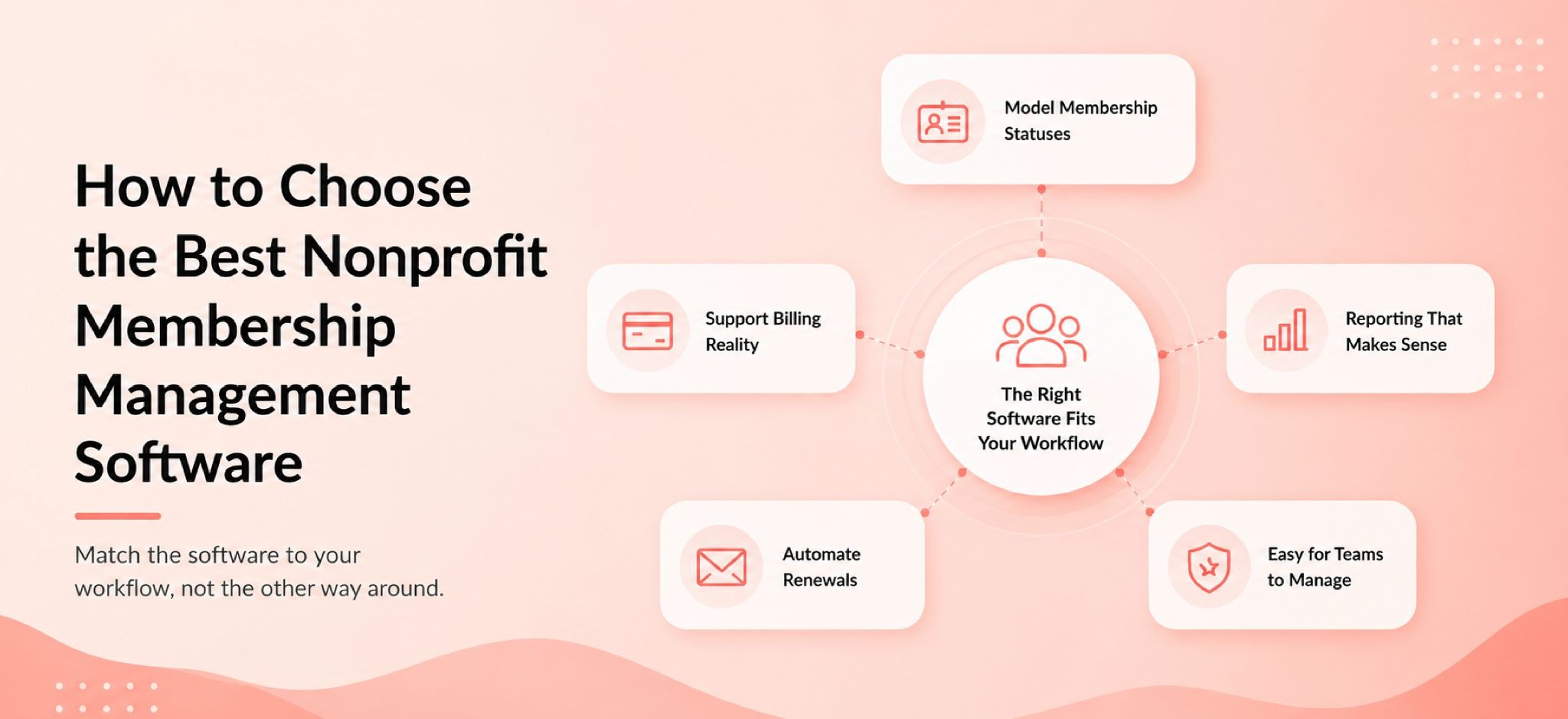
How to Choose the Best Nonprofit Membership Management Software
The right approach is to start with your workflow before building a feature wishlist.
Most software shopping goes wrong because teams start by comparing feature lists rather than asking what their actual renewal workflow looks like today and what it needs to look like six months from now. The software should fit the process. Not the other way around.
Start by answering these questions before evaluating any platform:
- What membership statuses does our program actually use, and can the system model all of them correctly?
- How do we handle billing contacts who pay for multiple individual members?
- What payment methods do our members actually use today, including checks and invoices?
- What does our board need to see monthly, and can the platform produce it without manual assembly?
- Who will own the system day to day, and what is their realistic technical comfort level?
Features to look for in nonprofit membership management software:
A strong platform should handle member records with full status logic, renewal reminders tied to end dates rather than calendar dates, online forms configured differently for joining versus renewing, integrated payment processing with recurring billing options, self-service member profile management, failed-payment handling with retry logic, and reporting that separates headcount, revenue, and engagement as distinct views.
Red flags worth taking seriously during nonprofit software comparison:
The platform is demonstrably more complex than the team that will actually run it. Reporting is weak or data exports require additional fees. The tool cannot model the difference between a billing contact and a member contact. AI features are highlighted prominently in sales conversations but data quality and governance aren't mentioned.
That last point matters more than it might seem. The Blackbaud Institute's 2025 study found that 82% of nonprofits are already using AI tools, but only 14% have an AI policy in place. Automation and AI scale whatever data and process exist underneath them. If the data is messy and the process is undocumented, smart features make things messier faster.
The three main nonprofit membership software categories:
Association management software (AMS) is built for complex multi-chapter organizations with credentialing, event management, and publication workflows. It's powerful, often expensive to license, and typically slow to implement. Right for large associations, usually overkill for small nonprofits.
Nonprofit CRMs with membership modules handle the donor relationship well and add membership tracking as a secondary layer. They work when the organization has heavy donor-member overlap and simpler membership structure. Where they often fall short is in modeling status rules, grace periods, and billing-contact separation cleanly.
Membership-first platforms are designed specifically around the membership workflow: statuses, dues, renewals, forms, and communication. They're typically lighter, faster to implement, and more appropriate for small to mid-sized member organizations that don't need full AMS functionality but have outgrown a spreadsheet.
The right category depends on your member volume, your dues complexity, your reporting requirements, and honestly, the realistic capacity of the team who will run it every week.
How to Migrate Nonprofit Member Records Without Breaking Renewals
The single most common migration mistake is rushing the import.
Teams spend weeks evaluating software and hours negotiating pricing, then try to complete the data migration over a single weekend. Renewals go out to wrong addresses. Payment methods don't transfer. Status fields that were inconsistent in the spreadsheet become inconsistent in the new system at scale. Members notice, and they don't forget.
Here's how to migrate without the chaos:
Step 1: Audit current nonprofit member records before touching the new system.
Identify and merge duplicate contacts using defined rules, not instinct. Standardize all status labels to a defined vocabulary before any data moves. Verify renewal dates for every active and grace-period member. Confirm who is the member contact and who is the billing contact in every organizational membership. Separate active, grace, expired, and lapsed members into clearly defined groups before migration begins.
BoardSource reports that 54% of nonprofit leaders plan to leave within five years. If your migration happens while institutional knowledge is still in the building, you have a window to capture that knowledge in documentation. That window closes when people leave.
Step 2: Build the migration map and test with a real sample.
Define precisely how every field in your current spreadsheet maps to a field in the new system. Decide explicitly what to do with historical data that doesn't fit cleanly: archive it, discard it, or move it to a note field. Import a representative sample of 20 to 30 records covering different membership types and statuses, then test the full workflow for each: renewal reminder, payment link, receipt, status update, failed-payment response. Find the problems on a small sample before importing 800 members at once.
Step 3: Launch without disrupting active nonprofit renewals.
Time your migration to avoid the peak renewal period wherever possible. Run parallel reporting briefly after launch to verify that member counts and status breakdowns match between old and new systems. Tell members clearly what is changing and what the new renewal process looks like. Watch the first 30 days of reminder sends, payment success rates, and incoming support questions closely.
Step 4: Document the nonprofit membership process for the next person.
Write down the membership workflow in a format that a new volunteer could follow in their first week. Not a technical manual. A one-page summary that defines who owns which tasks, what the renewal calendar looks like month by month, and what to do when edge cases arise. Independent Sector values a volunteer hour at $34.79 in 2025. Every hour a new staffer spends figuring out an undocumented process is a real economic cost that a one-page document prevents.
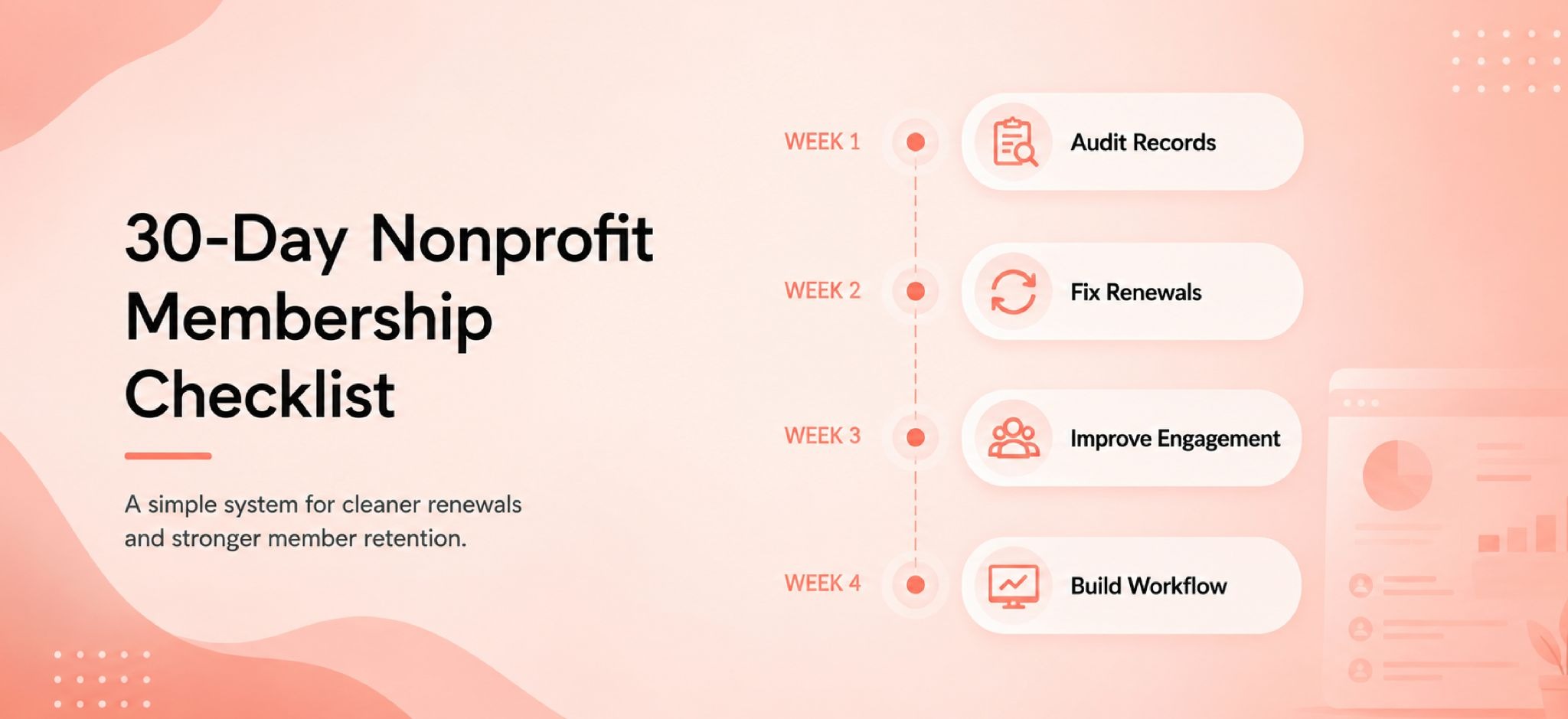
30-Day Nonprofit Membership Management Checklist for Small Teams
If your organization is starting from scratch or rebuilding after spreadsheet chaos, here's a practical four-week starting point.
Week 1: Audit Nonprofit Member Records and Statuses
- List every source where member data currently lives (spreadsheets, email lists, payment tools, paper files)
- Identify duplicate records and decide on merge rules before touching anything
- Standardize status labels across all records to a defined vocabulary
- Verify renewal dates for every active member and every member currently in grace
- Confirm billing contact versus member contact for every organizational membership on file
Week 2: Fix Nonprofit Dues Collection, Renewal Reminders, and Grace-Period Rules
- Define your grace-period length explicitly and write it down as formal policy
- Set up or formally document your renewal notice window (30, 60, or 90 days before end date)
- Test your dues payment experience on a mobile device exactly as a member would experience it
- Create a documented failed-payment response process before the next card decline happens
- Separate dues records from general financial records in your tracking system
Week 3: Improve Nonprofit Member Onboarding, Communications, and Engagement Tracking
- Write or update your Week 1 new-member message to reflect what members said they wanted at signup
- Schedule a Day 30 check-in touchpoint for every new member going forward
- Define which engagement signals your team will actually track: event attendance, volunteer activity, committee participation
- Review your last three months of outgoing communications and identify gap periods where members heard nothing
Week 4: Build the Nonprofit Membership Dashboard, Assign Ownership, and Document the Workflow
- Build a simple dashboard showing active, grace, lapsed, due-soon, and failed-payment counts separately
- Assign one person as the primary membership owner, even in a fully volunteer-run organization
- Write a one-page process document covering the renewal calendar, reminder sequence, and what to do when exceptions arise
- Schedule a monthly membership review so problems get caught before they become patterns
Common Nonprofit Membership Management Mistakes to Avoid
These show up consistently across Reddit discussions, TechSoup forums, and CiviCRM community threads:
Treating software as the strategy. The tool does not create the renewal workflow. The team does. Software without a documented process produces automated chaos at scale, reliably.
Confusing the payer with the member. A TechSoup forum discussion highlighted this precisely: in member organizations, the person who pays dues is frequently not the person who should receive general updates, event invitations, or renewal notices. Records that don't reflect this distinction create recurring billing and communication errors.
Making renewal harder than first join. If a renewing member has to re-enter information they already provided at signup, friction is being created at exactly the worst moment in the member relationship.
Reporting total members without trends, segments, or risks. A headcount without context is a data point, not a report. Boards need to see movement, exceptions, and forward-looking risk.
Using one reminder message for active, grace-period, and lapsed members. These are different situations requiring different tones and different asks. One generic blast sent to all three segments will underperform with each one of them.
Waiting too long to document the membership process. If the workflow exists primarily in one person's memory, it leaves when they do. Documentation is not bureaucracy. It's institutional resilience.
Over-automating before cleaning the data. Automation scales whatever exists underneath it. Clean data and clear status rules must come first, then automation.
Nonprofit Membership Management FAQs
What is nonprofit membership management?
Nonprofit membership management is the full operating process of tracking and supporting a member relationship from joining through dues, status changes, renewals, communications, benefit access, engagement, and reporting. It is the operational layer that keeps a member-based organization running between campaigns and major events.
What is membership management software for nonprofits?
Membership management software for nonprofits is a purpose-built platform that handles member records, dues collection, status tracking, renewal reminders, online membership forms, and basic communication in one place. It differs from a general nonprofit CRM by adding membership-specific logic around statuses, dues cycles, grace periods, and benefit access.
How do nonprofits manage memberships when members also donate or volunteer?
By treating "member," "donor," and "volunteer" as different roles attached to one base contact record, rather than creating separate records for the same person in different systems. One canonical contact connected to all their activities keeps reporting clean, prevents duplicate communication, and makes it possible to see the full member relationship in a single view.
What should a nonprofit membership database include?
At minimum: one record per person or organization, membership status, join date, start date, renewal date, end date, grace end date, payment method, recurring enrollment flag, communication preferences, and engagement history. Organizational memberships should also explicitly record the billing contact separately from the member contact.
What is the difference between a nonprofit member database and a CRM?
A CRM tracks contacts, activities, and gifts without membership-specific logic. A nonprofit member database adds status rules, dues cycles, renewal dates, grace periods, reinstatement history, and benefit access layers on top of the contact record. Some nonprofit CRMs include membership modules, but the quality of the status and renewal logic they support varies significantly between platforms.
How do you track active, expired, and lapsed nonprofit members?
By defining explicit status rules in advance: what date triggers a move from active to grace, from grace to expired, from expired to lapsed. Then tracking join date, start date, renewal date, end date, grace end date, and reinstatement history as separate fields in the member record. Automated status updates tied to those dates prevent the "we don't know who's current" problem most small nonprofits experience.
How do nonprofits collect membership dues online and offline?
Online dues are collected through integrated payment forms accepting credit cards, ACH transfers, and stored payment methods for recurring billing. Offline dues still arrive as checks, paper applications, or manual bank transfers in many small nonprofits. A practical dues workflow accommodates both, with clear processes for recording offline payments against the member record without creating two separate and disagreeing tracking systems.
When should a nonprofit move from spreadsheets to membership software?
When statuses are inconsistent across records, renewal dates are missing or unreliable, multiple people need simultaneous access to current member data, online dues collection is genuinely necessary, or automated reminders are needed to replace manual date checking. The right time to move is before the data becomes chaotic, not after the next renewal cycle has already been missed.
What should nonprofit membership management software include?
Member records with explicit status logic, renewal reminders tied to end dates rather than calendar dates, online forms configured differently for joining versus renewing, integrated payment processing with recurring billing and failed-payment handling, self-service member profile management, and reporting that separates headcount, revenue, and engagement as distinct views. Any platform missing member status logic or failed-payment recovery is missing core functionality.
Can a donor CRM replace nonprofit membership software?
Sometimes, but with real limitations. A donor CRM handles the giving relationship well and can track membership as an additional field. Where it typically falls short is in modeling membership statuses cleanly, automating renewal reminders tied to end dates, handling grace periods and reinstatements correctly, and generating board-ready membership reports that separate headcount from revenue. Organizations with heavy donor-member overlap and simple membership structure sometimes make it work. Organizations with complex dues models or multiple membership types usually find the limitations compound over time.
How can nonprofits improve member retention without adding more admin work?
By building a renewal workflow with explicit status rules, a reminder sequence tied to end dates rather than staff memory, a failed-payment recovery step before any cancellation, and a 90-day onboarding plan that extends well past the welcome email. Retention improves consistently when renewal is easy to complete, member value is visible between renewals, and staff can act on the data in front of them without manual date checking.
What is the best membership software for small nonprofits?
The best fit depends on dues model, member volume, payment complexity, and the realistic capacity of the team running it. The right question is not "which platform has the most features?" but "which platform matches the process my team will actually run every week?" A simple membership management platform built for small teams will consistently outperform an enterprise system that nobody has the time or training to use correctly.
The Bottom Line
Nonprofit membership management is not a software category. It's an operating discipline.
Clean records. Explicit status rules. A renewal workflow with real stages and documented logic. Onboarding that extends well past the welcome email. Engagement tracking between renewal cycles. Reporting that shows movement and exceptions rather than totals. A process documented clearly enough that a new volunteer can follow it on their first day.
That combination is what separates membership programs that grow steadily from ones that quietly shrink while the board wonders why the numbers keep shifting.
If you're ready to build or rebuild your membership operations and want to see how a purpose-built tool fits into that process, you can book a call with the team, or start a free trial and experience what a cleaner system actually feels like.
Sources
- Blackbaud Institute. 2025 Fundraising and Technology Study
- Member365. CA PA|PG|PC Membership Management Case Study
- Join It. Washington Clay Arts Association Case Study
- M+R Benchmarks. 2025 Fundraising Data
- M+R Benchmarks. 2025 Website Performance Data
- Fundraising Effectiveness Project. 2025 Fundraising Report
- GivingTuesday. Recurring Giving Research 2024
- Join It. Cannon Valley Makers Case Study
- ASAE. Building and Sustaining Community 2024-2025
- Join It. Winchester VA Local AAPC Chapter Case Study
- BoardSource. Communicating a Planned CEO Transition
- Independent Sector. Value of Volunteer Time 2025


