A Volunteer Check-In Checklist for Membership Events
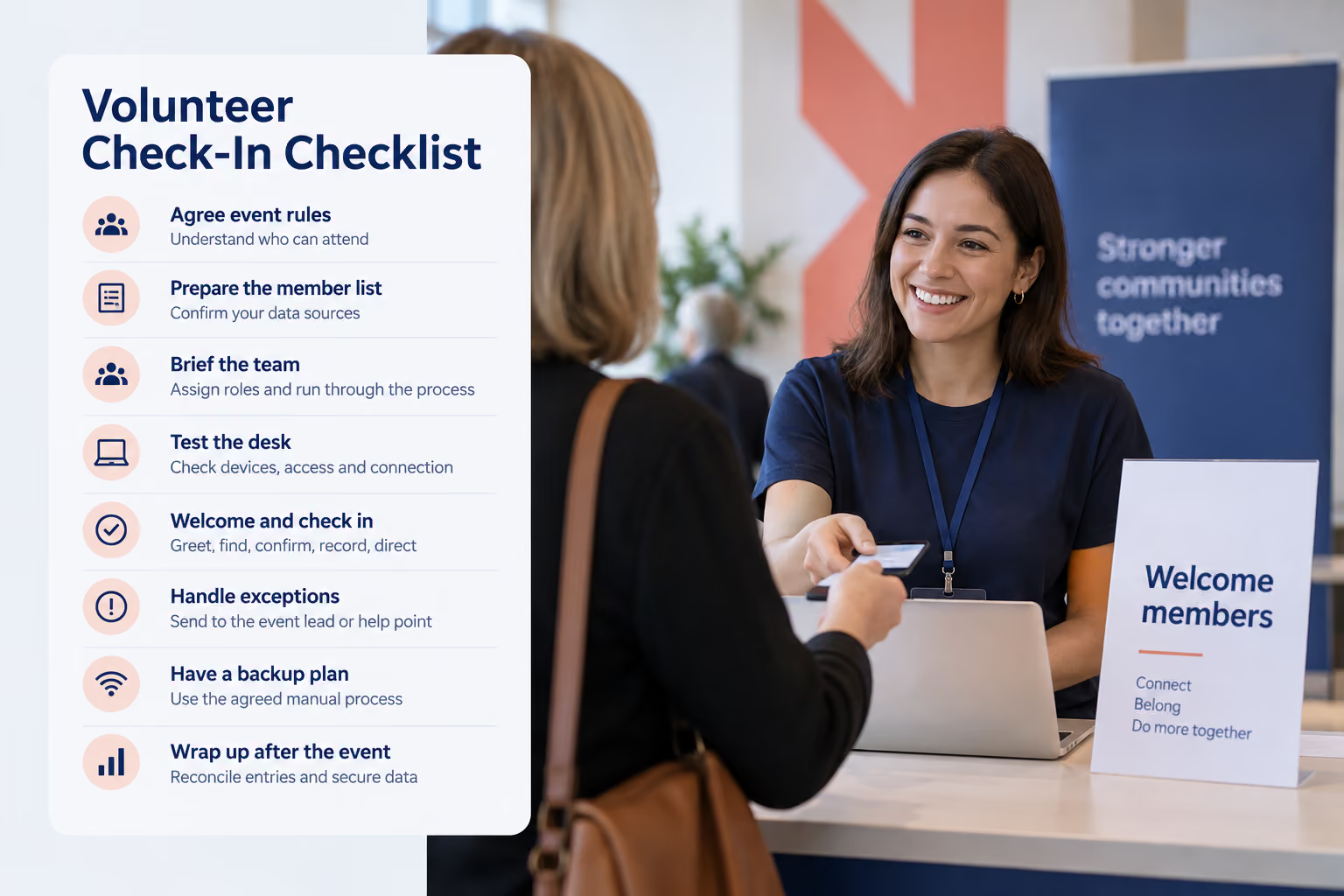


A volunteer check-in checklist should cover the member list, entry rules, volunteer roles, device tests, exceptions and a backup process. Before doors open, agree who can attend and who handles questions. During arrivals, greet each person, find the correct record, confirm eligibility and record the visit. Afterward, reconcile attendance and pass unresolved questions to the event lead.
This checklist is for volunteers welcoming attendees at a membership event. It helps your team prepare for a club meeting, association gathering or member activity without expecting every volunteer to know the whole membership system.
The aim is a friendly welcome and a clear next step, even when someone's details need a closer look.

What should be on your volunteer check-in checklist?
Use the checklist below in your event briefing. Assign a named person to each task and adapt it to your event's rules.
Before the event: agree who can attend
Separate membership from event registration
An active membership and a place at an event can be two different things.
Your event might be open to all active members. It might also require a booking, have limited capacity or include a paid ticket. Tell volunteers which checks apply.
Write the rule in plain language. For example: “This session is for active members with a confirmed booking. Guest requests go to the event lead.”
If you collect bookings separately, agree how the welcome team will check the registration list alongside the membership record. A member card alone should not be treated as a confirmed event reservation.
Join It's event registration and member check-ins address related parts of the member experience. Confirm the workflow your event will use before briefing volunteers.
Make a short exception policy
Decide how your team will handle guests, walk-ins, expired memberships and re-entry. Give one named lead responsibility for decisions outside the normal rule.
Volunteers should know how to reach that person and where to send a member for help.
Keep payment disputes and detailed account questions away from the main arrival queue. A quieter help point makes the conversation easier for everyone.
Prepare the information the welcome team needs
Choose a clear source for current membership information.
If you are using a printed or exported list, note when it was produced and how to check recent joins or renewals. If you use a live database, check that the right people can access it at the venue.
Prepare only the information needed for the task. A check-in sheet may need a name, membership identifier and event eligibility marker; it usually does not need a member's full payment history.
Keep separate bookings, guest lists and membership records clearly labeled. Volunteers should be able to tell which list answers which question.
A shared membership database can help the team find the same member record when several people assist with arrivals.
Brief volunteers on a simple arrival routine
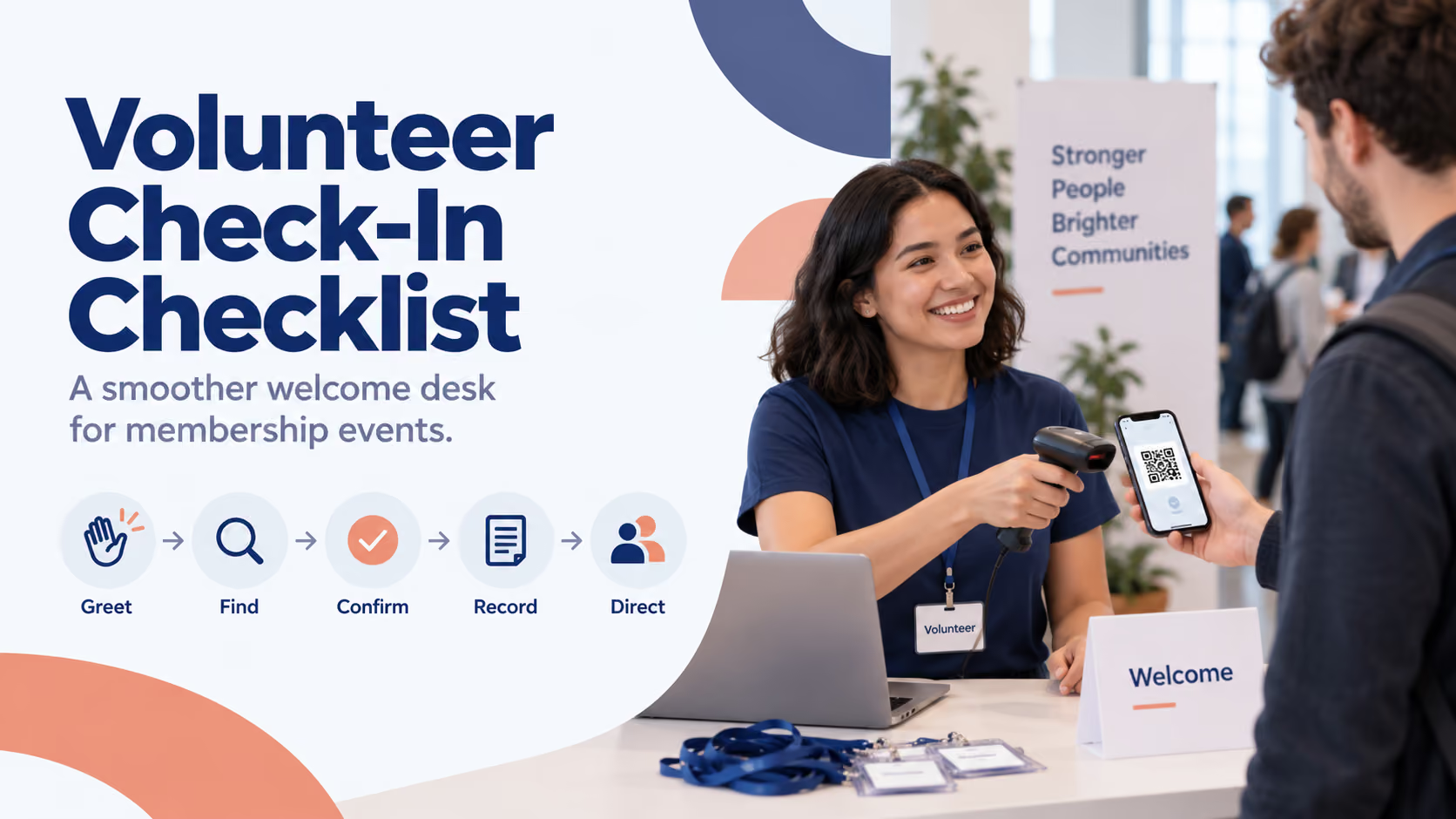
Use the same five steps for normal arrivals: greet, find, confirm, record and direct.
1. Greet the member
Welcome the person and explain what you need: their name, member card or booking details, depending on your process.
For example: “Welcome! Could I have your name or membership card so I can check you in?”
Offer a lookup route for people who do not use a smartphone or cannot find their card.
2. Find the correct record
Scan the card or search using your agreed method. Where names are similar, confirm another suitable detail discreetly before choosing a record.
Avoid asking volunteers to create a new membership simply because the first search returns nothing. The member may be listed under another name or contact detail.
3. Confirm eligibility
Check the conditions that apply to the event: membership status, membership type, booking or ticket.
A successful scan helps locate information. Your process still needs to establish whether the person qualifies for this event.
Where benefits are personal, explain any additional identity check your organization requires.
4. Record the arrival
Complete the check-in action and look for confirmation that it was recorded.
Agree how to handle someone who leaves and returns. If the team records every return as a new visit, that can affect how you interpret attendance later.
5. Direct the member
Give one clear next instruction: where to collect a badge, leave a coat or find the session.
The check-in record matters, but so does helping the member feel ready to take part.
Assign roles that fit your volunteer team
For a larger arrival period, separate the greeting and queue guidance from record lookup and exception handling.
For a smaller gathering, one person may handle the normal arrival steps while the event lead stays available for questions.
Rehearse a normal arrival and one exception before opening. Ask each volunteer to practice finding a record, recording a visit and contacting the lead.
Use access appropriate to the task. In Join It, Frontdesk permissions support member check-ins and individual membership edits, but exclude configuration settings and bulk updates. Read-only access does not allow check-ins. Review these differences before inviting volunteers; Frontdesk is broader than scan-only access.
Test the devices where check-in will happen
A device that worked at home may behave differently at the venue. Test the actual welcome desk before members arrive.
Check:
- The internet connection at that location.
- Sign-in and permissions for the people operating the desk.
- Charging, power connections and any spare equipment.
- A sample card scan or record lookup.
- The completed check-in and where it appears.
- Screen readability and the physical layout of the desk.
Keep cables out of the arrival route and make sure volunteers can speak comfortably with members.
If your organization uses digital membership cards, explain how members should access theirs before the event. Our practical guide to digital membership cards provides a useful starting point for member instructions.
How should volunteers handle common check-in problems?
The member cannot find their card
Use the agreed member-lookup process. Help with retrieving the card can happen after their eligibility is checked, without holding up everyone behind them.
The name is missing or several records match
Ask for another appropriate identifying detail and refer the case to the lead if it remains unclear.
Avoid changing records or creating a membership just to clear the queue.
The membership appears expired
Ask the event lead to review it privately. The member may have a renewal question or a recent update that needs checking.
Volunteers should apply the event's agreed policy rather than improvising a grace period.
The member is active but has no booking
Check the event's registration rule and availability with the lead. Membership and event capacity need separate decisions where a booking is required.
The system shows a previous check-in
Check whether this is re-entry, an accidental repeat or another attendance record. Follow the agreed recording rule before adding or removing anything.
What should your backup check-in process include?
Prepare a minimal manual log and a clear decision process before the event.
The log should capture enough to identify the attendee, note the arrival and indicate whether the entry still needs adding to the main system. Keep it with the welcome team.
If live status cannot be checked, volunteers should follow the organizer's pre-agreed admission policy. A backup list may be older than the current membership record.
Do not assume that a digital card displayed on a phone means the check-in system can record visits offline. Confirm your provider's capabilities in advance.
When service returns, nominate one person to reconcile the backup log. Check whether arrivals were already recorded before adding them. Preserve the distinction between the actual event arrival and any later data-entry time.
How can Join It support a volunteer welcome desk?
Join It supports check-in from a membership record and through digital membership card QR codes. Depending on the setup, teams can use a phone camera, a compatible scanner or a kiosk.
That gives organizers options for connecting arrivals with their member records. Use the current guide to checking in members to plan the method and confirm access on your account.
A connected system can be useful when your organization runs recurring activities and wants attendance alongside membership information. A small, occasional gathering may be manageable with a controlled list and a clear reconciliation process.
When evaluating software, test the member lookup, permissions, exception handling and reporting your team will actually use. Include plan eligibility, equipment and volunteer training in the decision.
For an example of cards fitting into an everyday arrival process, see the Meepleville member check-in case study.
After the event: close the loop
Give the event lead a short handover covering unresolved membership questions, booking issues and corrections that need attention.
Review the attendance record. Distinguish unique attendees from repeat visits or re-entry before reporting a headcount.
Reconcile any backup entries, secure the lists and sign out of shared devices. Follow your organization's process for retaining event records and removing temporary access or copies.
Finally, ask volunteers what caused confusion. A clearer sign, a better briefing example or an easier help route may be the most useful improvement for the next event.
Frequently asked questions
What information do volunteers need at check-in?
They need the information required to find the right attendee and apply the event's rules, plus a way to record arrival. Give them a named contact for exceptions rather than access to every part of the member record.
Is a membership card enough to enter an event?
That depends on the event. Some require active membership only; others also require a reservation or ticket. State the rule clearly in the briefing.
Can volunteers check in members without a QR scanner?
Yes. A team can use an agreed list or record-lookup process. Join It also supports manual check-in from a membership record, subject to the user's permissions.
What if the internet connection fails?
Use the organizer's agreed backup log and admission rules. Later, reconcile the entries with the main attendance record rather than assuming they were captured automatically.
How many check-in volunteers do we need?
Base staffing on expected arrival patterns, the checks required and who can handle exceptions. Rehearse the process and allow the event lead to add help when arrivals are concentrated.
Should a check-in total be reported as the number of attendees?
Review what the total counts first. Re-entry and multiple visits can produce more check-ins than unique people. Use a consistent definition in your event report.
Give your volunteers a process they can rely on
A welcoming check-in desk starts with preparation: a clear entry rule, current information, practiced volunteers and someone ready to help with exceptions.
Use the checklist for your next event briefing. If your team needs arrivals connected with membership records, explore Join It's member check-in tools and test the full welcome-desk routine before the event.
.avif)
Guides from the Experts
Through our work with 4,000+ organizations - we’ve put together helpful guides to assist; regardless of where you are on your journey.
.webp)

A Complete Guide to Membership Organizations
Everything you need to know to manage and grow your membership business
.webp)
Maximize Membership Retention: 10 Proven Strategies
Tried and true strategies that not only win membership, but keep them

Build a Membership Website: A Step-by-Step Guide
Your one-stop resource for knowing all the features your modern membership website needs
Ready to start your free trial?
Our membership software is intuitive to use and even easier to test for yourself.