
25 Free Membership Certificate Templates for 2026



Here's something most membership organizations get wrong: they send welcome emails, process payments, and update their databases. But they skip the one thing that makes members feel like they actually belong.
A membership certificate.
It's not just a piece of paper. It's proof of membership, a moment of recognition, and something people actually want to frame and display. When done right, a certificate of membership can boost retention, create pride, and turn casual members into advocates.
This guide gives you 25 free membership certificate templates you can customize in Word, Google Docs, Canva, or download as printable PDFs. You'll also get copy-paste wording examples, editing instructions, and distribution tips so you can start issuing professional certificates today.
Who this is for: Clubs, nonprofits, associations, gyms, alumni groups, chambers of commerce, PTAs, church communities, and any organization that wants to recognize members properly.
Quick Takeaways
- What it is: A membership certificate template is a reusable layout with fillable fields (name, date, organization, membership ID) that you can customize for each member.
- What to include: Member's name, organization name, date of affiliation, membership number, logo, and optional elements like signatures, seals, or tier levels.
- Best formats: Word and Google Docs for editing, Canva for design flexibility, PDF for sharing and printing.
- Print vs digital: Print certificates work best for ceremonies and frame-worthy recognition. Digital PDFs are faster for remote members and renewals.
- Common pain points: Creating certificates one by one is too time consuming, email merges break, and generic templates look cheap.
- What's included here: 25 customizable templates organized by organization type, plus copy-paste wording for new members, renewals, honorary status, and more.
Template Finder
Not sure which template you need? Browse by category to find the right fit fast.
Browse by Organization Type
- General membership certificates
- Associations and chambers of commerce
- Clubs, gyms, and sports groups
- Nonprofits, schools, and PTAs
- Church and faith communities
- Recognition and status certificates
- Legal and LLC membership
Browse by Use Case
- New member welcome
- Membership renewal
- Tier levels (Gold, Silver, VIP)
- Anniversary milestones
- Award and appreciation
- Honorary and lifetime status
- Board member recognition
Browse by Format
- Word template (editable membership certificate template)
- Google Docs template
- Canva template
- Printable PDF
What Is a Membership Certificate Template?
A membership certificate template is a pre-designed document layout that organizations use to create certificates for their members. Instead of designing a new certificate from scratch every time someone joins or renews, you use a template with placeholder fields for the member's name, join date, and other details.
Membership Certificate vs Certificate of Membership
These terms are used interchangeably. Both refer to the same thing: an official document that recognizes someone's affiliation with your organization.
The template is the reusable framework. The certificate is what you give to the member after filling in their information.
When Organizations Use Membership Certificates
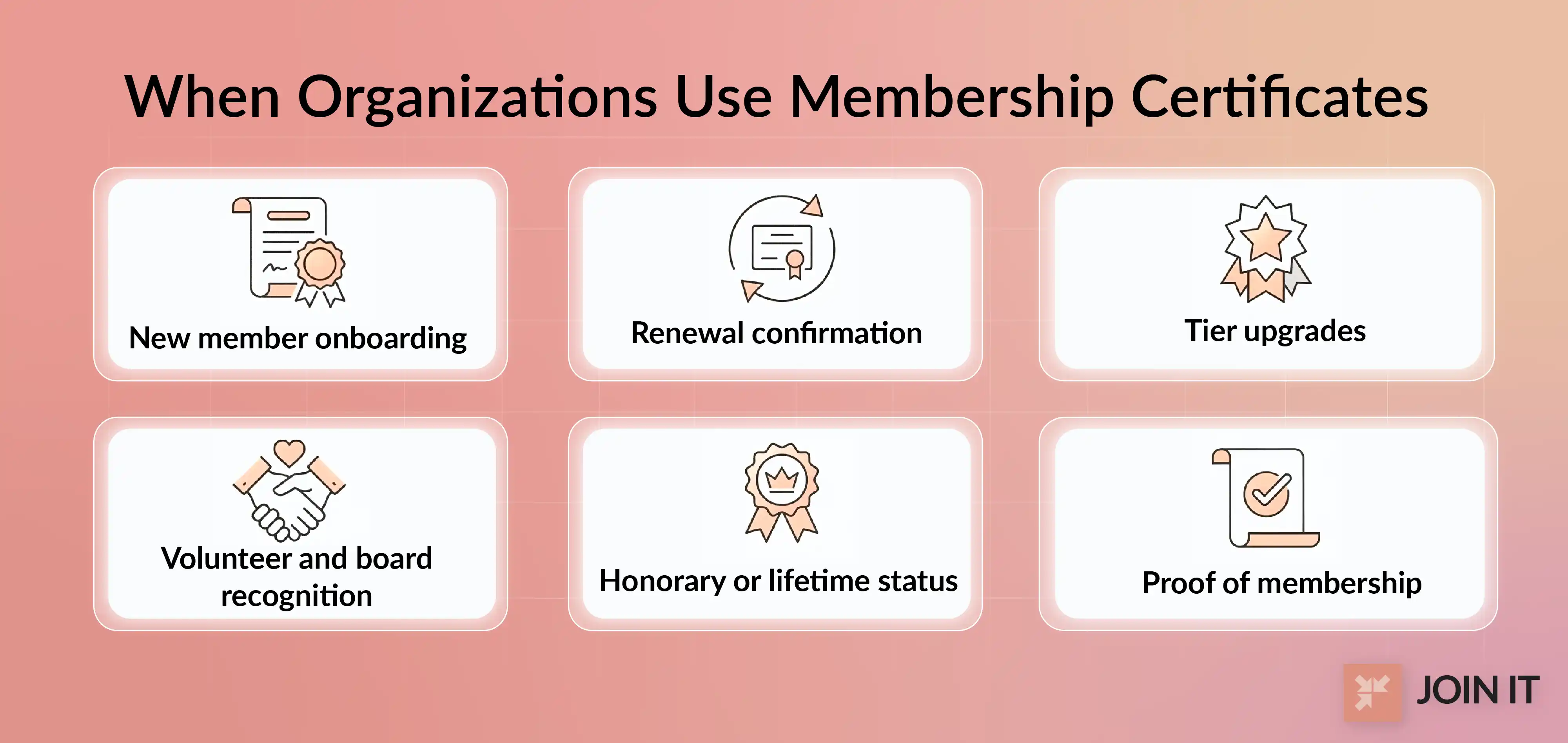
Membership certificates aren't just for onboarding. Here's when they make the biggest impact:
- New member onboarding: A certificate in the welcome packet makes joining feel official and special. Combine it with these new member onboarding tips to create a complete first-week experience.
- Renewal confirmation: Recognize members who renew year after year.
- Tier upgrades: Celebrate when someone moves to Gold, Silver, or VIP status.
- Volunteer and board recognition: Acknowledge leadership and contributions.
- Honorary or lifetime status: Mark major milestones or exceptional service.
- Proof of membership: Members use certificates to access partner discounts, verify status for professional credentials, or display in offices.
Research shows that well-recognized members are 45% less likely to leave their organization over two years. A simple certificate can be part of that recognition strategy. For more ways to keep members engaged and renewing, check out this comprehensive membership retention guide.
What Should a Membership Certificate Include?
Required Fields Checklist
Every membership certificate should include these core elements:
- Organization name: Make it clear who issued the certificate.
- Member's full name: Use their legal or preferred name consistently.
- Date of affiliation: The date they joined or renewed.
- Membership number or ID: Helps with record-keeping and verification.
- Logo or branding: Your organization's visual identity reinforces legitimacy.
Optional Fields (Use When They Fit)
Depending on your organization's needs, you might also include:
- Expiration or renewal date
- Tier level (Gold, Silver, VIP)
- Certificate number (different from membership ID)
- Signature lines (president, director, board chair)
- Official seal or badge
- Decorative border
- Short membership statement (one sentence explaining what the certificate represents)
Required vs Optional Fields
Printable vs Digital Membership Certificates
Printable Certificates
Physical certificates work best when the presentation itself matters.
Best for: Award ceremonies, framed certificates, older audiences who value tangible recognition, premium membership tiers.
Print tips:
- Use heavy paper (cardstock or certificate paper, 80-110 lb weight)
- Set margins to at least 0.5 inches on all sides
- Leave space for handwritten signatures if needed
- Consider adding an embossed seal or stamp for extra formality
Digital Certificates (PDF)
Digital membership certificates are faster, cheaper, and easier to distribute at scale.
Best for: Remote members, fast delivery, annual renewals, organizations with tight budgets.
Digital credentials can cut your production and enrollment time in half by automating certificate delivery.
Admin tips:
- Use consistent file naming: "Certificate_FirstLast_2026.pdf"
- Keep version control simple (save master templates separately)
- Set up bulk email tools for sending personalized PDFs
- Consider adding a QR code that links to an online verification page
Print vs Digital Comparison
How to Customize Any Membership Certificate Template
Branding Checklist
Your certificate should look like it came from your organization, not a generic template site.
- Logo placement: Top center or top left corner works best
- Brand colors: Use your organization's primary and accent colors in borders or headers. Strong branding elements for visual identity like consistent colors, typography, and logo placement make the certificate feel more official and memorable.
- Fonts: Stick to readable, professional fonts (avoid more than two font families)
- Layout: Portrait orientation is traditional; landscape works for modern, minimalist designs
- Spacing: Leave enough white space so text doesn't feel cramped (especially important for print)
Make It Frame-Worthy
One user on the WildApricot forum asked: "Would it be possible to enlarge the card and add a decorative border, so members can print, frame and hang it on their wall?"
That's the goal. Members should want to display your certificate.
Design tips:
- Border choices: Classic borders (elegant lines, corner flourishes) signal formality. Modern borders (simple geometric shapes) feel contemporary.
- Seal or badge placement: Bottom center or lower right corner, but make sure it doesn't overlap with signatures.
- Signature lines: Include role titles (President, Director) under each line.
- Avoid these mistakes: Too many fonts, low-contrast text, cluttered layouts, pixelated logos.
Personalization Rules
Small details make certificates look polished instead of sloppy.
- Name formatting: Use Title Case (John Smith) for most certificates. ALL CAPS can work for formal, traditional designs but feels aggressive in modern layouts.
- Date formatting: Be consistent. US format (January 15, 2026) or international format (15 January 2026), but not both.
- Membership ID rules: Once you assign an ID, keep it stable. Don't change numbering systems mid-year.
Real Admin Problems People Mention (And Fixes)
"This Is Too Time Consuming"
The most common complaint from membership admins: creating certificates one by one during every renewal cycle eats up hours.
One association secretary on the WildApricot forum wrote: "Can we PLEASE make CERTIFICATES like you have membership cards? I have to MAKE and SEND 300 or so of them each year... begging now."
Email Merge Headaches
Trying to send personalized PDFs to hundreds of members breaks down fast.
Another user reported: "I have a PDF membership certificate, I need to send to each member... each one is personalized... I'm having a nightmare getting a merge to work on Gmail."
"It Looks Cheap" Problem
Generic templates can feel like an afterthought. Members notice when a certificate looks rushed or low-effort, especially if they're paying for premium membership tiers.
Practical Fixes You Can Implement
Here's what actually works:
- Use a consistent template system: Create one master template. Duplicate it for different use cases (new member, renewal, honorary).
- Export to PDF for sending: PDFs preserve formatting across devices and can't be easily edited by recipients.
- Keep a simple naming system: "Template_NewMember_2026.docx" beats "certificate_final_v3_UPDATED.docx"
- Add premium design touches: A seal, border, and professional signature block make templates look official without extra work.
As digital membership trends evolve, many organizations are moving toward automated systems that sync member data with certificate templates and send personalized PDFs automatically.
How to Make a Membership Certificate Template
In Microsoft Word
Word is the most accessible option for creating editable membership certificate templates.
Step-by-step:
- Open a blank document and set page size (8.5" x 11" for standard, 11" x 8.5" for landscape)
- Insert your logo (Insert → Pictures)
- Add text boxes for organization name, member name, date fields
- Apply your brand colors to borders or backgrounds (Design → Page Borders)
- Save as a template (.dotx) so you can reuse it
- Export individual certificates as PDF (File → Save As → PDF)
In Google Docs
Google Docs works well if your team collaborates on certificate creation or if you're already using Google Workspace.
Step-by-step:
- Open a new document and set page size (File → Page Setup)
- Insert your logo and text boxes
- Use placeholder text like [MEMBER NAME] for fields you'll replace
- Adjust spacing and alignment carefully (Google Docs has fewer layout tools than Word)
- Save as a template by making a copy for each new certificate
- Download as PDF (File → Download → PDF Document)
In Canva
Canva offers the most design flexibility and comes with free certificate templates you can customize.
Step-by-step:
- Search for "membership certificate template" in Canva
- Choose a template that matches your organization's style
- Upload your logo and apply brand kit colors (if you have Canva Pro)
- Replace placeholder text with your organization's details
- Adjust fonts, borders, and spacing
- Download as PDF Print (high quality) or PDF Standard for email
How to Print a Membership Certificate (PDF)
Printing mistakes ruin otherwise perfect certificates.
Printer settings checklist:
- Paper size: Match your certificate size (usually Letter or A4)
- Margins: Set to actual size (not "fit to page" which can shrink your design)
- Scale: Always 100%, never "shrink to fit"
- Paper type: Certificate paper or cardstock (80-110 lb weight)
- Color mode: Use color printing if your design includes brand colors
Membership Certificate Wording (Copy/Paste)
Not sure what to write on your certificate? Here are proven examples you can customize.
General Membership Certificate Wording
Formal version:
"This certifies that [Member Name] is a member in good standing of [Organization Name] as of [Date]. This membership acknowledges their commitment to our shared mission and values."
Friendly version:
"We're proud to welcome [Member Name] as an official member of [Organization Name]. Thank you for joining us on [Date] and being part of our community."
Minimal version:
"[Member Name] is a member of [Organization Name]. Membership ID: [Number]. Issued: [Date]."
New Member Welcome Wording
Warm welcome:
"Welcome to the family! This certificate recognizes [Member Name] as a new member of [Organization Name] as of [Date]. We're excited to have you with us."
Formal welcome:
"This certificate is presented to [Member Name] in recognition of their membership in [Organization Name], effective [Date]. We look forward to their participation and contributions."
Renewal Wording
Annual renewal:
"This certificate recognizes [Member Name] for renewing their membership with [Organization Name] for the [Year] membership year. Thank you for your continued support."
Rolling renewal:
"[Member Name] has renewed their membership with [Organization Name]. Current membership period: [Start Date] to [End Date]."
Tier Wording (Gold/Silver/VIP)
Status-based:
"This certificate recognizes [Member Name] as a [Tier Level] Member of [Organization Name]. This designation reflects their exceptional commitment and support."
Benefits-based:
"[Member Name] is a [Tier Level] Member of [Organization Name], granting access to exclusive benefits and recognition as a valued supporter."
Honorary and Lifetime Wording
Contribution-based:
"In recognition of outstanding service and dedication, [Organization Name] is proud to award [Member Name] Honorary Membership status, effective [Date]."
Legacy-based:
"This certificate confers Lifetime Membership in [Organization Name] to [Member Name], honoring their enduring commitment and contributions to our mission."
Board Member Wording
Governance formal:
"This certifies that [Member Name] serves as a Board Member of [Organization Name] for the term [Start Date] to [End Date]."
Leadership recognition:
"[Organization Name] recognizes [Member Name] for their leadership and service as a member of the Board of Directors, effective [Date]."
25 Free Membership Certificate Templates
All templates below are free, customizable, and available in multiple formats. Each includes suggested wording and editing instructions.
General Membership Certificates
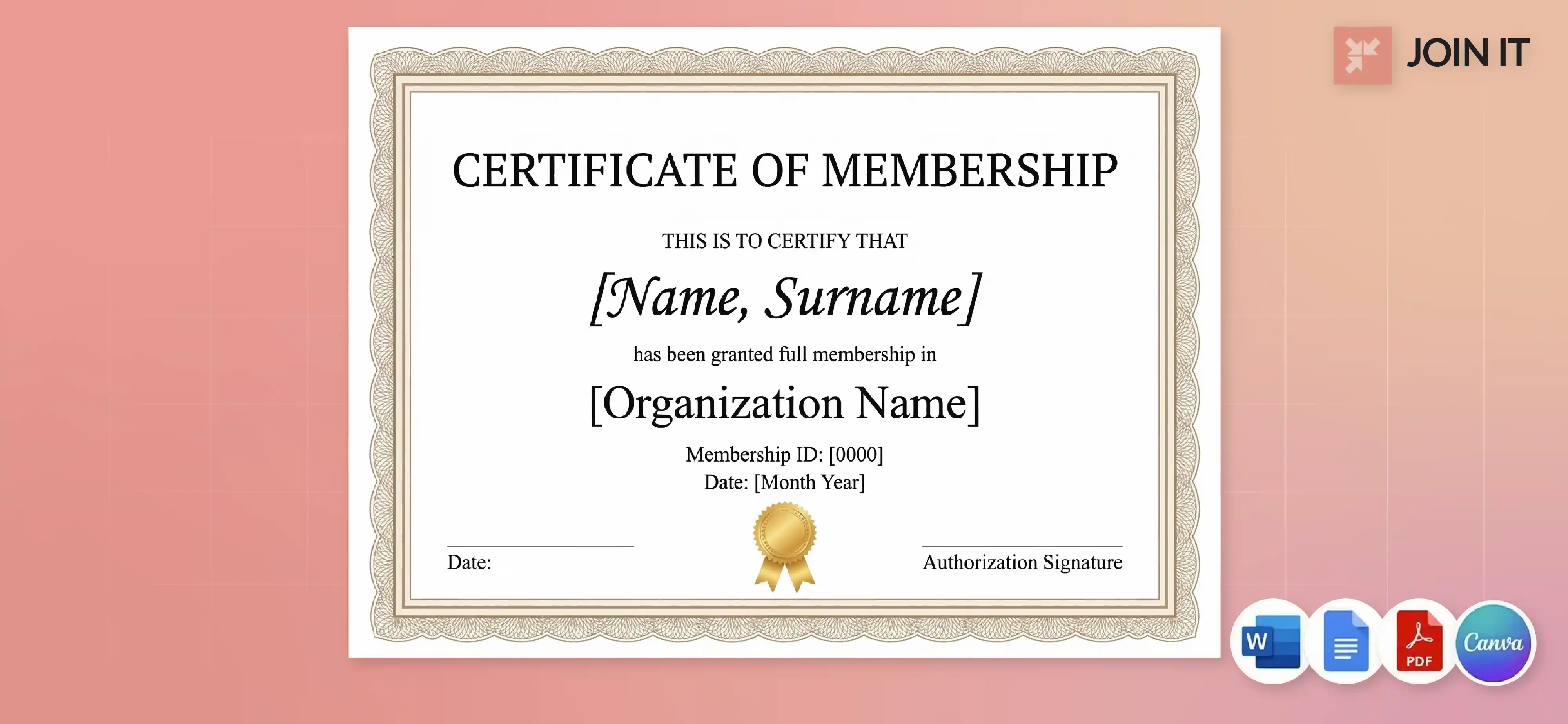
1. General Membership Certificate Template
A clean, versatile design that works for any organization. Simple border, centered text, room for logo and signatures.
Best for: Any membership organization looking for a neutral, professional certificate.
What to edit: Member name, organization name, date, membership ID, logo.
Best format: Word, Google Docs, PDF.
2. Modern Membership Certificate Template
Minimal design with geometric borders and contemporary typography. Works well for tech-forward organizations.
Best for: Startups, innovation hubs, modern professional associations.
What to edit: Member name, date, logo, accent colors.
Best format: Canva, PDF.
3. Elegant Membership Certificate Template
Traditional design with ornate borders, classic serif fonts, and formal layout. Frame-worthy quality.
Best for: Established associations, alumni groups, heritage organizations.
What to edit: Member name, organization name, date, signatures.
Best format: Word, PDF for printing.
4. Simple Membership Certificate Template
No-frills design focused on clarity and easy editing. Perfect for organizations that need functional certificates fast.
Best for: Budget-conscious organizations, high-volume membership processing.
What to edit: All text fields, logo.
Best format: Word, Google Docs.
5. Membership Renewal Certificate Template
Designed specifically for annual renewals with space for membership year and renewal date.
Best for: Recognizing loyal members who renew year after year.
What to edit: Member name, membership year, renewal date, tier level (if applicable).
Best format: Word, PDF.
Associations, Chambers, and Business Communities
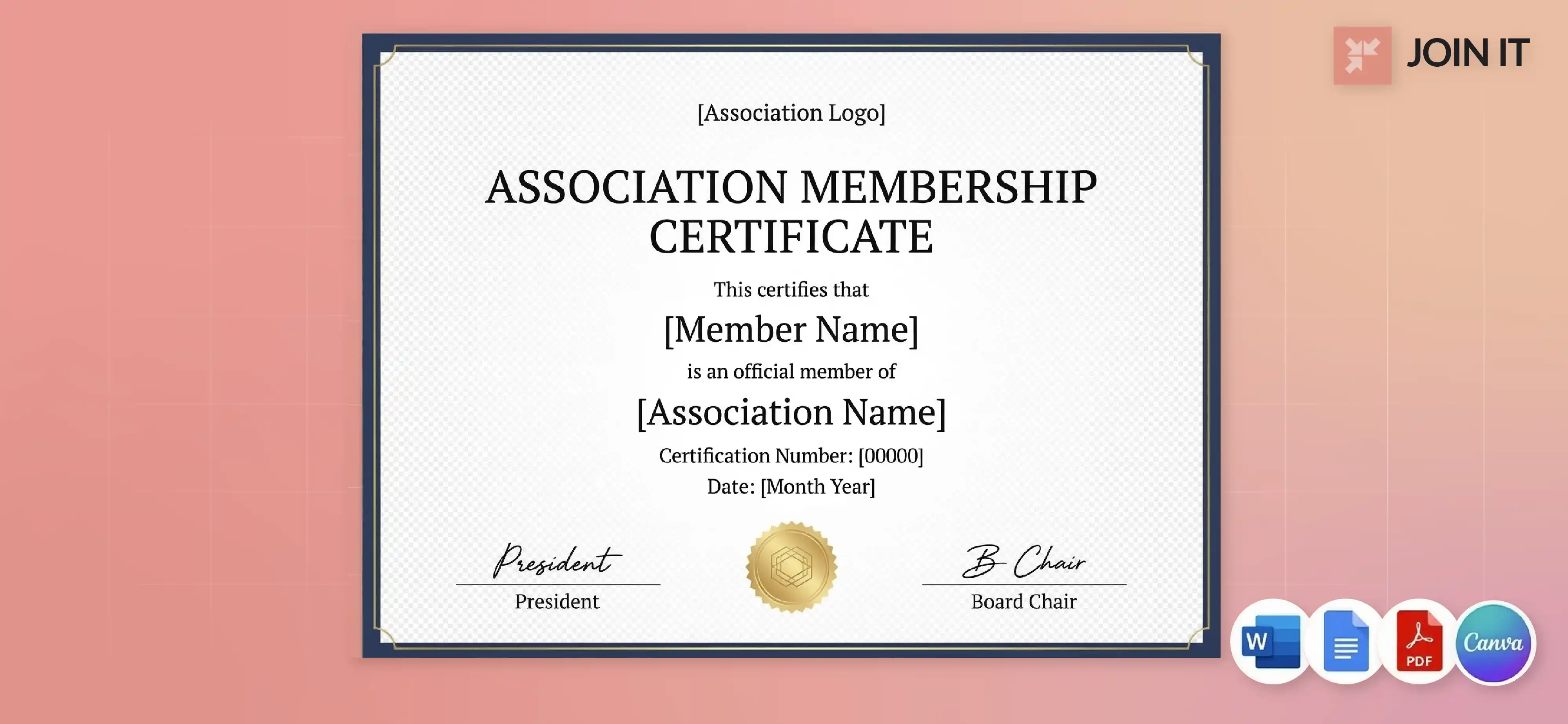
6. Association Certificate of Membership Template
Professional layout with space for multiple signatures and official seals. Formal wording built in.
Best for: Professional associations, trade organizations, industry groups.
What to edit: Member name, association name, date, certification number, board signatures.
Best format: Word, PDF for official distribution.
7. Chamber of Commerce Membership Certificate Template
Business-focused design with room for company name and representative details.
Best for: Local chambers, business networking groups.
What to edit: Business name, representative name, membership level, chamber logo.
Best format: Word, Canva, PDF.
8. Alumni Association Membership Certificate Template
School-branded design with space for graduation year and degree information.
Best for: University alumni groups, school reunions, educational networks.
What to edit: Alumni name, graduation year, school logo, association name.
Best format: Word, PDF for mailing to graduates.
Clubs, Gyms, and Sports Groups
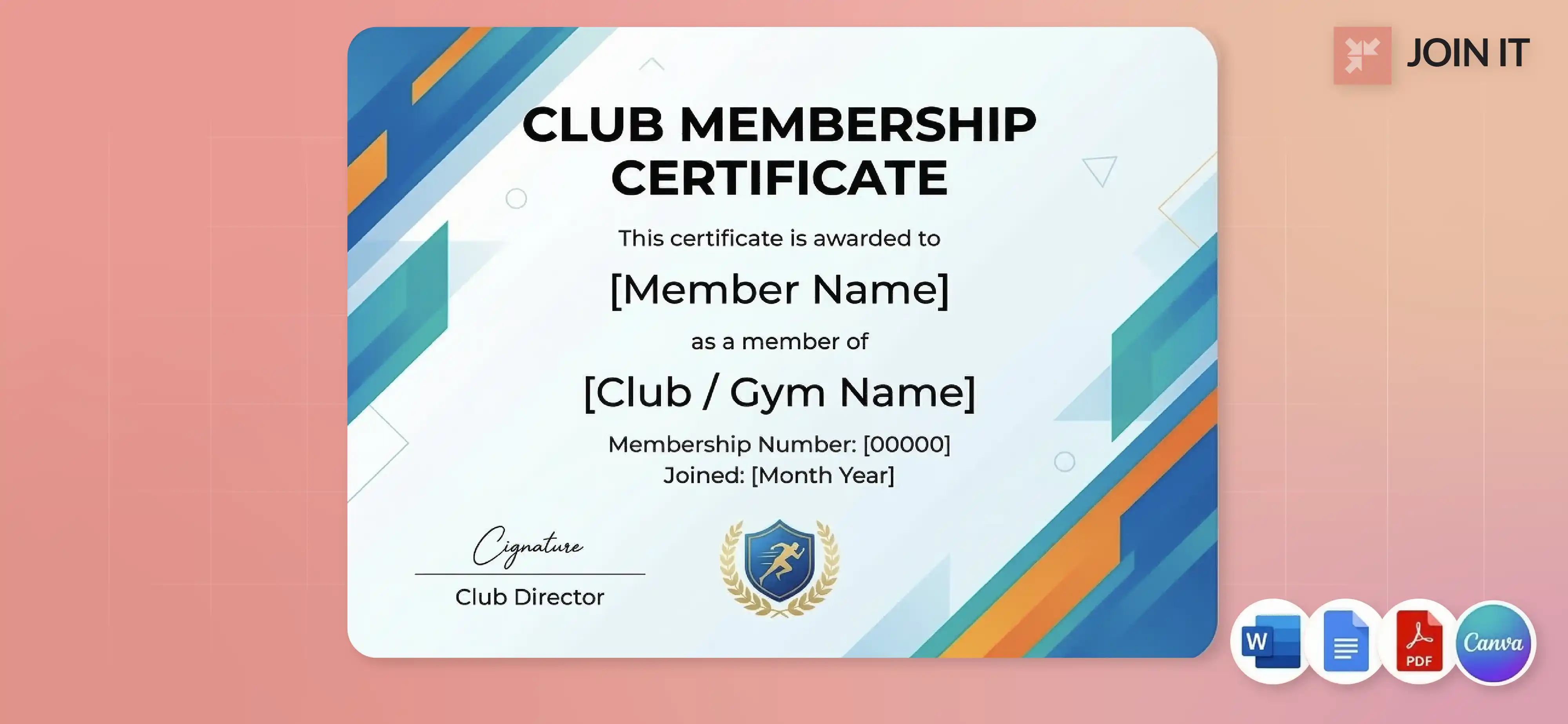
9. Club Membership Certificate Template
Friendly, approachable design suitable for social clubs, hobby groups, and community organizations.
Best for: Book clubs, hobby groups, social clubs.
What to edit: Member name, club name, join date, membership number.
Best format: Google Docs, Canva, PDF.
10. Gym Membership Certificate Template
A motivational design with a focus on fitness imagery and an energetic tone encourages a healthy lifestyle, which can be supported with tools like these
Best for: Fitness centers, yoga studios, sports facilities.
What to edit: Member name, gym name, membership start date, tier level.
Best format: Canva, PDF for digital delivery.
11. Sports Club Membership Certificate Template
Athletic design with team colors and competitive spirit. Works for youth and adult leagues.
Best for: Soccer clubs, running groups, recreational sports teams.
What to edit: Member name, club name, season/year, team logo.
Best format: Word, Canva, PDF.
Nonprofits, Schools, and PTAs
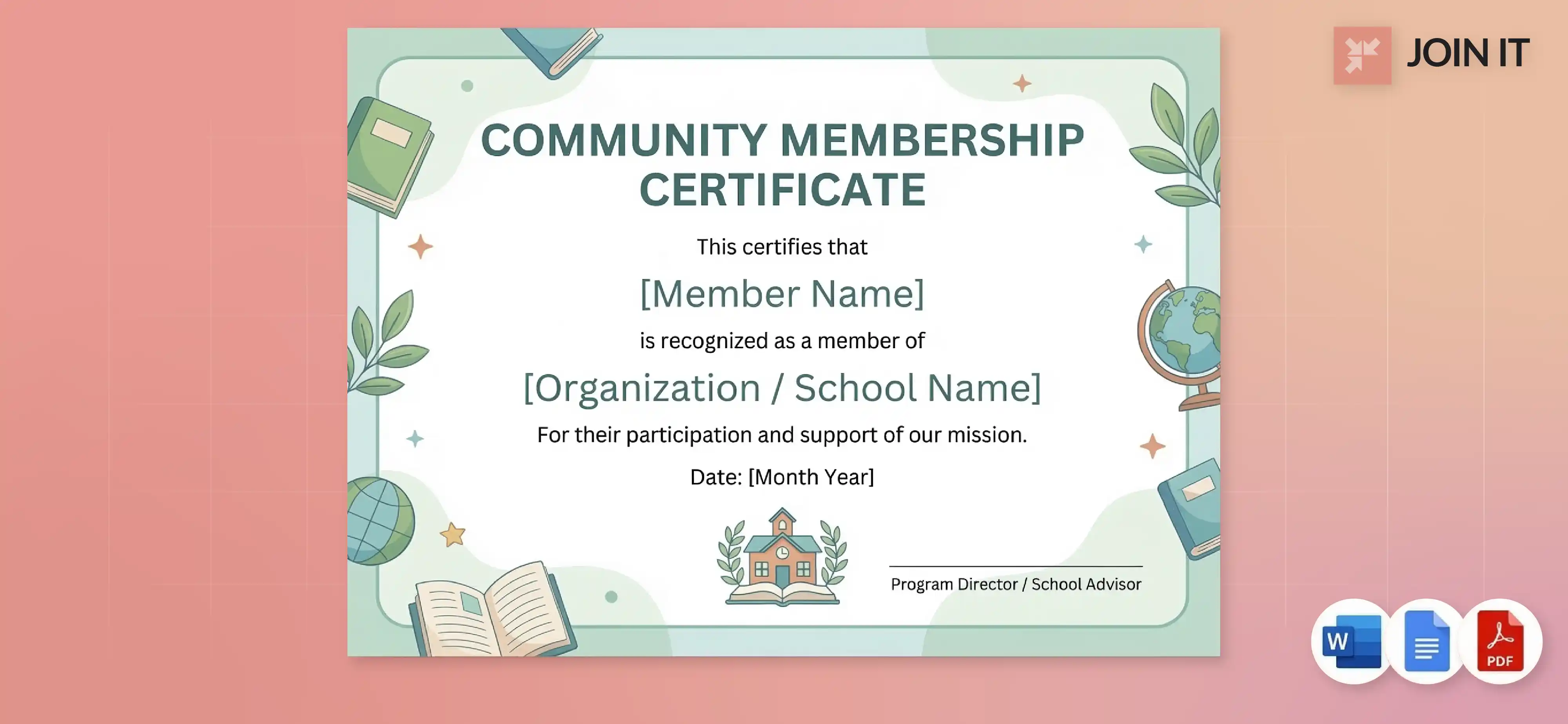
12. Nonprofit Membership Certificate Template
Mission-driven design that highlights impact and community connection.
Best for: Charitable organizations, advocacy groups, community nonprofits.
What to edit: Member name, nonprofit name, mission statement snippet, date.
Best format: Word, Google Docs, PDF.
13. PTA Membership Certificate Template
School-friendly design recognizing parent and teacher involvement.
Best for: Parent-Teacher Associations, school volunteer programs.
What to edit: Member name, school name, academic year, PTA logo.
Best format: Word, PDF for printing and ceremonial distribution.
14. School Membership Certificate Template
Educational design suitable for student organizations, honor societies, and academic clubs.
Best for: Student councils, honor societies, academic teams.
What to edit: Student name, organization name, school year, advisor signature.
Best format: Word, Google Docs.
15. Volunteer Membership Certificate Template
Appreciation-focused design recognizing volunteer service and contributions.
Best for: Volunteer programs, service organizations, community initiatives.
What to edit: Volunteer name, organization name, service hours or description, date.
Best format: Word, PDF for ceremonial presentation.
Faith Communities
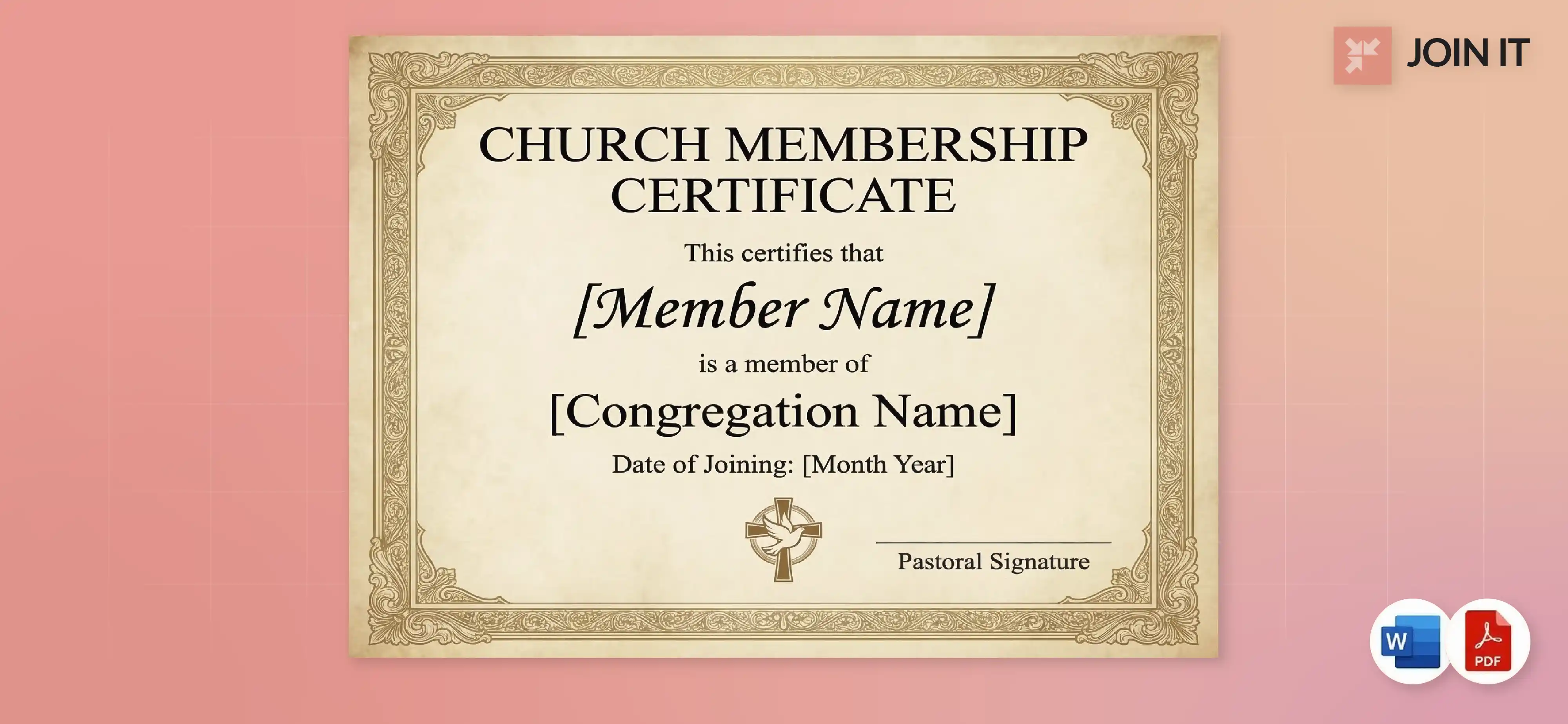
16. Church Membership Certificate Template
Reverent design with traditional elements suitable for religious communities.
Best for: Churches, synagogues, mosques, faith-based organizations.
What to edit: Member name, congregation name, baptism/joining date, pastoral signature.
Best format: Word, PDF for framing.
Note: Free church membership certificate templates are among the most searched variations.
Recognition, Status, and Leadership
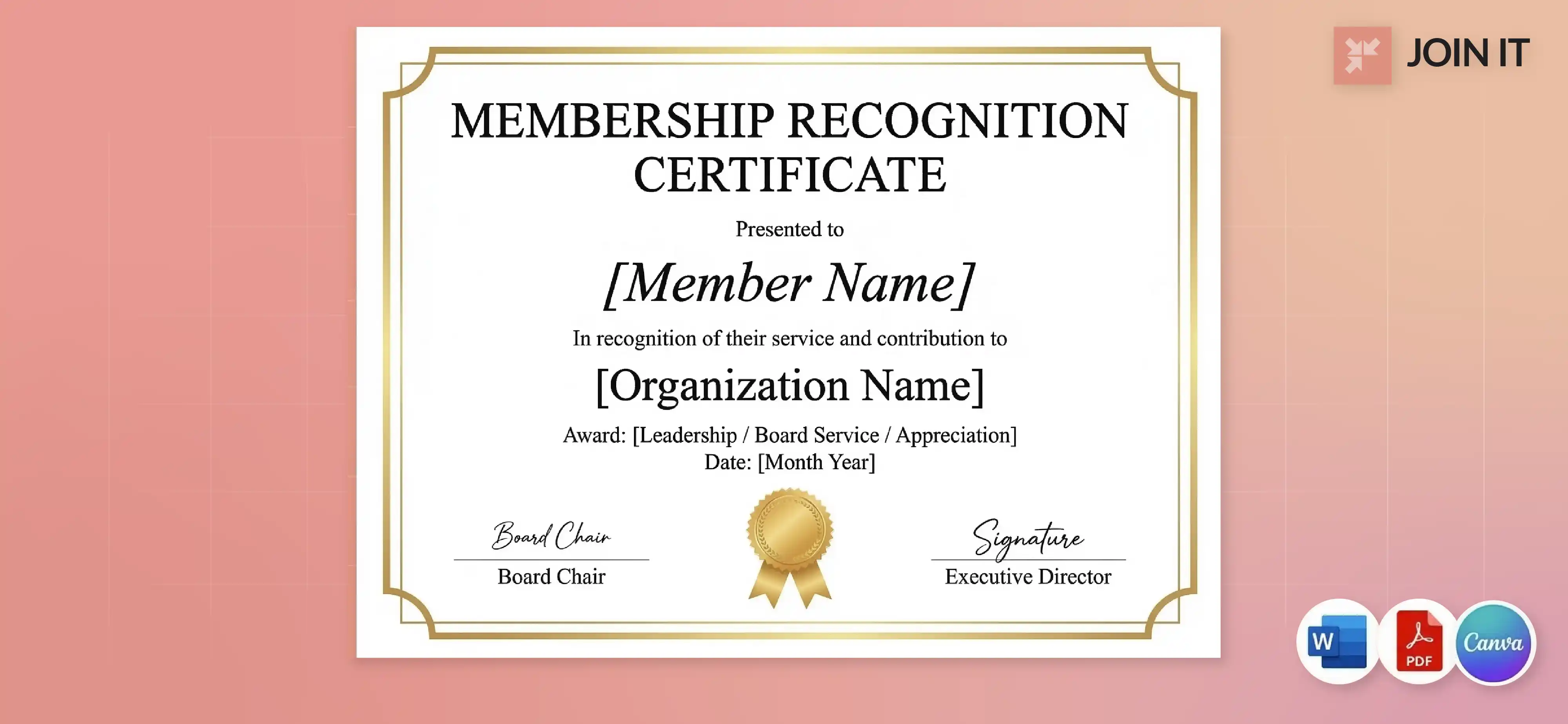
17. Board Membership Certificate Template
Formal governance design recognizing board service and leadership responsibility.
Best for: Board of directors, advisory boards, governance committees.
What to edit: Board member name, organization name, term dates, position title.
Best format: Word, PDF for official records.
18. Membership Award Certificate Template
Achievement-focused design celebrating member accomplishments and milestones.
Best for: Member of the month, top recruiter, milestone achievements.
What to edit: Member name, award description, achievement details, date.
Best format: Canva, PDF for ceremonial delivery.
19. Membership Appreciation Certificate Template
Gratitude-centered design thanking members for their support and participation.
Best for: Donor recognition, volunteer appreciation, loyal member acknowledgment.
What to edit: Member name, specific contribution, organization message, date.
Best format: Word, PDF.
20. Honorary Membership Certificate Template
Distinguished design for exceptional contributors who've earned special recognition.
Best for: Major donors, community leaders, exceptional volunteers.
What to edit: Honoree name, reason for honor, organization name, signatures.
Best format: Word, PDF for framing and display.
21. Lifetime Membership Certificate Template
Prestigious design recognizing permanent membership status and long-term commitment.
Best for: Long-term members, major supporters, founding members.
What to edit: Member name, years of service, lifetime status grant date.
Best format: Word, PDF for ceremonial presentation.
Note: Lifetime membership certificate templates are highly valued for their prestige.
Membership Lifecycle Templates
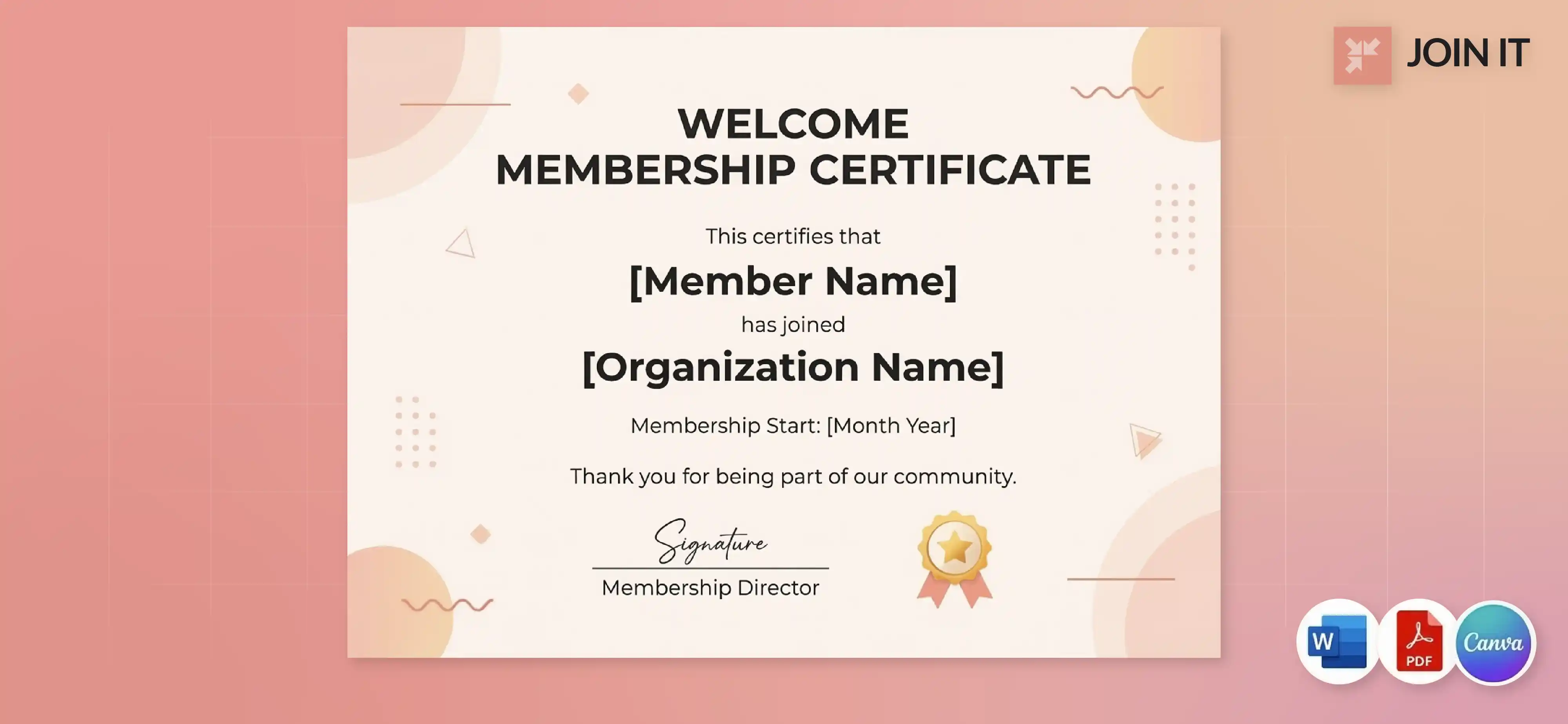
22. New Member Welcome Certificate Template
Welcoming design that makes joining feel special and builds early engagement. Perfect for organizations running a successful membership drive who want to recognize every new member.
Best for: First-time members, welcome packets, onboarding programs.
What to edit: New member name, join date, welcome message.
Best format: PDF for email, Word for printing.
How to deliver: Email as part of welcome email templates or include in physical welcome packet.
23. Membership Renewal Certificate Template
Continuation-focused design celebrating renewed commitment and ongoing participation.
Best for: Annual renewals, membership retention programs.
What to edit: Member name, renewal year, consecutive years (if applicable).
Best format: PDF for bulk email distribution.
24. Membership Anniversary Certificate Template
Milestone design celebrating years of membership (1 year, 5 years, 10 years, etc.).
Best for: Long-term member recognition, retention programs.
What to edit: Member name, anniversary year, total years of membership.
Best format: Word, PDF for ceremonial delivery.
Legal and Business Structure
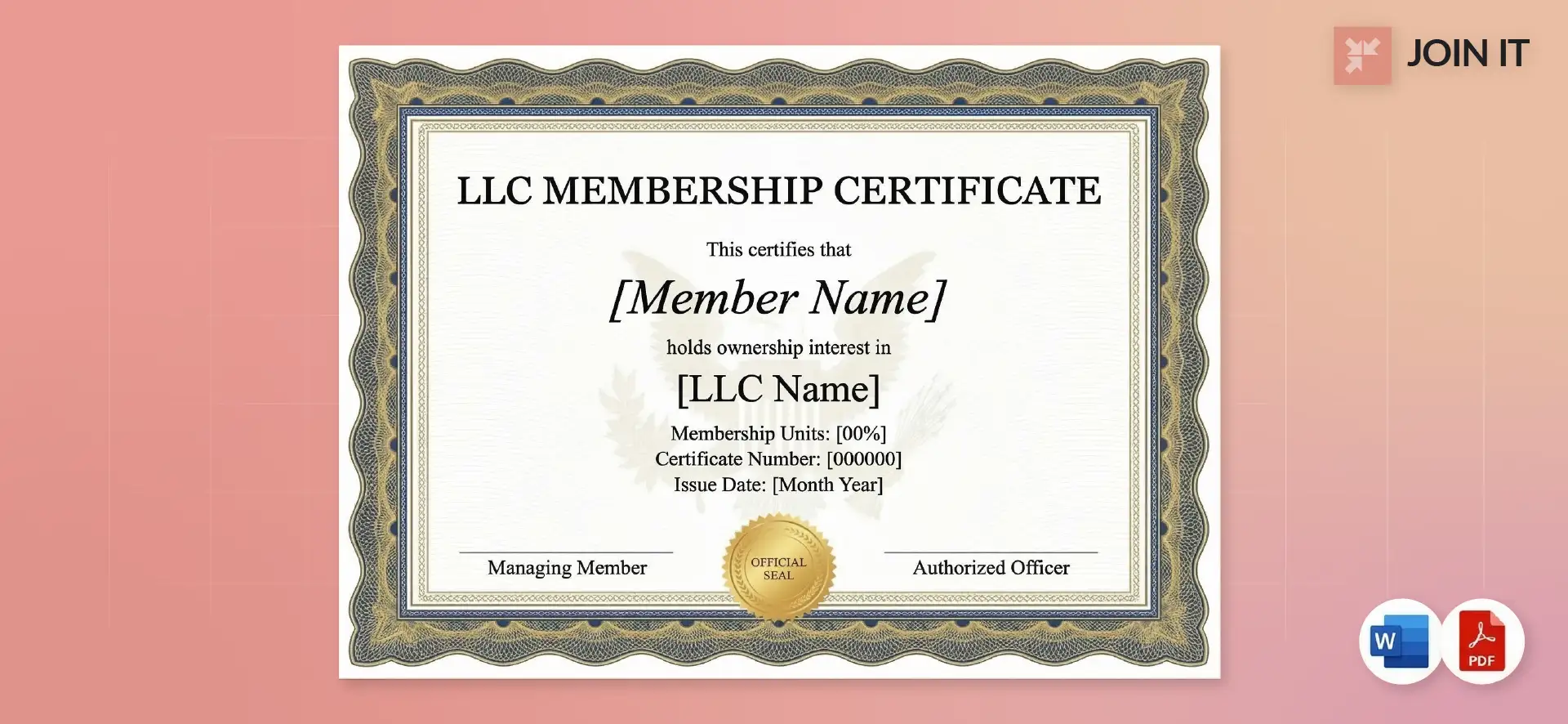
25. LLC Membership Certificate Template
Legally-focused design documenting ownership interest in a Limited Liability Company.
Best for: LLC member documentation, legal compliance, ownership records.
What to edit: Member name, LLC name, membership units/percentage, issue date, authorized signatures.
Best format: Word for legal documentation, PDF for official distribution.
Note: Free LLC membership certificate templates must include legal language and ownership details.
How to Distribute Membership Certificates
Email PDF (Fastest)
Digital distribution is the most efficient method for most organizations.
Email checklist:
- Subject line: "Your [Organization Name] Membership Certificate"
- File naming: Use member's name in the filename for easy identification
- Include a note: "Download this PDF and print it on certificate paper if you'd like a physical copy"
- Add to signature: Link to a simple member portal where certificates can be accessed anytime
Postal Mail
Physical delivery creates a memorable unboxing experience.
Packaging tips:
- Use rigid mailers or cardboard backing to prevent bending
- Include a protective sleeve or folder
- Add a handwritten note for VIP or lifetime members
- Consider certified mail for LLC membership certificates or legal documents
Ceremonial Delivery
In-person presentation adds emotional weight to the recognition.
When it matters most: Annual meetings, volunteer appreciation nights, awards ceremonies, new member orientations.
Combine certificate distribution with other ideas to welcome new members and create a complete onboarding experience.
Notification Email
If certificates are available for self-service download, send a heads-up.
Sample notification:
"Your membership certificate is ready! Log into your member portal to download your personalized certificate. You can save it digitally or print it for display."
If you manage members in a membership management platform, sending certificates becomes easier when member info and communication tools are in the same place. Modern systems can automatically generate and email certificates when someone joins or renews, as part of a broader membership experience strategy.
FAQ
What is a membership certificate?
A membership certificate is an official document that recognizes an individual's affiliation with an organization. It typically includes the member's name, organization name, join date, and membership ID. Certificates serve as proof of membership and tangible recognition of belonging.
What should a membership certificate include?
At minimum, include: organization name, member's full name, date of affiliation, membership number or ID, and your organization's logo. Optional elements include expiration dates, tier levels, signature lines, official seals, and decorative borders.
How do you write a membership certificate?
Start with a formal statement like "This certifies that [Name] is a member of [Organization]" or a friendly version like "We're proud to welcome [Name] to [Organization]." Include the join date, membership ID, and any relevant tier or status information. Keep wording clear and concise.
Can these templates be used for print and digital?
Yes. All templates work in both formats. For printing, use heavy paper (80-110 lb cardstock) and ensure proper margins. For digital use, save as PDF to preserve formatting across devices. Digital certificates are faster and eliminate printing costs, while physical certificates work better for ceremonies and framing.
What's the best format: Word, Google Docs, Canva, or PDF?
It depends on your workflow. Word offers the most editing control and is widely accessible. Google Docs works well for team collaboration. Canva provides the best design tools and templates. PDF is best for final distribution since it can't be easily edited and looks consistent everywhere.
How do I make a membership certificate in Word, Google Docs, or Canva?
In Word: Use text boxes, insert your logo, apply borders via Design tab, and save as a template. In Google Docs: Set custom page size, add text and images, use placeholder fields, and download as PDF. In Canva: Search for certificate templates, customize with your branding, and download as PDF Print for high quality.
How do I send personalized certificates to many members?
The most reliable approach is to create individual PDFs with each member's name and email them one at a time, or use membership management software that automates this process. Mail merge tools can work but often break with attachments. For organizations processing hundreds of certificates, automated systems that integrate with your member database eliminate manual work entirely.
Conclusion
Membership certificates aren't just paperwork. They're recognition, proof of belonging, and something members actually value enough to display.
You now have 25 free templates, copy-paste wording examples, editing instructions for Word, Google Docs, and Canva, and distribution strategies that work whether you're sending PDFs or mailing physical certificates.
The key is consistency. Pick a template that matches your organization's style, customize it once, and reuse it throughout the year for new members, renewals, and special recognition moments. Your members will appreciate the professionalism, and you'll save hours of design work.
Ready to streamline your entire membership process? Join It brings together member management, communication tools, and automated workflows in one platform. Schedule a free demo or start a free trial to see how easy membership management can be.
References
- WildApricot Forums. too time consuming
- Gallup. well-recognized members are 45% less likely to leave
- Accredible. cut your production and enrollment time in half
- WildApricot Forums. enlarge the card and add a decorative border
- WildApricot Forums. Can we PLEASE make CERTIFICATES
- WildApricot Forums. having a nightmare getting a merge to work on Gmail
- MembershipAnywhere. digital membership trends evolve

Guides from the Experts
Through our work with 4,000+ organizations - we’ve put together helpful guides to assist; regardless of where you are on your journey.
.webp)

A Complete Guide to Membership Organizations
Everything you need to know to manage and grow your membership business
.webp)
Maximize Membership Retention: 10 Proven Strategies
Tried and true strategies that not only win membership, but keep them

Build a Membership Website: A Step-by-Step Guide
Your one-stop resource for knowing all the features your modern membership website needs
Ready to start your free trial?
Our membership software is intuitive to use and even easier to test for yourself.