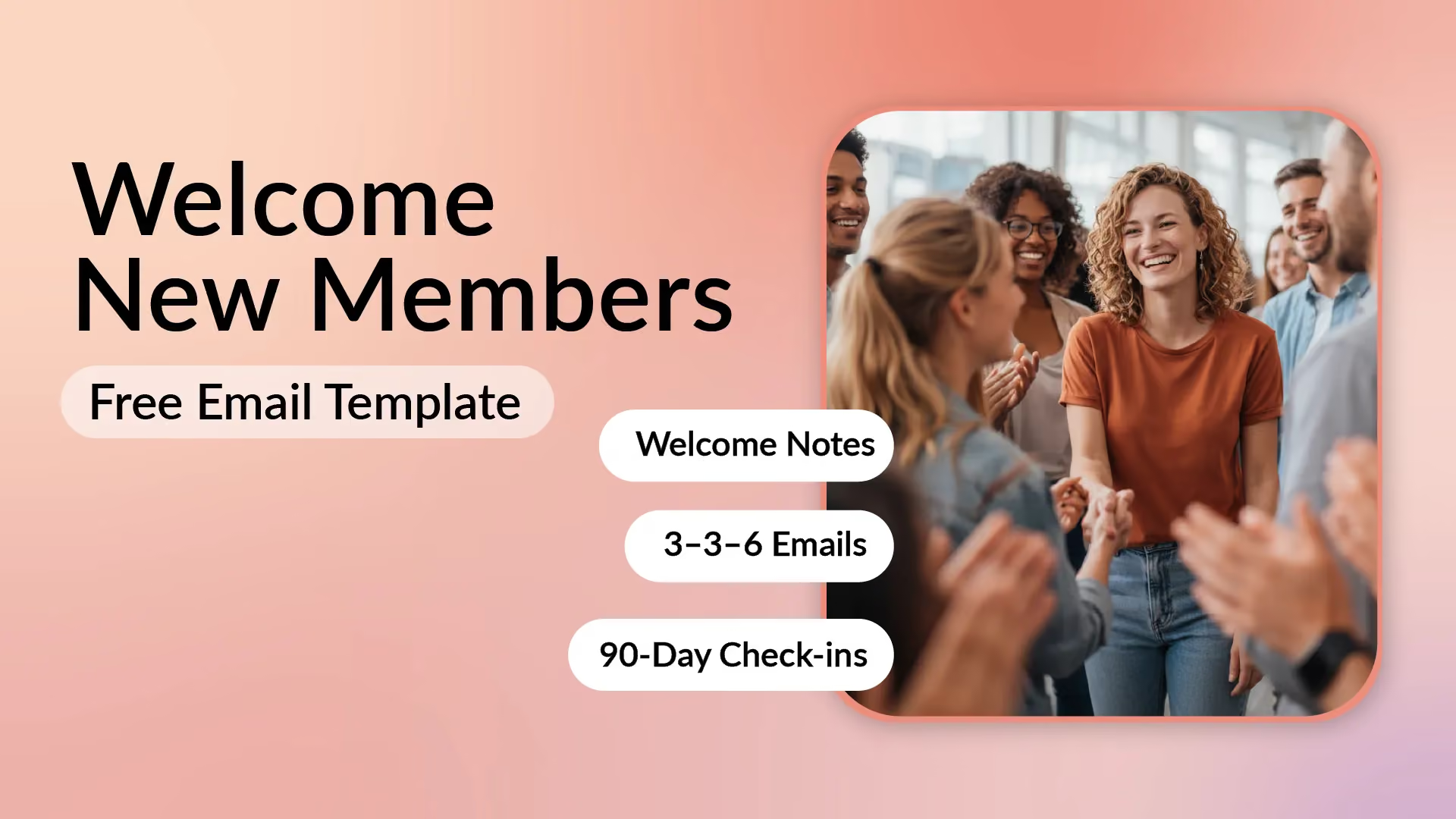
How to Welcome New Members to Your Group (With a Free Email Template) [Updated for 2026!]


Note: We originally summarized this topic in a YouTube video in December 2023. This article was fully updated in 2026 with fresh research and an improved welcome email template.
Here's something most membership groups won't tell you: 60-70% of new members who don't engage in their first 90 days will never renew. [1]
The problem? They join, get a generic "thanks for joining" email, and then... silence.
In this guide, I'm going to show you exactly how to welcome new members to your group with a proven system that boosts first-year retention by 25-40%. You'll get copy-paste email templates, a day-by-day checklist, and automated follow-up sequences that actually work.
And I'll back it all up with data from association benchmarking studies showing that engagement in the first 90 days is the #1 predictor of renewal. [2]
Let's dive in.
Key takeaways
Why Welcoming New Members Matters (It Starts on Day 0)
Most groups treat "welcome new members" as a single email. Big mistake.
Your new member welcome is actually a 30-day phase (ideally extending to 90 days) that makes or breaks whether someone sticks around.
What "welcome new members" really means (it's not one email)
The welcome phase runs from Day 0 through Day 30, with critical touchpoints at 60 and 90 days.
During this window, your goal is simple: transform a stranger who just paid dues into an active, engaged member who feels like they belong.
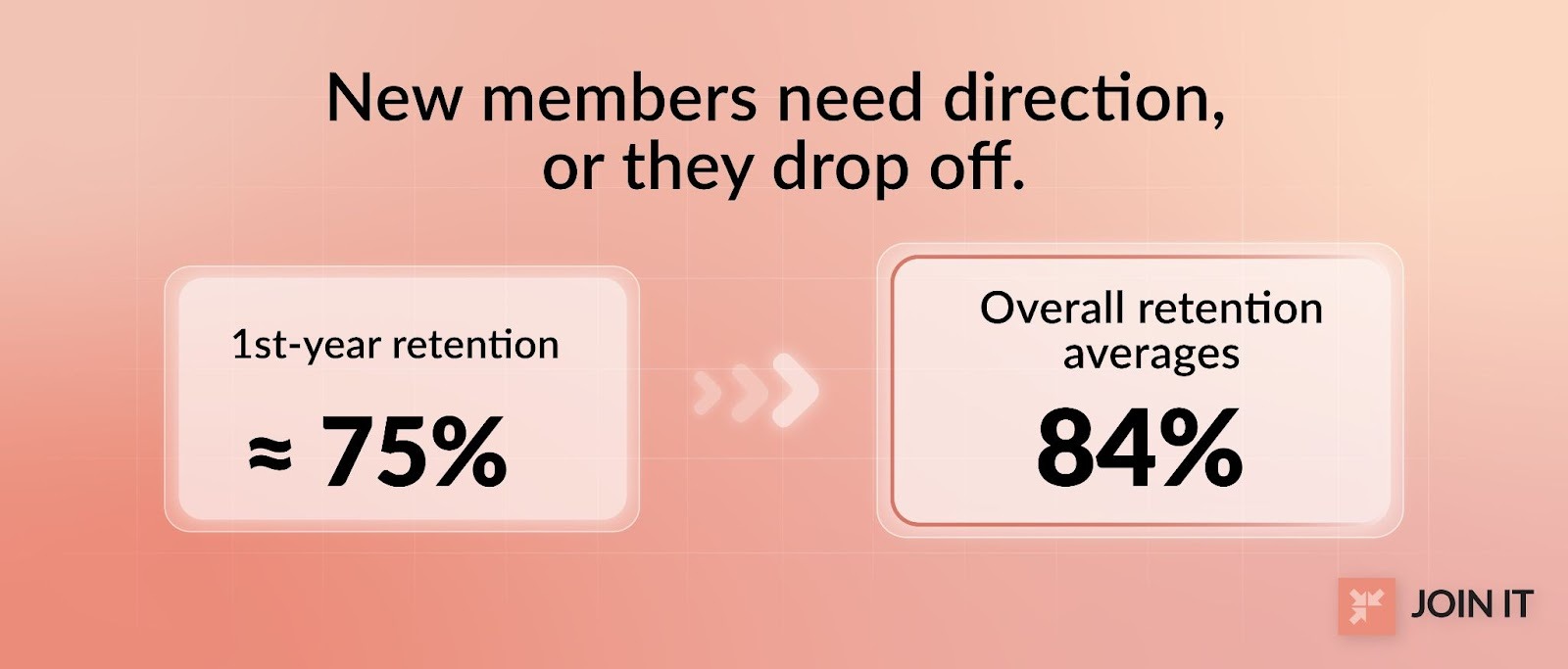
Think about it this way. Someone joins your fitness club, alumni association, or professional group with enthusiasm. If you don't give them clear next steps, they drift away quietly. First-year retention averages 75% while overall retention hits 84% in most membership organizations.[3]
That 9-point gap? That's the cost of weak onboarding.
The 3 outcomes a good welcome creates
A well-executed welcome new members strategy delivers three measurable results:
1. Early engagement - They take a first action: log in, RSVP to an event, post an introduction, or download a resource.
2. Confidence - They know exactly what to do next and how to access member benefits.
3. Belonging - They feel connected to other members and the mission, not like an outsider.
When you nail these three outcomes, your members are 3× more likely to refer others and significantly more likely to renew.
For a comprehensive look at member retention strategies, check out Join It's membership retention guide.
Step 0: Get Your "New Member Onboarding Checklist" Ready (10 Minutes)
Before you write a single welcome email or post a welcome to the group message, spend 10 minutes organizing the details you'll need.
Collect the 5 details you'll personalize with
Personalization isn't just using someone's first name. Collect these five data points when members join:
- First name (obviously)
- Join reason (optional field: "Why did you join?")
- Member type/tier (student, professional, sponsor, etc.)
- Location/time zone (for event invites)
- Main interest or category (tag based on interests)
Here's the thing: messy or missing data absolutely kills personalization.
If your signup form doesn't capture this info, you're making it 10× harder to send relevant welcomes. One membership platform review complained that "members who share an email couldn't both be added," causing new members to fall through the cracks entirely.[4]
Fix your data collection now, before you automate anything.
Decide the "first action" you want every new member to take
What's the ONE thing you want every new member to do in their first week?
Examples of great first actions:
- Complete their member profile/directory listing
- Introduce themselves in a welcome thread
- RSVP to an upcoming new member orientation
- Download your "Getting Started" guide
- Reply to the welcome email with one question
Pick ONE. Make it crystal clear. Make it easy.
A community management best practice from Higher Logic emphasizes that profile completion in the first 7 days strongly correlates with long-term engagement.[5]
For detailed guidance on member onboarding best practices, see Join It's new member onboarding tips.
Step 1 (Day 0): Send a "Welcome New Members" Email That Gets Read
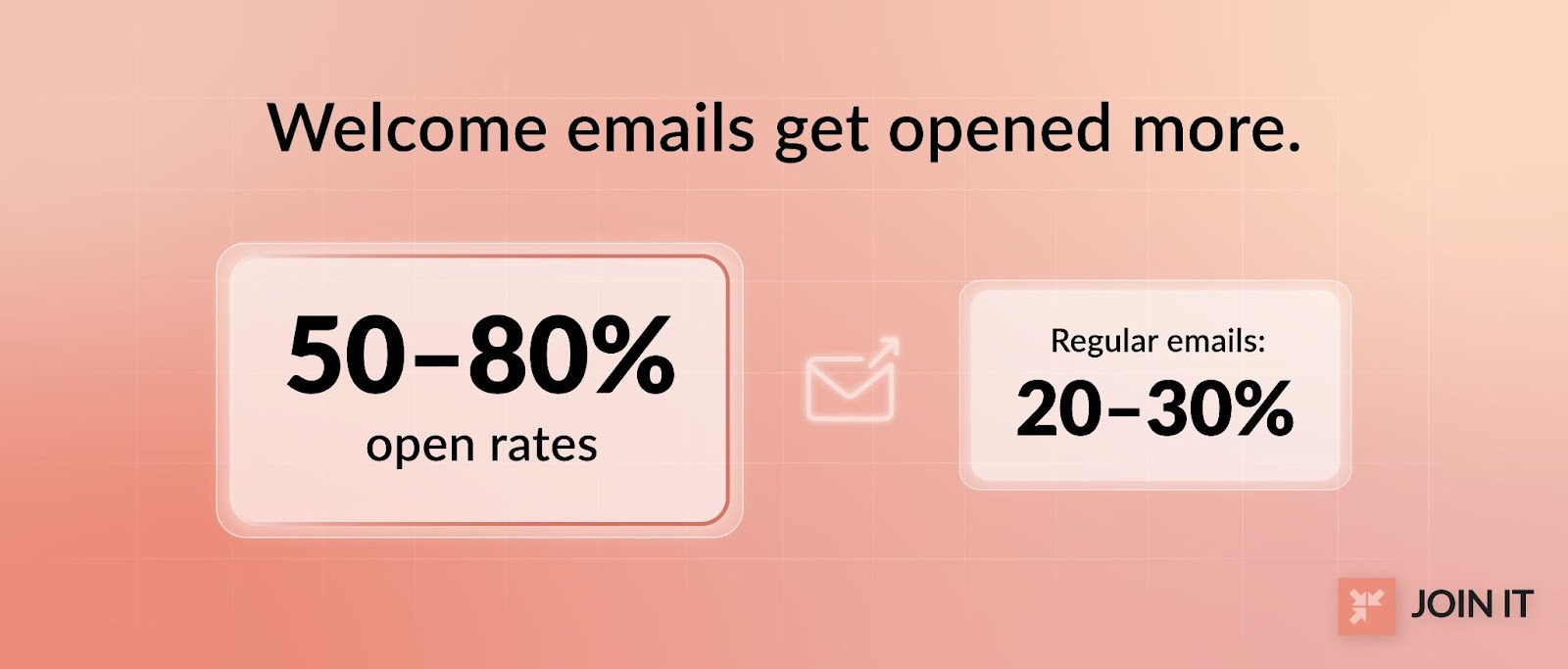
Welcome emails enjoy 50-80% open rates, compared to 20-30% for regular emails.[6]
That's your golden window. Don't waste it.
What to include in your welcome email (copy checklist)
Your new member welcome email should cover these essentials:
✅ Confirm they're in - Remove uncertainty. Say "You're officially a member" and include their membership type/tier.
✅ Access details - Login credentials, member portal link, or how to access members-only content.
✅ 3-5 "what to do next" bullets - Your first action plus 2-4 other key steps.
✅ Help channel - "Reply to this email with questions" (never use no-reply addresses).
✅ Future communication expectations - "You'll hear from us weekly with event updates."
Welcome email subject lines (mini section)
Subject lines make or break your open rate. Here are 10 proven options:
- Welcome to [Group Name], [First Name]! 🎉
- You're In! Here's What to Do First
- [First Name], Your [Group Name] Membership Is Active
- Ready to Get Started? Here's Your Quick Guide
- Welcome Aboard! Your Next 3 Steps Inside
- You're Now a [Group Name] Member
- [First Name] - Your Membership Starts Today
- Let's Get You Started (It Takes 5 Minutes)
- Welcome! Here's How to Make the Most of Your Membership
- You Did It! Welcome to [Group Name]
One personalization tip: including the member's first name can boost open rates by 26%.
Free "Welcome New Members Email Template" (primary template)
Here's a template you can copy and customize:
Tone variations:
For a small friendly group: Make it warmer, use "we're so excited," maybe add an emoji or two. You can also use a personalized approach, especially if your audience is younger. For example, you can use Gen Z slang words like “Hey, fam!” or “Welcome aboard, bestie!” to connect with your audience.
For a professional association: Keep it polished but not stiff. Focus on value and credentials.
For an online-only community: Emphasize the forum/platform and how to participate digitally.
Need more templates? Check out Join It's 3 welcome email templates made just for you.
Step 2 (Day 0-1): Add a "What to Do Next" Quick-Start Checklist
The welcome email problem: people scan it and forget 90% of what you said.
Solution? Give them a simple checklist they can bookmark or print.
Here's a 5-item checklist you can paste into your welcome email or member portal:
Your New Member Checklist:
☐ Log in and update your profile - Add a photo, bio, and interests so other members can find you. [Link to profile]
☐ Download the Member Welcome Kit - Your guide to benefits, events, and key contacts. [Link]
☐ Join the conversation - Introduce yourself in our [forum/Facebook group/Slack channel]. [Link]
☐ RSVP for the next event - Our next [event type] is on [date]. [Link to events calendar]
☐ Add us to your safe senders - Make sure our emails reach your inbox, not spam. [Instructions link]
Why this works: According to research on new member onboarding, members who complete 3+ onboarding benchmarks in their first 30 days have dramatically higher renewal rates.
The checklist combats "new member paralysis," where people want to engage but don't know where to start.
Step 3 (Day 2-3): Post a "Welcome to the Group" Message (Without Being Cringe)
If you run an online community, Facebook group, or forum, you need a welcome post strategy.
But be careful. Reddit users complain about being mass-tagged in welcome posts: "I'm just here for the content. Do not welcome me. I hate those notifications."[7]
The rule: invite participation, don't spotlight people
Never force new members into the spotlight by tagging them publicly before they're ready.
Instead, create a welcoming environment where they can introduce themselves on their own terms.
"Welcome post" templates (3 options)
Option 1: Short welcome post
"Welcome to our newest members who joined this week! 👋
We're glad you're here. Feel free to introduce yourself in the comments and let us know what brought you to [Group Name].
Looking forward to getting to know you!"
Option 2: Prompt-based post
"📣 New members: we'd love to hear from you!
Drop a comment and tell us:
- Your name
- Where you're from
- One thing you're hoping to get from this community
No pressure, but if you're comfortable sharing, it's a great way to connect with others here."
Option 3: Resource post
"New here? Start with these resources:
📌 [Welcome Guide - link] 📌 [FAQ - link] 📌 [Upcoming Events - link] 📌 [How to Get the Most from Your Membership - link]
And feel free to ask questions, we're a friendly bunch!"
By using Join It’s welcome workflows, Perth Angels created a seamless onboarding experience while keeping member management simple behind the scenes. It’s a strong example of how a small team can deliver a white-glove experience without extra overhead.
If you run a Facebook group: what to do instead of auto-tagging
Facebook has a built-in "Welcome New Members" feature that auto-tags people. Some groups have found Facebook's algorithm even flagged these as spam.[8]
Better approach: post a weekly "batch welcome" without tagging.
One digital marketing community manager uses "New Member Mondays" where they welcome the week's new members and ask them to introduce themselves in the comments. This creates a regular cadence without being pushy.
For more creative approaches, see Join It's ideas to welcome new members.
Step 4 (Day 4-7): Add One Human Touch That Scales
Automation is great. But nothing beats a human connection.
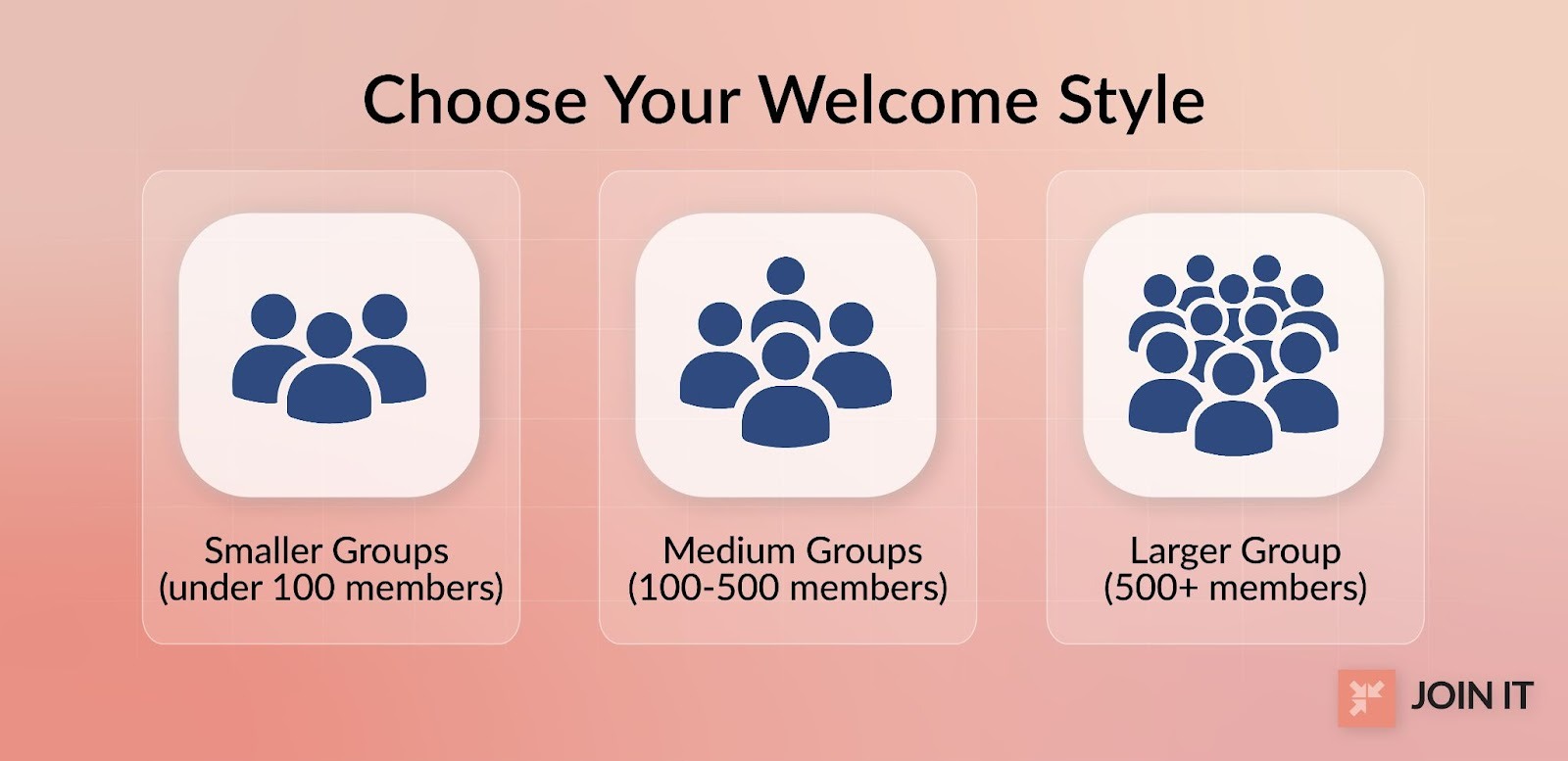
Pick ONE of these based on your organization's size:
For smaller groups (under 100 members): Send a personal note from a board member or founder. A 2-3 sentence email or handwritten card saying "I'm personally excited you joined, please reach out if you need anything."
For medium groups (100-500 members): Assign a welcome ambassador or buddy. One existing member reaches out to each newcomer with a short intro and offer to answer questions.
For larger groups (500+ members): Send a "reply and tell us what you joined for" email. Example: "We'd love to know: what's the #1 thing you're hoping to get from your membership? Just hit reply and let us know."
The community-led onboarding trend shows that peer connections built during onboarding create stronger belonging than staff outreach alone.
Why it matters: This single human touch can be the difference between "just another member" and "an active participant."
Step 5 (Day 7-14): Get Them to a First Win (Event, Call, or Small Action)
Here's a pattern you'll see everywhere: members who use your group in their first two weeks stick around.
Your goal: create a "first win" moment.
What counts as a first win:
- Attending their first event (even virtually)
- Completing a small volunteer task
- Getting a question answered in the forum
- Making a valuable connection with another member
- Downloading and using a member resource that saves them time
How to facilitate it:
Host a new member meetup (15-30 minutes, virtual or in-person). Keep it casual. Let newcomers meet each other and a few veteran members.
Offer office hours or a Q&A call. One association hosts a monthly "Ask Us Anything" call specifically for members in their first 60 days.
Create a new member-only event. A community management study found grouping new members into cohorts and hosting a 101 event reduced intimidation and increased participation.[9]
Give them a meaningful task. Ask new members if they'd like to help with something small (distribute the newsletter, greet others, suggest content topics). Responsibility = investment.
The first win proves to the new member: "Joining this was worth it."
Step 6 (Day 10-21): Build an "Automated Welcome Email Campaign" (3-6 Emails)
One welcome email isn't enough.
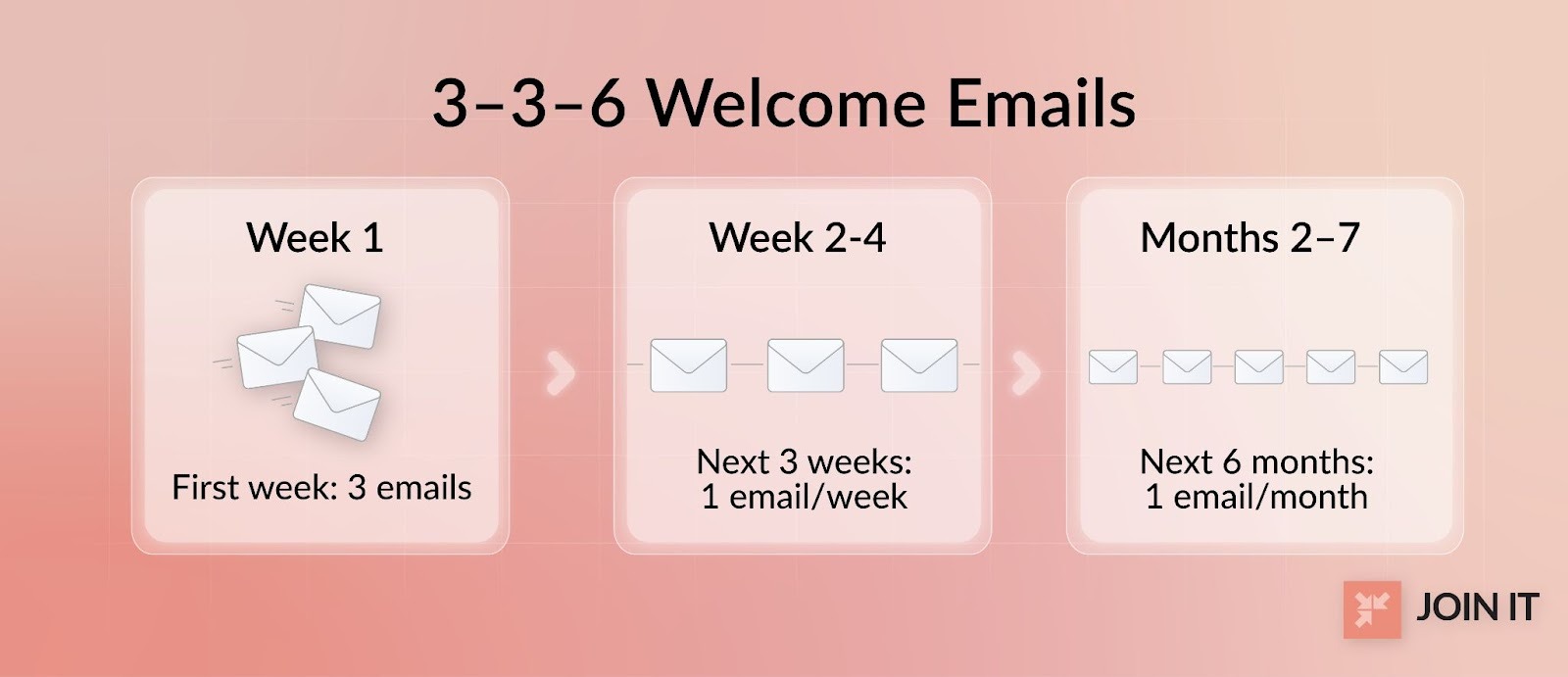
Association onboarding research recommends drip campaigns like the "3-3-6 model": 3 emails in the first week, one per week for 3 weeks, then monthly for 6 months.
A simple welcome sequence (copy/paste schedule)
Here's a streamlined 5-email automated welcome email campaign:
Day 0: Welcome + Checklist Subject: "Welcome to [Group], [Name]! Here's What to Do First" Content: Confirmation, access details, 5-item checklist
Day 3: Start Here Resource Subject: "3 Ways to Get the Most from Your [Group] Membership" Content: Top resources, FAQ link, invitation to introduce themselves
Day 7: Best Next Step (Event/Community) Subject: "Ready to Connect? Join Us at [Event/Forum]" Content: Specific event invite or community platform intro
Day 14: Social Proof / Member Story Subject: "How [Member Name] Got [Specific Result] in Their First Month" Content: Quick case study or testimonial from a member who engaged early
Day 21: "Need Help?" + Check-In Subject: "Quick Question: How's Your First 3 Weeks Going?" Content: Friendly check-in, offer to help, one simple question to reply to
This staggered approach keeps you top-of-mind without overwhelming. Reddit discussions among community builders consistently mention that Day 0/3/7 sequences beat one-and-done emails.[10]
Segmentation rules (keep simple)
Don't overcomplicate. Start with these basic segments:
- Member type (student vs professional vs sponsor)
- Interest tag (based on signup selections)
- Geographic location (for local chapter invites)
- Engagement level (send different follow-ups to active vs inactive)
The truth: only 18% of associations personalize onboarding content. This is a massive opportunity to stand out.
If you use email tools like Mailchimp, Mailjet, Sendlane, or Drip, automation is straightforward. Join It integrates with all major platforms to sync your member data automatically. Learn more about Join It's email marketing for membership programs.
Step 7 (Day 30 / 60 / 90): Keep the Welcome Going (So They Don't Drift)
Most groups stop at Day 7. Big mistake.
The welcome phase extends through the critical first 90 days.
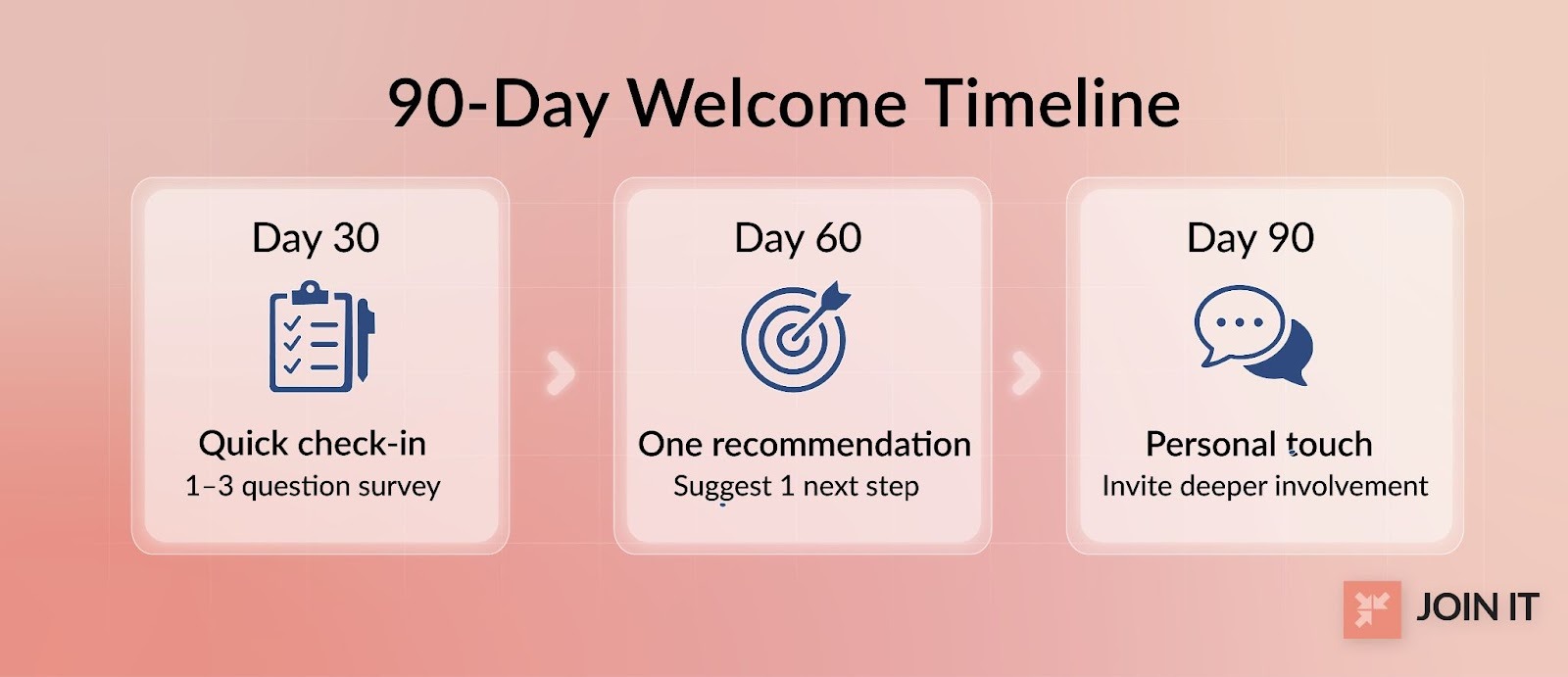
Day 30 check-in: Send a quick survey (1-3 questions).
- "How's your experience so far?"
- "What's one thing we could do better?"
- "Have you been able to [achieve key benefit]?"
Day 60 "recommend one thing" email: Based on their activity, recommend one specific resource, event, or action they haven't tried yet.
Day 90 "how's it going?" touchpoint: Personal email from a staff member or volunteer leader. Invite them to a deeper involvement opportunity (committee, leadership, etc.). That kind of follow-up is much easier to sustain when a membership committee owns the process instead of leaving it to one busy staff member.
Ongoing check-ins at 30/60/90 days are repeatedly recommended in association onboarding guidance. They help you catch issues early and prevent silent churn. Once that rhythm is in place, a few thoughtful member appreciation ideas can help you keep the relationship warm between check-ins.
Optional: Send a "Welcome Letter to New Members" (or a Welcome Packet)
Email is powerful, but some members respond better to physical mail or downloadable PDFs.
When a welcome letter beats an email
Use a new member welcome letter or welcome packet for:
- Higher-touch membership tiers (paid sponsors, premium members)
- Local chapters where in-person connection matters
- Organizations with older demographics who prefer mail
- Special occasions (lifetime memberships, major donors)
What goes in a new member welcome packet:
- One-page "Getting Started" guide
- Benefits summary card
- Key links and contacts
- Event calendar (next 3 months)
- Small welcome gift (sticker, pin, membership card)
Nonprofit welcome packet research shows these tangible elements create a stronger emotional connection than digital-only welcomes.[11]
Deliverability + Compliance (So Your Welcome Email Doesn't Go to Spam)
Even the perfect welcome email fails if it lands in spam.
Email deliverability basics (SPF/DKIM/DMARC) in plain English
These are authentication protocols that prove your emails are legitimate:
SPF (Sender Policy Framework): Tells receiving servers which mail servers are allowed to send email from your domain.
DKIM (DomainKeys Identified Mail): Adds a digital signature to your emails to verify they haven't been tampered with.
DMARC (Domain-based Message Authentication): Tells receiving servers what to do if SPF or DKIM checks fail.
Technical communities emphasize that missing these records is a top reason welcome emails get flagged as spam.
Quick test checklist:
- Send your welcome email to yourself at Gmail, Yahoo, and Outlook
- Check if it lands in inbox or spam
- Ask a member to verify they received it
- Use tools like mail-tester.com to check your sender score
Pro tip from association consultants: Ask new members to add your email address to their contacts immediately. Include this instruction in your Day 0 welcome email. [12]
Unsubscribe and consent basics (simple, not legal-heavy)
Every welcome email must include an unsubscribe option, even though the person just joined.
U.S. CAN-SPAM Act requirements mandate a "clear and conspicuous" way for recipients to opt out of future emails. [13]
This doesn't mean they're opting out of membership. Just the emails.
Best practice: Include a simple one-click unsubscribe link in your email footer, and honor requests within 10 days.
What Review Sites Show People Hate (So You Don't Copy Bad Systems)
Real user reviews reveal what frustrates admins trying to welcome new members:
Too many manual steps: One membership software review complained: "Simply adding a member requires going to 3 different sections. With this platform it takes 4× as long."
Unreliable email delivery: Another user reported: "Emails get stuck in spam, texts don't go through."
Confusing member portals: A volunteer noted the member-facing interface was "way too complicated for a novice user" with a non-intuitive 3-level hierarchy.
Poor segmentation: Many platforms lack robust tagging, making it "hard to automate a welcome sequence" for specific member types. [14]
The lesson: Choose tools and processes that minimize admin friction and maximize member experience.
Real-World Examples From Reddit and Community Forums
Sometimes the best insights come from practitioners sharing what actually worked:
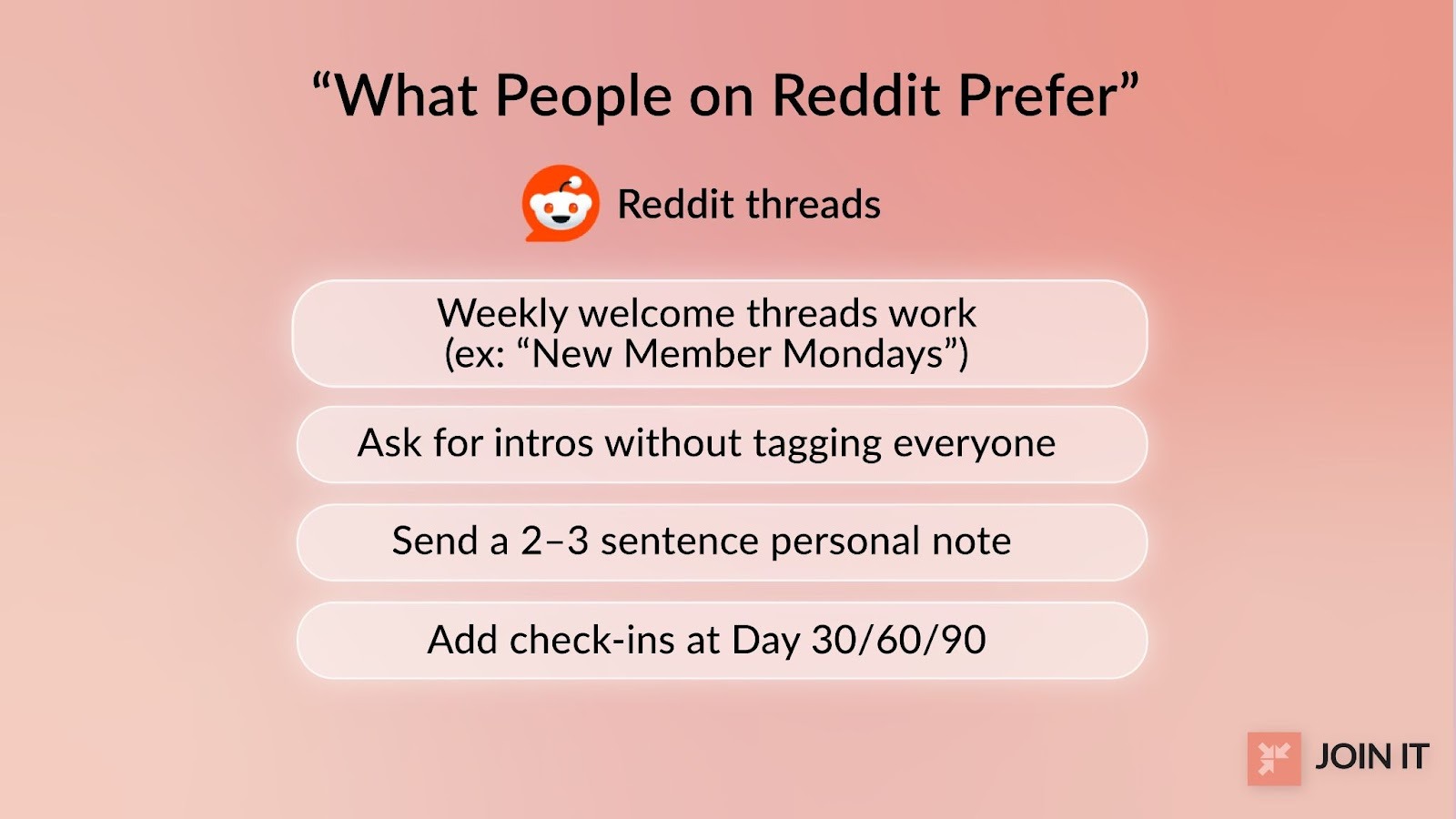
"New Member Mondays": A digital marketing community manager posts weekly welcome threads where new members introduce themselves. This consistent cadence works better than random shoutouts.
"Don't tag me" backlash: Multiple Reddit users voiced frustration about Facebook groups mass-tagging newcomers in welcome posts. The fix: invite participation without forcing spotlights.
Personal touch wins: Redditors consistently mentioned that the best welcomes they received were short, warm, personal messages from group leaders, not long boilerplate letters.
Onboarding is a phase, not a moment: Community forum discussions emphasize keeping the welcome going with check-ins and prompts beyond Day 1.
A 7-Day "Welcome New Members" Plan (Copy/Paste)
Here's your complete first week timeline:
FAQ
How do you say welcome to new members?
Say welcome to new members with a warm, specific message that confirms their membership, expresses genuine excitement, and provides clear next steps. Include their name, acknowledge what they joined, and offer help if needed.
How do I welcome a new member to the club?
Welcome a new member to the club by sending a Day 0 email with access details and a checklist, posting a group welcome message within 2-3 days, and providing one personal touchpoint (buddy assignment, leader note, or check-in call) within the first week.
Conclusion
Here's what we covered: welcoming new members is a 30-90 day journey that starts with a Day 0 email and checklist, continues with strategic follow-ups and personal touches, and extends through ongoing check-ins that prevent drift.
Your next step: Pick your Day 0 welcome email template from this guide. Schedule your Day 3 and Day 7 follow-ups. Set a 30-day reminder to check in with new members.
Want to dive deeper into retention? Check out Join It's guide on how to retain members and reduce churn. And if you need help setting up your email sequences, see our support article on sending quick and easy emails.
The data is clear: organizations with formal onboarding see 25-40% higher first-year retention. Your welcome system is one of the highest-ROI investments you can make in your membership program.
Now go build it.
References
- i4a. New Member Onboarding: Boost First-Year Retention 40%
- ASAE Center. Start Strong: Five Onboarding Strategies to Set Your New Members Up for Success
- i4a. Membership Retention Guide: Move from 78% to 85%+
- Capterra. MemberPlanet Reviews
- Higher Logic. 8 Tips For Onboarding New Members in Your Community Forum
- Nonprofit Tech for Good. Email Marketing Statistics for Nonprofits
- Reddit. Best way to attract members for new community group on FB?
- Reddit. Facebook flagged its own 'Let's welcome our new members' auto-post
- Talley. 5 Thoughtful Ways to Welcome New Members to Your Association
- Reddit. How I built my SaaS onboarding emails (6 emails in 1 day)
- Givebutter. Build Your Own New Member Welcome Packet (Template & Examples)
- Sidecar. Steal the Template: Welcome Letter to New Members
- Law Stack Exchange. Are mailing lists required to include an unsubscribe link in each email?
- GetApp. MemberClicks Reviews
- Super User. Email marked as spam even with DKIM, SPF and DMARC headers

Guides from the Experts
Through our work with 4,000+ organizations - we’ve put together helpful guides to assist; regardless of where you are on your journey.
.webp)

A Complete Guide to Membership Organizations
Everything you need to know to manage and grow your membership business
.webp)
Maximize Membership Retention: 10 Proven Strategies
Tried and true strategies that not only win membership, but keep them

Build a Membership Website: A Step-by-Step Guide
Your one-stop resource for knowing all the features your modern membership website needs
Ready to start your free trial?
Our membership software is intuitive to use and even easier to test for yourself.