How Does Membership Management Software Work?
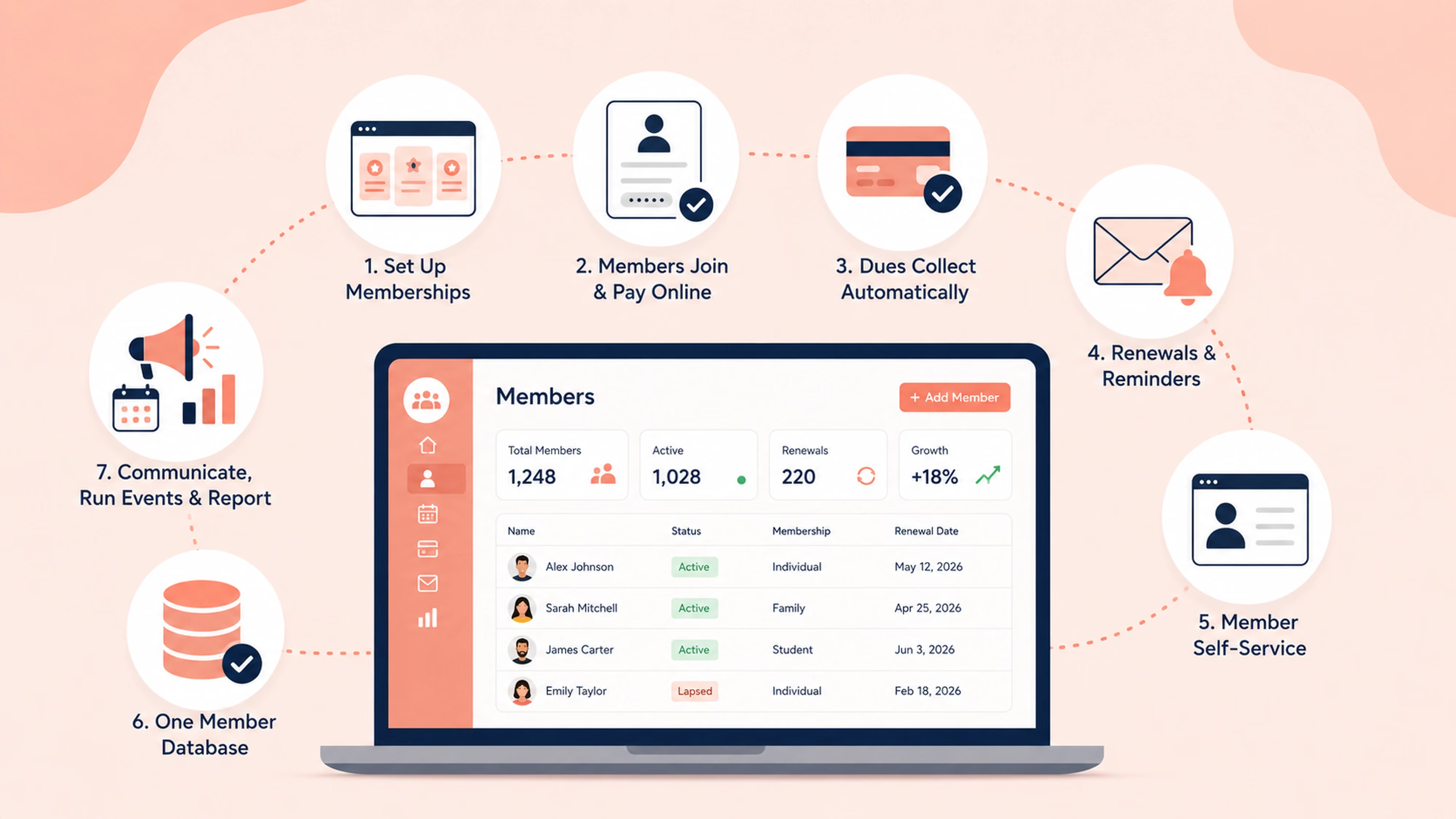


Membership management software works by centralizing every member record in one database, then automating the membership lifecycle around it: sign-ups and payments, renewals and reminders, member self-service, communications, and reporting. Instead of juggling spreadsheets and manual invoices, an organization sets its membership types and pricing once, and the system handles joining, billing, and renewing on its own.
Short answer: You set up your membership types, members sign up and pay online, the software collects recurring payments and sends renewal reminders automatically, members manage themselves through a member portal, and every action updates one central member database. Not sure what membership management software actually is? Read this article first, what membership management software is.
What it does, in one paragraph
Membership management software gives an organization a single place to store member records, sell and renew memberships, collect dues, run events, and communicate with members. The point is to remove manual admin. Rather than tracking members in a spreadsheet and chasing renewals by hand, the software keeps one accurate list and does the repetitive work for you.
How membership management software works, step by step
Most platforms follow the same basic flow. Here is what happens at each stage.
Step 1: You set up membership types and pricing
You define your membership options, for example individual, family, student, or lifetime, and set the price and renewal terms for each. This is a one-time setup that becomes the foundation for everything else.
Step 2: Members sign up and pay online
Members join through an online form, choose their membership type, and pay. The software creates their record automatically, so there is no manual data entry for your team.
Step 3: Dues collect automatically
For recurring memberships, the software charges the member on schedule through a payment processor. This is recurring billing, and it means dues arrive without you sending invoices. If a payment fails, the system flags it and can notify the member.
Step 4: Renewals and reminders run on their own
The software tracks each member's expiration date and sends renewal reminders before and after it lapses. You set the schedule once, and renewals happen with little or no manual follow-up.
Step 5: Members manage themselves
Through a member portal, members log in to update their details, renew, change payment methods, and access member-only information. This self-service cuts the admin requests your team handles.
Step 6: Everything updates one member database
Every sign-up, payment, renewal, and profile change writes back to a single member database. That database is the source of truth, so your list is always current without manual reconciling.
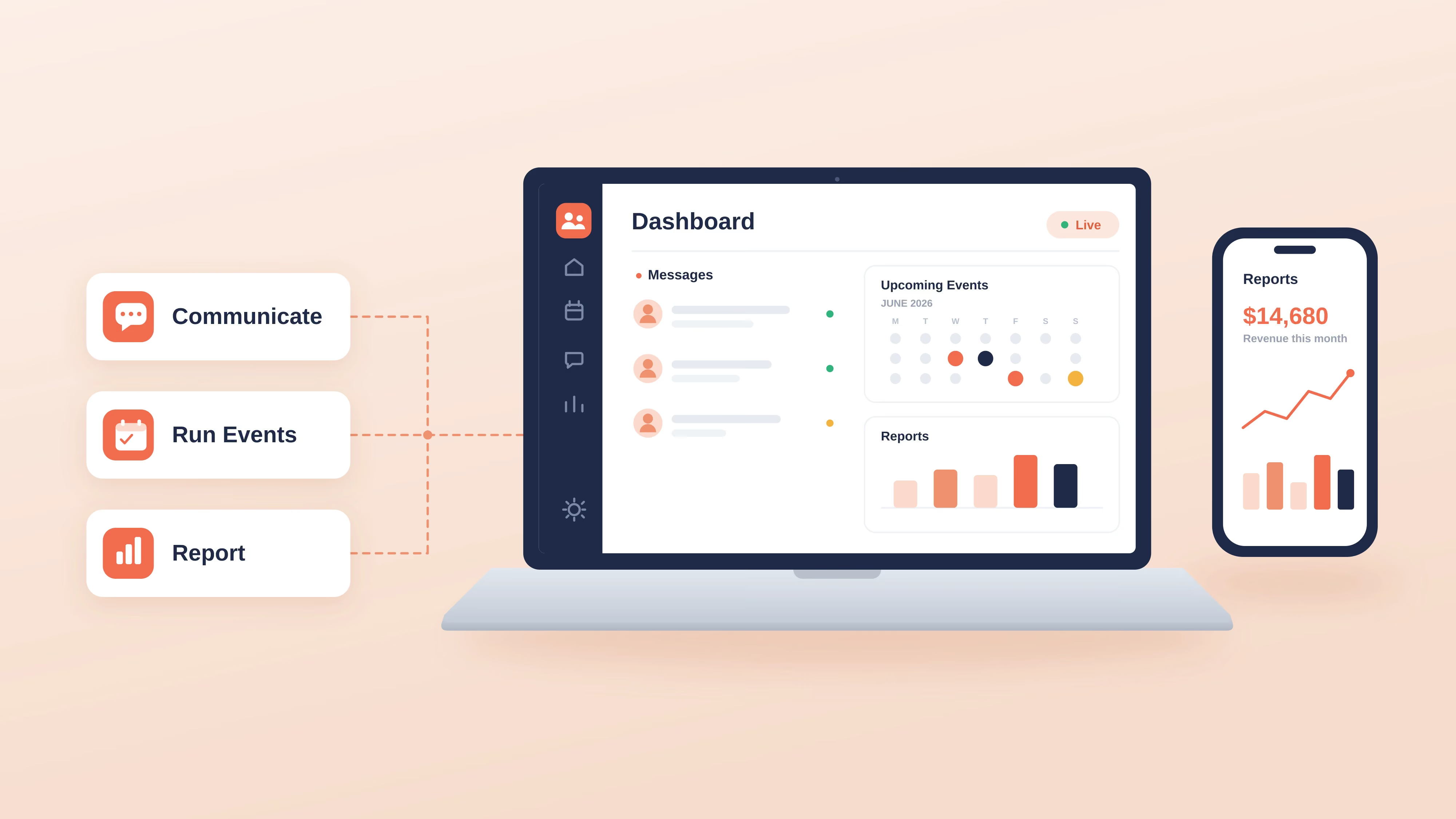
Step 7: You communicate, run events, and report from the same place
From that same system you can email segments of members, sell event registrations with member-only pricing, issue digital membership cards, and check members in at the door. Reporting shows which members are is active, lapsed, or new.
Here is the same flow at a glance.
How the pieces connect
The member database is the hub. Everything else plugs into it, which is what makes the automation possible. When a member renews or updates a detail, that single record changes, and every other feature reads from the same up-to-date information.
Most platforms also connect to tools you already use. Through integrations, membership software can sync with a payment processor, an email tool, and accounting software, so data flows automatically instead of being copied between systems. If you already run a broader CRM, membership software can work alongside it, see membership management software vs CRM.
How payments and renewals work
Payments and renewals are the mechanics people ask about most, so here is a closer look.
For payments, the software connects to a payment processor and charges members securely, either as a one-time payment or on a recurring schedule. Many platforms also support offline payments, so you can record cash or check payments against a member's record too.
For renewals, the software stores each member's renewal date and automates the reminders around it. A typical schedule sends a heads-up before expiration and a follow-up after, and for recurring memberships the renewal charge simply processes on time. This is the single biggest source of recovered revenue for most organizations, because manual renewal chasing is where members quietly slip away. If you are tracking dues by hand today, see how to track membership dues.
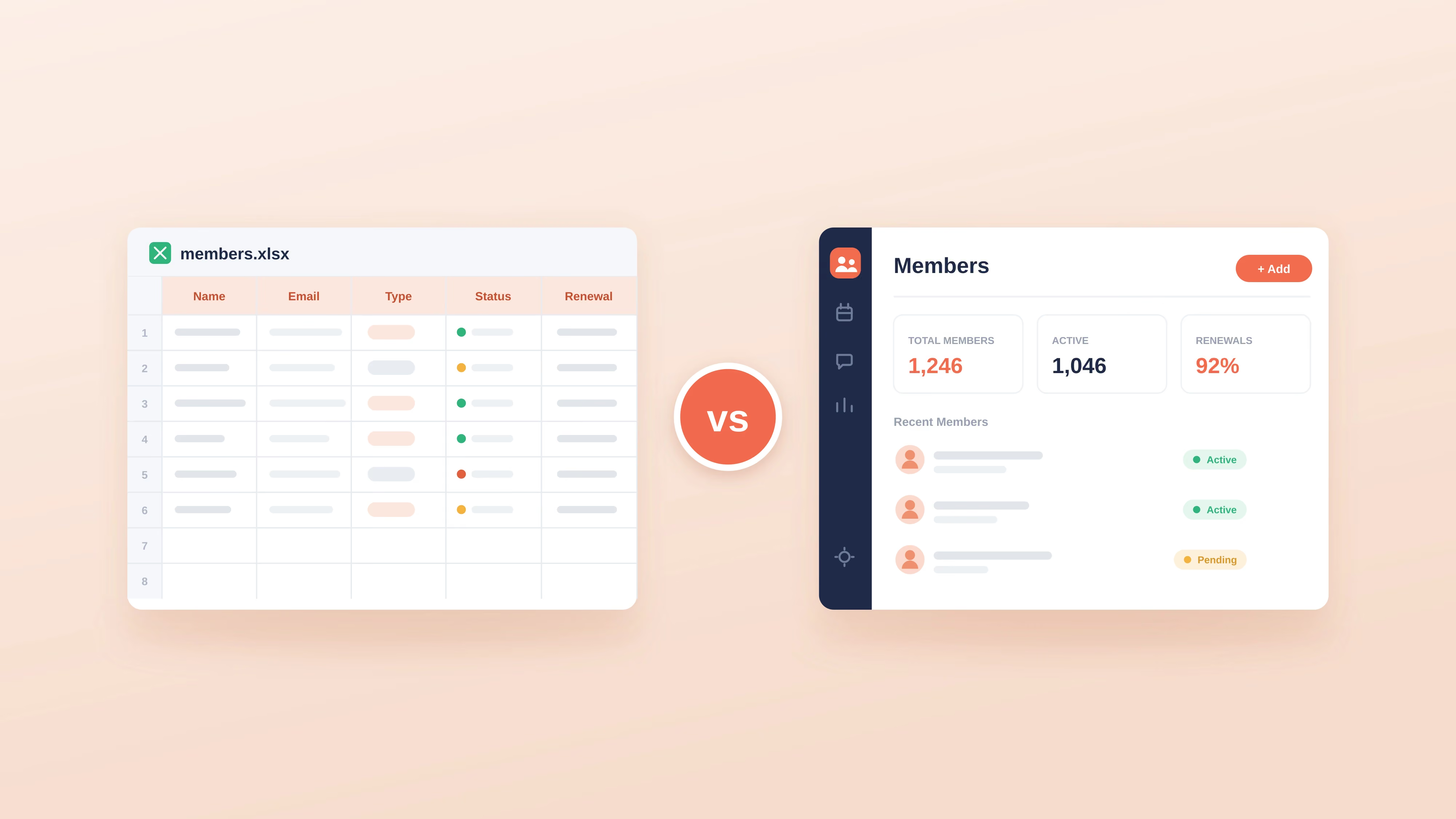
Do you need software, or will a spreadsheet do?
A spreadsheet can work when you have a small, stable list and few payments to track. It starts to break down once renewals, payments, and communication become manual chores, or once errors and missed renewals cost you members and revenue.
A simple test: if you spend more time maintaining your member list than using it, software will pay for itself in saved hours. If you want to start with a spreadsheet, the free Excel member database template is a fine first step, and you can move to software when the manual work outweighs the cost.
How Join It works
Join It is membership management software for associations, clubs, nonprofits, and other member-based organizations. It follows the flow above and is built to be simple enough for a small or volunteer-run team to run.
In practice, you set up your membership types, import an existing list or share a sign-up link, and the platform handles the rest: recurring payments, automated renewal reminders, a self-service member portal, digital membership cards, event registration, and member check-in, all connected to one member database. You can see the full flow on the how it works page, and Join It starts under $29 a month.
Join It is a strong fit for organizations that want to replace spreadsheets and manual follow-up with a straightforward system. If your core need is retail point of sale, appointment booking, or a full operational suite, membership software usually works best alongside those tools rather than replacing them.
Frequently asked questions
How does membership management software handle payments?
It connects to a payment processor and charges members securely, either once or on a recurring schedule. Each payment links to the member's record automatically, and many platforms also let admins record offline payments like cash or check. Look for recurring billing with failed-payment handling built in.
How do automatic renewals work?
The software stores each member's expiration date and sends reminders before and after it. For recurring memberships, the renewal charge processes on schedule, so most renewals happen without manual follow-up. You configure the renewal reminder schedule once.
How does membership software work with the tools I already use?
Most platforms offer integrations that sync data with a payment processor, an email tool, and accounting software, so you are not copying information between systems.
How long does it take to set up?
Membership-first tools are usually the fastest to launch, often days rather than weeks, especially if you import an existing member list rather than starting from scratch.
Is it hard to use for a non-technical team?
Not with the right tool. Simpler platforms are designed for small and volunteer-run teams, with guided setup and a self-service portal that keeps day-to-day admin light. Ease of use is worth testing during a free trial.
Conclusion
Membership management software works by turning a static list into a connected system: members join and pay online, dues and renewals run automatically, members manage themselves, and one database keeps everything current. The result is less manual admin and fewer missed renewals.
If you want to see the flow in action, you can explore how Join It works or start a free trial. Ready to compare your options first? The guide to the best membership management software is a good next step. Have a specific question about your setup? Just reach out, we are happy to help.
.avif)
Guides from the Experts
Through our work with 4,000+ organizations - we’ve put together helpful guides to assist; regardless of where you are on your journey.
.webp)

A Complete Guide to Membership Organizations
Everything you need to know to manage and grow your membership business
.webp)
Maximize Membership Retention: 10 Proven Strategies
Tried and true strategies that not only win membership, but keep them

Build a Membership Website: A Step-by-Step Guide
Your one-stop resource for knowing all the features your modern membership website needs
Ready to start your free trial?
Our membership software is intuitive to use and even easier to test for yourself.