Best Directory Website Builder for 2026: 15 Tools Compared


Building a directory website used to mean hiring a developer, waiting months, and burning through a serious budget. That's no longer the case.
Today's options range from dedicated directory platforms to no-code app builders to WordPress plugins that can have your listings live in an afternoon. Whether you're running a local business directory, a member directory for your association, or a niche job board, there's a purpose-built directory site builder designed for your exact use case.
The global membership management software market, closely tied to directory solutions, was valued at $5.43 billion in 2024 and is growing. Meanwhile, Gartner forecasts that 70% of new enterprise applications will use low-code or no-code tools by 2026. The window to build a directory website without a developer has never been wider.
This guide covers dedicated directory platforms, no-code directory builders, website builder workarounds, and WordPress directory plugin paths. Every tool was evaluated using real user sentiment from Reddit, G2, Capterra, Trustpilot, and community forums, not vendor marketing pages.
Key Takeaways
Choose Your Directory Build Path First
Before you pick a tool, pick your path. The right approach depends on your technical comfort, budget, and how custom your directory needs to be long-term.
Dedicated directory platform (Join It, eDirectory): Built specifically for directories. Fastest to launch with the least configuration required. Less flexible for unusual use cases.
WordPress directory plugin path (MemberPress plus plugins): Maximum control and zero vendor lock-in, but you manage hosting, plugin updates, and compatibility conflicts yourself.
No-code database builder path (Bubble, Webflow): Great for custom logic without traditional coding. Expect a real learning curve before you're productive.
Website builder workaround (Wix, Squarespace with Member Areas): Quick setup and polished design, but directory features are limited and may hit ceilings as you grow.
Custom AI app builder (Lovable): Describe what you want, AI builds it. You own the code. Best for unique use cases where off-the-shelf tools fall short.
Pick the path first. Then choose the tool within it.
What Is a Directory Website Builder?
A directory website builder is software that lets you create, publish, and manage searchable listings, control who can view or edit them, and handle workflows like submissions, approvals, renewals, and payments without writing custom code.
That's a meaningfully different category from a regular website builder. Squarespace builds beautiful sites. It cannot natively handle faceted search, bulk listing imports, member-only visibility levels, or expired listing workflows without significant workarounds.
It's also different from a custom-coded directory. An online directory builder gives you the infrastructure out of the box. You're configuring, not constructing from scratch.
When do you actually need one? If you're managing more than 20 listings, handling member profiles with privacy requirements, or planning to monetize through paid listings or subscriptions, you need real directory software, not a static webpage pretending to be one.
Directory Website Types: Match the Builder to the Use Case
Community and Membership Directories
A community directory is a searchable, permission-controlled database of people. Think alumni networks, professional associations, nonprofit chapters, volunteer networks, and church groups.
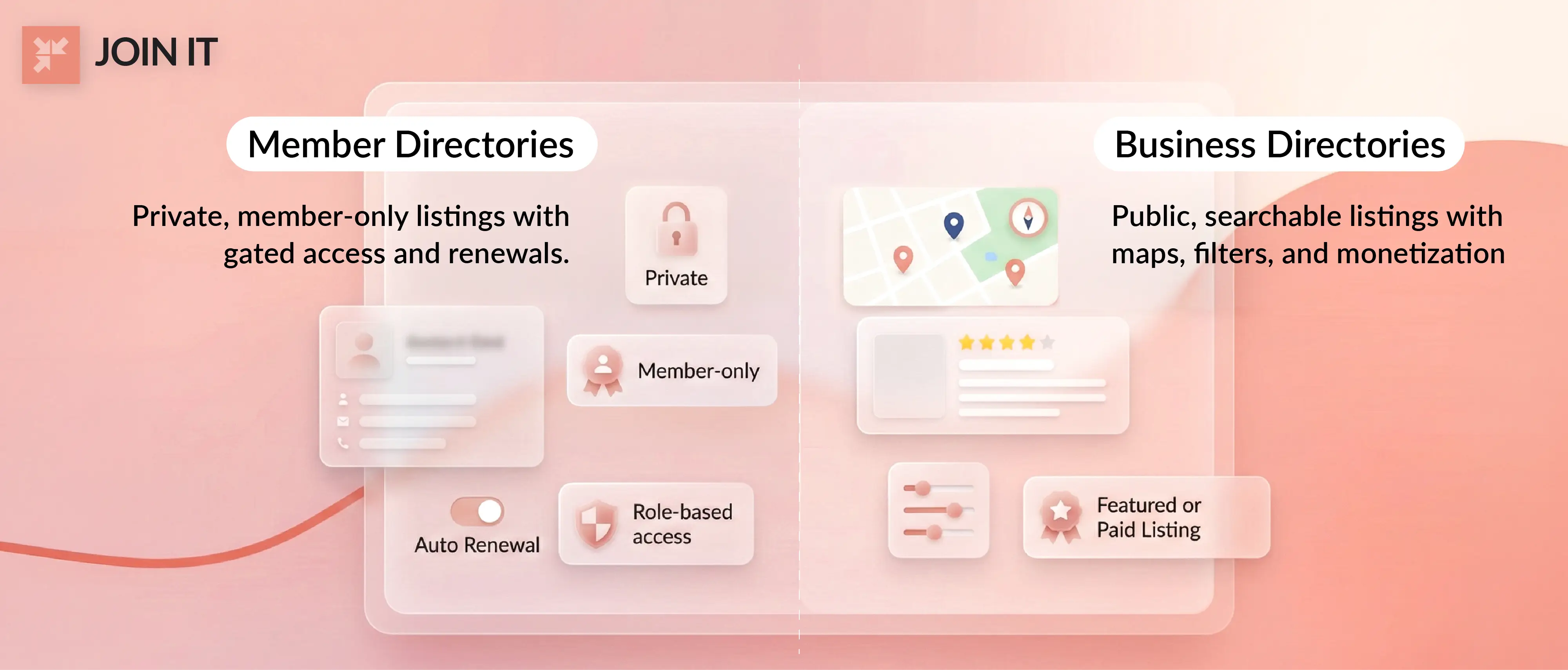
What the builder must support here: privacy controls, role-based access, and gated visibility so only logged-in members see sensitive contact information. Automated renewals matter too. When a membership lapses, the listing should disappear automatically, not linger because an admin forgot to remove it.
Membership organization types vary more than most people realize, and matching the right software to your specific community structure makes the difference between a tool your members actually use and one they ignore.
Key community directory types include member directories for associations and clubs (with privacy and gated access at the core), association chapter directories with location and committee filtering, sponsor and partner directories with tiered visibility, and resource directories connecting people to community services.
Business Directory Websites
A business directory website is a publicly searchable collection of business or service provider listings, typically with maps, categories, reviews, and contact forms.
What the builder must support: Google Maps integration or equivalent, category filtering, spam prevention, and a clear path to monetization through paid or featured listings.
This cluster covers local business directories, service provider listing sites with lead forms, job listings and job boards, real estate listings, and niche directories with vertical-specific attributes and faceted search.
The SEO opportunity in this category is real. 46% of all Google searches carry local intent. A well-built local directory can capture meaningful traffic from those searches. But be clear-eyed about the competitive environment: Google removed over 12 million fake business profiles in 2024 alone, which signals just how contested and spam-prone business directory territory has become.
How a Directory Website Builder Works
The Listings Model
Every directory is built around listings. A listing is a structured record containing fields, categories, tags, locations, images, and contact methods. The quality of your listing data determines the quality of your directory experience.
Most platforms support CSV import for bulk listing creation, which is critical if you're migrating from a spreadsheet or another platform. One thing to plan carefully: switching platforms carries real SEO risk. Without proper URL redirects and a thoughtful migration, organic traffic can drop significantly. An AppSumo discussion thread on Brilliant Directories covers exactly this scenario, noting that running old and new sites in parallel while setting up redirects is often necessary to protect rankings.
Search and Filtering
This is the feature that determines whether users actually return.
Basic keyword search is table stakes in 2026. What separates good directory software from great: advanced search with faceted filters, the ability to filter by location, category, price range, and custom attributes simultaneously. Sorting options and saved searches round out the experience. If users can't narrow 500 listings to the 3 that match their needs in under 30 seconds, the directory is failing at its core job.
Map Integration and Location UX
For local business directories, map integration is not optional. Most platforms connect to Google Maps. The UX patterns that perform best: map-first layouts where users see listings geographically and click through to details.
For member directories, location filtering by city, region, or chapter is more relevant than a visual map. Know which UX pattern your users need before committing to a platform.
Roles, Permissions, and Workflows
This is where membership-focused platforms separate themselves from business directory builders.
Public versus members-only visibility. Self-serve profile editing with an admin approval queue. Automated reminders for expiring listings. Renewals that automatically remove lapsed members from the public directory. If your directory involves real people and real privacy expectations, the platform's permission system will either save you hours every week or create ongoing headaches.
The GrowthZone helpdesk published a frank breakdown of risks in public membership directories: data harvesting, spam targeting, and identity exposure are genuine concerns. Member-controlled visibility settings aren't a luxury feature. They're a basic requirement.
What Makes the Best Directory Website Builder in 2026?
Here's the scoring framework applied to every tool in this list:
A few things worth highlighting before the list:
On SEO: Thin and duplicate listing pages are the most common way directory sites damage their own search rankings. Hundreds of near-identical pages with minimal unique content will drag an entire domain down. Every platform on this list handles this differently.
On lock-in: Before committing to any directory platform, verify that you can export all your data including custom fields and images in a portable format. One Trustpilot reviewer noted that certain features on a directory SaaS required paying for custom development to unlock, a lock-in situation that's difficult and expensive to escape from.
On support: User sentiment shifts significantly over time, particularly after acquisitions. Reading recent reviews, not just aggregate ratings, matters.
15 Best Directory Website Builders for 2026
Table 1: Directory Website Builders with Full Membership Management
Table 2: Directory /Website Builders (General Builders + Directory Platforms + No-Code)
1. Join It
Best for: Clubs, associations, nonprofits, and community groups that need a clean, functional member directory without enterprise-level complexity or price.
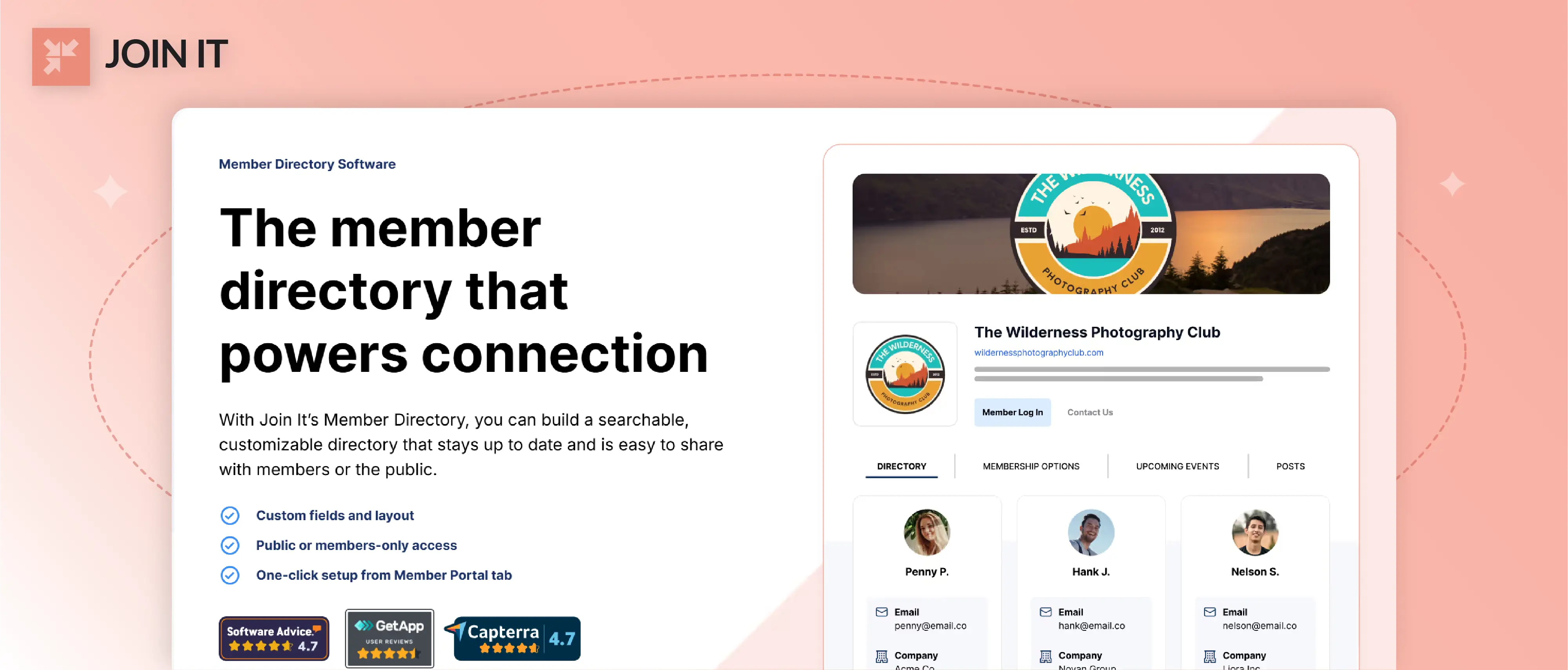
Join It is a membership management platform built around keeping member data organized, accessible, and private. The member directory feature gives administrators precise control over what's visible to the public versus what's reserved for logged-in members, which solves the privacy challenge most community organizations encounter immediately.
Core features include unlimited membership types, automated renewals, event registration, Mailchimp and Eventbrite integrations, digital membership cards on higher tiers, and automation rules that cut down admin repetition. The member database keeps contact information current without requiring staff to chase people down via email.
Reviewers consistently highlight easy setup and responsive support. Some note that advanced automation features require moving to a higher tier.
Ratings: 4.7/5 across 81 reviews. (Software Advice)
Pricing:
- Starter: $29/mo (3% service fee, unlimited membership types)
- Total: $99/mo (2% service fee, adds membership cards and advanced automations)
- Extra: $199/mo (1.5% fee, API access, phone support)
Annual plans save 10%. Nonprofits receive an additional 10% discount.
Free trial: 30 days, no credit card required.
2. Brilliant Directories
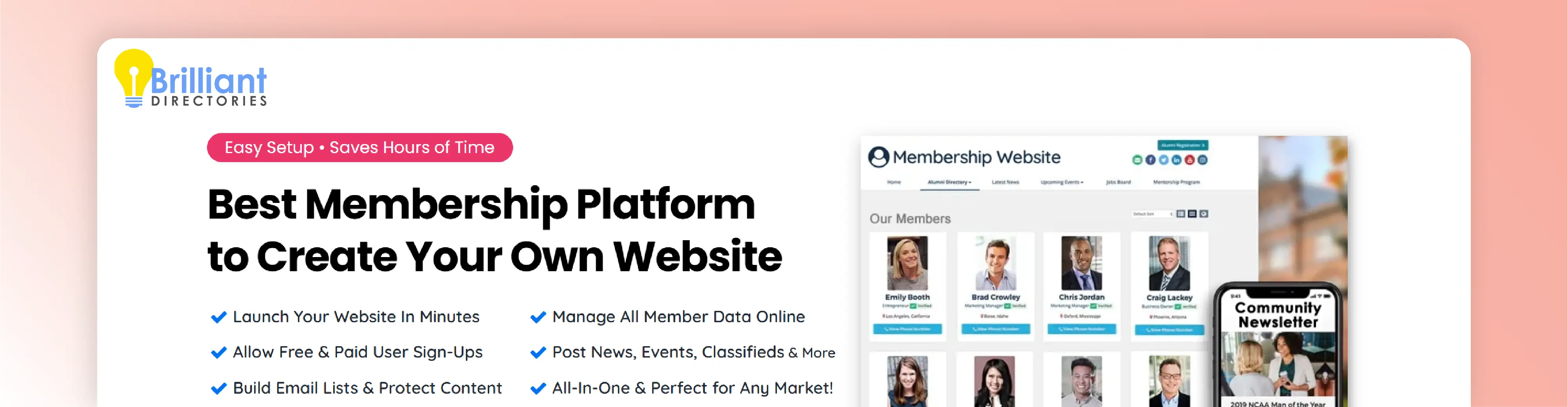
Best for: Entrepreneurs and agencies building monetized online business directories with member listings, e-commerce, and recurring billing.
Brilliant Directories is the most feature-complete dedicated directory website builder in this list. Member listings, events, classifieds, recurring billing, ad sales, coupon codes, and a drag-and-drop page builder all ship in the base product. The emphasis on built-in directory monetization makes it a strong choice for anyone planning to charge for listings or memberships from day one.
The r/directorymakers community consensus captures the platform's character accurately: "BD is very reliable. Support is good. It's robust. Best for member-type directories rather than tools-based directories." The same thread flags that "the upselling for every little feature is continuous and some of those are vital," and that setup requires genuine patience even for technically confident users.
G2 reviewers reinforce this picture: feature depth is excellent, the default design "can feel dated," and heavier customization sometimes requires developer help.
Ratings: 4.8/5 across 803 reviews. (Software Advice)
Pricing:
- Monthly: $145/mo
- Lifetime: $1,450 one-time payment, includes all future updates
Free trial: 7 days, no credit card required.
3. eDirectory

Best for: Directory builders who want the choice between a self-hosted installation and a scalable cloud solution for business directories and marketplace portals.
eDirectory is one of the few platforms offering both a cloud SaaS version and a source code license for self-hosting. It supports custom post types, banner ads, event listings, classifieds, a REST API, and geographic targeting on Enterprise plans. The flexibility around deployment is genuinely uncommon in this category.
The feedback from users is more divided than the other dedicated platforms. Trustpilot reviewers describe the interface as feeling like "it hasn't been updated since the mid-2010s" and note that custom development often means purchasing add-ons through eDirectory's own team. One reviewer rebuilt their entire project in Webflow and Airtable after spending nearly a month trying to make eDirectory work for their use case. Others, particularly those running larger directories, report positive experiences with scalability.
Ratings: 4.2/5 across 82 reviews. (Software Advice)
Pricing:
- Professional: $99/mo ($74.25/mo billed annually)
- Enterprise: $199/mo ($149.25/mo billed annually)
- Source license: $1,499 one-time
Free trial: Free trial available, no credit card required.
4. WildApricot
Best for: Small to mid-sized associations, clubs, and nonprofits wanting an all-in-one membership platform with a built-in directory and website.
WildApricot combines member database, website hosting, event registration, email marketing, and online payments in one place. The member directory is included at every pricing tier and supports self-service profile management with admin oversight.
A 2024 association trends study found that members of tech-forward organizations are 81% more satisfied overall, and WildApricot is frequently the platform that gets small associations to that level for the first time.
Pricing scales by contact count, which is friendly at the start but escalates quickly. At 5,000 contacts you're looking at around $415/mo on annual billing. The feature set doesn't change across tiers, only the contact limit does.
The 60-day free trial with no credit card required is the most generous in this entire category.
Ratings: 4.4/5 across 555 reviews. (Software Advice)
Pricing: Contact-based, from $56.70/mo (100 contacts, annual) to $850.50/mo (50,000 contacts, annual). Same features at all tiers.
Free trial: 60 days, no credit card required.
5. MemberClicks

Best for: Professional societies, trade associations, and chambers that need a full association management system with integrated directory functionality.
MemberClicks (part of the Personify family) offers two product lines. MC Professional serves individual-based membership organizations. MC Trade serves business-oriented associations and chambers. Both include contact and membership management, website hosting, event registration, continuing education tracking, and payment processing.
Users appreciate the breadth of features. Reviews consistently flag that the system feels complex and onboarding requires real training investment, not just a quick read of documentation. Support quality has varied notably over time, particularly following acquisitions.
Ratings: 4.3/5 across 469 reviews. (Software Advice)
Pricing: MC Professional starts at $4,500/yr; MC Trade starts at $3,500/yr. Both are custom-quoted based on organization size.
Free trial: No free trial. Demo available on request.
6. GrowthZone

Best for: Chambers of commerce and trade associations that need chamber-specific membership management with directory, events, and billing tools in one platform.
GrowthZone is purpose-built for chambers. It includes membership CRM, event registration, email marketing, billing, QuickBooks integration, a mobile staff app, and a directory and website component. The integrated suite is the main selling point.
Nearly 60% of associations reported improved member engagement after investing in platforms in this category. The same survey found that "never enough time" is the top challenge association administrators face, which is precisely the problem GrowthZone's automation features are designed to reduce.
The consistent caveat: the interface is not the most intuitive, and training is considered essential rather than optional.
Ratings: 4.4/5 across 274 reviews. (Software Advice)
Pricing: Starts at approximately $3,900/yr. Custom quotes required.
Free trial: No free trial. Demo available on request.
7. Glue Up

Best for: Event-heavy associations, chambers, and organizations wanting a modern engagement platform with directory, CRM, and community tools tightly integrated.
Glue Up (formerly EventBank) combines CRM, event ticketing, membership management, community forums, and webinars in a modern, clean interface. Mobile apps for members, Zapier integrations, and open APIs round out the feature set.
Reviews highlight the interface quality and the strength of the event management tools. The consistent criticism: reporting capabilities are limited and pricing requires a sales conversation to unlock.
Ratings: 4.5/5 across 185 reviews. (Software Advice)
Pricing: Starts at approximately $2,500/yr. Custom quotes required.
Free trial: No free trial. Demo available on request.
8. YourMembership

Best for: Small to mid-sized associations that want a single platform covering member CRM, directory, online community, events, email, and learning management.
YourMembership (Community Brands) covers the full association management stack. Member database, configurable website templates, event registration, learning management, and directory functionality are all included.
The review picture is the most mixed in this list. A 3.8/5 rating across 174 reviews, the lowest here, reflects recurring themes: a dated interface, limited reporting, and inconsistent support. Pricing is opaque, with independent analysis estimating real costs ranging from $3,000 to $20,000 per year depending on requirements and organization size.
Ratings: 3.8/5 across 174 reviews. (Software Advice)
Pricing: Custom quotes only; estimated $3,000 to $20,000/yr.
Free trial: No free trial. Demo available on request.
9. MemberPress

Best for: WordPress users who want to add subscription billing, content protection, and a member directory to an existing WordPress site without switching platforms.
MemberPress is a WordPress plugin, not a standalone platform. You bring your own hosting and WordPress installation. MemberPress layers on top of that with subscription management, content gating, member management, a visual course builder, and directory functionality via add-ons.
The benefit is complete flexibility within the WordPress ecosystem. The trade-off is ownership of hosting, plugin updates, and compatibility maintenance. For teams already running WordPress who want to explore building a membership website, this is often the path of least disruption.
WordPress users consistently rate MemberPress highly for reliability and ease of use relative to alternative WordPress membership plugins.
Ratings: 4.8/5 across 365 reviews. (Software Advice)
Pricing:
- Launch: $199.50 first year (then $399/yr), 1 site, 4.9% transaction fee
- Growth: $349.50 first year (then $699/yr), 3 sites, no transaction fee
- Scale: $499.50 first year (then $999/yr), unlimited sites
Free trial: 14-day money-back guarantee.
10. WordPress (with Directory Plugins)
Best for: Technically confident builders who want full control over a business directory or member directory with no platform dependency.
WordPress powers a significant portion of the web, and paired with the right WordPress directory plugin, it can build almost any directory use case imaginable. Popular combinations include GeoDirectory for local business directories, HivePress with ListingHive for cleaner free setups, and Connections Business Directory for member-focused use cases.
The r/nocode community frequently recommends "WordPress plus Voxel theme" as one of the strongest combinations for local business directory builders who want design control alongside real directory functionality.
The honest trade-off: you're responsible for hosting, plugin compatibility, security, caching configuration, and update management. The WordPress community's standard advice for directory sites is to keep plugins updated diligently since complex directory plugins interact with caching and security plugins in ways that can produce unexpected conflicts.
Ratings: 4.6/5 across 14,953 reviews. (Software Advice)
Pricing (WordPress.com): Free plan available; paid plans from $4/mo (annual) to $45/mo (annual) for full plugin support.
Free trial: Free plan available. 14-day refund on paid plans.
11. Wix
Best for: Small businesses or solo operators who need a simple, attractive directory site without technical complexity or a long development timeline.
Wix is not a dedicated directory website builder. But with Wix Member Areas, Data Collections, and additions from the Wix App Market, you can build directory-style experiences that work well at smaller scale.
The drag-and-drop editor and AI-assisted site creation make Wix the fastest path to a decent-looking listing website. The limitations emerge when you need advanced filtering, bulk listing imports, or complex membership permission levels.
Capterra reviewers flag "performance issues for larger sites" and "laggy editing" as recurring frustrations, which matters if your directory is expected to grow beyond a few hundred listings.
Ratings: 4.4/5 across 10,520 reviews. (Software Advice)
Pricing: $17.77/mo to $159.77/mo (annual billing). Free plan available with Wix branding. 14-day money-back guarantee.
12. Squarespace

Best for: Creators, freelancers, and small organizations that prioritize design quality and need basic directory or member area functionality without deep directory features.
Squarespace's design quality is genuinely best-in-class among general website builders. Member Areas and Squarespace Extensions add directory-adjacent capabilities. But this is a workaround path, not a native directory platform.
Where it works well: simple service provider listing pages, resource directories with limited complexity, portfolio-style directories for creative professionals. Where it runs into walls: any directory requiring advanced search, faceted filters, or granular membership access controls.
Ratings: 4.6/5 across 3,364 reviews. (Software Advice)
Pricing: Approximately €11/mo to €29/mo (annual billing; pricing varies by region). 14-day free trial, no credit card required.
13. Webflow
Best for: Designers and agencies who want pixel-perfect control over a custom directory site using CMS Collections and dynamic content without traditional coding.
Webflow bridges the gap between visual design tools and custom development. CMS Collections function as listing databases. Dynamic pages pull from those collections. Client-side filtering libraries like Finsweet's CMS Filter add faceted search without writing code. The result can be a genuinely well-designed online directory builder with real functionality.
The caveat is significant: non-technical users will encounter a steep learning curve. Webflow is not plug-and-play in the way Wix or Squarespace is. But for designers already comfortable in the tool, it's one of the most capable website builders for building a niche directory website with custom design requirements.
Ratings: 4.5/5 across 264 reviews. (Software Advice)
Pricing: Free Starter plan (2 pages); paid plans from $14/mo (annual) to $39/mo (annual). Enterprise pricing available.
Free trial: Free Starter tier with no time limit.
14. Bubble

Best for: Technical founders and no-code builders who need complex directory or marketplace logic that standard SaaS directory tools cannot support.
Bubble is the most flexible no-code option in this list by a meaningful margin. Want a real estate directory with custom lead routing? A job board with application tracking? A service provider directory with built-in messaging and booking? Bubble can build all of it without traditional coding.
The trade-offs are real: genuine learning curve, performance requires active tuning as the application scales, and higher usage tiers get expensive. The free plan has no time limit, which is genuinely useful for prototyping and validating an idea before committing to paid infrastructure.
The Indie Hackers and maker communities consistently recommend Bubble for directory and marketplace projects where the business logic is too custom or complex for off-the-shelf directory software.
Ratings: 4.6/5 across 332 reviews. (Software Advice)
Pricing: Free forever plan; paid plans from $59/mo (annual) to $549/mo (annual). Enterprise pricing available.
15. Lovable

Best for: Entrepreneurs and founders who want to build a custom AI directory website fast, own the code outright, and avoid platform dependency entirely.
Lovable is an AI-powered app builder where you describe what you want in plain language and the platform generates a working web application. The native Supabase integration provides a production-ready PostgreSQL database, authentication, and storage alongside the front-end interface. Critically, you own the code, exported via GitHub and self-hostable.
For building a niche directory website with genuinely unusual requirements or a custom real estate listings site with workflow logic no template can accommodate, Lovable's describe-it-and-build-it approach can reach a working prototype faster than any traditional platform path.
The credit-based pricing model is worth understanding before committing. More complex builds consume credits faster, and costs can scale unexpectedly.
Ratings: 4.6/5 across 204 reviews. (Software Advice)
Pricing: Free plan (30 credits/mo, no credit card needed); Pro plans from $25/mo (100 credits) to $2,250/mo (10,000 credits). Annual billing saves approximately 17%.
Directory Website Builder SEO: Avoiding the Thin Page Problem
Large directories have a structural SEO challenge baked in. Hundreds of similar listing pages with minimal unique content can trigger thin content issues and suppress indexation across your entire domain.
Google product experts have specifically flagged that business directories with low-value content on listing pages suffer from consistently low indexation rates. A discussion in r/directorymakers on schema markup captures the core principle: "Individual listings are where it matters most. The schema type depends entirely on what you're listing."
Schema by directory type: For local business directories, LocalBusiness schema on individual listings with ItemList containers on category pages. Add AggregateRating and Review only when genuine reviews exist. For job boards, JobPosting schema. For real estate listings, RealEstateListing. The schema choice follows the content type, not the other way around.
Handling duplicate content: Empty category pages, auto-generated location combinations, and tag pages with few listings are the primary sources. The practical fix: noindex thin category pages until they have meaningful content, use canonical tags correctly across paginated views, and ensure every listing page contains something unique (owner descriptions, real reviews, photos) that justifies its existence in the index.
UGC and SEO: User-generated content including reviews and Q&A can significantly boost SEO for directory listings by adding fresh, unique content that search engines value. The trade-off is moderation load. If you have the capacity to moderate it well, enable it. If you don't, the spam and quality risks outweigh the SEO benefits.
Security and Privacy for Directory Websites
Public vs. Members-Only Directories
Making your member directory fully public solves discoverability but creates tangible risks. The GrowthZone helpdesk article on public membership directory risks is worth reading in full before you configure visibility settings: data harvesting by bad actors, spam targeting, and identity exposure are documented risks, not hypothetical ones.
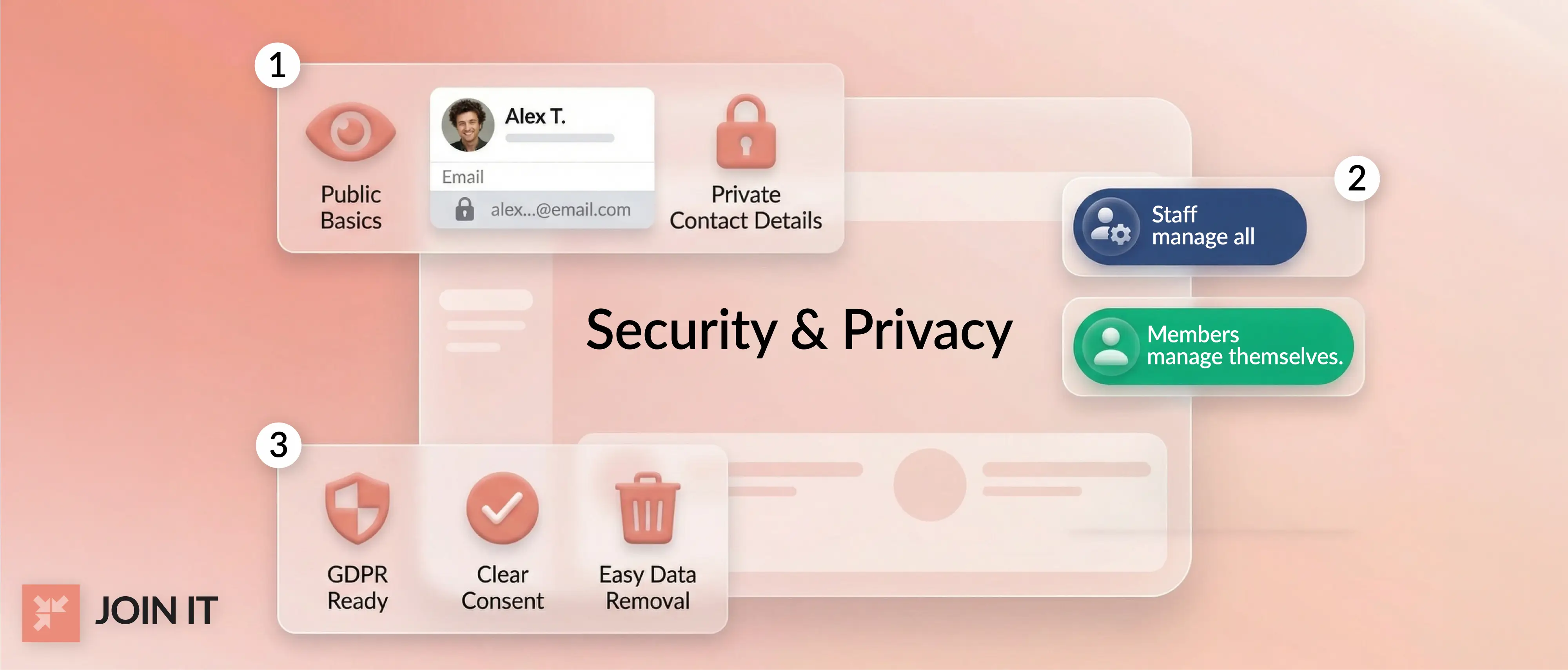
The better model in most cases: basic member information visible publicly (name, title, organization), detailed contact information visible only to logged-in members, and member-controlled settings for each field. Opt-in rather than opt-out for sensitive data.
Role-Based Access and Permission Design
Staff, volunteer administrators, and regular members need meaningfully different access levels. Staff should be able to edit any record. Members should edit only their own profile, with changes queued for admin review. Volunteer chapter leads might need read-only admin access for their region only.
Dedicated membership platforms handle this natively. Most website builder workarounds require significant customization to achieve the same result.
Compliance Basics for the US and EU
If any of your members or listed businesses are based in the EU, GDPR applies regardless of where your organization is headquartered. The essentials: documented consent before data collection, the ability to honor deletion requests within required timeframes, clear visibility controls for each member, and records of what you collect and why.
Platforms like WildApricot and MemberClicks have GDPR-relevant features built in. WordPress and Webflow implementations require you to build and maintain compliance tooling yourself.
Common Complaints Worth Knowing Before You Buy
Here's what real users consistently flag across platforms, condensed so you know the right questions to ask vendors:
Upsells on essential features. The most consistent complaint across directory SaaS platforms is discovering that a critical capability (advanced search, payment processing, member messaging) requires a more expensive plan or a paid add-on. Ask specifically what's included and what triggers an upsell before you sign anything.
Templates that feel dated. Older dedicated platforms often ship with designs that haven't been refreshed in years. G2 reviewers of Brilliant Directories specifically note "the out-of-the-box look is a bit dated" as the main downside of an otherwise capable platform. If design matters to your audience, factor in design customization effort and cost.
Steep learning curves for non-technical admins. Complex configuration requirements overwhelm volunteers and rotating board members. eDirectory users in particular describe feeling "left out to fend for myself" after onboarding. If your directory will be managed by non-developers, prioritize platforms with strong onboarding documentation and responsive support.
Spam listings and underpowered moderation. Without solid verification workflows, fake submissions accumulate and degrade both trust and SEO rankings simultaneously. Look for platforms with email verification, CAPTCHA on submission forms, and admin review queues as default features, not paid additions.
WordPress plugin conflicts. Complex directory plugins interact with caching plugins, security plugins, and page builders in unpredictable ways. The WordPress community's standard advice: keep everything updated, test on a staging site before pushing changes to production, and document what you've installed.
Integration friction. Getting a directory to sync reliably with a CRM, email marketing platform, and payment processor is harder than it looks in demos. Ask vendors specifically about integration reliability, not just what's listed on their integrations page.
What Real People Are Saying
From Reddit (r/directorymakers):
The Brilliant Directories community thread is one of the most candid conversations available about directory software choices. One experienced user cuts through the debate: "There will always be differing opinions. Pick a tool and put your head down." It's genuinely useful advice in a category where analysis paralysis is a real risk.
Newer no-code tools like Directify are gaining traction among users who found older platforms overly complex for their actual needs. The emerging split: BD for users who need all the features and are willing to invest significant setup time; lighter, newer tools for those who need a working directory faster.
On schema and SEO (r/directorymakers):
Community consensus from practitioners: use LocalBusiness schema on individual listing pages, ItemList on category pages. Add AggregateRating only when genuine user reviews exist to support it. Never apply aggregate ratings at the category level. This matches what Google expects and avoids structured data quality issues that can trigger manual actions.
On the no-code vs. WordPress debate:
r/nocode discussions consistently surface "WordPress plus Voxel theme" for local business directory builders who want design control without sacrificing functionality. For highly custom application logic, Bubble is the recurring recommendation. For speed to MVP when data already lives in Airtable, Softr and similar tools come up frequently.
From nonprofit and association communities:
The pattern that emerges from TechSoup and nonprofit tech forums: smaller organizations typically start with an all-in-one platform like WildApricot for the convenience, then sometimes migrate toward separate best-of-breed tools as they grow. The membership organizations guide covers what most community organizations discover they actually need from their software once they've been running a directory for a year or two.
How to Choose the Right Directory Website Builder
The right platform comes down to three things: who your directory serves, how technical your team is, and where you want to be in two years.
For community and member directories run by clubs, associations, or nonprofits, platforms built around membership CRM and automated renewal workflows will serve you far better than adapting a general website builder. Join It, WildApricot, and MemberClicks are designed specifically for this use case.
If you're unsure what a member directory actually involves at the operational level, understanding what a membership directory is and how it differs from a simple contact list is a useful foundation before evaluating software.
For business directory websites with maps, categories, and monetization goals, Brilliant Directories and eDirectory are purpose-built. Factor in the learning curve and design flexibility trade-offs honestly.
For design-forward projects with custom requirements, Webflow and WordPress give you flexibility at the cost of more hands-on management.
For the fastest path to a working prototype with AI doing the heavy lifting on the initial build, Lovable is worth a serious look.
Before committing to any platform: verify the data export options. Knowing you can get all your listing and member data out cleanly removes the largest long-term risk of any directory software decision.
If you want to see how a purpose-built solution handles the community side of directory management, start a free trial with Join It with no credit card required. Or if you'd prefer to walk through the features with someone, book a free demo and see the member directory tools in context.
Conclusion
The best directory website builder for 2026 is the one aligned to your specific use case, not the one with the longest marketing page.
Community directories need privacy controls, role-based access, and automated renewal workflows. Business directories need map integration, advanced search and filtering, spam prevention, and clear monetization flows. The overlap between those two requirements is smaller than most comparison articles suggest, which is why reading the wrong comparison article leads people to buy the wrong tool.
Use this list as a filter. Identify your directory type first. Shortlist the platforms built specifically for it. Run free trials where available. Ask vendors directly about the edge cases that will matter to you at scale.
The market for directory software is growing rapidly and the tools genuinely are better than they were five years ago. The barrier to building a membership website or a full business directory has never been lower. Pick the right path, start with a trial, and build from there.

Guides from the Experts
Through our work with 4,000+ organizations - we’ve put together helpful guides to assist; regardless of where you are on your journey.
.webp)

A Complete Guide to Membership Organizations
Everything you need to know to manage and grow your membership business
.webp)
Maximize Membership Retention: 10 Proven Strategies
Tried and true strategies that not only win membership, but keep them

Build a Membership Website: A Step-by-Step Guide
Your one-stop resource for knowing all the features your modern membership website needs
Ready to start your free trial?
Our membership software is intuitive to use and even easier to test for yourself.