
20 Membership Card Benefits for 2026 (Physical + Digital)



Most organizations treat a membership card like a formality. Print it, mail it, move on. But the organizations with the smoothest check-ins, fewest renewal disputes, and most engaged members all have one thing in common: their card actually does something.
At its best, a membership card answers three questions that come up at your front desk every single event: "Are you a member?" "What tier are you?" "Is your renewal current?" When a two-second scan handles all three, your staff stops playing detective. Your members stop feeling interrogated. And your events actually start on time.
This guide covers 20 membership card benefits that matter in 2026, why most organizations only capture a handful of them, and what you can do about that starting today.
Key Takeaways
Membership Card in 2026 (Why Organizations Still Use Them)
A membership card is a physical or digital credential that proves someone belongs to an organization and communicates their current status, tier, and access level at a glance. Day to day, it does three things: confirms who the member is, speeds up check-in, and connects perks without a phone call to the office.
The numbers behind the shift are hard to ignore. According to the 2025 Mobile Wallet Trend Report by ACI Worldwide, mobile wallet usage for passes, tickets, and credentials rose approximately 92% between 2019 and 2024. Members increasingly expect their credentials to live on their phone.
But here is the operator reality: lines form at the door. "Is my renewal active?" disputes happen at every event. Staff and volunteers need something reliable in their hands, whether that is a scanner or a quick visual.
Cards work when they match your workflow. They break when they do not. For a deeper look at how digital credentials work end-to-end, our comprehensive guide to digital membership cards covers the wallet setup side in detail.
What Is a Membership Card (and What It's Not)
A membership card is a credential that confirms active membership and displays the key details needed at verification: name or member ID, tier, and expiry. Three common use cases are event entry, member-only perks, and facility access.
It helps to be clear about what a membership card is not:
- A loyalty card tracks repeat purchase behavior. A membership card confirms belonging and standing.
- An event ticket is single-use access. A membership card is an ongoing credential.
- A member directory listing is internal visibility. A membership card is the proof you hand someone at the door.
That last distinction matters for privacy. A directory might include your address or contact details. A card shows only what is needed at verification. Everything else stays in your database, which is the right design.
Membership Card Types (Physical + Digital) and What Each Is Best For
Not every format fits every organization. Before you commit to a design or platform, it helps to know what you are actually choosing between.
Physical Membership Cards

Plastic membership card (CR80 / credit card size): Durable, familiar, and compatible with existing barcode or NFC readers. The CR80 format matches a standard credit card exactly, which means members actually carry it. Best for gyms, clubs, and any organization where fast visual ID matters.
Printable membership card / membership card PDF: Low cost, zero shipping, and a genuine lifesaver when technology fails. On a Dallas-area astronomy club forum, a frustrated member asked directly: "why is there not an option to just print it out on a printer... would it not save the problems?" after their digital card download broke for the second year running. PDF fallbacks are not optional, they are essential.
Membership card badge / lanyard: For events and conferences where staff are scanning quickly, a badge on a lanyard beats fumbling with a phone. Standard for volunteer-staffed check-in tables.
Membership key tag: Clips to a keychain, always on hand. Popular with gyms and sports clubs for tap-access entry without needing any screen.
Digital Membership Cards
Apple Wallet membership card / Google Wallet membership card: Lives on a phone, updates automatically when membership status changes, and eliminates printing costs entirely. CuriOdyssey, a children's science museum, achieved roughly 60% digital card adoption in a single year after rolling out mobile wallet passes.
QR code membership card / barcode membership card: Fast to generate, easy to scan. Dynamic QR codes (which change per use) are significantly more secure than static ones. A static barcode can be photographed and shared indefinitely.
NFC membership card: Tap-to-check-in at a reader, works offline, and is ideal for gyms and controlled-access facilities. No screen needed on either end.
Want to see what customization looks like in practice? How to customize a digital membership card covers design and branding options worth knowing.
Quick Format Comparison
One rule applies across all formats: always have a fallback. Members lose phones. Wi-Fi dies. Scanners go down. A printable PDF costs nothing and saves events. The range of organizations that issue cards is wider than most people assume. For context on the types of membership categories that commonly use card systems, that resource breaks them down clearly.
Minimum Viable Membership Card (What It Must Do to "Work")
Before any of the 20 benefits below show up, your card needs to do four things reliably. It must identify the member (name or member ID, clearly readable). It must confirm active status (tier and expiration visible at a glance). It must support check-in (scannable credential or quick visual verification). And it must connect perks so a partner or staff member can verify a benefit without calling your office.
If any of those four fail, benefits evaporate. Fast check-in stops working. Disputes return. Staff go back to "the list."
What to Include on a Membership Card
Must-have fields: Organization name and logo, member name or member ID, membership tier, expiry or renewal date, and a scannable credential (QR code, barcode, or NFC).
Optional: Member photo, "member since" date, support QR for self-service help.
Never include: Full address, payment details, date of birth, or anything you would not want visible on a shared screen. A card is a public-facing object. The privacy principle here is straightforward: show minimal data on the card, verify everything else at scan time. This approach aligns with GDPR data minimization requirements, and it reduces exposure if a card is ever lost or photographed.
The 20 Membership Card Benefits (2026)
Here are all 20, organized by the problem they solve. For each benefit, the format matters, the failure mode matters, and the metric that proves it is working matters.
For a focused look at the digital side of this list, the top benefits of digital membership cards is worth bookmarking alongside this guide.
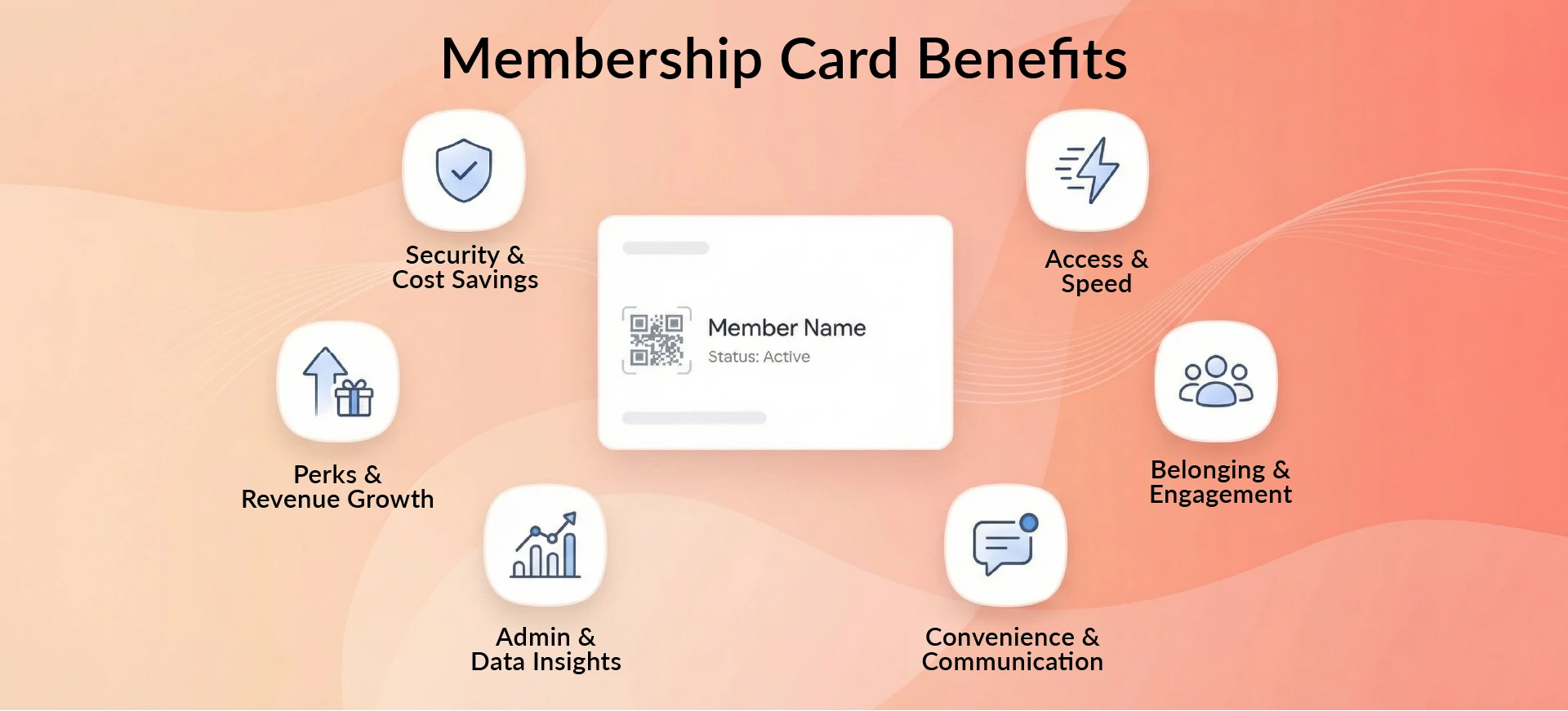
Access, Verification, and Speed Benefits
1. Speedy check-in and verification
Members display their card or phone, staff scans it, and they are in. Scan-based verification takes roughly two seconds per member, which is the kind of speed that "simply isn't an option" with manual lookups at a busy event. Replaces: name lookup on a spreadsheet. Best for: all scannable formats. Metric: average check-in time per member.
2. Easy proof of membership
A card is incontrovertible. No "trust me, I renewed last month." It is the answer to the question before the question is asked. Replaces: "let me check the list" conversations. Best for: plastic CR80, wallet pass. Metric: support emails asking to confirm membership status.
3. Improved access control and security
One consistent credential across all your locations and events. No per-event exceptions, no staff guessing. Replaces: per-event paper lists and "they said they were a member" scenarios. Best for: NFC key tag, plastic card, wallet pass. Metric: unauthorized entry incidents per quarter.
4. Eligibility confirmation (active status + expiry clarity)
Tier and expiry are visible on the card. No database lookup, no waiting, no ambiguity. Replaces: "is my renewal processed yet?" disputes. Best for: all formats with a clear expiry field. What breaks it: card not syncing after renewal. Fix: automate the payment-to-card update via CRM integration.
Belonging, Experience, and Engagement Benefits
5. Stronger identity and belonging
Holding a card, physical or digital, is a "you're in" signal. Members who can present their card at an event feel recognized rather than screened. It is a small object that does a large psychological job. Replaces: the faceless "you're on the list" experience. Best for: plastic card, premium wallet pass.
6. Increased perceived value and professionalism
A well-executed membership card design signals that your organization is organized and worth belonging to. It tells members their dues went somewhere real. Replaces: the hollow feeling of paying for membership and receiving only a confirmation email. Metric: early retention rate in first 90 days.
7. Better onboarding ("welcome card" moment) 🎉
The first card a new member receives acts as a ritual. It marks the shift from "someone who paid" to "someone who belongs." It is the tangible version of the welcome moment. Replaces: a confirmation email that gets buried three screens deep in an inbox. Metric: onboarding completion rate and first-event attendance.
8. Higher engagement through personalized experiences
Cards with visible tier labels (Bronze, Silver, Gold) make benefits personal. Members are more likely to claim perks they can see listed on their credential. Maximizing your membership experience goes deeper on how tier visibility connects to engagement. Replaces: generic mass emails that speak to nobody in particular. Metric: perk redemption rate by tier.
Convenience and Communication Benefits
9. Convenient mobile access via Apple Wallet / Google Wallet
A mobile membership card lives in the same app as a boarding pass. Members never lose it, never forget it, and never need to print it. Replaces: "I left my card at home." Best for: tech-savvy member bases. Metric: "lost card" support tickets before and after digital rollout.
10. Automatic updates and real-time status changes
When a member renews, their digital card updates immediately. No reprinting cycle, no waiting for a new card in the mail, no email asking for a replacement. Replaces: "I renewed but my card still shows expired." Best for: wallet passes connected to a CRM. What breaks it: no integration between payment platform and card system. Fix: automate the renewal-to-update workflow end to end.
11. Better communication through push notifications (used sparingly)
Google Wallet now supports field update notifications and Nearby Pass alerts triggered when a member is near a partner location. Used sparingly, this is a powerful touchpoint. Used constantly, it gets muted within a week. Best for: renewal reminders, expiring perk alerts, event announcements. Metric: notification open rate, not send rate.
Admin Workload and Data Benefits
12. Reduced administrative workload
Scan-and-verify replaces manual entry. Self-serve card delivery replaces "please resend my card" emails. For lean teams and volunteer-run organizations, this benefit alone can justify the entire card program. A membership card software demo shows what automated card workflows actually look like in practice. The broader strategy connects directly to mastering your membership management as a whole. Metric: staff hours spent per month on card-related support requests.
13. Better data accuracy and member records
Every scan is a data point. Check-in logs become attendance records. The member ID on the card becomes the key that connects your CRM, events platform, and POS without manual reconciliation. Replaces: "I think they attended but I'm not sure." Metric: check-in log completeness rate at events.
14. Better event management and reporting
When check-in is scan-based, you have real-time attendance data. That is useful for board reports, venue capacity planning, and proving engagement to sponsors and funders. Replaces: post-event manual counting. Best for: any organization running regular events. Metric: board report accuracy vs. attendance discrepancy rate.
Perks, Tiers, and Revenue Benefits
15. Enhanced perk redemption and partner discounts
A scannable membership discount card lets partners verify member benefits instantly at point of sale. No phone call to your office, no awkward "let me check with someone." Replaces: the verbal honor system at partner locations. Metric: perk redemption rate before and after card rollout.
16. Multi-tier membership clarity
Tiered membership cards make the difference between Bronze and Gold visible at a glance. Staff at the door do not need to guess, recall, or look anything up. The card tells them what the member gets. Replaces: tier confusion and inconsistent perk delivery. Metric: tier dispute volume per event.
17. Improved renewal reminders and grace periods
With an expiry date visible on the card and push notifications available through wallet passes, members see their renewal coming before it lapses. Combine that with automated reminders and grace period logic, and you get ahead of churn systematically. The full retention strategy is worth exploring in our membership retention guide. Replaces: surprise lapses and "my card stopped working" calls. Metric: lapse rate quarter over quarter.
18. Increased loyalty and retention
Research published via GlobeNewswire found that members in an active loyalty program spend approximately 37% more than non-members.
For many organizations, a well designed membership card becomes the visible layer of that loyalty scheme, making participation tangible rather than abstract.
A card that keeps membership visible and present in daily life supports that behavior. Replaces: passive membership that members forget they have until renewal time. Metric: year-over-year renewal rate.
19. Increased donations and sponsorship opportunities
When perk usage is tracked at scan time, you can show sponsors real redemption data rather than estimates. That transforms "we have 500 members" into "partner benefits reached 312 members last quarter with a documented redemption trail." Replaces: anecdotal partner ROI reports built on guesswork. Metric: tracked redemptions per sponsor campaign, per quarter.
Security, Cost, and Sustainability Benefits
20. Reduced fraud and card sharing, lower costs, and a smaller footprint 🌱
Rotating QR codes and scan-to-verify workflows make screenshot sharing ineffective. A dynamic code that changes per use means a photo of someone's card is worthless within minutes.
On the cost side, Cheekwood Botanical Gardens saved $50,000 in printing and mailing costs after switching to digital cards. And with 70% of Millennials saying a brand's environmental practices matter to them, going digital is increasingly a values signal as much as an operational one.
For organizations ready to explore this, Join It's digital membership card feature covers what that setup looks like.
Mapping Each Membership Card Benefit to the Problem It Replaces
What Breaks Membership Card Benefits in Practice (and How to Fix It)
Adoption gaps (staff don't scan, members don't carry or download)
If staff skip scanning and members never download their digital card, no benefit on this list survives. Community signals are consistent on this: when the workflow is awkward, people revert to hacks. On the DFWMAS astronomy club forum, members reported bringing payment receipts to events for verification because the digital card system had failed them two years in a row. The fix is not a better card design. It is making the card the path of least resistance, not the technical hurdle.
Card lifecycle issues (renewal not updating, expired card still "looks valid")
Symptom: member renews but card still shows the old expiry. Cause: no real-time sync between the payment system and card platform. Fix: automate the renewal-to-card-update workflow. If that step requires a human action, it will be skipped, and the phone calls will follow.
Offline scenarios (Wi-Fi dead, phone dead, scanner down)
Symptom: check-in stalls because the Wi-Fi is down or a member's phone is dead. Cause: digital-only setup with no fallback. Fix: always offer a printable membership card PDF as a backup option. On r/Costco, one employee noted that even in a chain actively moving toward digital, a physical card is still needed for gas pumps and self-checkout without reliable cell signal. Physical fallbacks are not nostalgia. They are resilience planning.
Fraud and misuse (screenshots, copied QR codes, shared cards)
Static QR codes can be photographed, shared, and reused indefinitely. Dynamic codes that rotate per use solve this directly. There is also a separate risk worth flagging: one Trustpilot reviewer described scanning what appeared to be a free membership QR at a store and being enrolled in a paid subscription instead. Poorly secured card links expose your members to third-party scams. The fix is basic: link all card QR codes exclusively to your own verified member portal.
Hidden costs (printing, replacements, support time, hardware)
Printing, scanner hardware, replacement card logistics, and staff support time add up, especially for volunteer-run organizations. Budget support hours explicitly. A card system that eliminates 40 re-send emails a month is a clear win. One that generates 40 new support tickets is a liability dressed as a feature.
What People Complain About (Reviews, Reddit, and Forums)
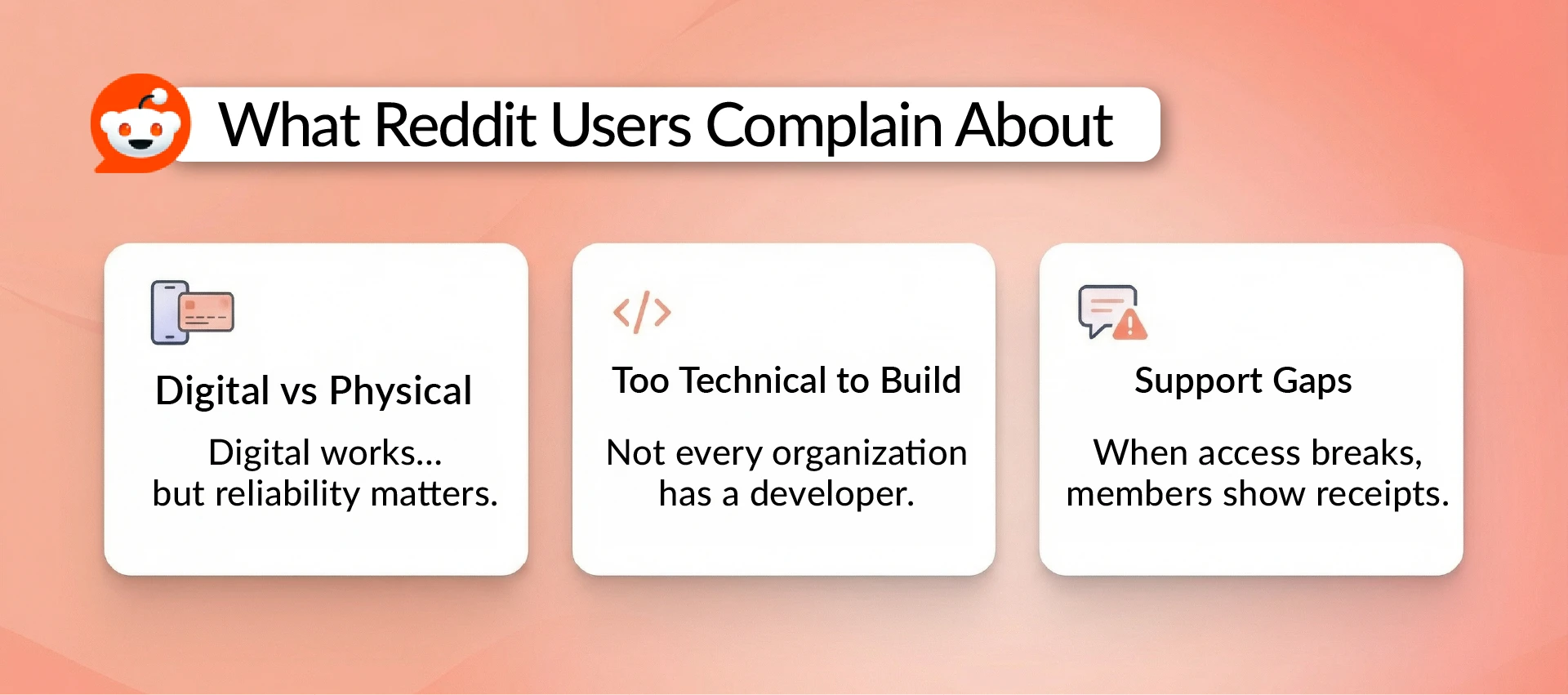
Reddit themes (digital vs physical debates)
The r/Costco and r/SamsClub threads surface the same split consistently. Digital works brilliantly when it works. Physical still wins in edge cases. One Sam's Club employee confirmed the chain's all-digital goal but still told members to hold onto their plastic card for gas stations. The pattern is clear: digital is the direction, but physical covers the gaps that digital cannot reach.
Niche forum complaints (download issues, need for printable fallback)
The DFWMAS astronomy club thread is a useful cautionary example. Members could not download their digital card, could not reach support through the website, and defaulted to showing receipts as proof. One member asked plainly why a printable option was not available. That is not a complex technical complaint. A PDF fallback would have resolved it entirely. When delivery breaks, people bring whatever they have. Design for that.
Technical Q&A constraints (why some setups feel "too technical")
Building an Apple Wallet pass from scratch requires a signed pass.json file, an Apple developer account, and a working web service to push updates. As Stack Overflow answers confirm, this is not an afternoon project without the right tools. It is a legitimate reason why purpose-built membership platforms exist, and why most organizations are better served using one than building from scratch.
Free Membership Card Templates
Templates matter because they reduce setup time, improve scanability at check-in, and prevent common privacy mistakes before they happen. A good template is already built around the minimum viable fields: org name, member ID, tier, expiry, and a scannable credential. They work for plastic CR80 printing, printable membership card PDFs, and digital wallet cards.
Four template categories cover most use cases:
- Classic CR80 plastic membership card for organizations that want a durable, professional physical card
- Printable membership card PDF for low-cost issuance or reliable offline backups
- QR code check-in card for event-based organizations where fast scanning is the priority
- Tier-based membership card for any organization with named levels like Bronze, Silver, and Gold
Membership Card Examples (Use as Inspiration)
The best membership card designs, across gyms, nonprofits, alumni associations, and cultural institutions, all solve the same problem. At the moment of verification, the card answers three questions without anyone asking: who is this person, what tier are they, and is their membership active?
A few design principles show up consistently in cards that actually work at the door. Tier and status are prominent, not buried. The organization name and logo appear immediately so there is no question about the issuer. The expiry date is on the face, not the back. And the scannable credential, whether a QR code, barcode, or NFC element, has enough clear space around it to scan cleanly under real-world lighting.
The other pattern worth noting is restraint. A plastic membership card or digital wallet pass that shows member name, tier, expiry, and a scannable code does the job well. Adding a full address, multiple phone numbers, and small-print disclaimers makes it do the job badly. Less on the front means faster reads, fewer errors, and better privacy for your members.
If you are looking for a starting point, browsing ready-made membership card examples across different formats and styles is a good way to see these principles in action before committing to a design direction.
FAQ
What should be on a membership card?
At minimum: your organization name and logo, the member's name or member ID, their membership tier, expiry or renewal date, and a scannable credential (QR code, barcode, or NFC element). Optionally add a "member since" date or a support QR for self-service help. Never include full address, payment details, or date of birth. The card is a public-facing object and should contain only what is needed at the point of verification.
How to make a membership card
Start with your format: plastic CR80 for a physical card, a PDF for printable backup, or a wallet pass for digital delivery. Most membership management platforms generate and issue cards automatically when a member joins and pays. The key is connecting your payment or CRM system so cards generate and update without manual steps. If a human has to do it, it will eventually not get done.
How to design a membership card
Keep the front to five elements or fewer: logo, name, tier, expiry, and scannable credential. Use high contrast between text and background for readability under poor event lighting. For physical cards, design to CR80 dimensions (85.6mm by 54mm, the same size as a credit card). For QR codes and barcodes, leave a clear white border around the scannable area or scanners will struggle at the edges. Minimal is almost always better.
Conclusion (Make the Benefits Real)
Twenty benefits sounds like a lot. But they all trace back to one idea: a membership card that matches your workflow delivers every benefit on this list. A card that fights your workflow delivers none of them.
Here is where to start, based on where your organization is right now.
If you are volunteer-run and just getting started, begin with a printable membership card PDF and a simple QR code check-in flow. That handles identification, verification, and basic event check-in without any technical overhead.
If you are a growing organization with regular events, add a wallet pass with real-time status updates and keep the PDF fallback. That unlocks mobile access, automatic renewal sync, and engagement tracking.
If you run high-frequency or high-security access (gym, club, controlled facility), layer in NFC key tags and offline-capable readers. That is the full operational stack.
The card itself is not the hard part. Getting the workflow right around it is. Nail that, and the benefits take care of themselves.
Ready to see what a modern membership card setup looks like before you commit? Start a free trial or book a free demo with Join It and see it in action with your own organization's setup.

Guides from the Experts
Through our work with 4,000+ organizations - we’ve put together helpful guides to assist; regardless of where you are on your journey.
.webp)

A Complete Guide to Membership Organizations
Everything you need to know to manage and grow your membership business
.webp)
Maximize Membership Retention: 10 Proven Strategies
Tried and true strategies that not only win membership, but keep them

Build a Membership Website: A Step-by-Step Guide
Your one-stop resource for knowing all the features your modern membership website needs
Ready to start your free trial?
Our membership software is intuitive to use and even easier to test for yourself.