Event Registration Software for Mixed Audiences: Managing Member, Non-Member and Group Tickets
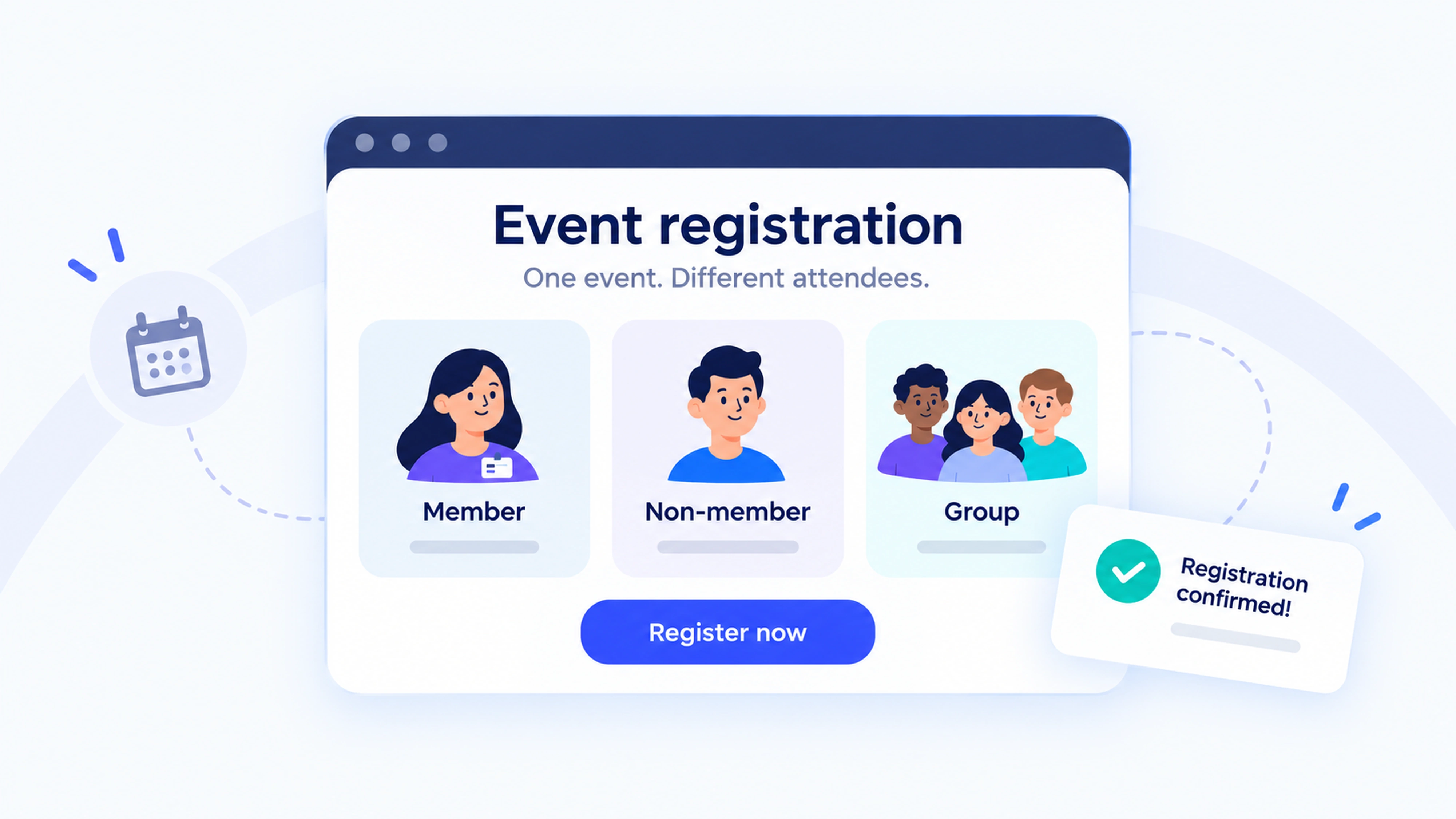


Event registration software for mixed audiences should apply the right price to each attendee, verify member eligibility, and handle group bookings without losing individual attendee details. When comparing platforms, test those workflows together: a member booking alone, a non-member signing up, and a coordinator purchasing tickets for a team with different membership statuses.
If you organize association conferences, nonprofit workshops, or community events, you’ll recognize the challenge. Everyone is coming to the same event, but they may have different prices, booking permissions, and payment arrangements.
A little planning before you choose your software makes those differences easier to manage. Here’s how to turn your ticket policies into a registration experience that feels welcoming from the first click.
What makes registration different for mixed audiences?
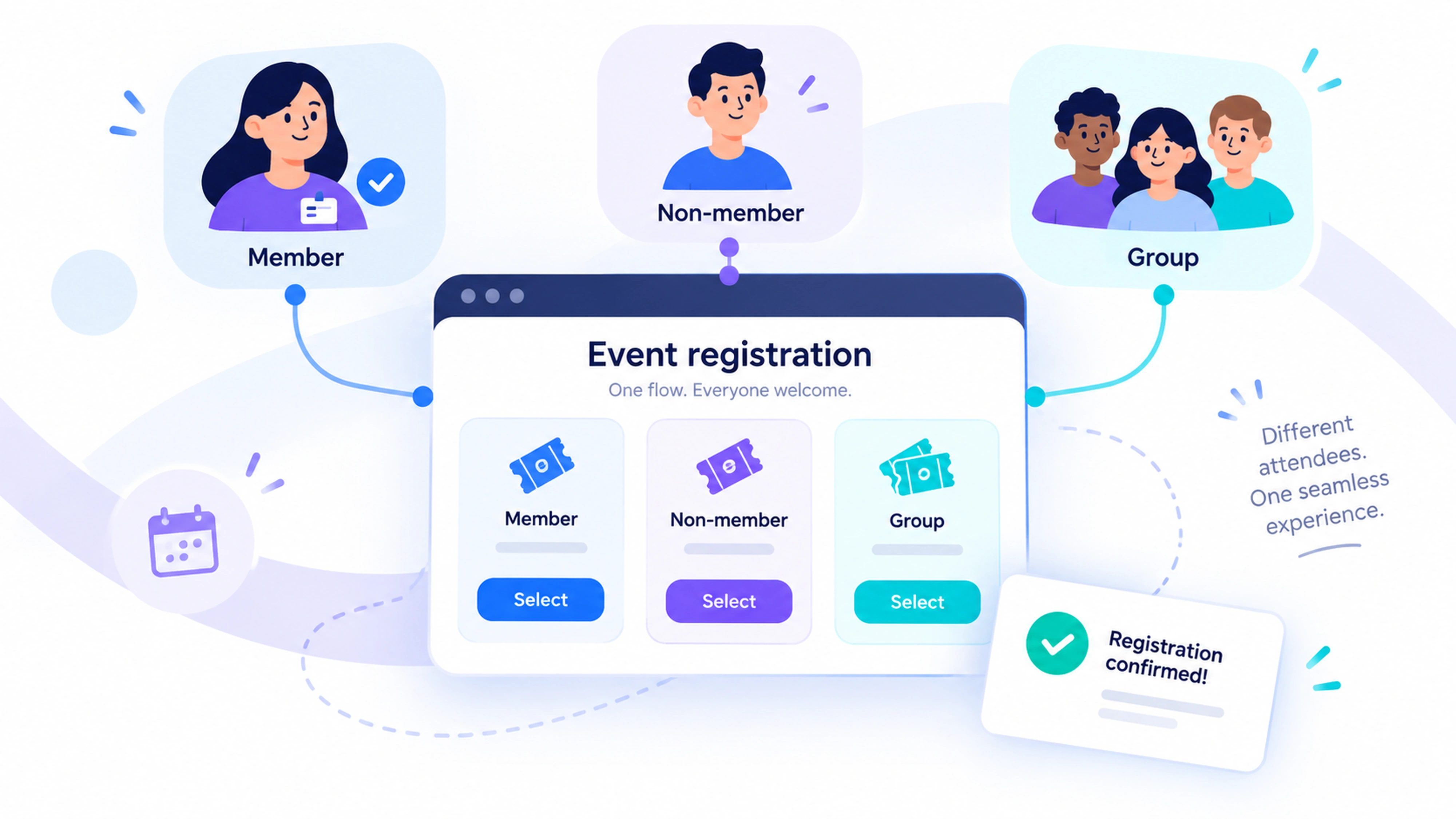
A mixed-audience event welcomes people with different relationships to your organization. That might include active members, prospective members, guests, and teams attending through an employer.
The important distinction is that membership status, ticket type, and booking role describe different things.
A member can buy a group ticket. A non-member can coordinate a booking without attending. An employer can pay for people who qualify for different rates.
Your registration setup needs to preserve those distinctions. Otherwise, a single “member or non-member?” question can end up doing more work than it should.
Start by defining three things for every booking: who is paying, who is attending, and what makes each attendee eligible for their ticket.
How should you structure member, non-member, and group tickets?
Write your ticket rules before building the registration form. A short table gives your team and prospective software providers something concrete to work from.
Notice that group booking is a purchasing arrangement. It does not automatically make every person in the order a member.
Decide whether your group price is a separate rate or a discount applied to eligible tickets. Then explain whether it combines with member pricing or early registration offers.
Keep the public labels simple. “Active member,” “Non-member,” and “Team booking” are easier to understand than internal campaign names.
Define capacity across ticket types
If your room holds 150 people, all applicable tickets need to draw from that shared limit. Separate member and public allocations should still respect the total.
Ask what happens when a group requests six places and only four remain. The result should follow your policy, with a clear explanation for the buyer.
How can software verify member eligibility?
Member pricing works best when eligibility is checked against a current membership record. Asking someone to select “I’m a member” gives you a claim to verify, rather than verification itself.
Compare three approaches.
Shared discount codes are straightforward to distribute, but recipients can forward them. They may suit a small event where your team is comfortable checking exceptions.
An approved attendee list can support controlled access, provided someone owns the updates. Ask how recently renewed members and email changes reach the list.
A connection to membership records can support automatic checks. Verify which membership types and statuses are recognized, how frequently information updates, and what happens when the connection is unavailable.
Decide when eligibility applies
Does someone need an active membership when they book, on the event date, or both?
For example, a member might book in October for a December conference while their membership expires in November. Decide what that means before registration opens, and explain the rule beside the member ticket.
If someone renews immediately before booking, test when their new status becomes available. Give attendees a helpful route to resolve a mismatch, such as contacting your team with their membership details.
How should group registration work?
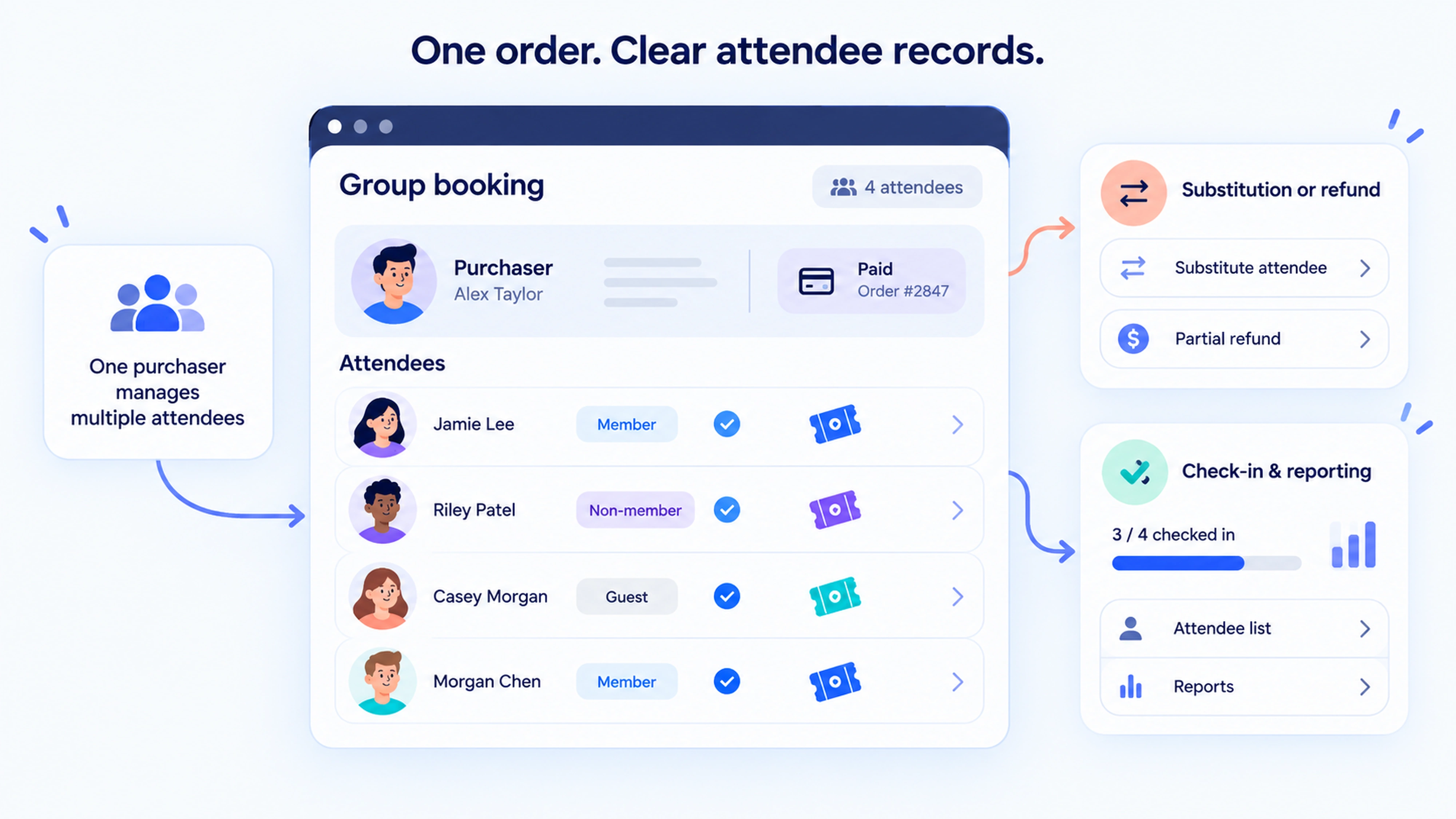
Good group registration combines a manageable purchasing process with an individual record for every attendee.
That means evaluating more than a quantity selector.
Separate the purchaser from the attendees
A coordinator buying eight tickets may need the receipt but may not need an event badge.
Each attendee may need their own confirmation, access information, dietary details, and check-in record. Ask the provider to show exactly which messages go to the purchaser and which go to individual attendees.
Check that changing one attendee’s details does not overwrite the purchaser’s information or another person’s record.
Check eligibility for each person
Suppose a team includes three active members and two non-members. If your policy gives discounts to individual members, the software should verify those three attendees separately.
If a corporate membership covers the whole team, define who qualifies under that membership instead. A shared company email domain alone may not establish eligibility.
Ask the provider to demonstrate the rule your organization actually uses.
Plan for unnamed places and substitutions
Some teams know how many tickets they need before they know who will attend. Decide whether to allow unnamed places and, if so, set a deadline for supplying attendee details.
Test reminders, name changes, and substitutions. If a non-member replaces a member, your policy may require a price adjustment.
Ask whether staff can handle that change without canceling and recreating the entire group order.
How do you keep checkout clear for everyone?
Show attendees the information they need to choose confidently: ticket eligibility, what is included, the full payable amount, and the relevant cancellation rules.
Then ask only for information you will use.
For an individual booking, that might mean contact details and essential event preferences. A group purchaser may also need an organization name and billing details.
Use conditional questions where the platform supports them. For example, show a membership verification field only on the route that needs it.
Make the non-member route welcoming
A prospective member should be able to understand how to attend without already knowing your organization.
Explain the public ticket option in plain language. If you offer a membership-and-ticket bundle, clearly separate the membership cost, event cost, benefits, and any renewal arrangement.
Keep optional membership information from interrupting the booking process.
Test the whole journey on a phone
Complete registration using a small screen, including payment and confirmation.
Look for confusing ticket labels, repeated questions, hard-to-read eligibility messages, and forms that lose entered details after an error.
Include a test where a member uses a different email address from the one in their membership record. Your team needs a clear way to help them.
What happens after payment?
Registration continues through changes, arrival, and reporting. Ask vendors to show the same booking at each stage.
For group orders, test a partial cancellation. Check whether one ticket can be refunded, whether its place returns to availability, and whether the remaining attendees keep their registrations.
At check-in, staff should be able to find individuals even when someone else purchased their tickets. Ask how separate arrival times, duplicate scans, and last-minute substitutions are handled.
Also ask about the venue’s connectivity needs and the provider’s supported backup process.
For reporting, distinguish orders, attendees, and checked-in attendees. One purchase covering six people is one order, six registrations, and potentially fewer than six attendees on the day.
Request a sample export that includes ticket type, membership classification at booking, amount paid, refund status, and attendance. Keeping the original classification helps explain historic sales even if someone later joins or renews.
Should you choose a membership platform or dedicated event software?
Choose around the work your team needs to complete.
Membership management software with event registration can be a good fit when events are part of an ongoing member relationship. You can evaluate registration alongside member records, membership renewals, and the member portal.
Dedicated event management software may be more appropriate when you need complex group administration, session selection, badge production, exhibitor workflows, or several event formats.
Some organizations use both. In that case, ask which system holds the authoritative membership record and how the event platform receives eligibility information.
A product listing an integration does not establish that every field or workflow is covered. Have the provider demonstrate new memberships, renewals, changed email addresses, and registrations returning to the appropriate records.
For a broader shortlist, Join It’s event registration software comparison provides a starting point. Use your own booking scenarios to evaluate the options.
How can Eventcombo support different registration journeys?
Eventcombo offers conditional registration forms that show fields based on registration type or previous answers. Its ticketing options include group, VIP, and complimentary tiers, with pricing windows and capacity controls.
For a conference welcoming members, public attendees, and employer teams, those tools provide a starting point for tailoring registration. Ask Eventcombo to demonstrate your exact membership checks and mixed group pricing rules.
Its registration platform also connects attendee records with check-in and supports automated confirmations and reminders. Test the journey from signup through arrival using your own event policies.
Where does Join It fit?
For associations, clubs, and nonprofits that manage memberships alongside events, Join It is worth considering.
Its native event registration supports free and paid registrations, multiple registration types, and access rules based on membership type and status. It also supports events open to members and non-members.
That makes it relevant when member eligibility and event registration need to sit close together.
If your event requires complex group bookings, individual eligibility within a shared order, or advanced conference workflows, ask for a demonstration of those exact requirements before choosing your setup.
How should you compare the total cost?
Ask shortlisted providers to price the same sample event, using your expected mix of free tickets, member tickets, public tickets, and group purchases.
Include:
- The subscription or event license.
- Platform fees and payment processing.
- Charges for free registrations, if any.
- Required add-ons, integrations, and support.
- Refund-related charges and fees that are retained.
- Setup and ongoing administration.
Clarify whether charges apply per order or per attendee. That distinction matters when one person buys several tickets.
Also confirm whether fees are absorbed by your organization or added at checkout. Compare the amount your organization receives and the amount attendees pay.
A useful quote should explain which required workflows are included and which involve extra configuration or manual work.
What should you test before choosing a platform?
Bring a small set of fictional records to the demo: an active member, a recently renewed member, a lapsed member, a non-member, and a group purchaser.
Ask the provider to complete these tasks in sequence:
- Register the active member at the correct price.
- Show the public booking route for the non-member.
- Check how the recently renewed member’s eligibility updates.
- Apply your stated policy to the lapsed member.
- Book a group containing members and non-members.
- Replace one attendee and process a partial refund.
- Check attendees in separately and export the results.
For each task, record whether it works as required, needs configuration, or depends on staff intervention.
Agree on the acceptable result before the demonstration. This keeps the conversation grounded in your event, and gives your team a practical basis for comparing providers.
Frequently asked questions
Can members and non-members register for the same event?
Yes, if the platform supports both audiences. Look for separate pricing and eligibility rules within the same event, with shared capacity controls where appropriate. Test both registration routes before opening bookings.
Is group registration the same as a group discount?
Group registration lets one purchaser book for multiple attendees. A group discount changes the price based on your rules. You may need either or both, so ask providers to demonstrate them separately.
Can member discounts apply within a group booking?
They can when the platform supports attendee-level eligibility and your pricing policy permits it. Confirm whether the system checks each attendee or applies one classification to the whole order.
What happens if a membership expires after booking?
Your published policy should determine the outcome. Some organizations base eligibility on the booking date; others require active membership on the event date. Choose a rule, explain it clearly, and check that your software supports the required process.
What is the most important feature to test?
Test the complete booking journey for your most complicated realistic case. A mixed group order can reveal how eligibility, pricing, attendee records, refunds, and check-in work together.
Make registration easier for your team and your attendees
Start with clear policies, then choose software that can put them into practice.
When member eligibility, public tickets, and group bookings work together, attendees can focus on joining your event. Your team has the information it needs to welcome them.
Before your next demo, write down your ticket rules and bring one mixed group booking to test. It is a practical first step toward finding a setup that fits your community.
.avif)
Guides from the Experts
Through our work with 4,000+ organizations - we’ve put together helpful guides to assist; regardless of where you are on your journey.
.webp)

A Complete Guide to Membership Organizations
Everything you need to know to manage and grow your membership business
.webp)
Maximize Membership Retention: 10 Proven Strategies
Tried and true strategies that not only win membership, but keep them

Build a Membership Website: A Step-by-Step Guide
Your one-stop resource for knowing all the features your modern membership website needs
Ready to start your free trial?
Our membership software is intuitive to use and even easier to test for yourself.