How to Clean a Membership Database Before Importing It
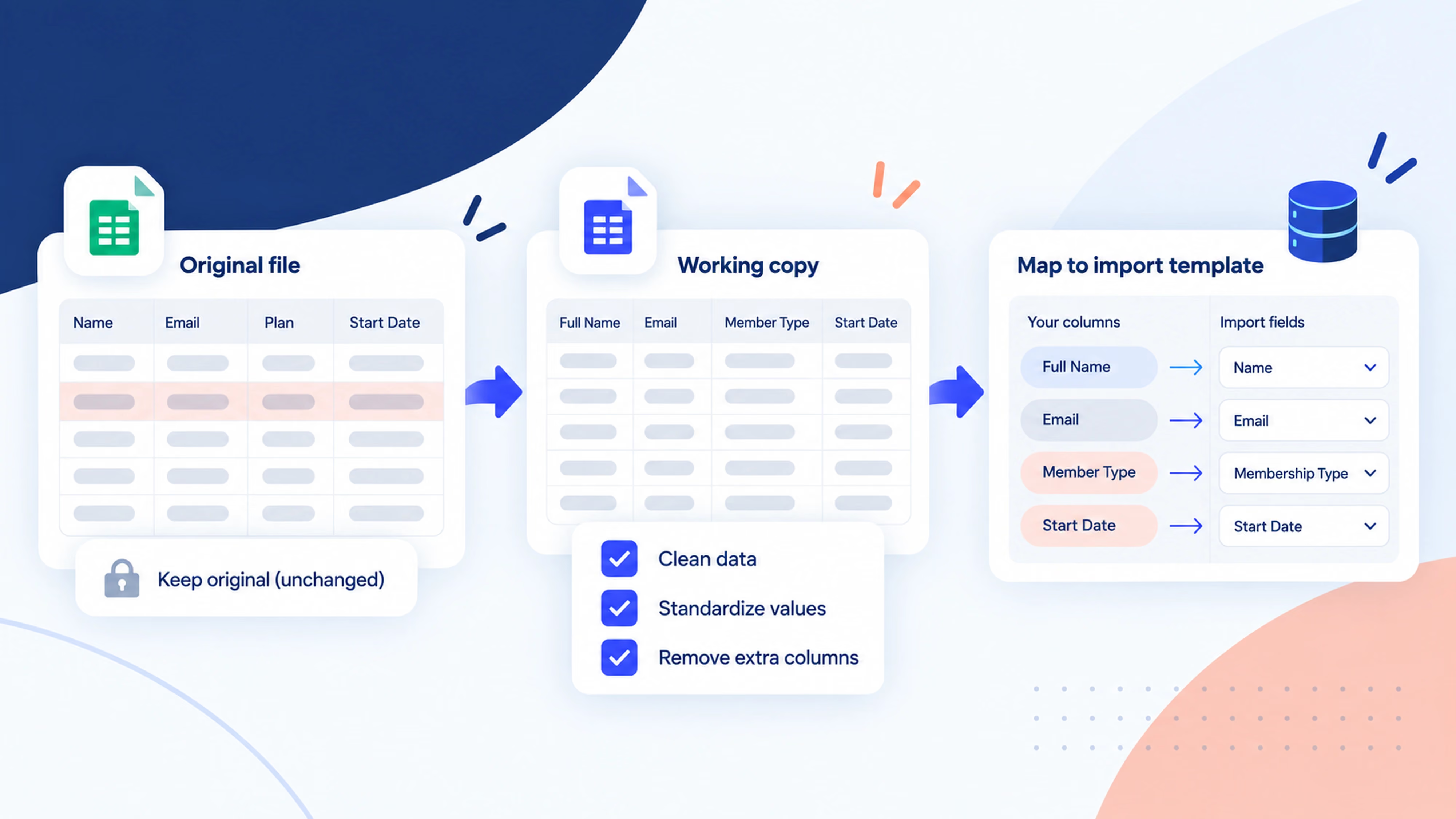


To clean a membership database before importing it, save an untouched original, match your columns to the new system, review duplicates, standardize dates and membership labels, and resolve missing information. Then agree a representative test with your provider and compare the imported records with your approved file. Treat shared email addresses as a reason to investigate, rather than an automatic reason to delete a membership.
Moving your records is a good opportunity to make everyday administration easier. A consistent list helps your team find the right member, understand their status and work from the same information.
You do not need to fix everything at once. Work through the steps below and keep a separate list of decisions that need another person's input.
What does cleaning a membership database mean?
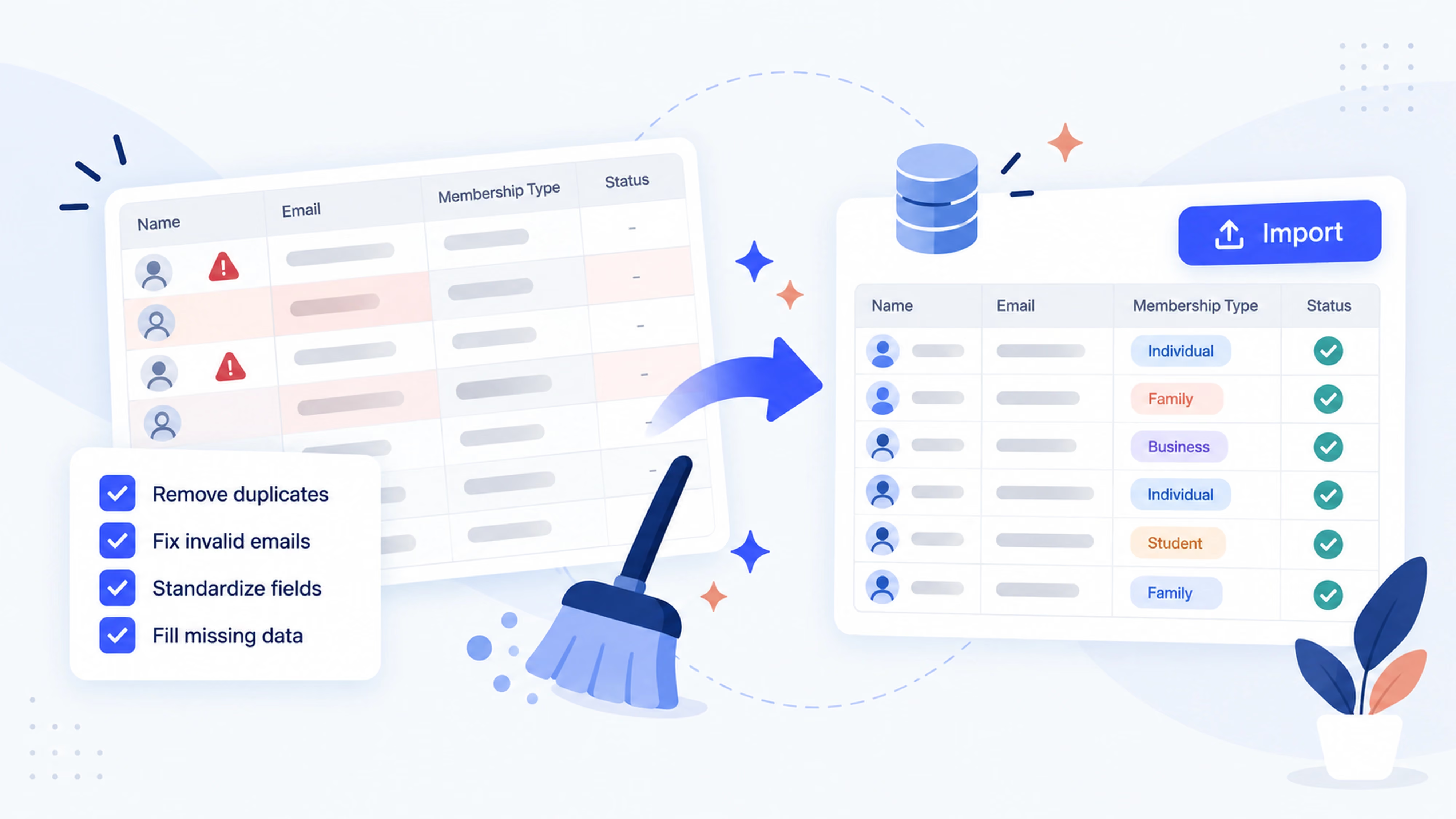
Cleaning a membership database means reviewing records so that the information is accurate, consistent and suitable for the system receiving it.
That includes formatting, such as making dates consistent, and decisions, such as whether two rows describe the same membership.
A tidy-looking spreadsheet can still contain unclear information. The goal is a file your team can explain and trust.
What should you check before importing member records?
Use this checklist to track the work. Nominate one person to approve the final file, even if several people help prepare it.
1. Keep an untouched copy of your original data
Save the export before editing it. Give the original and working copy clear names that include the export date.
Keep a short change log alongside your working file. Record decisions such as which duplicate was retained, how an old membership label was mapped and which rows still need review.
This makes it easier for another administrator to understand what changed. It also gives you something reliable to check when a member asks about a detail later.
Choose a final export time as well. If people continue joining or renewing while you prepare the file, agree how those changes will reach the new system.
2. Decide what each row represents
Before removing anything, establish whether each row describes a person, a membership or a group.
Those are not always the same thing. One person might hold two memberships. A family may share an email address. An organization may have one main contact and several participating members.
Keep the identifiers that explain those relationships. Ask the receiving provider how to represent group memberships or multiple memberships before flattening them into one row.
This is where a little preparation prevents a larger correction later.
3. Match your columns to the destination fields
Start with the receiving system's current import template or field guide.
For each source column, decide where it will go. A column called “Category” might mean membership type, while “Notes” could contain several kinds of information that need separating.
Use clear headers, remove decorative rows and totals from the import copy, and keep one value in each field wherever the template requires it. Preserve the untouched original.
Check whether member IDs and postal codes need to remain text so leading zeros survive. Review names with accents, apostrophes and hyphens after export.
If you are still organizing your source list, our free membership database templates provide a useful starting structure. Use the destination's own template for the final import.
4. Review duplicate records carefully
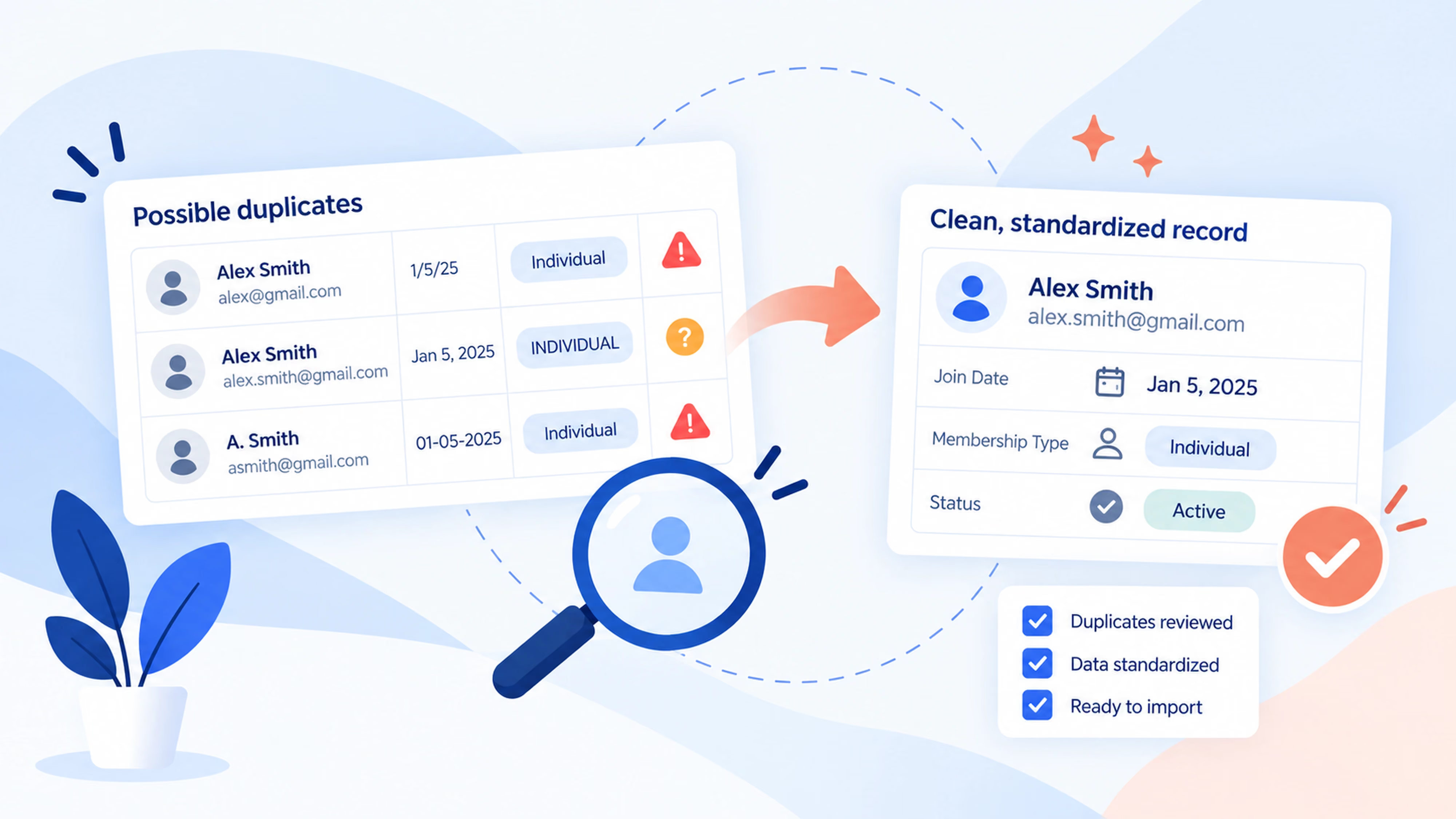
A matching email address is a clue, not proof that two membership records are duplicates.
Compare several details: member ID, name, membership type, dates and any history that helps identify the relationship.
For example, two rows with the same member ID and identical membership information deserve a closer look. Two family members sharing an email may both be valid records.
Create a review column and label each suspected match:
- Confirmed duplicate.
- Legitimate separate membership.
- Needs administrator review.
Resolve confirmed duplicates using a consistent rule for which information to retain. Keep conflicting details for review instead of automatically choosing the newest row.
Join It's guidance on duplicate membership records notes that duplicate rows in a bulk import can create separate memberships. Review the file before sending it rather than relying on later merging.
5. Standardize dates, membership types and statuses
Pick one agreed format for each field and apply it consistently.
A date such as 04/05/2026 is ambiguous without knowing the source convention. Confirm what it means before converting it. Formatting a cell differently will not fix a date that was interpreted incorrectly.
Do the same for membership labels. “Annual,” “Annual member” and “12-month” may describe one type—or different historical products. Ask the membership owner before combining them.
Keep membership type and status separate. A type explains which membership someone holds; a status describes its current state.
Also distinguish an ended membership from a canceled recurring payment instruction. Your organization may allow access until a paid term finishes. Map the record according to the actual membership rules.
6. Resolve missing information without guessing
Identify blanks in fields the receiving system requires. Then separate records you can correct from those needing confirmation.
Check incomplete email addresses with a reliable source. Keep intentional shared addresses where the membership structure allows them. Avoid creating placeholder addresses that look real.
Treat missing dates carefully. An unknown expiration date should not silently become a lifetime membership, and an unknown joining date should not be presented as a verified historical fact.
Hold unclear rows for review where appropriate. You can complete the migration in agreed stages if your provider supports that approach.
Review what information you need to carry forward, too. Keep required history in an appropriate place, but do not copy unrelated notes into member-facing fields.
7. Agree a sample check and the import process
Choose a small sample that covers the variety in your list: different membership types and statuses, custom fields, shared-email cases and older dates.
Ask your provider whether it supports a test environment, sample import or mapping review. Agree how sample records will be handled in the final import so they are not added twice.
Before the full import, establish:
- Who approves the mapping and final file.
- How rejected or incomplete rows will be reported.
- Whether records will be created or existing records updated.
- Which emails, integrations or renewal processes could be triggered.
- How changes made after your export will be included.
If your current system handles recurring payments, discuss that migration separately. Moving member details alone does not establish that existing billing arrangements have transferred.
8. Reconcile the results before using the new database
Compare the approved file with the import results. Check total accepted records and the counts for each membership type and status.
Record any deliberate exclusions, rejected rows or agreed merges. The final count should be explainable, even when it differs from the original export.
Then open a representative selection of records. Check names, contact details, dates, membership labels and custom fields. Include the complicated cases, not just the first few rows.
Once the results are approved, make it clear which system your team should update going forward. Assign someone to resolve any remaining exceptions.
How do you prepare a membership import for Join It?
Join It's member import guide explains the current process. Set up membership types and custom fields, then download your organization's CSV template from Bulk Import.
The guide specifies YYYY-MM-DD dates. A blank expiration date means no expiration is assumed; a blank joined date defaults to the import day. Confirm these values before submitting your file to support.
Importing does not itself notify members, but configured automated emails can run according to expiration dates. Review your communication settings as part of the handover.
Once the records are in place, Join It's membership database gives your team a central place to search and manage member information.
When is a spreadsheet enough, and when should you consider software?
A spreadsheet can work for a small list with one clear owner and a manageable update routine.
Consider membership management software when several people need current records, renewals involve repeated manual work, or member details are scattered across tools.
During evaluation, ask how a provider handles your real records: shared emails, group memberships, custom fields and incomplete history. Also ask what migration assistance is included and how your team will correct data afterward.
Our guide to choosing membership management software can help you evaluate the wider workflow.
Frequently asked questions
Should I delete every duplicate email address?
Review matching addresses before deleting anything. Families, organizational contacts and people with multiple memberships can legitimately share an email across records.
What date format should I use for a membership import?
Use the format required by the receiving system. Join It's import guide specifies YYYY-MM-DD. Confirm ambiguous source dates before converting them.
What should I do with records that are missing information?
Confirm what you can from a reliable source and flag the rest. Agree with the provider whether incomplete records can be imported or should remain in a separate review file.
Will importing a member list move recurring payments too?
Treat recurring-payment migration as a separate question. Ask the provider what can transfer and what member action or payment-provider coordination is required.
How do I know whether the import worked?
Reconcile counts against the approved file, account for exceptions and inspect representative records. Check important fields and membership relationships, not only the total number of rows.
Start with a list your team can trust
A good membership import starts with clear decisions: which records belong, what each field means and how you will verify the result.
Keep the original, work through the checklist and resolve uncertain records with the people who know them. If you are moving to Join It, use the member import guide to prepare your file and discuss the next step with our team.
.avif)
Guides from the Experts
Through our work with 4,000+ organizations - we’ve put together helpful guides to assist; regardless of where you are on your journey.
.webp)

A Complete Guide to Membership Organizations
Everything you need to know to manage and grow your membership business
.webp)
Maximize Membership Retention: 10 Proven Strategies
Tried and true strategies that not only win membership, but keep them

Build a Membership Website: A Step-by-Step Guide
Your one-stop resource for knowing all the features your modern membership website needs
Ready to start your free trial?
Our membership software is intuitive to use and even easier to test for yourself.