Free digital membership card maker

Create a Free Digital Membership Card

Design a custom membership card for your club, association, nonprofit, gym, or community. Add your details, personalize the design, and download your card in minutes—no design experience required.
Free to create and download.
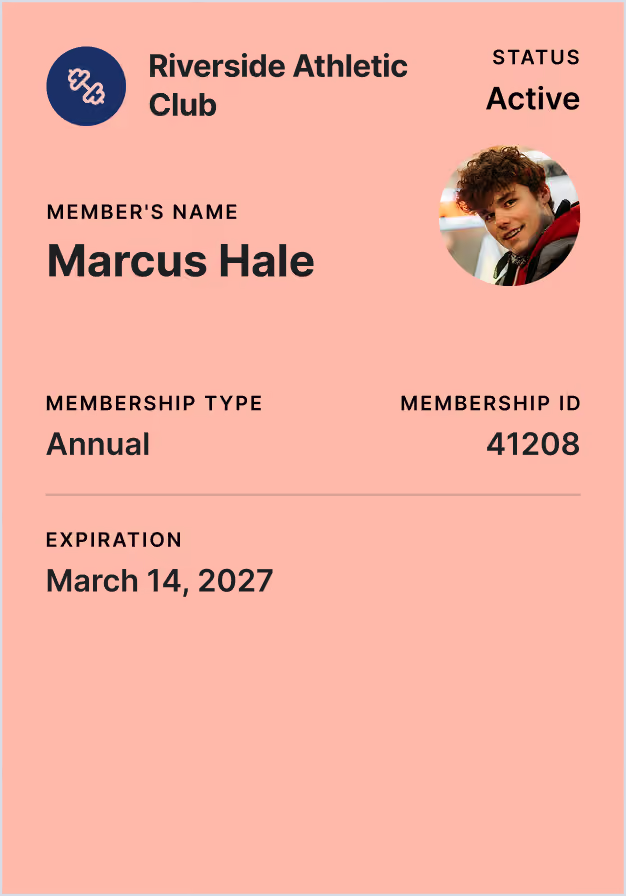
Membership card for Riverside Athletic Club showing active status, member's name Marcus Hale, annual membership type, membership ID 41208, and expiration date March 14, 2027, with a photo of a young man with curly hair wearing a red and black jacket.
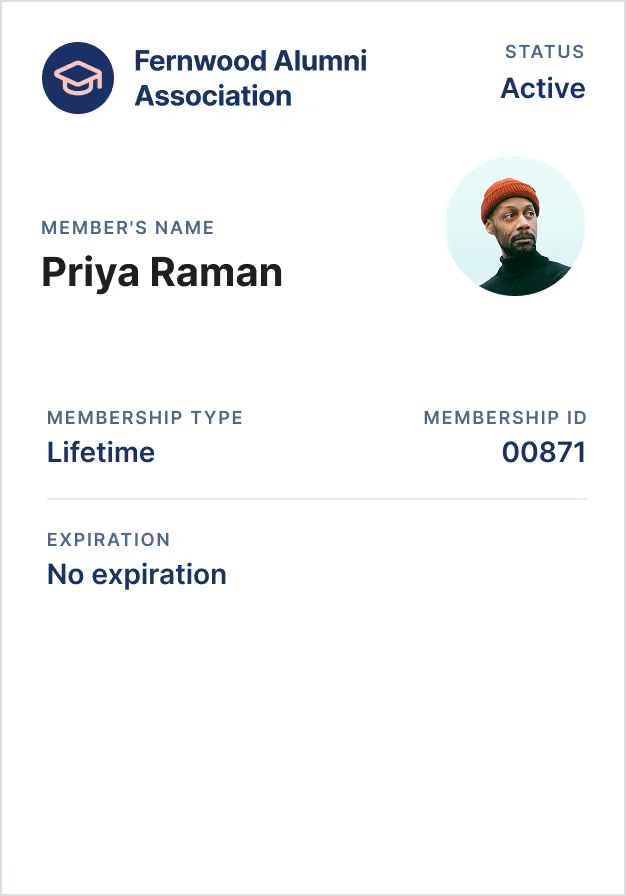
Fernwood Alumni Association membership card for Priya Raman, with status Active, membership type Lifetime, ID 00871, no expiration, and a photo of a person wearing a red knit cap and black turtleneck.
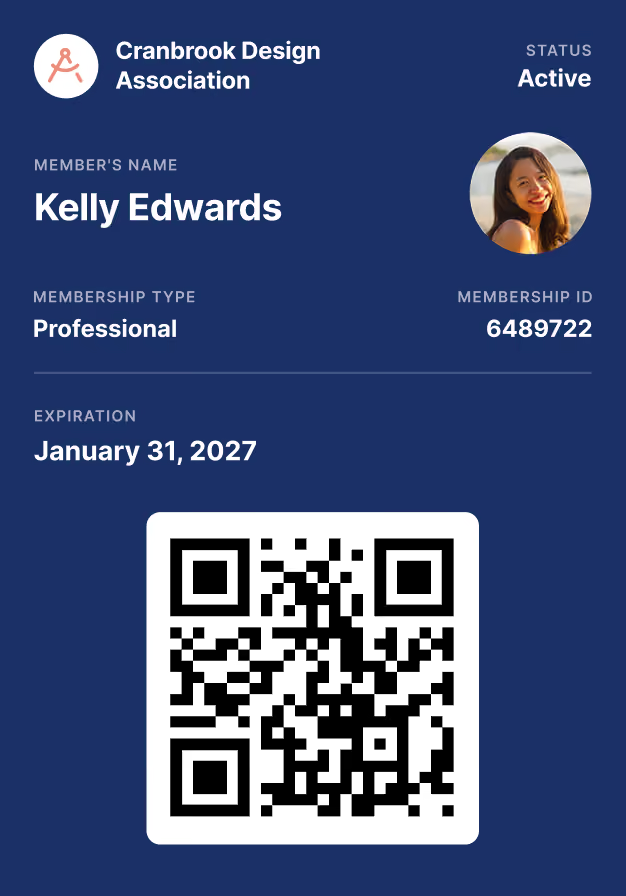
Membership card for Cranbrook Design Association with status active, member name Kelly Edwards, membership type Professional, membership ID 6489722, expiration date January 31, 2027, a small circular photo of a smiling woman, and a QR code below on a blue background.

Loved by organizations all over the world

4,000+
Organizations
Associations, nonprofits, clubs & communities
$100M+
Payments
Recurring dues, one-time payments & event revenue
40+
Countries
From small social groups to tens of thousands of members
Black and white logo of BPBC - Black Physicians of British Columbia
Black and white logo of Texas Ports association
Black and white logo of UMES - University of Maryland Eastern Shore
Black and white logo of ISAP - International Society of Animal Photography
Black and white logo of Australian Women's History Network
Black and white logo of Greenwich Village Chelsea Chamber of Commerce
Black and white logo of British Sake Association
Black and white logo of Greenville Spinners Bicycle Club
The free tool

Make Your Digital Membership Card

Use the free digital membership card creator below to build your card. Add your organization and member information, customize the design, and preview your card as you work. When everything looks right, download it directly to your device.

Three simple steps

How to Make a Digital Membership Card

You don't need complicated design software or a card printer. Create your membership card online in three simple steps.
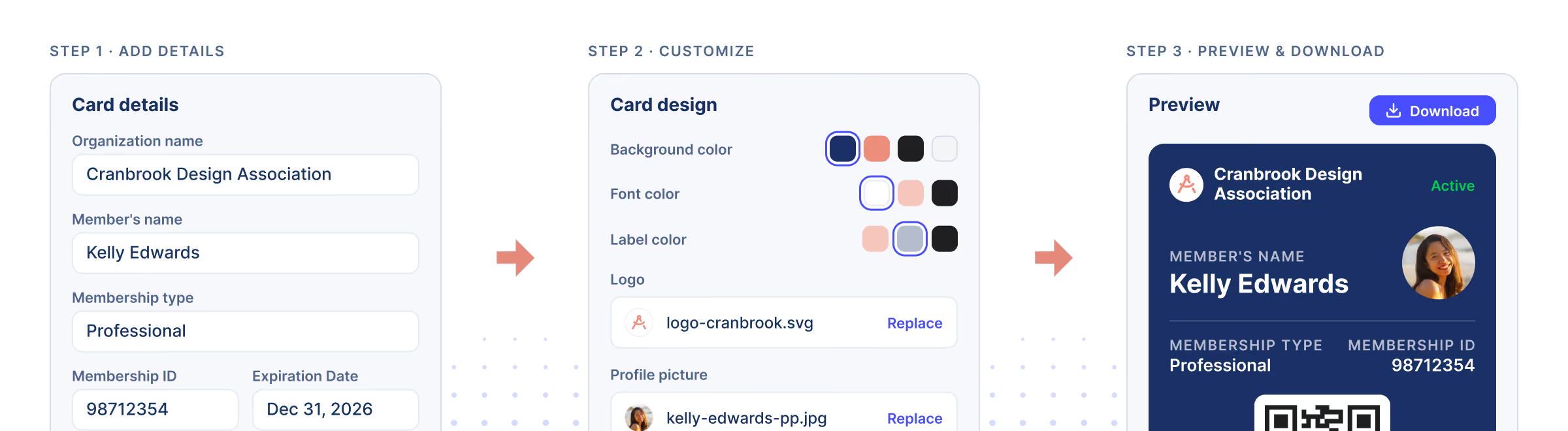
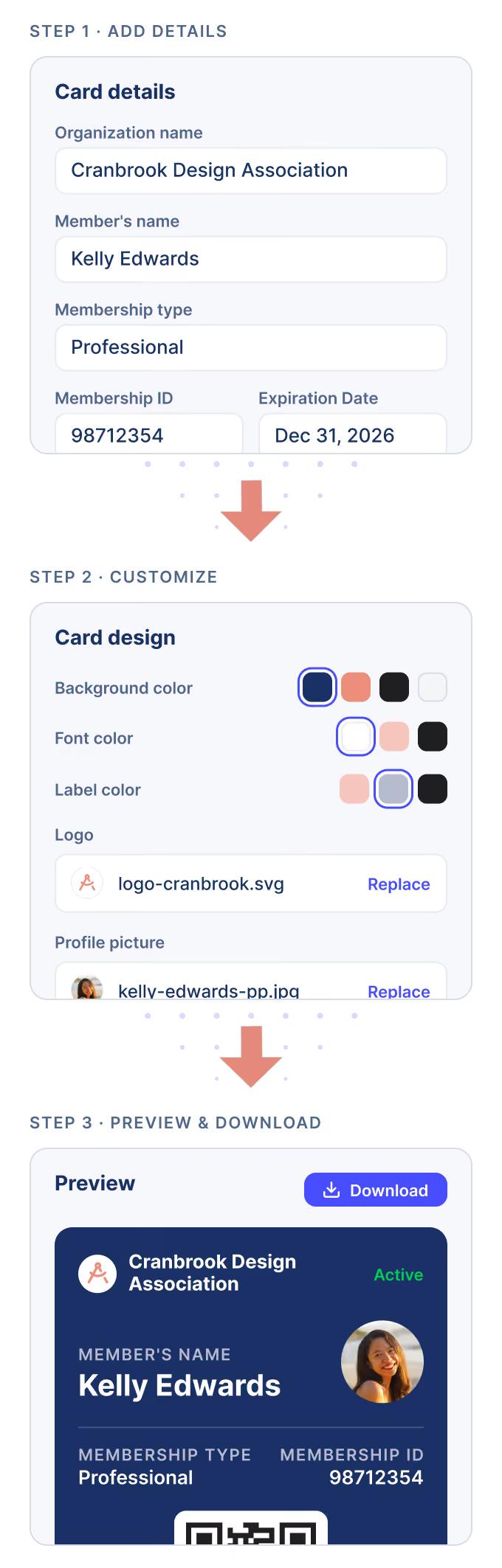
Three-step process for creating a membership card: Step 1 shows a form to add details like organization name, member's name, membership type, ID, and expiration date; Step 2 shows customization options for card design including background, font, label colors, logo upload, and profile picture; Step 3 shows a preview of the finished card with member's photo, name, membership type, ID, and a download button.A three-step mobile interface for creating a membership card: Step 1 shows adding card details including organization name (Cranbrook Design Association), member's name (Kelly Edwards), membership type (Professional), membership ID (98712354), and expiration date (Dec 31, 2026). Step 2 allows customizing card design with options for background, font, and label colors, uploading a logo and profile picture. Step 3 previews the membership card with the organization name, member's name, membership type, ID, and profile picture, with a download button above.
01

Add Your Membership Details

Enter your organization's name and the information you want to display, such as the member's name, membership type, ID number, and expiration date.

02

Customize the Design

Choose the colors and branding that represent your organization. Add your logo if available and keep the design clear enough to read at a glance.

03

Preview and Download Your Card

Check that the information is correct, preview the finished design, and download your digital membership card. You can save it to a device, send it to a member, or keep it ready for printing.

Card anatomy

What Should a Membership Card Include?

A good membership card makes it easy to identify a member and understand their relationship with your organization. Your card may include:

Organization name and logo
Member name
Membership type or level
Expiration or renewal date
Membership card for Cranbrook Design Association with status active, member name Kelly Edwards, membership type Professional, membership ID 6489722, expiration date January 31, 2027, a small circular photo of a smiling woman, and a QR code below on a blue background.
Active status
Member photo
Optional, for visual identification
Membership ID number
Join or issue date
QR code or barcode
When connected to a verification system

Keep the membership card design simple and only display information that members or staff actually need. Personal contact details and other sensitive information are usually better kept in your member database.

Who uses Join It

Built for membership, whatever your members join for.

4,000+ organizations in 40+ countries run their membership on Join It. Find the ones that look like yours.


Three business professionals having a meeting in an office with large windows, one woman holding a red pen, a man in a grey suit leaning on the table, and another man in a blue suit speaking.

Professional Associations

Collect dues, track renewals, and give members a portal and directory they'll actually use — so your association runs itself.
Three young volunteers in red shirts packing items into donation boxes lined up on a table, with one man looking toward the camera holding folded clothes.

Nonprofits

Keep members, donors, and volunteers on one list, and collect dues and donations online — so your mission stays front and center.
Four adults smiling and holding wine glasses, socializing casually in a cozy indoor setting with wine bottles and glasses in the background.

Alumni Associations

Reconnect graduates, run chapters and reunions, and keep dues and renewals on track — all in one place.
Aerial view of a residential neighborhood featuring a small roundabout surrounded by roads and houses with red-tiled roofs, green lawns, trees, and swimming pools.

HOAs

Keep homeowner records, dues, and renewals organized, so your volunteer board always knows who's current without chasing spreadsheets.
A row of classic vintage sports cars in various colors including red, yellow, blue, and white, parked on grass at an outdoor car show with people walking and observing in the background.

Car Clubs

Manage members, dues, and meet-ups in one place — with digital membership cards for shows, cruises, and member perks.
A group of cyclists wearing helmets and colorful racing gear riding closely together on a paved road surrounded by trees, participating in a competitive road cycling race.

Biking Clubs

Keep riders, dues, and group rides organized, with renewal reminders that go out on their own — so you can get back on the bike.
background image of dots
Digital Membership Cards

Create One Card for Free — or Automate Cards for Every Member

This free membership card generator is ideal when you need to design and download an individual card. But creating cards one at a time becomes difficult as your membership grows.
‍
Join It can automatically generate a unique digital membership card for every active member and connect it to live membership information. Members can add their cards to Apple Wallet or Google Wallet without downloading a separate membership app.

  • Stop printing, mailing, and apply your logo, colors, and branding replacing physical cards

  • Display member names, IDs, membership types, and expiration dates

  • Generate unique QR codes or barcodes for member check-in

  • Reflect membership renewals and status changes automatically

  • Send cards to members without creating each one manually

  • Manage memberships, payments, events, and communications in one place
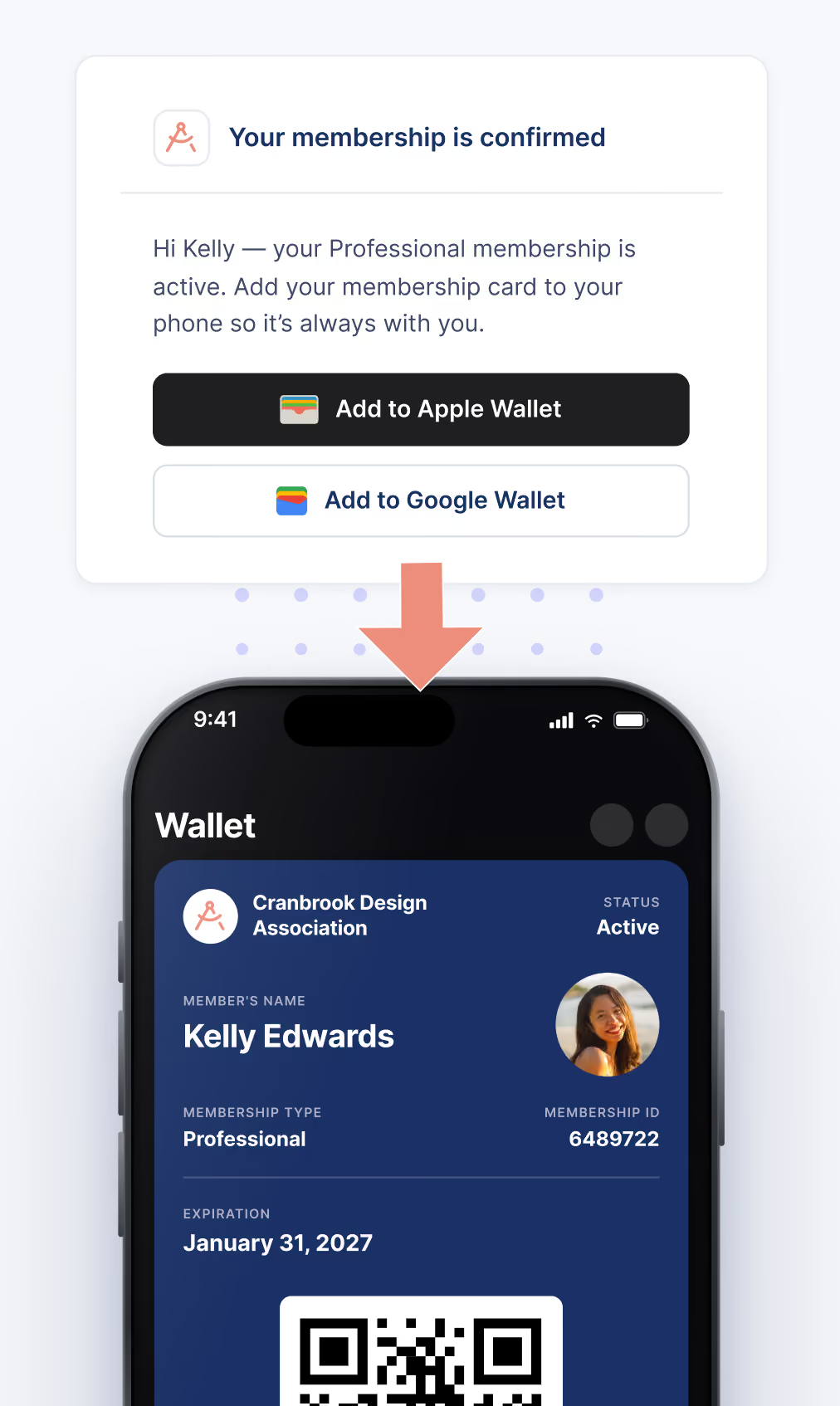
Mobile screen showing a digital membership card for Cranbrook Design Association in a phone Wallet app, with member name Kelly Edwards, status Active, membership type Professional, ID 6489722, expiration January 31, 2027, and a QR code; above the phone is a confirmation message stating the membership is active and buttons to add the card to Apple Wallet or Google Wallet.
Any questions on our virtual cards?

Frequently Asked Questions about Digital Membership Cards

Is this membership card maker free?

Yes. You can use the card-building and download functionality on this page for free.

Automatically issuing wallet-ready cards to every member, with live membership data, is part of Join It's paid digital membership card feature.

What is a digital membership card?

A digital membership card is an electronic version of a traditional paper or plastic member card.

It can display information such as a member’s name, membership type, ID number, status, and expiration date. Depending on the system used, it may be saved as an image or added to a mobile wallet.

How do I create a membership card online?

Use the free membership card creator above to enter your organization and member details, then customize the design to match your branding.

Preview the result and download the completed card — no account or design software needed.

What information should I put on a membership card?

Most membership cards include the organization’s name, the member’s name, a membership ID, membership type, and expiration date.

Some cards also include a logo, profile photo, QR code, or barcode. Only include information needed for identification or membership verification.

Is a virtual membership card the same as a digital membership card?

Yes. “Virtual membership card” and “digital membership card” usually refer to the same thing:

a membership card that can be accessed on a phone or another digital device instead of being carried only as a physical card.

Can I add the free card to Apple Wallet or Google Wallet?

The free creator on this page produces a downloadable membership card.

If you need cards that members can add natively to Apple Wallet or Google Wallet—and that update with live membership data—use Join It’s full digital membership card feature.

Can I create digital membership cards for all my members?

You can use the free tool to create individual cards.

If you manage a larger membership base, Join It can automatically generate and distribute a unique digital card for every member.

Do members need to download an app?

A downloaded card can be saved or opened on a phone without a dedicated membership app.

Join It’s wallet-ready membership cards use Apple Wallet and Google Wallet, so members also don’t need to install a separate Join It app.

Ready to roll out digital membership cards?

Start your free trial today. It’s quick, easy, and commitment-free.

No credit card required
No setup costs
No hidden fees
Software Advice — Join It rated 4.7 out of 5
GetApp user reviews — Join It rated 4.7 out of 5
Capterra badge — Join It rated 4.7 out of 5