Does Membership Software Support Multi-Tier Memberships?



Does Membership Software Support Multi-Tier Memberships?
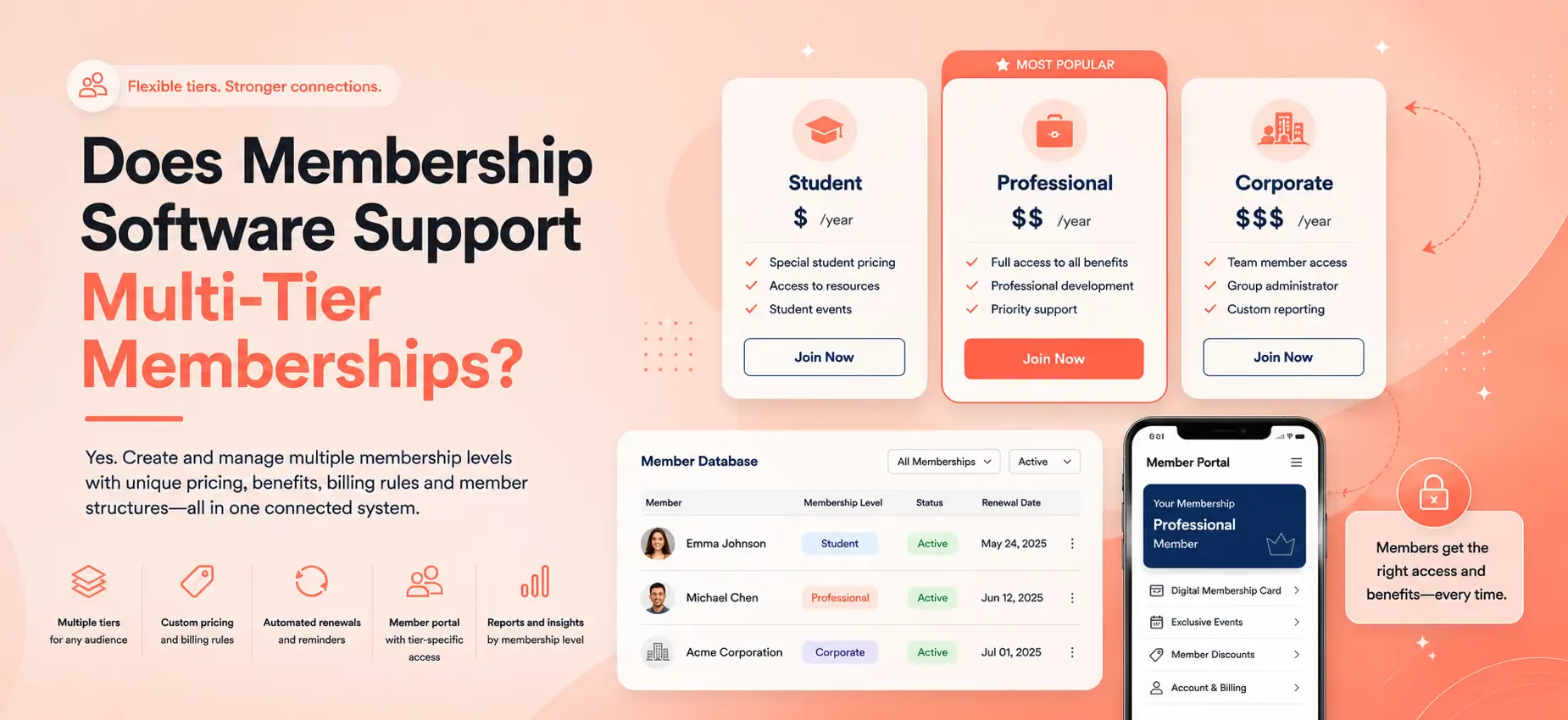
Yes. Multi-tier membership software lets an organization create and manage several membership levels, each with its own price, billing schedule, renewal rules and member structure. For example, an association could offer Student, Professional and Corporate memberships, while a club might use Individual, Couple and Family tiers. The right system keeps each tier connected to one central membership database.
This guide explains how multi-tier memberships work, what the software should manage and how to decide whether a tiered structure is right for your organization.
What is a multi-tier membership?
A multi-tier membership structure offers two or more membership levels for different audiences, prices or packages of benefits.
Instead of asking every member to join under the same terms, an organization can create options that reflect different needs. A professional association might charge students less than established professionals. A museum may offer Individual, Family and Patron levels. A trade association may sell memberships to both individuals and companies.
The important distinction is that a membership tier is more than a label. Each level may need different:
- Pricing and joining fees
- Monthly or annual billing
- Renewal and expiration rules
- Eligibility requirements
- Number of people covered by the membership
- Benefits and access
- Communications
- Reporting
Good membership management software should make those differences clear without forcing administrators to maintain a separate spreadsheet for every group.
For more help designing your offer itself, see Join It’s guides to choosing how many membership tiers to offer and building a membership pricing strategy.
How does membership software manage multiple tiers?
Multi-tier membership software gives each membership type its own settings while keeping all members in a shared system.
An administrator should be able to see the complete organization at a glance, then filter or report on a particular level when needed. Members should see the correct price and terms when they join, renew or log in.
Here are the main capabilities to check.
Separate prices and billing schedules
Each tier should be able to carry its own price. The system may also need to support monthly, quarterly or annual billing, depending on how your organization operates.
Some organizations need recurring payments, while others prefer a one-time payment that members manually renew. Flexible recurring billing helps an organization match the payment schedule to the membership level instead of applying one rule to everyone.
Ask whether the software supports:
- Automatic recurring payments
- One-time payments
- Optional automatic renewal
- Introductory prices
- Joining or initiation fees
- Free membership levels
- Fixed or rolling expiration dates
Different renewal and expiration rules
Not every membership needs to renew in the same way.
A professional membership might run for 12 months from the date a member joins. A sports club may want every membership to expire at the end of a season. A lifetime member should not receive the same renewal requests as an annual member.
The software should apply the correct rule to each tier and send relevant membership renewal reminders. This reduces the risk of asking the wrong person to renew or allowing an expired membership to remain active.
Individual and group memberships
Tiered membership structures often include more than different price points. They may also represent different kinds of member relationships.
An Individual membership normally belongs to one person. A Family, Couple or Corporate membership may include several people under one payer or group administrator.
If group memberships matter to your organization, check whether the software can:
- Connect several people to one membership
- Identify a primary payer or group administrator
- Add or remove group members
- Set minimum or maximum group sizes
- Renew the group together
- Preserve an individual record for each included member
These controls matter because a group membership should not become one shared contact record that obscures who is actually participating.
One membership database with tier-level filtering
Multiple tiers should not create multiple databases. A central membership database gives administrators one source of truth for member details, payments, renewals and activity.
The system should then let the team filter by membership type, status, expiration date and other relevant fields. This makes it easier to answer questions such as:
- How many Student members upgraded this year?
- Which Corporate memberships are due to renew next month?
- Which membership level is growing fastest?
- How much revenue comes from each tier?
- Which members have expired or lapsed?

A clear member portal
Members should be able to see what they purchased and when it renews. A self-service member portal can show membership status, renewal dates, payment history and other account information without requiring an administrator to answer routine questions.
If a person can hold more than one membership, confirm that the portal displays each one clearly. This can matter when someone holds an individual membership alongside an add-on, committee or program membership.
Membership cards that show the correct tier
For organizations that verify members at a venue, event or front desk, the membership level should be visible at the point of access.
Digital membership cards can display a member’s type and current status. When combined with member check-ins, this can help staff confirm whether someone is active and which level they hold without checking a separate list.
Tier-specific communications and integrations
Different tiers often need different messages. A Student member may receive an upgrade campaign, while a Corporate administrator may need a reminder to review the employees attached to the account.
Check whether the software can segment members by tier and connect with the email, accounting and event tools your team already uses. Useful membership integrations reduce manual exports and help membership data stay consistent across systems.
What are the benefits of multi-tier memberships?
Multiple tiers can make membership more accessible and give people a clearer way to choose the level that fits them.
The main potential benefits are:
- Broader audience fit: Students, individuals, families and organizations can join under suitable terms.
- Clearer value: Each member can see what is included at their level.
- Flexible revenue: The organization can combine entry-level options with higher-value tiers.
- Natural upgrade paths: Members can move to another level as their needs or involvement change.
- Better reporting: Teams can compare growth, revenue and renewals across membership types.
- More relevant communication: Messages and offers can reflect a member’s current relationship with the organization.
Tiering is most useful when each level serves a real audience or provides a genuinely different membership structure. Renaming the same offer three times does not create meaningful choice.
When can too many membership tiers become a problem?
More choice is not always better. Too many membership options can make joining harder and increase administrative complexity.
Warning signs include:
- Prospective members regularly ask which tier to choose.
- The differences between levels are difficult to explain in one sentence.
- Several tiers have very few members.
- Staff apply exceptions manually because the rules are unclear.
- Benefits are promised but cannot be tracked or delivered consistently.
- Members choose a lower tier even though another option fits them better.
If two tiers have the same audience, price and renewal rules, consider combining them. A smaller number of well-defined choices is usually easier for prospective members, administrators and software to manage.
How to set up multiple membership tiers
1. Define the audience for each tier
Start with the member, not the name. Write down who each level is for and why that person or organization needs a distinct option.
2. Specify the price and billing rule
Record the joining price, renewal price, billing frequency, expiration rule and whether automatic renewal is available. Include any initiation fee or introductory rate.
3. Define what changes between levels
List the benefits, access, included people and eligibility conditions for every tier. If the differences are not clear, simplify the structure before configuring the software.
4. Decide whether the tier is individual or group-based
Determine whether the membership belongs to one person, a household or an organization. For group memberships, decide who pays and who can manage the other members.
5. Build and test the join and renewal journeys
Complete a test purchase for every membership level. Check the price, confirmation message, member record, renewal date, portal view and any connected automation.
6. Review tier performance regularly
Monitor member count, revenue, renewal rate, upgrades, downgrades and support questions by tier. A membership structure should evolve when the evidence shows that an option is confusing or no longer useful.
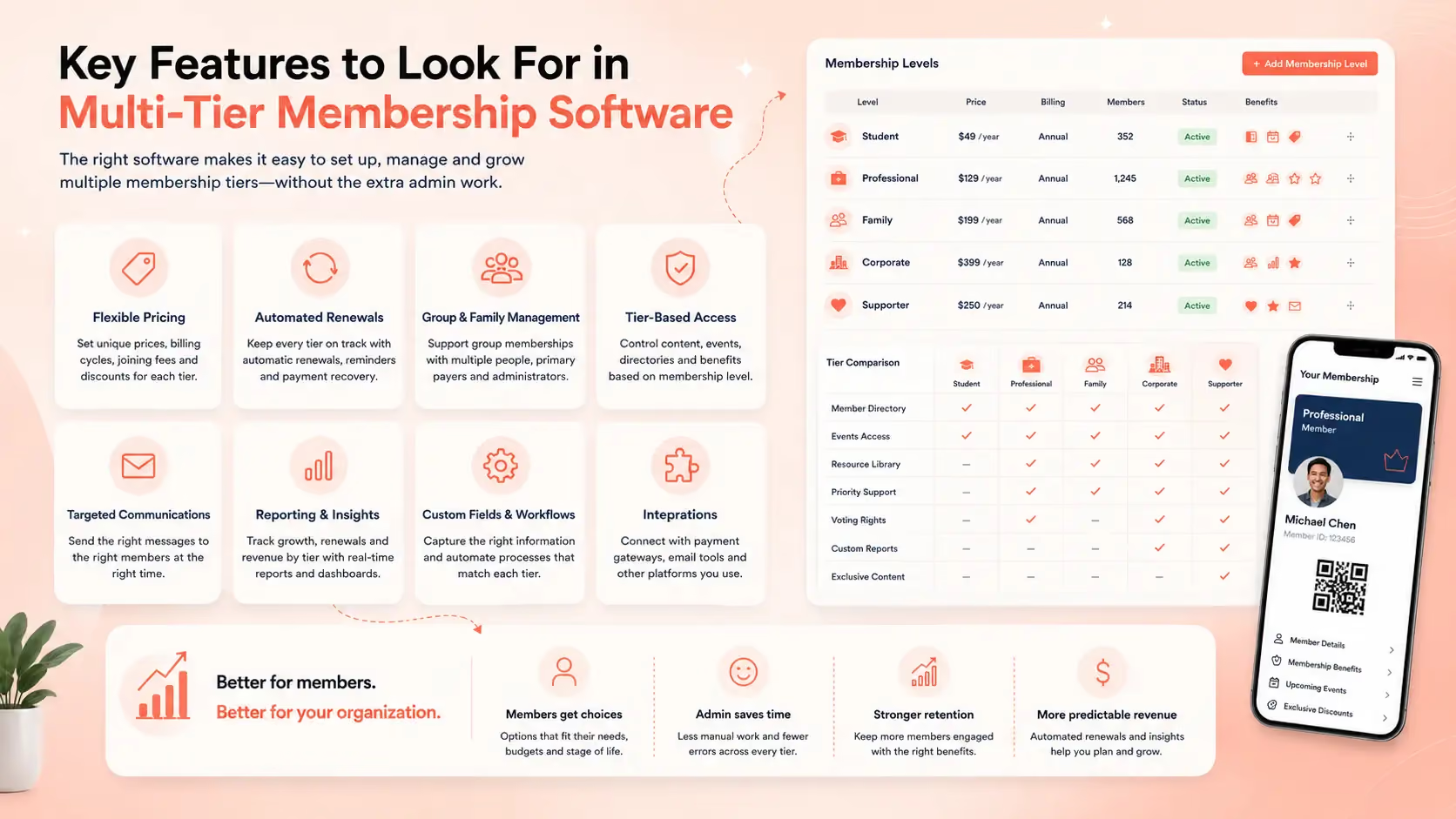
How Join It supports multi-tier memberships
Join It allows organizations to create unlimited membership types and configure different price levels and membership tiers. Each membership type can use its own pricing, renewal preferences and member structure.
That makes it possible to manage examples such as:
- Individual, Couple and Family memberships
- Student and Professional levels
- Monthly and annual options
- One-time and automatically recurring memberships
- Business or Corporate group memberships
- Free, Supporter and paid membership levels
These memberships remain connected to central member records, payments and renewal information. A single member account can also own more than one membership when an organization’s structure requires it.
Join It is particularly relevant to professional associations, charities and nonprofits, hobby and social clubs, and sports and fitness clubs that need flexible membership types without a heavily customized enterprise system.
An organization with complex chapter hierarchies, certification management, learning programs or highly bespoke access rules may need a broader association management system or additional integrations. The right choice depends on the workflows the software must support, not simply the number of features advertised.
Frequently asked questions about multi-tier membership software
Can membership software support different prices for each tier?
Yes. Multi-tier membership software should let an organization assign a different price and billing schedule to each membership type. Some systems also support free levels, initiation fees, introductory pricing and automatic renewal.
Can one person hold more than one membership?
It depends on the platform. Some membership systems allow one account to own multiple memberships, which is useful when a person has a core membership plus an add-on, program or additional role.
Can membership software manage family or corporate memberships?
Yes, if the platform supports group memberships. Look for the ability to connect several people to one payer or group administrator while keeping an individual record for each member.
How many membership tiers should an organization offer?
There is no fixed number. Offer only as many tiers as needed to serve genuinely different audiences, prices or member structures. If prospective members struggle to understand the differences, the structure is probably too complicated.
Can members upgrade or change their membership level?
Many platforms support changes between membership types, but the exact process varies. Ask how the system handles price differences, renewal dates, prorating and existing automatic payment schedules before choosing software.
What is the difference between a membership tier and a membership type?
The terms are often used interchangeably. “Tier” usually emphasizes a progression in price or benefits, while “type” can also describe structurally different memberships such as Individual, Family or Corporate.
Should every membership tier have different benefits?
Not necessarily, but every tier should have a clear reason to exist. The difference could be price, eligibility, billing frequency, number of included members or level of support rather than a completely different list of benefits.
See How Join It Can Support Your Membership Tiers
Join It brings flexible membership types, payments, renewals, member records and self-service tools into one system. Book a demo to see how Join It could support your organization’s membership levels, pricing and renewal structure.
.avif)
Guides from the Experts
Through our work with 4,000+ organizations - we’ve put together helpful guides to assist; regardless of where you are on your journey.
.webp)

A Complete Guide to Membership Organizations
Everything you need to know to manage and grow your membership business
.webp)
Maximize Membership Retention: 10 Proven Strategies
Tried and true strategies that not only win membership, but keep them

Build a Membership Website: A Step-by-Step Guide
Your one-stop resource for knowing all the features your modern membership website needs
Ready to start your free trial?
Our membership software is intuitive to use and even easier to test for yourself.