Price$29/mo
SecuritySSL + Encryption
HighlightsMembership mgmt, CRM, Donations + Integrations



The world of digital philanthropy is undergoing a remarkable transformation in 2026. Organizations of all sizes are discovering that the right donation software doesn't just streamline operations—it fundamentally changes how supporters connect with causes they care about.
As the digital donation software market experiences explosive growth, nonprofits face both unprecedented opportunities and complex choices.
With 63% of donors now preferring digital giving platforms over traditional methods, having the right technological infrastructure has become essential, not optional. (Source: Double the Donation)
This comprehensive guide examines the latest developments in donation software, from AI-powered donor insights to cryptocurrency integrations.
Whether you're evaluating your first platform or looking to upgrade existing systems, you'll discover actionable strategies and detailed comparisons of the 20 leading solutions transforming nonprofit fundraising in 2026.
The donation software landscape is evolving rapidly, with several key trends driving innovation and adoption. Understanding these trends will help your organization make informed decisions about which technologies to implement.
Artificial intelligence has moved beyond simple automation to become a sophisticated tool for donor analysis and personalization. Platforms that leverage AI provide nonprofits with unprecedented insights into donor behavior and preferences.
Mobile devices continue to dominate how supporters interact with nonprofits, though significant challenges remain in optimizing the mobile giving experience.
Digital currencies are rapidly moving from niche to mainstream in philanthropic giving, opening new avenues for donation.
Monthly giving programs have become crucial revenue sources for sustainable nonprofit operations.
With hundreds of options available, finding the right donation platform requires careful consideration of your specific needs, budget, and technical capabilities. The following comparison highlights key features and considerations across leading solutions.
Key Features:
Donation Tools:
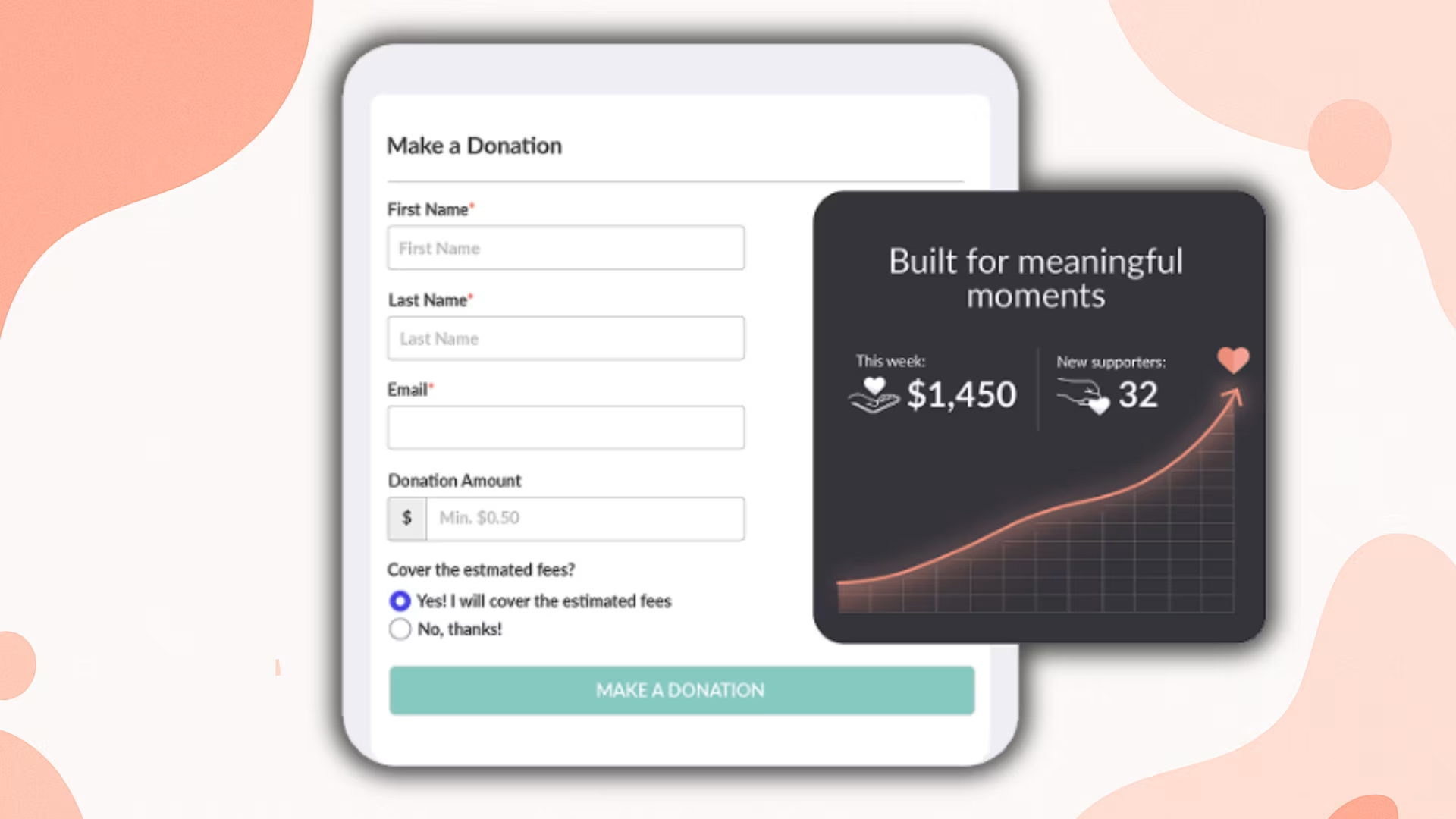
🚀 Easy Activation: Enable donations with just a few clicks. Control visibility and placement directly in your Member Portal.
🔗 Direct Donation Link: Share a dedicated donation URL for quick, hassle-free contributions.
💌 Flexible Donating: Accept donations from both members and non-members, no account required.
📬 Automatic Receipts: Donors receive instant confirmation emails and downloadable receipts.
🌟 Donor Convenience: Simple donation forms, with an option for donors to cover the ~5% transaction fee — meaning more funds go directly to your cause.
Pricing: Starts at $29/month (500 members) with a 10% nonprofit discount available.
🎁 10% Nonprofit Discount: Registered nonprofits and charitable organizations receive 10% off all paid plans. It’s our way of supporting the missions that matter most.
Mobile Compatibility: Fully responsive design with optimized mobile donation pages.
User Feedback: Organizations praise Join It's intuitive interface and responsive customer support — especially for simplifying membership management in one place.
Compliance: Strong data security through SSL encryption and routine security audits.
Best For: Membership-based nonprofits seeking an all-in-one solution for donation processing, member engagement, and administrative automation.
Review Source: 4.7 / 5
Secondary Ratings:
• Ease of Use: 4.7 / 5
• Value for Money: 4.7 / 5
• Customer Service: 4.9 / 5
Latest Reviews
Review 1:
Pros: Intuitive platform that is easy for the whole team to use. Eventbrite integration, reporting, and membership profile management stand out. Customer service is prompt, responsive, and accommodating.
Cons: Could use more customization in some areas, but the team has been able to help find solutions.
⭐ 5-star, Capterra, October 2023
Review 2:
Pros: Interface is straightforward, making it easy to add, delete, and check member details. Sending emails is also quick and simple.
Cons: Emails to members are limited, mainly automated emails and quick emails with limited capabilities.
⭐ 5-star, Capterra, February 2024
Note: Join It introduced additional email options and automation features after 2024. Feel free to start a trial to explore these updates.
Key Features:
Pricing: Starts at $99/month with tiered options based on database size
Mobile Compatibility: Native mobile app for both iOS and Android, enabling on-the-go management
User Feedback: Users highlight the platform's robust reporting capabilities and exceptional customer supportCompliance: PCI DSS Level 1 certified with SOC 2 compliance
Best For: Mid-sized nonprofits needing sophisticated donor analysis and relationship management tools
Review Source: 4.5 / 5
Secondary Ratings:
• Ease of Use: 4.3 / 5
• Value for Money: 4.5 / 5
• Customer Support: 4.8 / 5
Latest Reviews
Review 1:
Pros: Customer support is very helpful and walks users through issues step by step to ensure problems are resolved.
Cons: The help blog lacks answers for some common issues, requiring direct support more often.
⭐ 5-star, Capterra, February 2026
Review 2:
Pros: Easier to use than previous systems with strong training and onboarding support. Updates, training sessions, and dashboard improvements are well communicated.
Cons: Report filtering can be difficult to navigate, especially for non technical users, even with support assistance.
⭐ 5-star, Capterra, February 2026
Key Features:
Pricing: Starts at $119/month, with pricing tiers based on constituent records
Mobile Compatibility: Mobile-responsive forms with simplified checkout process
User Feedback: Organizations report an average 10% improvement in donor retention after implementing Bloomerang's engagement tools
Compliance: GDPR compliant with secure data storage and regular security updates
Best For: Organizations focused on improving donor retention and building stronger supporter relationships
Review Source: 4.7 / 5
Secondary Ratings:
• Ease of Use: 4.6 / 5
• Value for Money: 4.6 / 5
• Customer Support: 4.8 / 5
Latest Reviews
Review 1:
Pros: User friendly with a clean and appealing layout. Customer support is consistently helpful and responsive when assistance is needed.
Cons: Cannot build emails from scratch anymore, making it time consuming to modify templates before creating a basic email.
⭐ 4-star, Capterra, April 2025
Review 2:
Pros: Intuitive and user friendly platform once onboarding is completed successfully.
Cons: Significant onboarding delays and concerns about customer support and refund policies when services could not be fully utilized.
⭐ 1-star, Capterra, January 2026
Key Features:
Pricing: Custom pricing based on organization size and needs
Mobile Compatibility: Dedicated mobile app for gift processing and donor management
User Feedback: Large nonprofits praise the comprehensive nature of the platform, though some mention a steep learning curve
Compliance: Industry-leading security with PCI DSS and SOC 1, 2, and 3 compliance
Best For: Larger nonprofits and educational institutions with complex fundraising operations
Review Source: 4.2 / 5
Secondary Ratings:
• Ease of Use: 3.9 / 5
• Value for Money: 3.7 / 5
• Customer Support: 4.1 / 5
Latest Reviews
Review 1:
Pros: Intuitive and efficient for managing donor relationships, with cloud access from anywhere. Dashboards provide clear snapshots of fundraising progress, and reporting is easy to run for better tracking and decision making.
Cons: Cost can be a major barrier, especially for smaller nonprofits with tighter budgets.
⭐ 5-star, Capterra, July 2025
Review 2:
Pros: Robust and comprehensive donor CRM that supports both large operations and smaller organizations. Data is searchable across many fields, and reporting features help teams forecast and drill down on campaigns while managing data securely.
Cons: Pricing can feel cost prohibitive for smaller teams, even if they would benefit from the full toolset.
⭐ 5-star, Capterra, December 2025
Key Features:
Pricing: Starting at $33.80/m with 2.9%+$0.30 payment processing (optional donor coverage)
Mobile Compatibility: Industry-leading 47% mobile conversion rate
User Feedback: Small nonprofits consistently highlight the intuitive interface and affordable pricing structure
Compliance: PCI compliant with robust fraud protection
Best For: Budget-conscious organizations and startups seeking professional tools without upfront costs
Review Source: 4.8 / 5
Secondary Ratings:
• Ease of Use: 4.7 / 5
• Value for Money: 4.8 / 5
• Customer Support: 4.7 / 5
Latest Reviews
Review 1:
Pros: Free to use and easy to run campaigns and events. Helpful tutorials make it simpler to get started and keep fundraising moving.
Cons: Account reclaim or verification steps can feel a bit tedious, even if the process is manageable.
⭐ 5-star, Capterra, October 2025
Review 2:
Pros: Easy to navigate across different fundraiser types and helpful customer service when support is needed. Strong for tracking donors, funds, and ticket sales in one place.
Cons: Some features still feel missing, like having check payments mailed out, but overall improvements keep making it more usable.
⭐ 5-star, Capterra, October 2025
Key Features:
Pricing: Custom pricing based on organization size and needs
Mobile Compatibility: Responsive design with mobile-optimized donation forms
User Feedback: Users appreciate the unified platform approach, eliminating the need for multiple tools
Compliance: GDPR and PCI DSS compliant with data encryption
Best For: Growing nonprofits needing scalability and consolidated operations
Review Source: 4.6 / 5
Secondary Ratings:
• Ease of Use: 4.4 / 5
• Customer Support: 4.6 / 5
• Value for Money: 4.4 / 5
Latest Reviews
Review 1:
Pros: Integrated communication tools make it easy to run email campaigns, segment donors, and track engagement in one place. Simple, clean interface helps teams handle common tasks like entering donations, viewing donor history, and sending acknowledgements.
Cons: Reporting and exports can feel limited for deeper analytics, and some workflows like batch entry or complex multi fund designations could be more efficient. Advanced questions may require multiple support follow ups.
⭐ 5-star, Capterra, December 2025
Review 2:
Pros: Comprehensive toolset in one platform that supports donation tracking, donor stewardship, and volunteer connection, helping reduce workload and improve efficiency.
Cons: Newsletter interface can be difficult to work with, and design features may feel limited.
⭐ 4-star, Capterra, December 2025
Key Features:
Pricing: Starts at $0/month, with a 2.9% payment fee (optional donor coverage).
Mobile Compatibility: Fully responsive with Apple Pay and Google Pay integration
User Feedback: Organizations highlight the ease of embedding donation forms on existing websites
Compliance: PCI DSS Level 1 and GDPR compliant
Best For: Tech-forward organizations targeting global donors
Review Source: 4.8 / 5
Secondary Ratings:
• Ease of Use: 4.8 / 5
• Customer Support: 4.7 / 5
• Value for Money: 4.6 / 5
Latest Reviews
Review 1:
Pros: Easy to set up and integrate with an existing website, with clean and modern donation forms. Works well for recurring donations, campaign tracking, and donor management, and supports Stripe and PayPal integrations without adding unnecessary complexity.
Cons: Some advanced features are limited unless upgrading to higher tiers, and reporting could be more flexible for deeper analysis.
⭐ 5-star, Capterra, December 2025
Review 2:
Pros: Simple and easy to use for basic needs, with a straightforward experience that does not feel confusing.
Cons: Can feel expensive for smaller nonprofits, and may not be well suited for organizations with very limited budgets.
⭐ 3-star, Capterra, February 2026
Key Features:
Pricing: Start plan at $25/month, with extra packages available.
Mobile Compatibility: Native mobile app with SMS giving capabilities
User Feedback: Event-focused organizations praise the all-in-one auction and fundraising capabilities
Compliance: PCI compliant with regular security audits
Best For: Campaign-driven fundraising and event-based fundraising initiatives
Review Source: 4.6 / 5
Secondary Ratings:
• Ease of Use: 4.5 / 5
• Customer Support: 4.6 / 5
• Value for Money: 4.4 / 5
Latest Reviews
Review 1:
Pros: Simple to navigate for nonprofits and agencies, with easy exporting for donor giving and campaign data when needed. Works as a payment processor while also supporting donation page creation.
Cons: Donation reporting can require reconciliation because refunded or declined transactions may still appear in reports.
⭐ 4-star, Capterra, April 2025
Review 2:
Pros: Simple to use and set up, with quick and helpful customer service. Useful add ons like peer to peer and auctions, plus a team that listens to feedback and updates the platform.
Cons: Frequent updates can move buttons and features around, which can be frustrating even if it is a minor issue.
⭐ 5-star, Capterra, June 2025
Key Features:
Pricing: Custom pricing based on organization size and needs
Mobile Compatibility: Responsive design with mobile-friendly donation forms
User Feedback: Arts and cultural organizations appreciate the membership management features
Compliance: PCI DSS and SOC 2 compliant
Best For: Arts/cultural organizations, schools, and membership-based nonprofits
Review Source: 4.3 / 5
Secondary Ratings:
• Ease of Use: 4.1 / 5
• Customer Support: 4.3 / 5
• Value for Money: 4.3 / 5
Latest Reviews
Review 1:
Pros: Strong feature set for mid sized organizations, including donor management, email marketing, and advanced reporting. Support is responsive, works through issues to resolution, and is open to feedback and suggestions.
Cons: Design is not very modern, phone support is limited, and some areas like email marketing and user account sophistication could be improved.
⭐ 4-star, Capterra, February 2026
Review 2:
Pros: Solid nonprofit management platform for donors, events, and classes, with helpful security features and easy campaign launches. Customer support is highly rated, the interface is intuitive, and tools like NeonPay and QBO integration help streamline payment processing and bookkeeping.
Cons: Reporting can be impacted by payment processing fees that cannot be excluded in some donor reports and statistics, and users hope newer modules improve event tracking and reporting clarity.
⭐ 5-star, Capterra, February 2026
Key Features:
Pricing: Completely free with no platform or transaction fees for nonprofits
Mobile Compatibility: Mobile-optimized pages with 50% higher conversion rates than the industry average
User Feedback: Small nonprofits praise the transparent pricing and customer support
Compliance: PCI compliant with data encryption
Best For: New nonprofits testing donation software or budget-conscious organizations
Review Source: 4.8 / 5
Secondary Ratings:
• Ease of Use: 4.8 / 5
• Customer Support: 4.9 / 5
• Value for Money: 5.0 / 5
Latest Reviews
Review 1:
Pros: Easy to use with a short learning curve, and helpful tutorials. Strong value for small nonprofits because it supports collecting funds without the hassle of handling checks or cash.
Cons: Default member fee settings caused confusion for some members, leading to complaints when collecting dues in small increments.
⭐ 5-star, Capterra, January 2026
Review 2:
Pros: Consolidates fundraising, email campaigns, events, and guided tours into one platform, helping save time and reduce fees. Platform is improving regularly, support listens to requests, and payouts are reliable and consistent.
Cons: Email features feel less refined than dedicated email tools, and some navigation can be clunky or counter intuitive.
⭐ 5-star, Capterra, January 2026
Key Features:
Pricing: Custom pricing based on organization size and needs
Mobile Compatibility: Mobile-responsive matching gift forms
User Feedback: Organizations report 43% increase in matched gifts after implementation
Compliance: SOC 2 certified with secure data handling
Best For: Nonprofits leveraging employer philanthropy programs and corporate matching
Review Source: 4.5 / 5
Secondary Ratings:
• Ease of Use: 5.0 / 5
• Customer Support: 4.5 / 5
• Value for Money: 3.0 / 5
Latest Reviews
Review 1:
Pros: Helpful customer service and strong tools for gift matching. Provides donor friendly guidance and education, and features like auto sending custom emails help take work off staff.
Cons: Too early for some teams to judge financial impact or ROI within the first year.
⭐ 5-star, Capterra, June 2023
Review 2:
Pros: Makes it easier for donors to find and request employer matching, with searchable matching tools available on the website and at checkout. Helps reduce missed matching opportunities.
Cons: Automated messaging can feel like too much for smaller orgs that already communicate often, and teams may feel they are not using all features compared to the subscription cost.
⭐ 4-star, Capterra, February 2024
Key Features:
Pricing: Starts at $125/month, based on contact volume
Mobile Compatibility: Responsive design with mobile-optimized forms
User Feedback: Data-driven organizations value the robust reporting and analytics
Compliance: PCI DSS and GDPR compliant
Best For: Data-driven nonprofits needing powerful analytics and visualization tools
Review Score (Trustpilot): 1.2 / 5 (Note: No Capterra account found)
Key Features:
Pricing: Custom pricing based on organization size and needs
Mobile Compatibility: Industry-leading mobile conversion optimization
User Feedback: Organizations report 2-3x increase in online donation revenue after switching
Compliance: PCI DSS Level 1 and GDPR compliant
Best For: Maximizing one-time gift conversions and optimizing donor experience
Review Source: 4.8 / 5
Secondary Ratings:
• Ease of Use: 4.8 / 5
• Customer Support: 4.9 / 5
• Value for Money: 4.8 / 5
Latest Reviews
Review 1:
Pros: Easy to use and quick to create donation pages. Works well for launching campaigns fast and supporting common donation use cases.
Cons: Some users report high effective fees and limited flexibility in campaign page design, plus slower support responses and missing features like more versatile checkout options and better year end donor reporting.
⭐ 2-star, Capterra, August 2025
Review 2:
Pros: Simple donation flow with multiple payment options, helping improve the donor experience. Considered well priced versus alternatives, and the product continues improving over time.
Cons: Credit card fees could be more competitive, and some users find the interface or reporting less intuitive than expected.
⭐ 5-star, Capterra, February 2026
Key Features:
Pricing: Custom pricing based on organization size
Mobile Compatibility: Web-based platform with mobile access
User Feedback: Fundraising teams report 5-10x larger average gifts using predictive analytics
Compliance: SOC 2 Type II with data protection protocols
Best For: Identifying major donor potential and prospect research
Review Source (G2): 4.6 / 5 (224 reviews) (Note: No Capterra account found)
Latest Reviews
Review 1:
Pros: Provides rich supporter data that helps teams uncover meaningful insights and create more personalized outreach and conversations.
Cons: Learning curve can be steep at first and may require multiple tutorials to fully maximize the available data.
⭐ 4.5 / 5, G2, October 2023
Review 2:
Pros: Strong prospect research capabilities including wealth screening, philanthropy tracking, AI powered analytics, segmentation, and CRM integrations that streamline research and engagement planning.
Cons: Some data points may require verification, and the interface could be more intuitive with improved filtering and more real time updates.
⭐ 3.5 / 5, G2, March 2025
Key Features:
Pricing: Custom pricing based on organization size and needs
Mobile Compatibility: Purpose-built mobile apps for auctions and events
User Feedback: Event-based nonprofits highlight the seamless auction experience
Compliance: PCI compliant with SSL encryption
Best For: Event-heavy fundraising strategies and gala events
Review Source: 4.7 / 5
Secondary Ratings:
• Ease of Use: 4.4 / 5
• Customer Support: 4.8 / 5
• Value for Money: 4.5 / 5
Latest Reviews
Review 1:
Pros: Responsive team with strong onboarding and helpful account support. Professional auction experience for bidders, with a large online support library that includes both videos and written resources.
Cons: Cost can feel high for smaller or rural organizations, even if the platform helps increase auction revenue.
⭐ 5-star, Capterra, November 2025
Review 2:
Pros: Clean interface with an upscale look and a simple bidding process. Straightforward setup and easy donor experience, with secure and ready to run events.
Cons: Some users dislike recent updates and want stronger integration with donor management software, which is not available yet.
⭐ 4-star, Capterra, December 2025
Key Features:
Pricing: Starts at $59/month for the Standard plan
Mobile Compatibility: Responsive design with mobile-optimized pages
User Feedback: Small to mid-sized nonprofits appreciate the all-in-one functionality
Compliance: GDPR and PCI compliant with data encryption
Best For: Nonprofits pursuing grants and managing diverse funding sources
Review Source: 4.5 / 5
Secondary Ratings:
• Ease of Use: 4.5 / 5
• Customer Support: 4.6 / 5
• Value for Money: 4.3 / 5
Latest Reviews
Review 1:
Pros: Very easy to set up fundraising pages, especially for peer to peer fundraising. Strong for letting supporters create their own fundraisers for your nonprofit.
Cons: Limited customization makes it feel cookie cutter, with little flexibility to rearrange layouts or change how different buttons and features work.
⭐ 4-star, Capterra, September 2020
Review 2:
Pros: Excellent customer service that responds quickly and helps resolve issues, with an overall easy to manage experience for first time use.
Cons: No major downsides noted in early use.
⭐ 4-star, Capterra, September 2020
17. Handbid
Key Features:
Pricing: Starts at $1,396 per event and multi-event packages available.
Mobile Compatibility: Native apps designed specifically for mobile bidding
User Feedback: Fundraising events report 30-40% higher proceeds after implementation
Compliance: PCI compliant with secure payment processing
Best For: Galas and live events with auction components
Review Source: 4.7 / 5
Secondary Ratings:
• Ease of Use: 4.6 / 5
• Customer Support: 4.7 / 5
• Value for Money: 4.7 / 5
Latest Reviews
Review 1:
Pros: Strong auction experience for end users and a solid tool for running fundraising auctions once fully set up.
Cons: Setup can be difficult and not very intuitive. Some users report concerns about sales practices and pricing transparency, even though the platform itself is robust after implementation.
⭐ 2-star, Capterra, January 2023
Review 2:
Pros: Helpful team that makes auction management easier and supports organizations in raising more funds.
Cons: Higher cost compared to running auctions independently.
⭐ 5-star, Capterra, January 2024
Key Features:
Pricing: Starts at $40/month for the Basic plan
Mobile Compatibility: Responsive forms optimized for mobile completion
User Feedback: Educational organizations value the flexible registration capabilities
Compliance: PCI DSS and GDPR compliant
Best For: Educational institutions and membership groups with registration needs
Review Source: 4.4 / 5
Secondary Ratings:
• Ease of Use: 4.0 / 5
• Customer Support: 4.3 / 5
• Value for Money: 4.4 / 5
Latest Reviews
Review 1:
Pros: Highly customizable registration setup, with strong tools for managing waitlists. Automated payment processing and automated emails are especially valuable for streamlining registrations.
Cons: Support is mainly over email, which can make technical questions harder to resolve quickly, though Project Success Manager support helps for critical issues.
⭐ 5-star, Capterra, June 2024
Review 2:
Pros: Handles complex registration needs with multiple programs and options, keeps everything organized, and supports automated billing and payment handling across programs.
Cons: Complex setups can run into technical glitches.
⭐ 4-star, Capterra, June 2024
Key Features:
Pricing: Custom pricing based on organization size and needs
Mobile Compatibility: Mobile-optimized supporter interface
User Feedback: Users praise the relationship-focused approach to donor management
Compliance: SOC 2 certified with GDPR compliance
Best For: Mid-sized nonprofits with diverse revenue streams seeking personalizationReview Source: 4.6 / 5
Secondary Ratings:
• Ease of Use: 4.4 / 5
• Customer Support: 4.5 / 5
• Value for Money: 4.4 / 5
Latest Reviews
Review 1:
Pros: Robust all in one platform for managing donor and constituent data, reporting, and gift records, plus tools for creating donation pages and email communications in one place.
Cons: Contact query and campaign list retention can be limited, with some data only kept for a short window unless exported.
⭐ 4-star, Capterra, April 2025
Review 2:
Pros: All in one CRM with notes and reminders that help teams follow up and manage donor relationships.
Cons: Limited integrations, with some other platforms not connecting well.
⭐ 4-star, Capterra, May 2025
Key Features:
Pricing: Custom pricing based on your organization’s revenue.
Mobile Compatibility: Responsive design with mobile-first approach
User Feedback: Organizations report significant improvements in recurring donor retention
Compliance: PCI DSS Level 1 and GDPR compliant
Best For: Subscription-style giving models and recurring donation campaigns
Review Source: 4.7 / 5
Secondary Ratings:
• Ease of Use: 4.6 / 5
• Value for Money: 4.6 / 5
• Customer Support: 4.8 / 5
Latest Reviews
Review 1:
Pros: User friendly with a clean and appealing layout. Customer support is consistently helpful and responsive when assistance is needed.
Cons: Cannot build emails from scratch anymore, making it time consuming to modify templates before creating a basic email.
⭐ 4-star, Capterra, April 2025
Review 2:
Pros: Intuitive and user friendly platform once onboarding is completed successfully.
Cons: Significant onboarding delays and concerns about customer support and refund policies when services could not be fully utilized.
⭐ 1-star, Capterra, January 2026
Successfully deploying donation software requires careful planning and execution. The following roadmap outlines essential steps to ensure a smooth transition and maximize your return on investment.
Audit Your Current Donor Data
Define Clear Success Metrics
Test Forms on Multiple Devices
Negotiate Fee Structures
Train Your Team
Monitor Key Performance Indicators
Implement A/B Testing
Launch Recurring Giving Campaigns
Gather User Feedback
Analyze Retention Metrics
As you implement your chosen solution, remember that optimizing for recurring donations should be a primary focus—these sustainable revenue streams create predictable income and stronger donor relationships.
Even with the best technology, nonprofits face significant challenges in maximizing the effectiveness of their donation software. Here's how to address the most common obstacles.
The Challenge:
Many nonprofits face challenges with fragmented donor data across multiple systems, resulting in inefficient outreach and incomplete donor profiles.
Strategic Solutions:
Implementation Example:
A mid-sized environmental nonprofit reduced data management time by 60% after implementing a unified CRM/fundraising platform with automated synchronization between their accounting and email marketing systems.
The Challenge:
With increasing regulations around donor data protection, 55% of nonprofits lack dedicated staff to navigate evolving GDPR and CCPA requirements. Security breaches can severely undermine donor trust, making robust data protection measures essential for nonprofits to maintain and build confidence among their supporters.
Strategic Solutions:
Security Best Practices:
The Challenge:
The average first-year donor retention rate is just 23%, while multi-year donor retention improves to 61%. Low retention creates a constant need for acquisition, which is typically 5-7 times more expensive than retention.
Strategic Solutions:
Implementation Example:
A healthcare foundation increased second-year retention from 26% to 41% by implementing automated impact reports showing specific equipment purchased with donor funds, combined with personalized video acknowledgments from staff and patients.
Based on analysis of nonprofit forums, social media discussions, and customer support interactions, these are the most common questions organizations ask when selecting donation software.
Q: What's the most affordable option for nonprofits just getting started?
Join It offers a flexible pricing structure that includes a $29/month option (30-day free trial) — ideal for budget-conscious nonprofits. You can also choose to let donors cover the processing fees, making it even easier to get started with zero upfront cost. Plus, verified nonprofits receive a 10% discount on select plans.
Q: How do we handle cryptocurrency donations?
At this time, Join It does not support direct cryptocurrency donations. However, you can still accept crypto through a separate platform and manually record those donations in Join It for tracking purposes. We're continuously evaluating demand for crypto support — stay tuned!
Q: What's the best solution for church tithes and offerings?
Join It works well for churches and other faith-based organizations thanks to features like:
While we’re not a church-specific platform, many small to mid-sized congregations use Join It for tithes, special campaigns, and event-based giving.
Q: What integrations should we prioritize?
A: The most valuable integrations connect your donation software with:
Prioritize integrations based on your existing tech stack and administrative bottlenecks. For organizations managing both donations and memberships, platforms like Join It offer extensive integration capabilities that create a cohesive ecosystem.
Conclusion: Future-Proof Your Fundraising
As we look toward the future of nonprofit technology, several clear trends emerge that will shape donation software development and implementation:
When selecting donation software in 2026, the most important consideration isn't just features or price—it's alignment with donor preferences and behaviors. With 63% of donors now preferring to give online with credit or debit cards, meeting supporters where they are becomes essential for fundraising success. (Source: Double the Donation)
Final Checklist:
By leveraging the right donation software—one that aligns with both your operational needs and donor preferences—your organization can create more meaningful connections with supporters while maximizing the impact of every contribution.

Through our work with 4,000+ organizations - we’ve put together helpful guides to assist; regardless of where you are on your journey.
.webp)

Everything you need to know to manage and grow your membership business
.webp)
Tried and true strategies that not only win membership, but keep them

Your one-stop resource for knowing all the features your modern membership website needs
Our membership software is intuitive to use and even easier to test for yourself.